
Introduction
Thank you for choosing the Elikliv EM4K 4K Digital Microscope. This device is designed to provide high-resolution magnification for various applications, including coin collecting, electronics repair, and detailed observation of small objects. Featuring 4K UHD video, 52MP imaging, an 8-inch IPS screen, and versatile connectivity options, this manual will guide you through its setup, operation, and maintenance to ensure optimal performance.
What's in the Box
- 1x EM4K 4K Digital Microscope
- 1x Metal Base with 10 inch Stand
- 1x Remote Control
- 1x 64GB Micro SD Card
- 1x Light Barrier
Ensure all components are present and undamaged upon unboxing. If any items are missing or damaged, please contact customer support.
Video: Unboxing the Elikliv EDM9 Digital Microscope. This video demonstrates the contents of the package and initial setup steps.
Setup
- Assemble the Stand: Insert the stand tube into the metal base and tighten the screw to secure it.
- Attach the Microscope: Mount the digital microscope unit onto the stand's adjustable bracket. Tighten the knob to hold it firmly in place.
- Insert Micro SD Card: Locate the Micro SD card slot on the side of the microscope display and insert the provided 64GB card.
- Connect Power: Plug the power adapter into the microscope and a power outlet.
- Adjust Lights: Position the flexible LED lights to illuminate your observation area.

Image: The Elikliv EM4K Digital Microscope fully assembled on its 10-inch metal stand, with the display screen and flexible LED lights visible.
Video: A step-by-step guide on how to install the Elikliv digital microscope, demonstrating the assembly of the stand and attachment of the main unit.
Operating Instructions
Power On/Off
Press and hold the power button on the display unit to turn the microscope on or off.
Adjusting Magnification (Zoom)
Use the zoom controls on the display or the remote control to adjust the magnification from 2x up to 2000x. Adjust the height of the microscope on the stand for coarse adjustment, and use the focus wheel on the lens for fine-tuning.
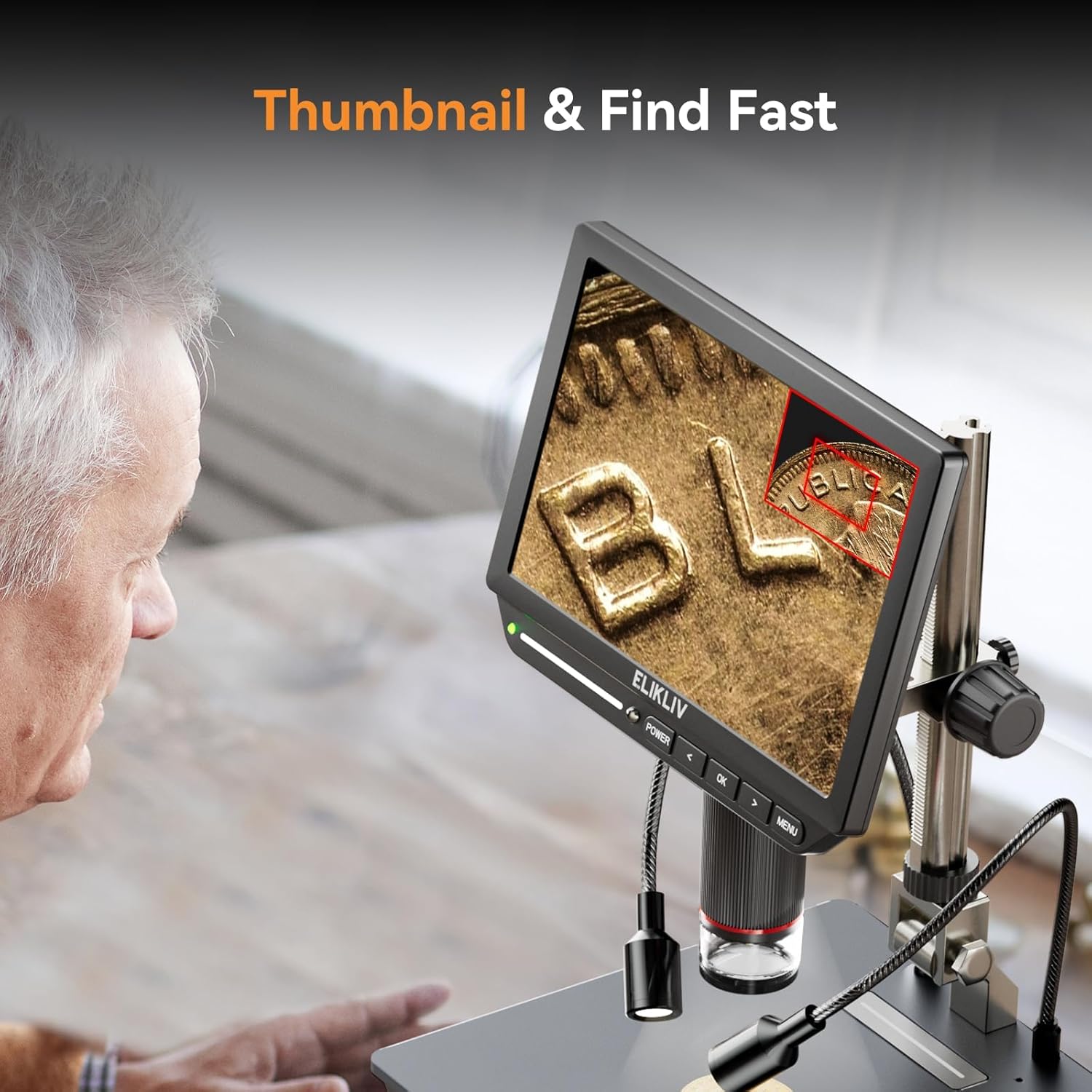
Image: Visual representation of the 2x-2000x zoom capability of the Elikliv EM4K Digital Microscope, showing increasing detail of a circuit board.
Adjusting LED Lights
The microscope features touch-control LED lights. Tap the light control area on the display or use the remote control to adjust brightness levels (0%, 20%, 50%, 100%) to achieve optimal illumination for your subject.

Image: The touch-control LED light feature of the Elikliv EM4K Digital Microscope, illustrating how to adjust light intensity for clear coin observation.
Capturing Photos and Videos
Use the dedicated buttons on the display or the remote control to capture still images or record video footage. All captures are saved to the inserted Micro SD card.
Connecting to PC/Monitor (Tri-Screen Display)
The EM4K supports HDMI and USB output for a larger viewing experience. Connect the microscope to an external monitor via HDMI or to a computer via USB. Select the appropriate output mode from the microscope's menu.

Image: The Tri-Screen Simultaneous display feature of the Elikliv EM4K Digital Microscope, showing real-time output on its own screen, a laptop, and a larger monitor.
Video: Instructions on how to connect the Elikliv EM4K 4K Coin Digital Microscope to a PC for extended viewing and data transfer.
Viewing Entire Coins
Utilize the 10-inch stand with its extendable base (up to 6.3 inches) to adjust the working distance, allowing you to capture and view entire coins without needing to move the specimen.
Video: Demonstration of how to adjust the Elikliv microscope to view an entire coin on the display screen.
Using Grid Lines
The microscope features a grid line function, useful for precise measurements and alignment during tasks like soldering or detailed inspection. Access this feature through the menu settings.
Video: Guide on how to activate and use the grid line feature with the Elikliv EM4K Soldering Microscope for precise work.
Thumbnail Feature
The thumbnail feature allows for quick navigation and review of captured images and videos directly on the microscope's screen, making it easy to find specific details.
Video: Instructions on how to use the thumbnail feature on the Elikliv EM4K 4K Coin Digital Microscope for quick image review.
Maintenance
- Cleaning: Use a soft, dry microfiber cloth to clean the display screen and lens. For stubborn smudges, a lens cleaning solution designed for optics can be used sparingly. Avoid abrasive cleaners or solvents.
- Storage: Store the microscope in a cool, dry place away from direct sunlight and extreme temperatures. Keep it covered to prevent dust accumulation.
- Battery Care: For models with a built-in rechargeable battery, ensure regular charging to maintain battery health. Avoid fully discharging the battery for extended periods.
Troubleshooting
| Problem | Possible Cause | Solution |
|---|---|---|
| No Power | Low battery or power connection issue. | Charge the battery or ensure the power adapter is securely connected. |
| Blurry Image | Incorrect focus or working distance. | Adjust the height of the microscope on the stand and use the focus wheel. Ensure the lens cover is removed. |
| No Image on External Display | Incorrect cable connection or output mode. | Check HDMI/USB cable connections. Select the correct output mode in the microscope's menu. |
| SD Card Error | Card not inserted correctly or incompatible format. | Reinsert the SD card. Format the SD card via the microscope's menu (this will erase all data). |
Specifications
- Model Name: EM4K
- Item Model Number: EDM14
- Video Resolution: 4K UHD (3840x2160P 30fps)
- Image Resolution: 52MP (9600x5400P)
- Display: 8-inch IPS Screen (1280x800P)
- Magnification: 2x to 2000x
- Stand Height: 10 inches (extendable base up to 6.3 inches)
- Connectivity: HDMI, USB
- Storage: Supports Micro SD Card (64GB included)
- Lighting: Touch-Control LED Lights
- Battery: 1 Lithium Ion battery (included)
- Item Weight: 2.4 pounds
- Product Dimensions: 9.57 x 8.07 x 3.5 inches
- Material: Metal
- Color: Black
Warranty and Support
For warranty information, technical support, or any inquiries regarding your Elikliv EM4K Digital Microscope, please refer to the contact details provided in your product packaging or visit the official Elikliv website. Keep your purchase receipt for warranty claims.