
1. Introduction
This manual provides essential information for the safe and efficient use of your Samsung UN65TU8300 65-inch 4K UHD Smart Curved TV bundle. This bundle includes the Samsung UN65TU8300 TV, a Deco Gear Home Theater Soundbar with Subwoofer, a wall mount, and various accessory cables. Please read these instructions thoroughly before operating the product and retain them for future reference.
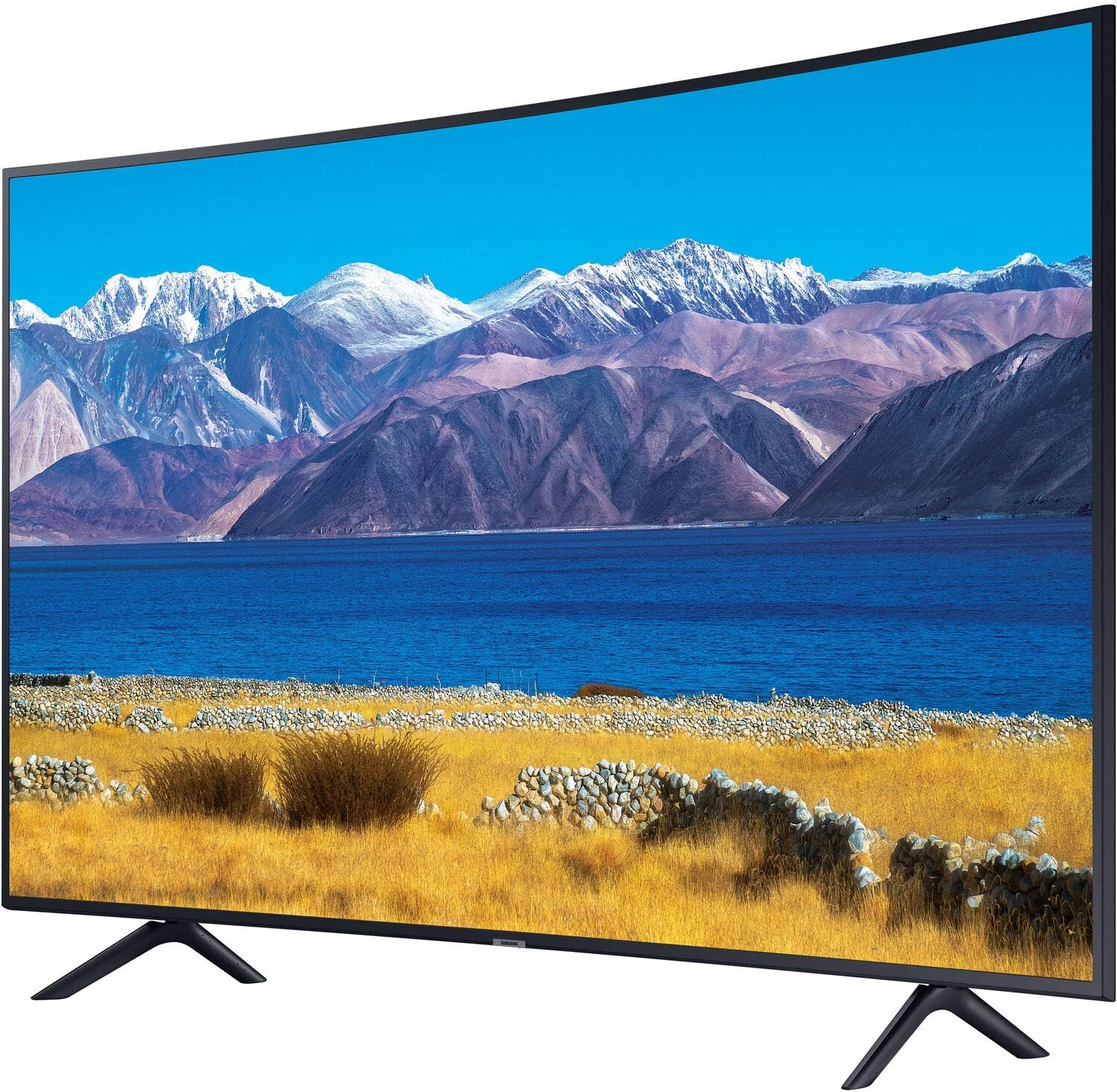
Image: Front view of the Samsung UN65TU8300 65-inch 4K UHD Smart Curved TV, showcasing its curved screen and slim bezels.
2. Safety Information
Always follow basic safety precautions when using this product to reduce the risk of fire, electric shock, and injury.
- Do not expose the TV or soundbar to rain or moisture.
- Do not block ventilation openings. Ensure adequate space around the TV and soundbar for proper airflow.
- Use only the power cords supplied with the devices.
- Do not overload wall outlets or extension cords.
- Refer all servicing to qualified service personnel.
- Keep small parts and batteries out of reach of children.
- When mounting the TV, ensure the wall mount is securely installed and can support the TV's weight. Professional installation is recommended for wall mounting.
3. Package Contents
Verify that all items are present in your bundle:
- Samsung UN65TU8300 65" HDR 4K UHD Smart Curved TV
- OneRemote (TV Remote Control)
- TV Stand Components
- Power Cable for TV
- Deco Home 60W Soundbar
- Deco Home Subwoofer
- Soundbar Remote Control
- Power Cable for Soundbar/Subwoofer
- Deco Mount 37" - 100" TV Wall Mount Bracket with Tilt Function
- Universal Mounting Hardware for Wall Mount
- SurgePro 6 NT 750 Joule 6-Outlet Surge Adapter with Night Light
- Universal Screen Cleaner
- 2 x 6FT Universal 4K HDMI 2.0 Cable
- 6ft Optical Toslink 5.0mm OD Audio Cable

Image: The Deco Home 60W Soundbar and its wireless subwoofer, accompanied by a remote control.

Image: The Deco Mount TV Wall Mount Bracket, designed for TVs from 37 to 100 inches.
4. Setup
4.1 TV Placement and Stand Installation
Choose a stable, level surface for your TV. If using the included stand, carefully attach the stand components to the TV according to the instructions provided in the TV's quick setup guide. Ensure all screws are tightened securely.
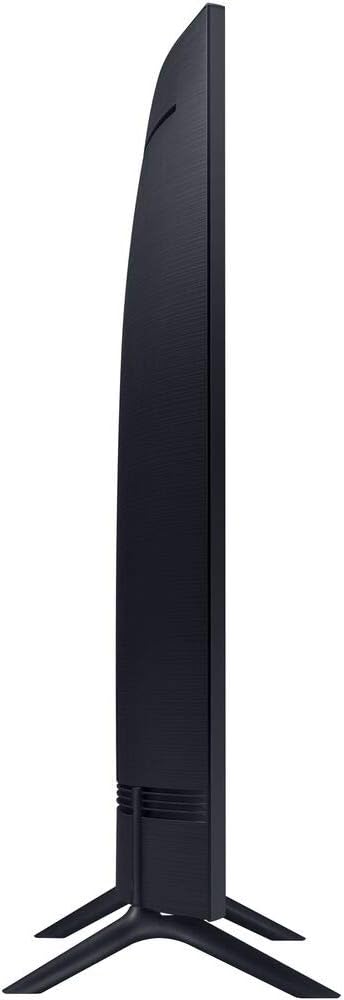
Image: Side profile of the Samsung UN65TU8300 Curved TV, illustrating its slim design and stand attachment.
4.2 Wall Mount Installation
If you choose to wall-mount your TV, use the included Deco Mount bracket. Due to the size and weight of the 65-inch TV, professional installation is highly recommended. Ensure the wall structure can support the TV's weight and the mount is installed according to the mount manufacturer's instructions. The wall mount supports tilt functionality.
4.3 Connecting the Soundbar and Subwoofer
Place the soundbar below your TV. The subwoofer connects wirelessly to the soundbar within 30 feet. Plug both the soundbar and subwoofer into power outlets using their respective power cables. The subwoofer should automatically pair with the soundbar. If not, refer to the soundbar's specific pairing instructions.

Image: A diagram illustrating the dimensions of the Deco Home soundbar and subwoofer, and indicating the wireless connection capability of the subwoofer.
4.4 Connecting External Devices (HDMI, Optical)
Use the included 4K HDMI 2.0 cables to connect devices like Blu-ray players, gaming consoles, or cable boxes to the HDMI ports on your TV. For optimal audio from the TV to the soundbar, use the included Optical Toslink cable. Connect one end to the TV's optical audio output and the other to the soundbar's optical input.

Image: Two 6-foot Universal 4K HDMI 2.0 cables with distinctive red connectors.
4.5 Power Connection
Plug the TV's power cord into the SurgePro 6-outlet surge adapter, then plug the adapter into a wall outlet. Do the same for the soundbar and subwoofer. The surge adapter provides protection against power fluctuations.
5. Operating Instructions
5.1 Samsung TV Operation
Power On/Off: Press the Power button on the OneRemote to turn the TV on or off.
Initial Setup: Upon first power-on, the TV will guide you through initial setup, including network connection (Wi-Fi), channel scanning, and Smart Hub configuration. The TV supports multiple voice assistants for control.
OneRemote: Use the OneRemote for navigation, volume control, channel selection, and accessing Smart TV features. The remote is designed for simplicity and may not have all traditional buttons (e.g., a dedicated mute button might be absent, requiring volume down to zero).
Smart TV (TIZEN™): Access streaming apps, web browsing, and other smart features through the TIZEN™ operating system. Ensure your TV is connected to the internet for full functionality.
5.2 Soundbar Operation
Power On/Off: Use the soundbar's remote control or the power button on the soundbar itself.
Input Selection: Cycle through available inputs (e.g., Optical, Bluetooth, HDMI ARC) using the Input button on the soundbar remote. Select the input corresponding to your TV connection (Optical is recommended).
Volume Control: Adjust the volume using the soundbar's remote. The TV's remote may also control the soundbar volume if HDMI ARC is used and configured correctly.
Bluetooth Connectivity: Pair your smartphone, tablet, or laptop wirelessly to the soundbar via Bluetooth for audio playback.
6. Maintenance
- Cleaning the Screen: Use the included universal screen cleaner and a soft, lint-free cloth. Spray the cleaner onto the cloth, not directly onto the screen, then gently wipe.
- Cleaning the TV and Soundbar Body: Wipe with a soft, dry cloth. Do not use abrasive cleaners or solvents.
- Ventilation: Ensure ventilation openings are clear of dust and debris to prevent overheating.
- Cable Management: Periodically check all cable connections to ensure they are secure.
7. Troubleshooting
7.1 TV Issues
- No Power:
- Check if the power cord is securely plugged into the TV and the surge adapter/wall outlet.
- Ensure the surge adapter is powered on and functioning.
- Try plugging the TV directly into a different wall outlet.
- No Picture, But Sound:
- Verify the correct input source is selected on the TV.
- Check HDMI cable connections. Try a different HDMI port or cable.
- No Sound from TV Speakers:
- Ensure TV volume is not muted or set to zero.
- If using an external sound system (soundbar), ensure TV speakers are disabled in the TV's audio settings.
- Remote Control Not Working:
- Replace batteries in the OneRemote.
- Ensure there are no obstructions between the remote and the TV's IR receiver.
- Re-pair the OneRemote if it's a Bluetooth remote (refer to TV's on-screen guide).
7.2 Soundbar Issues
- No Sound from Soundbar:
- Ensure the soundbar is powered on and the correct input source is selected.
- Check the optical or HDMI ARC cable connection between the TV and soundbar.
- Increase the soundbar's volume.
- Ensure the TV's audio output is set to external speakers (Optical or HDMI ARC).
- Subwoofer Not Connecting:
- Ensure the subwoofer is powered on.
- Move the subwoofer closer to the soundbar.
- Refer to the soundbar manual for specific subwoofer pairing instructions.
8. Specifications
| Feature | Specification |
|---|---|
| Model Name | UN65TU8300 |
| Screen Size | 65 inches |
| Display Technology | 4K UHD, HDR, Curved TV |
| Processor | Crystal Processor 4K |
| Smart TV Platform | TIZEN™ |
| Voice Assistants | Multiple Voice Assistants supported |
| Wireless Connectivity | Bluetooth, Wi-Fi |
| Soundbar Output Power | 60 Watts |
| Soundbar Channel Config | 2.1 Surround Sound (Soundbar, Subwoofer) |
| TV Dimensions (Product) | 57.2 x 12.7 x 36 inches |
| TV Item Weight | 40 pounds |
| UPC | 840133935806 |
9. Warranty Information
The Samsung UN65TU8300 TV comes with a Limited 1-Year Warranty from Samsung USA. Please refer to the warranty card included with your product or visit the official Samsung website for detailed terms and conditions. Warranties for third-party accessories (Deco Gear Soundbar, Wall Mount, etc.) are provided by their respective manufacturers.
10. Support
For technical assistance, troubleshooting, or service inquiries regarding your Samsung TV, please contact Samsung Customer Support. For issues related to the Deco Gear soundbar, subwoofer, or wall mount, please contact the respective manufacturer's customer support.
You can typically find contact information on the manufacturer's official website or in the documentation provided with each component.