
Hyper Tough 203562
Hyper Tough Razor Scraper with Soft Grip Handle User Manual
Brand: Hyper Tough | Model: 203562
Introduction
The Hyper Tough Razor Scraper is designed for efficient removal of various materials from hard surfaces. Its robust construction and ergonomic design ensure effective and comfortable use. This manual provides essential information for the safe and proper operation, maintenance, and care of your scraper.
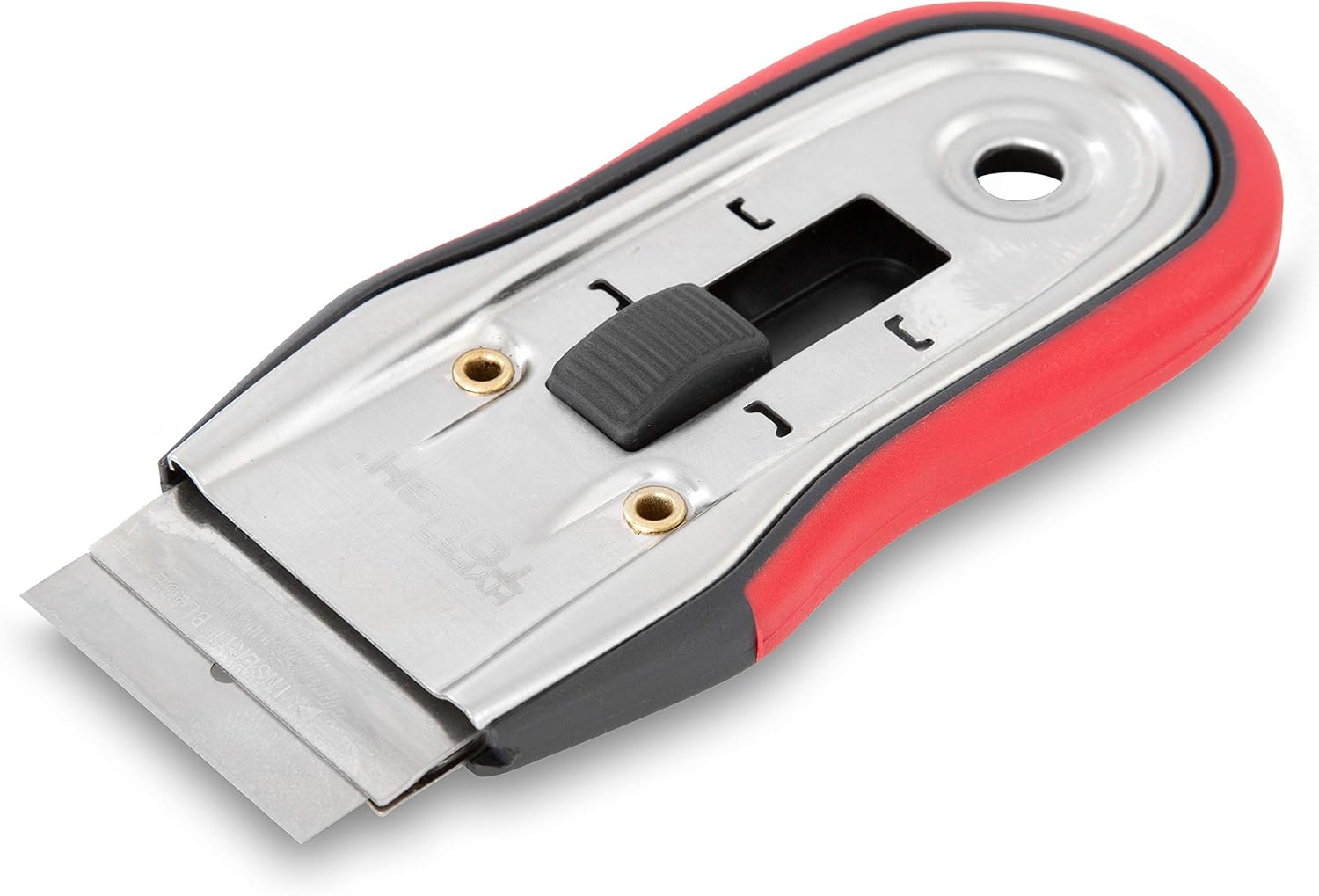
Image: The Hyper Tough Razor Scraper, showing its red and black soft grip handle and the exposed razor blade.
Safety Information
WARNING: This product contains a sharp blade. Handle with extreme care to prevent injury.
- Always keep fingers away from the blade edge.
- Use appropriate personal protective equipment, such as gloves and eye protection.
- Ensure the blade is retracted when not in use or when storing the scraper.
- Keep out of reach of children.
- Dispose of used blades safely in a puncture-resistant container.
- Do not use on surfaces that can be easily scratched or damaged by a razor blade.
Components
The Hyper Tough Razor Scraper consists of the following main components:
- Soft Grip Handle: Provides comfort and control during use.
- Stainless Steel Frame: Ensures durability and strength.
- Retractable Blade Mechanism: Allows for safe extension and retraction of the blade.
- Push Button Action: Secures the blade in position and prevents accidental slipping.
- Single Edge Razor Blade: The cutting component for scraping.
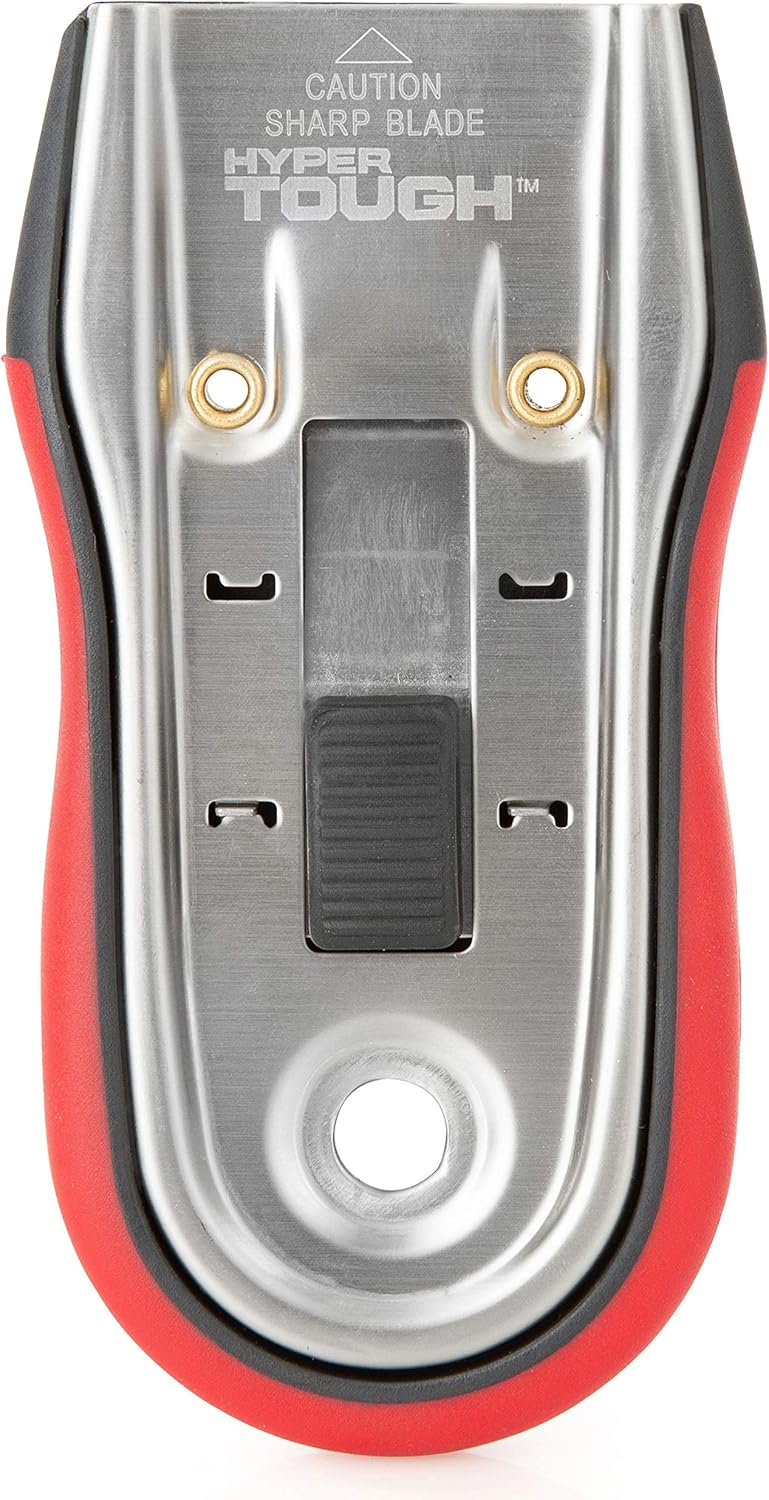
Image: A close-up top-down view of the scraper, highlighting the retractable blade mechanism and push button.
Setup
Blade Insertion/Reversal
- Locate the push button on the top of the scraper.
- Press and hold the push button to release the blade mechanism.
- Carefully slide the existing blade out or insert a new standard 1-1/2" single edge razor blade with an aluminum spine. Ensure the sharp edge is facing outwards for use, or inwards for safe storage/shipping.
- Release the push button to lock the blade securely in place. Gently tug on the blade to ensure it is fully seated and locked.

Image: The Hyper Tough Razor Scraper shown next to a detached single-edge razor blade, illustrating the blade replacement process.

Image: The Hyper Tough Razor Scraper with indicated dimensions: 1-1/2 inches blade width and 4-1/2 inches overall length.
Operating Instructions
General Use
- Ensure the blade is properly inserted and locked.
- Extend the blade by pressing the push button and sliding it forward until it locks into the extended position.
- Hold the scraper firmly with the soft grip handle.
- Position the blade at a shallow angle (typically 15-30 degrees) against the surface to be scraped.
- Apply steady, even pressure and push or pull the scraper across the material to be removed.
- For stubborn materials, multiple passes or a slightly steeper angle may be required.
- After use, retract the blade fully into the handle by pressing the push button and sliding it back for safety.

Image: A hand demonstrating the use of the Hyper Tough Razor Scraper to remove a substance from a red surface.
Maintenance
Cleaning
After each use, wipe the blade and scraper body clean with a dry cloth to remove any debris or residue. For stubborn residue, a damp cloth can be used, ensuring the scraper is thoroughly dried afterwards to prevent rust, especially on the blade.
Blade Replacement
Replace the blade when it becomes dull or damaged. A dull blade requires more force and increases the risk of injury or surface damage. Refer to the "Setup" section for instructions on blade insertion and removal.
Troubleshooting
| Problem | Possible Cause | Solution |
|---|---|---|
| Blade not scraping effectively | Dull blade; Incorrect angle; Insufficient pressure | Replace blade; Adjust scraping angle (15-30 degrees); Apply more pressure. |
| Blade slipping during use | Blade not fully locked; Blade not seated correctly | Ensure push button is fully engaged and blade is locked; Re-insert blade, ensuring it clicks into place. |
| Difficulty retracting/extending blade | Debris in mechanism; Mechanism corrosion | Clean mechanism thoroughly; Apply a small amount of lubricant if necessary (avoiding blade edge). |
| Scraper leaving scratches on surface | Incorrect angle; Blade too sharp for surface; Surface not suitable for scraping | Adjust angle; Test on an inconspicuous area first; Consider alternative removal methods for delicate surfaces. |
Specifications
- Model Number: 203562
- Brand: Hyper Tough
- Blade Type: Standard 1-1/2" Single Edge Razor Blade with Aluminum Spine
- Handle Material: Soft Grip
- Frame Material: Heavy Duty Stainless Steel
- Weight: Approximately 2.39 ounces
- Package Dimensions: Approximately 4.96 x 2.6 x 0.31 inches
- Batteries Required: No
- ASIN: B08GNZ3WST
Warranty and Support
For information regarding warranty coverage, product support, or replacement parts, please contact Hyper Tough customer service. Refer to the product packaging or the official Hyper Tough website for the most current contact information.
Manufacturer: Hyper Tough
Ask a question about this manual
Ask about setup, troubleshooting, compatibility, parts, safety, or missing instructions. Manuals+ will review the question and use this page’s manual context to help answer it.