
1. Introduction
This manual provides instructions for the Drimfly AMI MMI Aux Cable, designed to connect your iPhone to compatible Audi MMI 3G systems. This cable enables audio playback and simultaneous charging of your device, enhancing your in-car entertainment experience.
Please read this manual thoroughly before installation and use to ensure proper functionality and compatibility.
2. Product Overview
The Drimfly AMI MMI Aux Cable is a 2-in-1 solution that allows you to stream audio from your iPhone and charge it simultaneously through your Audi's AMI (Audi Music Interface) port. It features upgraded audio chips for stable, lossless audio transmission, ensuring high-fidelity sound quality.
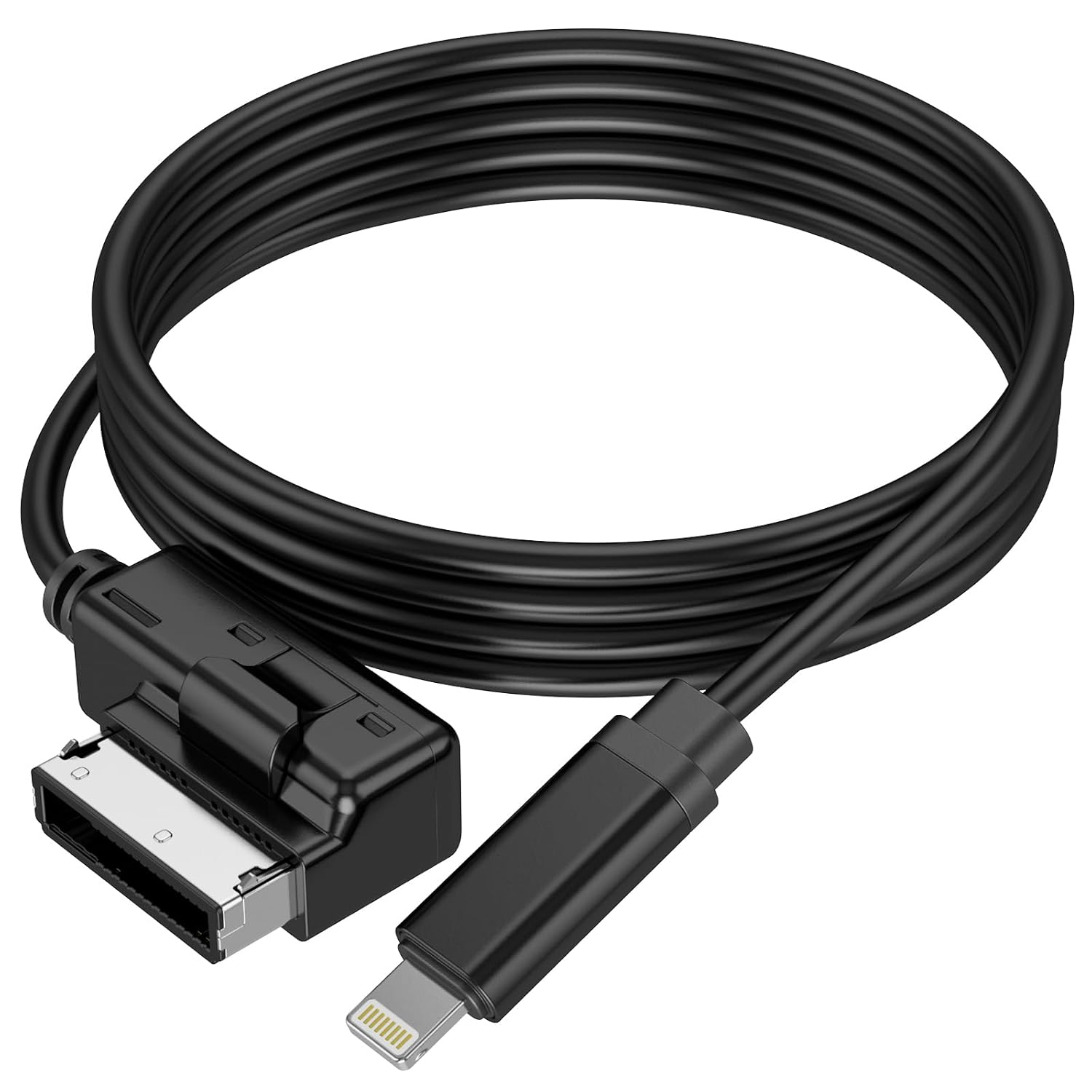
Figure 1: Drimfly AMI MMI Aux Cable, showing the AMI connector and the Lightning connector.

Figure 2: Cable components and dimensions. The cable is approximately 3.3 feet long and features an original chip and a durable TPE jacket.
3. Setup Instructions
- Locate the AMI Port: The Audi Music Interface (AMI) rectangular socket is typically located in your Audi's glove box or under the armrest.
- Connect the Cable: Insert the AMI connector end of the cable into the Audi MMI port.
- Connect Your iPhone: Plug the Lightning connector end of the cable into your iPhone.
- Activate Audio Source: Turn on your car stereo. Manually switch the car stereo to MEDIA mode, then select the Aux mode (External audio input).

Figure 3: Location of the Audi MMI Rectangular Socket.

Figure 4: Car display indicating active external audio source.
4. Operating Instructions
- Audio Playback: Once connected and Aux mode is selected, audio from your iPhone will play through your car's speakers. Control playback (play, pause, skip) directly from your iPhone.
- Device Charging: The cable simultaneously charges your iPhone while connected. Note that charging speed may vary.

Figure 5: In-car usage of the cable for music and charging.
5. Important Notes and Compatibility
- MMI 3G System Requirement: This cable is specifically designed for Audi MMI 3G systems (model years 2011-2016). MMI 2G and other Audi navigation systems will only transmit audio and will not charge the connected device.
- Identifying MMI Version: To distinguish your MMI version, access the car menu by pressing the CAR button, then press SETUP or MENU. Select the "Version" submenu and check the value from the line marked with "BNav" or "HNav".
- Audio Signals Only: This cable transmits audio signals exclusively. No content will be displayed on the Multi-Media Interface (MMI) screen.
- No Phone Call Support: Phone call functionality is not supported through this cable.
- Error Message Prevention: The cable incorporates an Apple 3959 chip to ensure compatibility with the newest iOS versions and prevent common "accessory not supported" error messages.

Figure 6: Cable's built-in chip prevents iOS error messages.
6. Specifications
| Feature | Detail |
|---|---|
| Model Number | D-L8A30 |
| Brand | Drimfly |
| Connector Type | AMI to Lightning |
| Cable Type | AUX |
| Compatible Devices | iPhone (with Lightning port) |
| Compatible Car Systems | Audi MMI 3G (2011-2016 models) |
| Product Dimensions | 4.72 x 3.15 x 0.39 inches |
| Item Weight | 1.06 ounces |
| Special Feature | Lightweight, 2-in-1 Audio & Charging |
7. Troubleshooting
- No Audio Output:
- Ensure the cable is securely connected to both the AMI port and your iPhone.
- Verify that your car stereo is set to MEDIA mode and Aux input is selected.
- Confirm your Audi has an MMI 3G system. MMI 2G systems only support audio, not charging.
- Check your iPhone's volume and ensure no other audio output is selected.
- Device Not Charging:
- Ensure your Audi has an MMI 3G system. MMI 2G systems do not support charging via this cable.
- Check all cable connections for security.
- Verify that your iPhone is functioning correctly with other charging cables.
- "Accessory Not Supported" Error:
- This cable is designed with an integrated chip to prevent such errors. If this error occurs, try disconnecting and reconnecting the cable.
- Ensure your iPhone's iOS is up to date.
- Cable Does Not Fit AMI Port:
- Confirm that the port in your vehicle is indeed an Audi Music Interface (AMI) port. Some Audi models may have different connectors.
8. Warranty and Support
Specific warranty information for the Drimfly AMI MMI Aux Cable (Model D-L8A30) is not provided in the product data. For details regarding warranty coverage, technical support, or any product-related inquiries, please contact Drimfly customer service directly through their official channels or the retailer from whom the product was purchased.