
Introduction
Thank you for choosing the Letscool A4 Wireless Security Camera. This manual provides detailed instructions for the setup, operation, and maintenance of your new security camera. Designed for both indoor and outdoor use, this 1080P rechargeable camera offers advanced features such as PIR motion detection, night vision, and two-way audio to enhance your home security.
What's Included
Please check the package contents to ensure all items are present:
- 1 x Letscool Battery Camera
- 1 x USB Cable
- 1 x Mounting Bracket
- 3 x Sets of Screws
- 1 x Quick Guide
Note: A MicroSD card is required for local storage and is not included. The camera only supports 2.4 GHz Wi-Fi connections; 5 GHz Wi-Fi is not supported.
Key Features
- 100% Wire-Free & Ultra-Long Standby Time: Completely cable-free design with a rechargeable battery providing 2-5 months of working time (based on 10 activations/day).
- Two-Way Audio: Built-in microphone and speaker for real-time communication via the "Adorcam" app.
- Enhanced PIR Motion Detection & Alert Notification: Receive push notifications on your smartphone or tablet when motion is detected. Adjustable sensitivity helps prevent false alarms.
- FHD 1080P & Night Vision: High-definition 1080P video resolution with infrared night vision capabilities for clear monitoring in low-light conditions.
- IP65 Weatherproof: Designed to withstand extreme weather conditions for reliable outdoor performance.
Setup
1. Charging the Camera
Before initial use, fully charge the camera's built-in rechargeable battery using the provided USB cable. A full charge ensures optimal performance and standby time.

Image: The Letscool A4 camera highlighting its built-in rechargeable battery and long standby time. It also shows compatibility with 2.4G WiFi only, not 5G.
2. App Installation and Wi-Fi Connection
- Download the "Adorcam" app from your smartphone's app store (iOS or Android).
- Register for an account and log in.
- Follow the in-app instructions to add your camera. Ensure your smartphone is connected to a 2.4 GHz Wi-Fi network during the setup process. The camera does not support 5 GHz Wi-Fi.
3. MicroSD Card Installation (Optional)
Insert a MicroSD card (not included) into the designated slot on the camera for local video storage. Refer to the quick guide for the exact location of the MicroSD card slot.
4. Mounting the Camera
The camera is 100% wire-free, allowing for flexible installation. Use the provided mounting bracket and screws to secure the camera in your desired location. For outdoor installations, consider placing the camera under a porch or eaves for additional protection from the elements and to keep the lens clean.
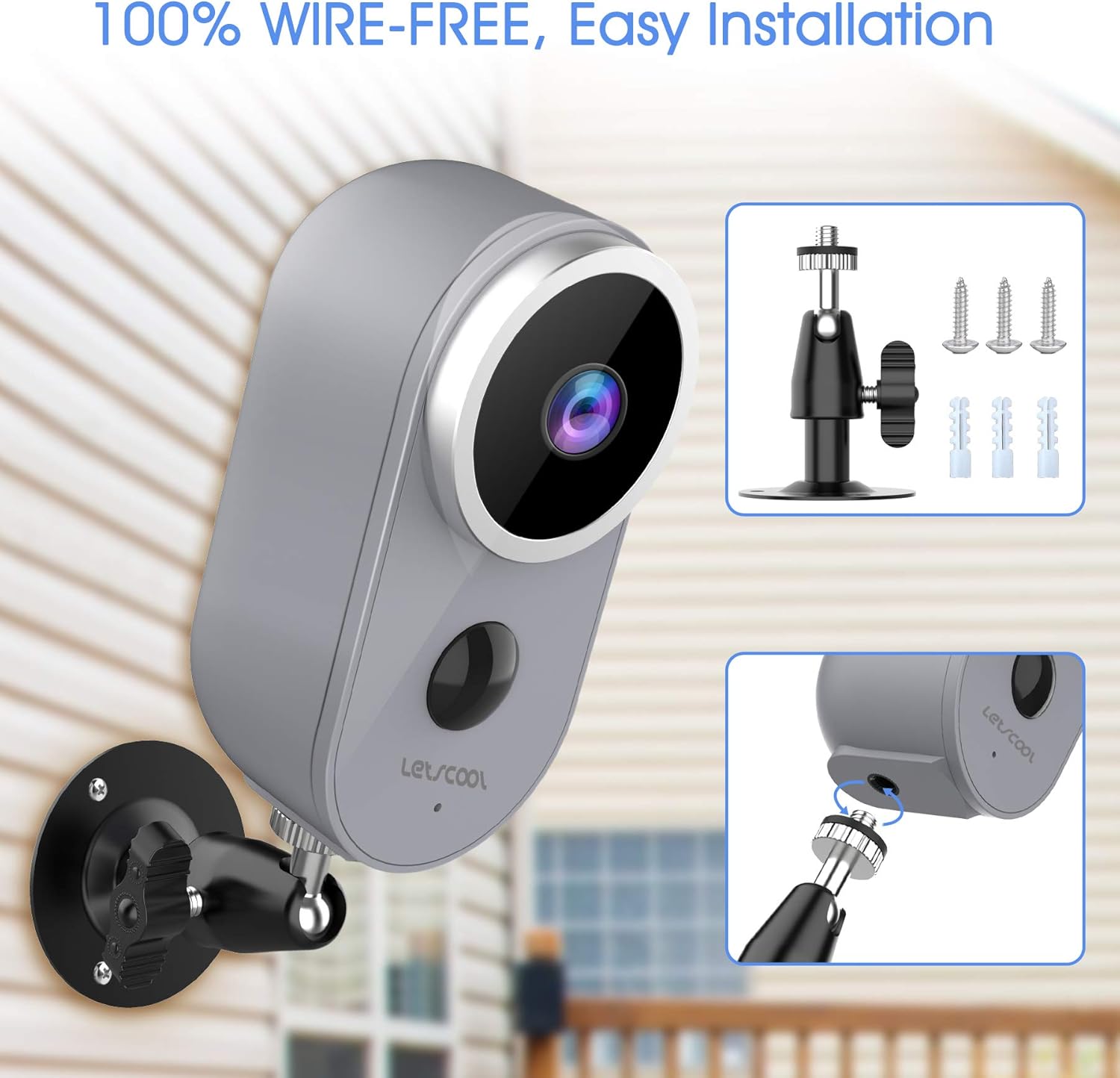
Image: The Letscool A4 camera shown mounted on an exterior wall, illustrating its wire-free installation and the included mounting hardware.
Operating Instructions
1. Live View and Two-Way Audio
Open the "Adorcam" app to access the live video feed from your camera. Use the built-in microphone and speaker functions within the app to engage in two-way conversations with visitors or deter intruders.

Image: A user interacting with someone at their door through the camera's two-way audio feature using the smartphone app.
2. PIR Motion Detection and Alerts
The camera utilizes Passive Infrared (PIR) technology to detect moving bodies with heat signatures. When motion is detected, the camera will record a video clip and send a push notification to your smartphone. You can adjust the sensitivity settings in the "Adorcam" app to optimize detection and minimize unwanted alerts.

Image: The camera detecting motion from people in a yard, with a smartphone displaying motion-activated video clips, demonstrating the PIR motion detection feature.
3. Night Vision
The camera is equipped with infrared night vision, allowing it to capture clear video footage even in complete darkness. This feature automatically activates in low-light conditions to ensure continuous security monitoring.
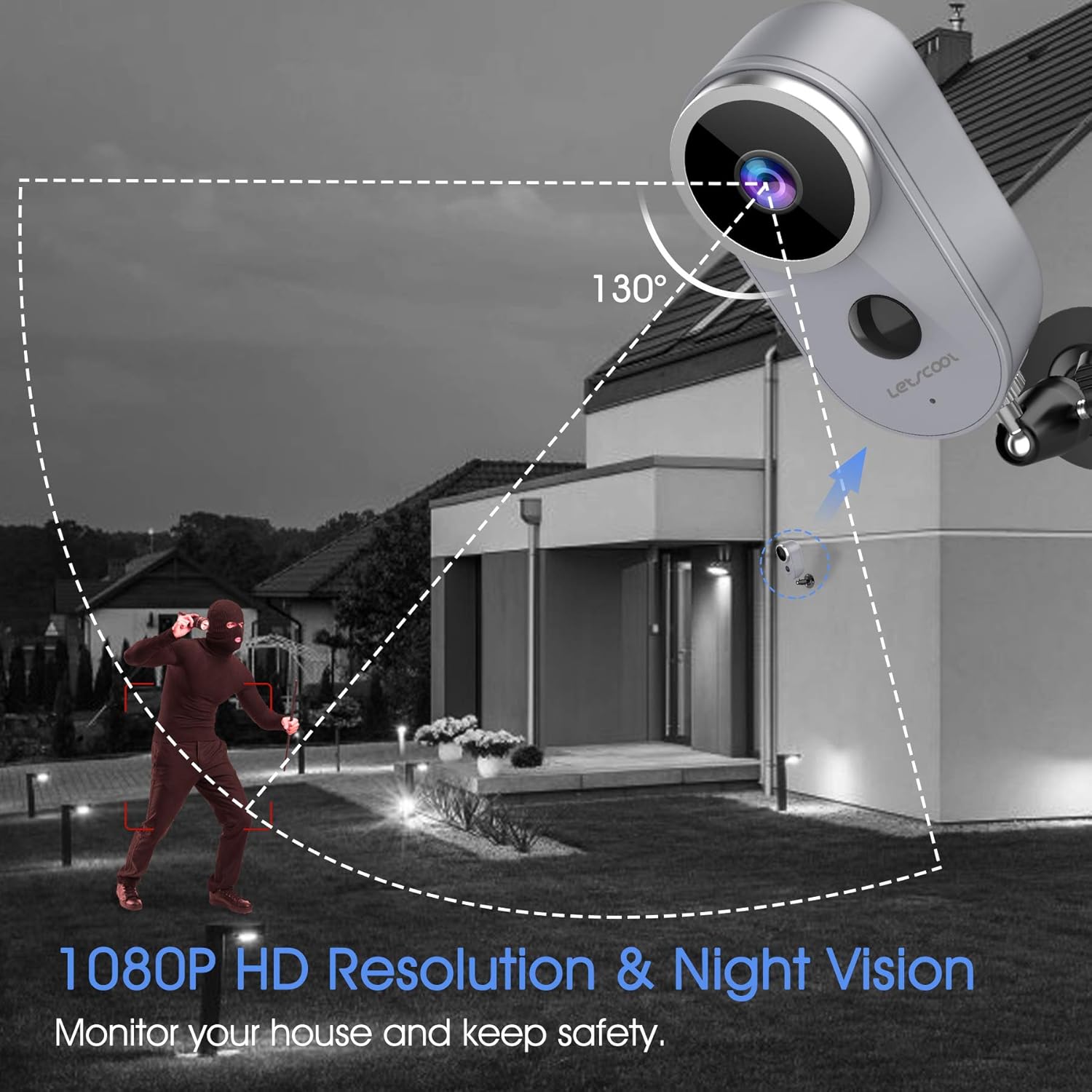
Image: The Letscool A4 camera monitoring a property at night, illustrating its 130-degree field of view and night vision capabilities for security.
4. Multi-Account Remote Access
Share access to your camera's live feed and recordings with family members through the "Adorcam" app. This allows multiple users to monitor the property simultaneously.
Maintenance
1. Battery Management
The camera's battery life can last 2-5 months depending on usage. The "Adorcam" app will notify you when the battery level is low, prompting you to recharge the camera. Frequent activations in busy areas will reduce battery longevity, requiring more frequent charging.
2. Weather Protection
While the camera is IP65 weatherproof and designed to withstand rain, hail, storms, snow, and sun, installing it in a protected location such as under a porch or eaves is recommended. This provides additional protection from extreme elements and helps keep the lens clean from debris, ensuring optimal performance and longevity.
Troubleshooting
- Camera not connecting to Wi-Fi: Ensure your Wi-Fi network is 2.4 GHz. The camera does not support 5 GHz Wi-Fi. Verify your Wi-Fi password and signal strength.
- Short battery life: If the camera is placed in a high-traffic area, it will activate more frequently, leading to faster battery depletion. Consider adjusting PIR sensitivity or relocating the camera to a less busy area.
- No motion alerts: Check the PIR sensitivity settings in the "Adorcam" app. Ensure notifications are enabled for the app on your smartphone.
- Poor video quality: Ensure the camera lens is clean and free from obstructions. Check your Wi-Fi signal strength at the camera's location.
Specifications
| Model Name | A4 |
| Brand | Letscool |
| Connectivity Technology | Wireless (Wi-Fi 2.4 GHz only) |
| Special Features | Motion Sensor, Night Vision |
| Indoor/Outdoor Use | Outdoor (recommended protected installation) |
| Power Source | Battery Powered (Rechargeable) |
| Controller Type | App (Adorcam) |
| Mounting Type | Wall Mount |
| Material | Iron |
| Alert Type | Motion Only |
| International Protection Rating | IP65 |
| Video Capture Format | MP4 |
| Video Recording Resolution | 1080p |
| Effective Video Resolution | 1080 Pixels |
| Night Vision | Color Night Vision (Infrared) |
Warranty and Support
For warranty information or technical support, please refer to the contact details provided with your product packaging or visit the official Letscool website. Keep your purchase receipt for warranty claims.
Usage Scenarios
The Letscool A4 camera is versatile and can be used in various indoor and outdoor settings to monitor your home and property.

Image: A collage demonstrating various installation and usage scenarios for the Letscool A4 camera, including indoor monitoring of a child's room and a pet, as well as outdoor surveillance near a front door and on an exterior wall.