
KONNWEI KW360
KONNWEI KW360 Diagnostic Scanner User Manual
Model: KW360 | Brand: KONNWEI
Introduction
The KONNWEI KW360 is a professional full system diagnostic scan tool engineered for Mercedes Benz and Smart vehicles. It provides comprehensive diagnostic capabilities for various vehicle systems beyond standard OBD2 functions, including engine, ABS, SRS, transmission, and more. This manual provides detailed instructions for setting up, operating, maintaining, and troubleshooting your KW360 device.

Image: The KONNWEI KW360 diagnostic scanner, featuring a compact design with a display screen and control buttons.
Setup Guide
Follow these steps to prepare your KONNWEI KW360 for first use:
- Unpacking: Carefully remove all components from the packaging. The package typically includes the KW360 OBDII scanner, an OBD2 cable, a USB cable, and a user manual.
- Powering On: Connect the KW360 scanner to your vehicle's 16-pin OBD2 port. The device will power on automatically. Ensure the vehicle's ignition is in the 'ON' position (engine off or running, depending on the test).
- Software Update (Recommended): For optimal performance and access to the latest vehicle data and functions, it is highly recommended to update the device software. Connect the KW360 to a computer using the provided USB cable and visit the official KONNWEI website for update instructions and software.

Image: Contents of the KONNWEI KW360 package, including the scanner, cables, and user manual.

Image: The KW360 scanner connected to a vehicle's OBD2 port, demonstrating its wide compatibility.

Image: The KW360 scanner connected via USB to a laptop, illustrating the process for free lifetime software updates.
Operating Instructions
The KW360 features a user-friendly interface with a 2.4-inch TFT LCD display and silicone keyboard for navigation.
General Navigation
- Use the UP/DOWN arrow buttons to scroll through menu options.
- Press the ENTER button to select an option or confirm an action.
- Press the ESC button to return to the previous screen or exit a function.
OBD2 Services (All Vehicles)
The KW360 supports 10 modes of OBD2/EOBD diagnostic functions for the engine system, compatible with most OBD2 protocol vehicles (KWP2000, ISO9141, J1850 VPW, J1850 PWM, and CAN) with a 16 PIN interface.
- Read Codes: Displays Diagnostic Trouble Codes (DTCs) stored in the vehicle's computer.
- Clear Codes: Erases DTCs from the vehicle's computer and turns off the Check Engine Light.
- Live Data Stream: Shows real-time data from various sensors in graphical or text format.
- I/M Readiness: Checks the status of emission-related monitors.
- Freeze Frame Data: Displays a snapshot of vehicle operating conditions when an emission-related fault occurred.
- O2 Sensor Test: Retrieves O2 sensor monitor test results.
- On-Board Monitor Test (Mode 6): Retrieves test results for emission-related powertrain components and systems that are not continuously monitored.
- EVAP System Test (Mode 8): Initiates a test of the Evaporative Emission Control System.
- Vehicle Information: Retrieves vehicle identification number (VIN), calibration ID (CALID), and calibration verification number (CVN).
- DTC Lookup: Provides definitions for generic and manufacturer-specific diagnostic trouble codes.
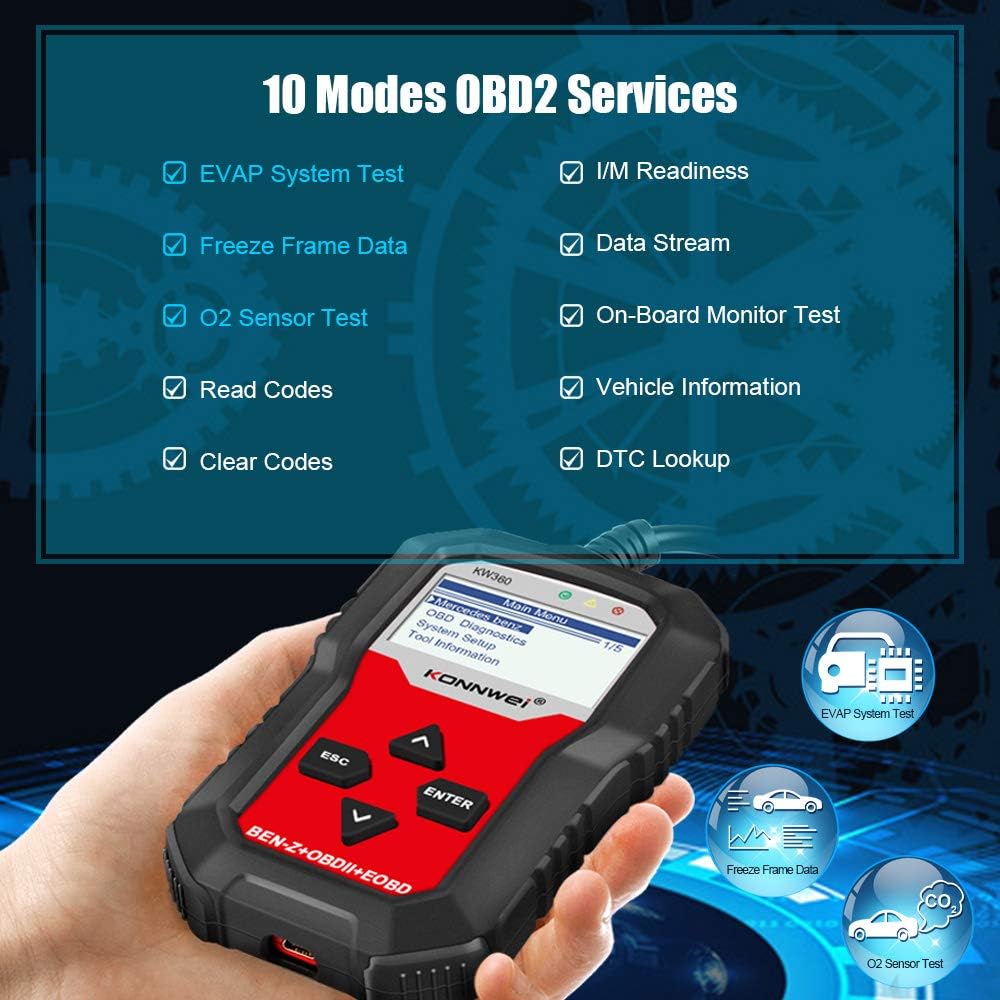
Image: The KW360 screen showing a list of the 10 supported OBD2 diagnostic services.
Mercedes-Benz Specific Diagnostics
The KW360 offers full system diagnosis for Mercedes Benz and Smart vehicles, covering systems beyond standard OBD2.
- Full System Scan: Diagnose systems such as Airbag (SRS), SAS (Steering Angle Sensor), Transmission, ETS (Electronic Throttle System), TPMS (Tire Pressure Monitoring System), ABS (Anti-lock Braking System), Injector System, Engine System, Battery System, TPS (Throttle Position Sensor), Headlight System, Radio System, and more.
- Oil Reset: Perform oil service light reset functions.
- EPB (Electronic Parking Brake) Reset: Reset brake pads after replacement.
- Throttle Position Adaptation: Perform throttle body relearn procedures.

Image: Icons representing various Mercedes Benz systems diagnosable by the KW360, including Airbag, SAS, Transmission, and ABS.

Image: A hand pouring oil into an engine, symbolizing the oil reset special function available on the KW360.
Maintenance
Proper maintenance ensures the longevity and reliability of your KONNWEI KW360 scanner.
- Cleaning: Use a soft, dry cloth to clean the device. Avoid using abrasive cleaners or solvents that could damage the screen or casing.
- Storage: Store the device in a cool, dry place away from direct sunlight and extreme temperatures. Keep it in its protective case or original packaging when not in use to prevent physical damage.
- Cable Care: Do not bend or crimp the OBD2 or USB cables excessively. Always grasp the connector when plugging or unplugging to avoid damaging the wires.
Troubleshooting
If you encounter issues with your KW360, refer to the common problems and solutions below:
- Device Does Not Power On:
- Ensure the OBD2 cable is securely connected to both the scanner and the vehicle's OBD2 port.
- Verify that the vehicle's ignition is in the 'ON' position.
- Check the vehicle's fuse for the OBD2 port (usually labeled 'CIGAR' or 'AUX').
- "Communication Error With Vehicle ECU":
- Confirm the vehicle's ignition is 'ON'.
- Ensure the OBD2 connector is fully seated in the vehicle's port.
- Verify that the vehicle is OBD2 compliant (most vehicles 1996 and newer in the US).
- For Mercedes-Benz specific functions, ensure the correct chassis/model is selected if manual selection is required. Some older or specific Mercedes-Benz models may have limited support for certain advanced functions.
- Try updating the scanner's software to the latest version.
- Screen Freezes or Device is Unresponsive:
- Disconnect the device from the vehicle and reconnect it.
- If the issue persists, perform a software update.
- Incorrect Readings or Inaccurate Diagnostics:
- Ensure the software is up to date.
- Verify that the vehicle's battery voltage is stable.
- Consult the vehicle's service manual for specific diagnostic procedures.
If these steps do not resolve the issue, please contact KONNWEI customer support for further assistance.
Technical Specifications
| Feature | Specification |
|---|---|
| Model | KW360 |
| Display | 2.4-inch TFT LCD |
| Connectivity | OBD2 16-pin, USB |
| Supported Protocols | KWP2000, ISO9141, J1850 VPW, J1850 PWM, CAN |
| Operating Voltage | 9-18V (from vehicle OBD2 port) |
| Dimensions | Approximately 7.17 x 6.02 x 2.05 inches |
| Weight | Approximately 1.01 pounds |
| Operating Temperature | 0°C to 60°C (32°F to 140°F) |
| Storage Temperature | -20°C to 70°C (-4°F to 158°F) |
Warranty and Support
KONNWEI provides comprehensive support for the KW360 diagnostic scanner.
- Warranty: The product comes with a 3-year after-sale service warranty. Please retain your proof of purchase for warranty claims.
- Software Updates: Enjoy lifetime free software updates to ensure your device always has the latest features and vehicle compatibility. Visit the official KONNWEI website for update tools and instructions.
- Technical Support: For any technical problems or inquiries regarding your KW360 OBDII Code Scanner, please contact KONNWEI customer service. Professional engineers are available to assist you.
For the most up-to-date support information and contact details, please refer to the official KONNWEI website or the contact information provided in your product packaging.
Ask a question about this manual
Ask about setup, troubleshooting, compatibility, parts, safety, or missing instructions. Manuals+ will review the question and use this page’s manual context to help answer it.