
SKYWING s6
SKYWING Soundace S6 User Manual
Model: S6
1. Introduction
Thank you for purchasing the SKYWING Soundace S6 IPX7 Waterproof Shower Speaker. This portable Bluetooth speaker is designed to provide high-quality audio with enhanced bass, vibrant RGB lighting, and robust waterproof protection, making it ideal for various outdoor and indoor activities. Please read this manual carefully to ensure proper use and maintenance of your speaker.
2. What's in the Box
Upon opening your package, please verify that all the following items are included:
- SKYWING Soundace S6 Bluetooth Wireless Speaker
- USB Charging Cable
- User Manual (this document)
- Warranty Card
- Feedback Card
- Lanyard
- Carabiner Clip
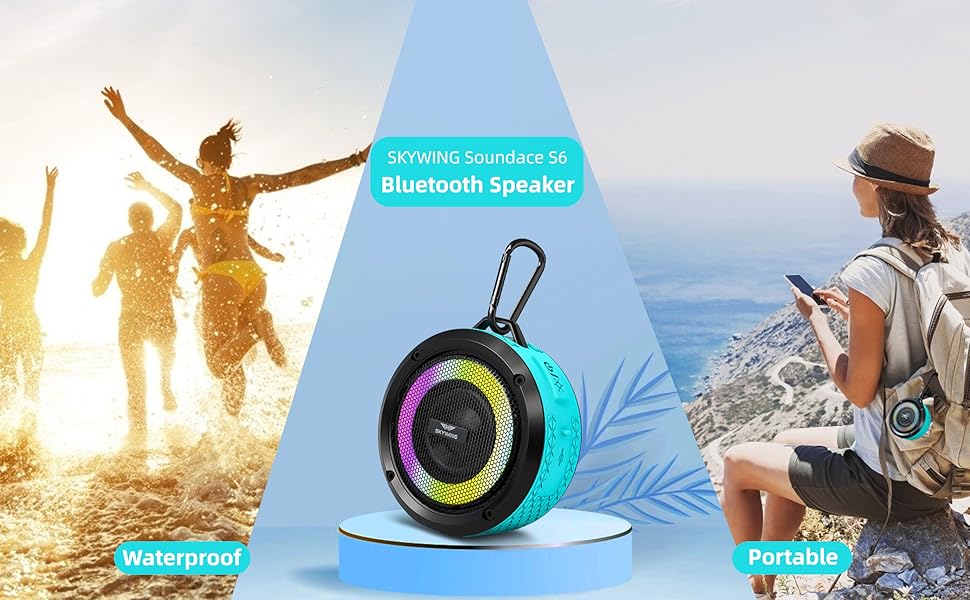
Image: The SKYWING Soundace S6 speaker, USB charging cable, user manual, warranty card, feedback card, lanyard, and carabiner clip are neatly arranged in the product packaging.
3. Key Features
- IPX7 Waterproof Protection: Designed to withstand spills, rain, and even full submersion in water for up to 30 minutes.
- RGB Light Modes: Features 3 different color-changing themes, activated by tapping the light button, to enhance your listening experience.
- Extended Playtime: Built-in Li-Ion rechargeable battery provides up to 20 hours of playtime at 50% volume.
- Rich Bass Audio: Delivers 5W full-bodied stereo sound with enhanced bass through high-performance drivers.
- Stable Bluetooth 5.0 Connectivity: Ensures quick and stable connection with all Bluetooth-enabled devices within 33 feet (10 meters).
- Automatic Reconnection: Speaker automatically reconnects to the last used device.
- Power Saving: Automatically shuts down after 10 minutes of Bluetooth disconnection.
- Built-in Microphone: Allows for hands-free calling.

Image: The Soundace S6 speaker demonstrating its IPX7 waterproof capability, with water splashing around it.

Image: Multiple Soundace S6 speakers showcasing their various LED light patterns.
4. Setup Guide
4.1 Charging the Speaker
Before first use, fully charge the speaker. Connect the included USB charging cable to the speaker's charging port and to a USB power source (e.g., computer USB port, USB wall adapter). The charging indicator light will illuminate. A full charge typically takes 3-4 hours.
4.2 Bluetooth Pairing
- Ensure the speaker is turned off.
- Press and hold the power button (⏻) on the speaker for a few seconds until you hear an audible prompt and the LED indicator light begins to flash, indicating it is in pairing mode.
- On your Bluetooth-enabled device (smartphone, tablet, etc.), go to the Bluetooth settings.
- Search for available devices. Select "SKYWING Soundace S6" from the list.
- Once connected, you will hear a confirmation sound, and the LED indicator light will stop flashing and remain solid.
The speaker will automatically reconnect to the last paired device when turned on, if the device's Bluetooth is active and within range.

Image: The Soundace S6 speaker positioned near a smartphone, illustrating the Bluetooth pairing process on the phone's screen.
5. Operating Instructions
5.1 Power On/Off
- To turn on: Press and hold the power button (⏻) for 2-3 seconds.
- To turn off: Press and hold the power button (⏻) for 2-3 seconds.
5.2 Music Playback
- Play/Pause: Press the Play/Pause button (▶‖).
- Next Track: Press and hold the Volume Up button (+).
- Previous Track: Press and hold the Volume Down button (-).
- Volume Up: Short press the Volume Up button (+).
- Volume Down: Short press the Volume Down button (-).
5.3 Call Management
- Answer/End Call: Press the Play/Pause button (▶‖).
- Reject Call: Press and hold the Play/Pause button (▶‖) for 2 seconds.
- Redial Last Number: Double-press the Play/Pause button (▶‖).
5.4 RGB Light Control
Tap the light button (💡) to cycle through the 3 different color-changing themes. Press and hold the light button to turn the lights off.
5.5 Using the Lanyard and Carabiner Clip
The included lanyard and carabiner clip allow for easy portability. Attach the lanyard to the speaker's loop for carrying, or use the carabiner clip to hang the speaker in various locations, such as a shower head, backpack, or bike handlebars.

Image: The Soundace S6 speaker mounted on a shower wall, illustrating its suitability for bathroom use.
6. Maintenance and Care
- Cleaning: Wipe the speaker with a soft, damp cloth. Do not use harsh chemicals or abrasive cleaners.
- Water Resistance: While IPX7 waterproof, ensure the charging port cover is securely closed before exposing the speaker to water. Do not intentionally submerge for extended periods or in depths greater than 1 meter.
- Storage: Store the speaker in a cool, dry place when not in use. Avoid extreme temperatures.
- Battery Care: To prolong battery life, avoid fully discharging the speaker frequently. Charge it regularly, even if not in constant use.
7. Troubleshooting
| Problem | Possible Cause | Solution |
|---|---|---|
| Speaker does not turn on. | Low battery. | Charge the speaker fully. |
| Cannot pair with Bluetooth device. | Speaker not in pairing mode; device too far; previously connected device. | Ensure speaker is in pairing mode (flashing LED). Move device closer. Disconnect from other devices. |
| No sound or low volume. | Volume too low on speaker or device; speaker not connected. | Increase volume on both speaker and connected device. Re-pair the speaker. |
| Bluetooth connection is unstable. | Device too far; interference. | Move device closer to the speaker. Avoid obstacles or other strong wireless signals. |
| Lights not working. | Lights turned off; low battery. | Tap the light button to turn on. Charge the speaker. |
8. Product Specifications
| Feature | Detail |
|---|---|
| Model Name | Soundace S6 (USS6BLU) |
| Brand | SKYWING |
| Connectivity Technology | Bluetooth 5.0 |
| Wireless Range | Up to 33 feet (10 meters) |
| Speaker Output Power | 5 Watts |
| Water Resistance Level | IPX7 (Submersible up to 1 meter for 30 minutes) |
| Battery Life | Up to 20 hours (at 50% volume) |
| Charging Time | Approximately 3-4 hours |
| Battery Type | Lithium Polymer |
| Dimensions (D x W x H) | 1.81"D x 3.86"W x 3.86"H |
| Item Weight | 7.1 ounces (201 Grams) |
| Material | Acrylonitrile Butadiene Styrene (ABS) |
| Special Features | Portable, Waterproof, LED Light, Built-in Microphone |
| UPC | 192817041762 |
9. Warranty and Support
The SKYWING Soundace S6 speaker comes with a 3-Year warranty for quality-related issues. This warranty covers defects in materials and workmanship under normal use. For warranty claims or technical support, please refer to the contact information provided on your Warranty Card or Feedback Card included in the package. You may also visit the official SKYWING website for further assistance.
The product holds CE, FCC, and ROHS certifications, ensuring compliance with relevant safety and environmental standards.
10. Product Videos
SKYWING Soundace S6 Waterproof Shower Bluetooth Speaker Overview
Video: An official overview of the SKYWING Soundace S6 speaker, highlighting its features and design. This video demonstrates the speaker's waterproof capabilities and general appearance.
Ask a question about this manual
Ask about setup, troubleshooting, compatibility, parts, safety, or missing instructions. Manuals+ will review the question and use this page’s manual context to help answer it.