
Introduction
Thank you for choosing the Snefe SNEFEG90DM U-Shaped Electric Toothbrush. This device is designed to provide a comprehensive oral cleaning experience with its unique U-shaped design and multiple cleaning modes. Please read this manual thoroughly before use to ensure proper operation and maintenance.

Image: The Snefe U-Shaped Electric Toothbrush highlighting its features: gum protection, 360-degree standard cleaning, scientific BASS brush method, food-grade material, IPX7 waterproof rating, and USB charging capability.
Important Safety Information
- Do not leave the toothbrush unattended while charging.
- Keep out of reach of young children to prevent choking hazards.
- Always supervise children under 12 years old while using the toothbrush.
- Do not disassemble or modify the device.
- Avoid using the device if it is damaged.
Product Features
- U-Shaped Design: Provides 360-degree cleaning for the entire mouth.
- 4 Working Modes: Strong, Comfortable, Massage, and Whitening.
- IPX7 Waterproof: Suitable for use in the bath or shower and easy to clean.
- USB Charging: Compatible with various power sources for convenience.
- Automatic Timer: Features a 45-second cleaning cycle.
- Memory Function: Automatically turns on to the last used cleaning mode.
- Blue LED Light: Integrated for teeth whitening support.
- Material: Made from comfortable and durable silicone.
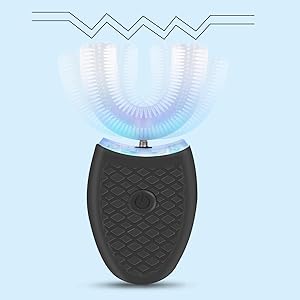
Image: Illustration of the four distinct working modes available on the toothbrush, including Strong, Comfortable, Massage, and Whitening.
Package Contents
- 1 x Snefe SNEFEG90DM U-Shaped Electric Toothbrush
- 1 x USB Charging Cable
- 1 x User Manual
Setup
1. Charging the Device
- Locate the charging port at the bottom of the toothbrush.
- Insert the provided USB charging cable into the port.
- Connect the other end of the USB cable to a compatible power source (e.g., USB wall adapter, computer USB port).
- The indicator light will illuminate during charging. Ensure the device is fully charged before first use.
Video: Demonstrates the charging process of the Snefe U-Shaped Electric Toothbrush, showing how to connect the USB cable to the bottom port for power.
Operating Instructions
1. Applying Toothpaste
Apply a small amount of foam toothpaste evenly along the U-shaped brush head. While regular toothpaste can be used, foam toothpaste is recommended for optimal distribution and cleaning.

Image: A four-panel image illustrating the usage steps: applying toothpaste to the U-shaped brush, pressing the power button, inserting the brush into the mouth, and rinsing the device under water.
2. Powering On and Selecting Mode
- Press the power button once to turn on the device. The blue LED light will activate.
- Press the power button repeatedly to cycle through the four cleaning modes: Strong, Comfortable, Massage, and Whitening. The device will remember the last used mode for your next session.
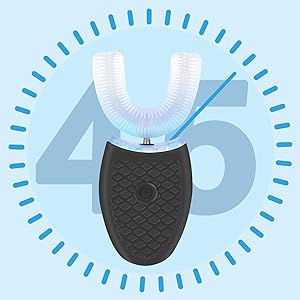
Image: The U-shaped toothbrush with an overlay indicating a 45-second timing cycle, demonstrating its automatic operation duration.
3. Brushing Your Teeth
- Once the desired mode is selected, gently place the U-shaped brush head into your mouth, ensuring it covers all teeth.
- Bite down lightly to secure the brush head.
- Allow the device to operate for the full 45-second cycle. The device will automatically turn off after the cycle is complete.
- For enhanced cleaning, gently move the device side-to-side or up-and-down during the cycle to ensure all tooth surfaces are reached.

Image: A detailed view of the U-shaped brush head positioned within a mouth, demonstrating how it wraps around teeth for comprehensive cleaning.
Maintenance
1. Cleaning the Toothbrush
- After each use, rinse the U-shaped brush head thoroughly under running water.
- The device is IPX7 waterproof, allowing for easy rinsing of the entire unit.
- Ensure no toothpaste residue remains on the brush head or device body.
- Wipe the main body with a soft, dry cloth.

Image: The Snefe U-Shaped Electric Toothbrush partially submerged in water, illustrating its IPX7 waterproof capability for easy cleaning.
2. Storage
Store the toothbrush in a clean, dry place away from direct sunlight and extreme temperatures. Ensure the device is completely dry before storing.
Troubleshooting
| Problem | Possible Cause | Solution |
|---|---|---|
| Device does not turn on. | Low battery or no charge. | Charge the device fully using the provided USB cable. |
| Weak vibration or cleaning. | Low battery or incorrect mode selected. | Ensure the device is fully charged. Cycle through modes to select a stronger setting if desired. |
| Device stops unexpectedly. | Battery depleted or automatic cycle completion. | Recharge the device. Note that the device automatically turns off after 45 seconds. |
Specifications
| Feature | Detail |
|---|---|
| Model Name | SNEFEG90DM |
| Brand | Snefe |
| Power Source | Battery Powered (USB Charging) |
| Operation Mode | Automatic, Vibrate |
| Number of Settings | 4 (Strong, Comfortable, Massage, Whitening) |
| Waterproof Rating | IPX7 |
| Toothbrush Head Shape | U-Shaped |
| Bristle Material | Silicone |
| Handle Material | Silicone |
| Item Dimensions | 1.96 x 1.38 x 4.98 inches |
| Item Weight | 4.2 Ounces |
| Included Components | Blue LED Light |
Warranty and Support
For warranty information or technical support, please refer to the contact details provided with your purchase or visit the official Snefe website. If you encounter any issues not covered in this manual, please contact customer service for assistance.