
SENSE7 T2261
Hutt W66 Advanced Window Cleaning Robot User Manual
Brand: SENSE7
1. Introduction
This user manual provides comprehensive instructions for the safe and efficient operation, maintenance, and troubleshooting of your Hutt W66 Advanced Window Cleaning Robot. Please read this manual thoroughly before using the device to ensure optimal performance and longevity.
The Hutt W66 is an automatic robot window cleaner designed to clean glass surfaces with its powerful suction and intelligent navigation. It is equipped with features like a built-in water tank, smart algorithms, and safety mechanisms to provide a hands-free cleaning experience for various window types, including high-rise external windows.
2. Safety Information
Always adhere to the following safety guidelines to prevent injury or damage to the device.
- Ensure the safety rope is securely attached to a fixed anchor point before operation, especially when cleaning external windows or at heights. The safety harness is crucial for preventing falls.
- The robot is equipped with Edge/Frameless Detection and an Intelligent laser detection sensor. These sensors help the robot identify edges and avoid falling, even on frameless glass structures. However, always supervise the robot during its first few uses on new surfaces.
- Do not use the robot on cracked, damaged, or uneven glass surfaces.
- Keep hands, hair, and loose clothing away from moving parts of the robot.
- Only use the provided power adapter and accessories.
- Do not immerse the robot in water or other liquids. Clean with a damp cloth as instructed in the maintenance section.
- Store the robot in a cool, dry place when not in use.
- Keep out of reach of children and pets.

Image: The Hutt W66 robot illustrating its upgraded four-corner laser detection sensors, which accurately identify glass edges and prevent falls, even on borderless glass.
3. Product Overview
3.1 Components
The Hutt W66 package includes the following components:

Image: A visual representation of the product list, including the main engine, cleaning rags, remote control, battery, power adapter, volumetric flask, and user manuals.
- Main Engine (Hutt W66 Robot)
- Microfiber Cleaning Rags
- Remote Control
- Battery (Built-in Lithium polymer)
- Power Adapter
- Volumetric Flask (for water tank)
- Instruction Manual (this document)
- Quick Use Guide
- Safety Rope
3.2 Key Features
- Integrated Water Tank: Built-in 150ml water tank with 8 spray water points for uniform wiping.
- HUTT THINK Smart Algorithm: Automatically adjusts suction power and scans glass cleanliness for autonomous operation.
- High Suction Power: 2600 Hpa for strong adherence and effective cleaning.
- Edge/Frameless Detection: Multiple sensors prevent falls on windows without frames.
- IC Human Voice Broadcast: Provides real-time status updates.
- Ultra-thin Body: 2.99 inches (7.6cm) design allows cleaning even with anti-theft nets.

Image: The Hutt W66 showcasing its key features, including its slim profile, powerful suction, and intelligent water spray system.

Image: A detailed view of the robot's underside, highlighting the 8 sets of metal nozzles designed for precise 0.1ml water spray.
4. Setup
- Charge the Robot: Before first use, fully charge the robot using the provided power adapter. The battery indicator will show charging status.
- Attach Cleaning Rags: Securely attach the clean microfiber rags to the designated areas on the bottom of the robot. Ensure they are flat and cover the cleaning pads.
- Fill Water Tank: Open the water tank cap and fill the 150ml tank with clean water or a recommended window cleaning solution using the volumetric flask. Close the cap tightly.
- Connect Safety Rope: Attach one end of the safety rope to the robot and the other end to a sturdy, fixed anchor point indoors. This is a critical safety measure.
- Placement on Window: Place the robot firmly on the glass surface, ensuring good contact. Press the power button to activate suction. The robot will adhere to the window.
5. Operating Instructions
- Power On: Once the robot is securely attached to the window, press the power button on the robot or the remote control to turn it on.
- Start Cleaning: Press the "Start" button on the remote control or the one-click start button on the robot. The robot will begin its cleaning cycle, automatically navigating the entire window.
- Smart Planning: The HUTT THINK Smart Algorithm will plan the optimal cleaning path, predict obstacles, and ensure comprehensive coverage.
- Water Spray Function: The robot will automatically spray water from its 8 nozzles as it cleans. You can also manually control the water spray via the remote control if needed.
- Voice Broadcast: The IC human voice broadcast will provide real-time status updates, such as "Start wet wipe" or "Water spray is on," keeping you informed of its operation.
- Completion: The robot will return to its starting position and emit an alert sound when the cleaning cycle is complete.
- Power Off: Carefully remove the robot from the window by pressing the release button (if applicable) or by gently pulling it off after ensuring suction is disengaged. Power off the device.
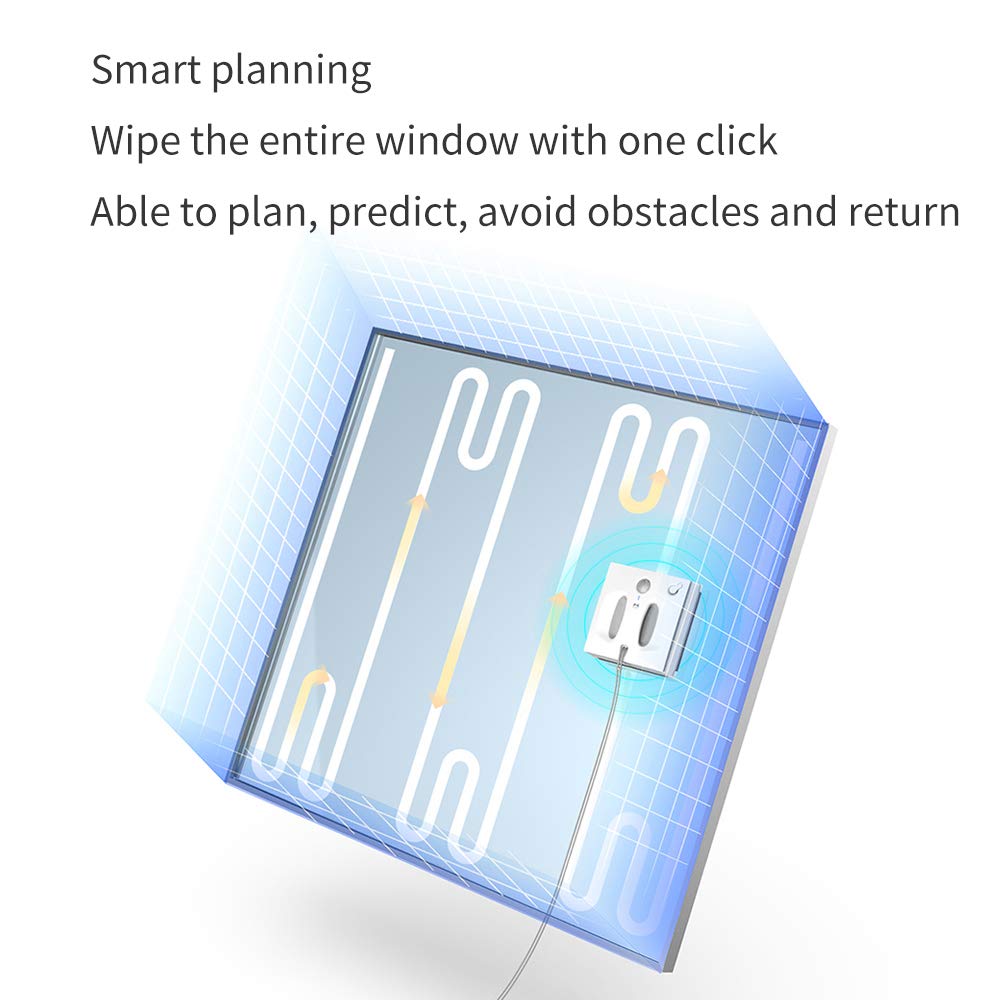
Image: Illustration of the robot's smart planning capabilities, demonstrating its ability to plan, predict, avoid obstacles, and return to its starting point for efficient window cleaning.
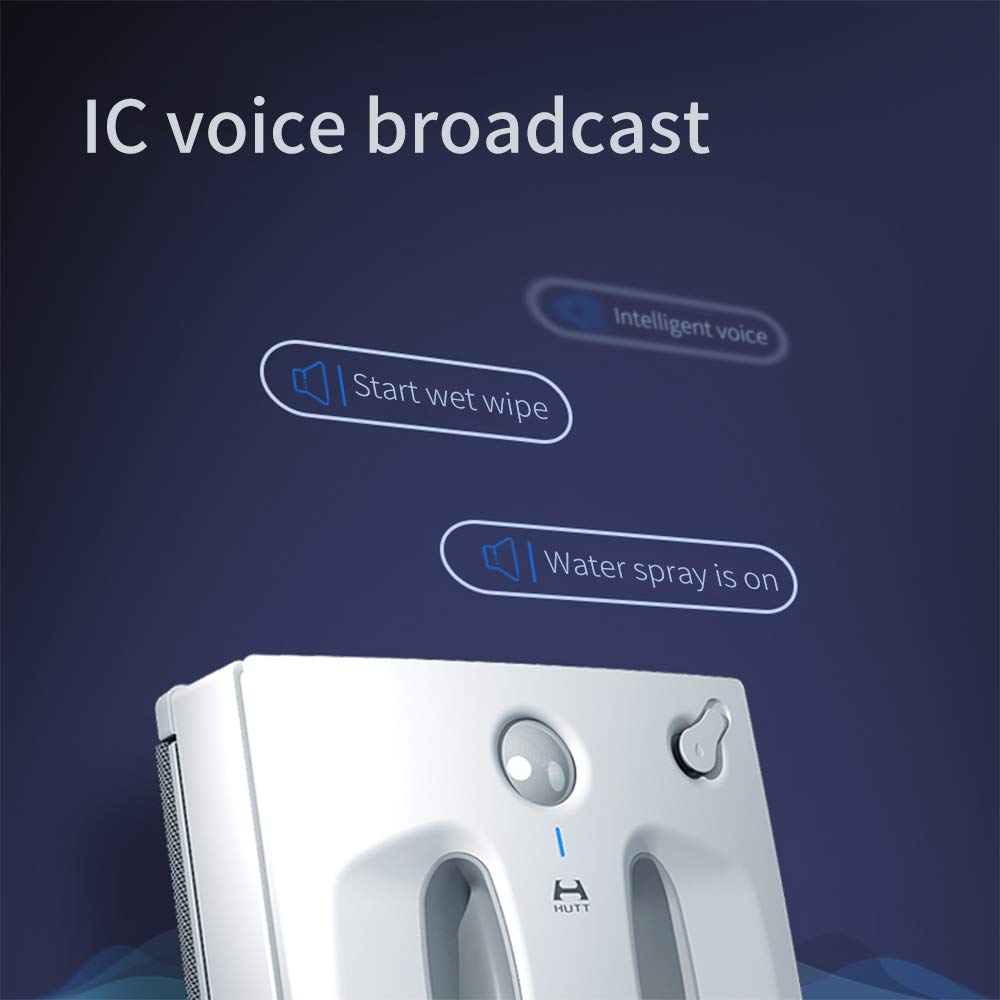
Image: The robot's IC voice broadcast feature, providing audible updates on its operational status, such as when it starts a wet wipe or when the water spray is active.
6. Maintenance
Regular maintenance ensures the longevity and optimal performance of your Hutt W66 robot.
- Clean Microfiber Rags: After each use, remove and wash the microfiber cleaning rags. They can be hand-washed or machine-washed with mild detergent. Ensure they are completely dry before reattaching.
- Clean Robot Body: Wipe the exterior of the robot with a soft, damp cloth. Do not use abrasive cleaners or immerse the robot in water.
- Empty Water Tank: After each use, empty any remaining water from the tank to prevent stagnation and mineral buildup.
- Inspect Sensors: Periodically check the laser detection sensors and other contact points for dirt or debris and clean them gently with a soft cloth.
- Store Properly: Store the robot in its original packaging or a safe, dry place away from direct sunlight and extreme temperatures.
7. Troubleshooting
If you encounter issues with your Hutt W66, refer to the following common problems and solutions:
| Problem | Possible Cause | Solution |
|---|---|---|
| Robot does not power on. | Low battery; power adapter not connected properly. | Charge the robot fully. Ensure the power adapter is securely connected. |
| Robot does not stick to the window. | Insufficient suction; dirty cleaning pads; uneven surface. | Ensure the surface is clean and dry. Clean or replace cleaning pads. Check for cracks or unevenness on the glass. |
| Robot speaks in an unfamiliar language (e.g., Chinese). | Language setting is incorrect. | Refer to the quick use guide or contact customer support for instructions on changing the voice broadcast language to English. Some units may have a multilingual user manual. |
| Water spray is not working. | Water tank empty; nozzles clogged. | Refill the water tank. Gently clean the spray nozzles to remove any blockages. |
| Robot is not moving or cleaning effectively. | Dirty sensors; worn cleaning pads; obstacle detected. | Clean all sensors. Replace worn cleaning pads. Remove any obstacles on the window surface. |
8. Specifications
| Feature | Detail |
|---|---|
| Brand | SENSE7 |
| Model Number | T2261 |
| Special Feature | Lightweight |
| Power Source | Battery Powered |
| Control Method | Touch, Voice |
| Form Factor | Robotic |
| Manufacturer | Hutt |
| Item Weight | 3 kg 250 g |
| Item Dimensions (LxWxH) | 21 x 9.5 x 0.7 Centimeters |
| Included Components | Water Tank |
| Suction Power | 2600 Hpa |
| Water Tank Capacity | 150ml |
9. Warranty and Support
For information regarding warranty coverage, please refer to the warranty card included with your product or visit the official SENSE7/Hutt website. Keep your purchase receipt as proof of purchase.
If you require technical support, have questions about operation, or need assistance with repairs, please contact the manufacturer's customer service. Contact details can typically be found on the product packaging or the official brand website.
No official product videos from the seller were found in the provided data.
Ask a question about this manual
Ask about setup, troubleshooting, compatibility, parts, safety, or missing instructions. Manuals+ will review the question and use this page’s manual context to help answer it.