
1. Introduction
Thank you for choosing the BLACK+DECKER HM5000 Humidifier. This manual provides important information regarding the safe operation, installation, maintenance, and troubleshooting of your new appliance. Please read this manual thoroughly before use and keep it for future reference.
The HM5000 is designed to provide a comfortable and healthy indoor environment by maintaining optimal humidity levels. Its ultrasonic technology ensures a fine, clean mist output, covering areas up to 40 square meters. With a 5-liter tank, it offers up to 25 hours of continuous operation. The integrated aroma tray allows for the addition of essential oils to enhance your living space.
2. Safety Information
Always follow basic safety precautions when using electrical appliances to reduce the risk of fire, electric shock, and injury.
- Ensure the appliance is placed on a flat, stable, and sturdy surface.
- Do not move the appliance while it is operating or plugged in. Always switch off and unplug before moving.
- Do not immerse the appliance, power cord, or plug in water or other liquids.
- Unplug the appliance from the power outlet when not in use and before cleaning.
- Keep the appliance out of reach of children and pets.
- Use only clean, cool tap water. Do not use hot water or chemical additives in the water tank, except for approved aroma essences in the designated tray.
- The appliance features an automatic shut-off function and a red indicator light/beeping sound when the water level is low or the tank is removed, indicating a need for refilling.
- Do not block the mist outlet.
3. Product Overview
Familiarize yourself with the components of your humidifier:
- Water Tank: 5-liter capacity for extended operation.
- Mist Outlet: Rotatable nozzle for directing mist.
- Control Knob: Adjustable knob for power ON/OFF and mist volume control (Min to Max).
- Water Level Window: Transparent window on the side of the tank to monitor water levels.
- Aroma Tray: Small drawer for adding essential oils.
- Base Unit: Contains the ultrasonic transducer and water filter.
- Power Indicator Light: Illuminates when the unit is powered on.
- Low Water Indicator Light: Turns red when water is low.

Figure 3.1: Front view of the BLACK+DECKER HM5000 Humidifier, showing the control knob and water level window.

Figure 3.2: Dimensions of the HM5000 Humidifier: 22.8 cm (depth) x 23 cm (width) x 49.6 cm (height).
4. Setup and Operation
4.1 Initial Setup
- Place the humidifier upright on a flat, stable, and sturdy surface.
- Remove the water tank from the base. Turn the water tank upside down and unscrew the water inlet knob by turning it anti-clockwise.
- Fill the water tank with clean, cool tap water. The water temperature should not exceed 40°C.
- Securely replace the water inlet knob by turning it clockwise. Wipe any water droplets from the tank surface.
- Carefully place the filled water tank back onto the humidifier base, ensuring it is seated correctly.
- If desired, add aroma essence to the aroma tray. The volume of essence should not exceed 1/3 of the tray capacity to avoid affecting atomization.

Figure 4.1: Illustration of removing and opening the water tank for filling.

Figure 4.2: Filling the water tank with clean water.

Figure 4.3: Adding aroma essence to the designated tray.
4.2 Operating Instructions
- Plug the appliance into a suitable power outlet. A beeping sound will indicate that the unit is powered on.
- Turn the control knob clockwise to the desired mist volume setting (from Min to Max). The humidifier will begin to produce mist.
- If the water tank runs low or is removed from the base, the built-in safety device will automatically stop operation, cut off the atomization circuit, and stop the fan. The indicator light will turn red, and a beeping sound will alert you to the low water level. The unit will then enter standby mode.
- To resume operation after a low water alert, refill the water tank as described in Section 4.1, reinstall it, and then turn the control knob to restart the appliance.
- Always ensure the appliance is switched off and unplugged before attempting to move it.
- Do not move the appliance while it is operating.

Figure 4.4: The adjustable control knob for mist volume.

Figure 4.5: The humidifier effectively dispersing mist in a living room setting.
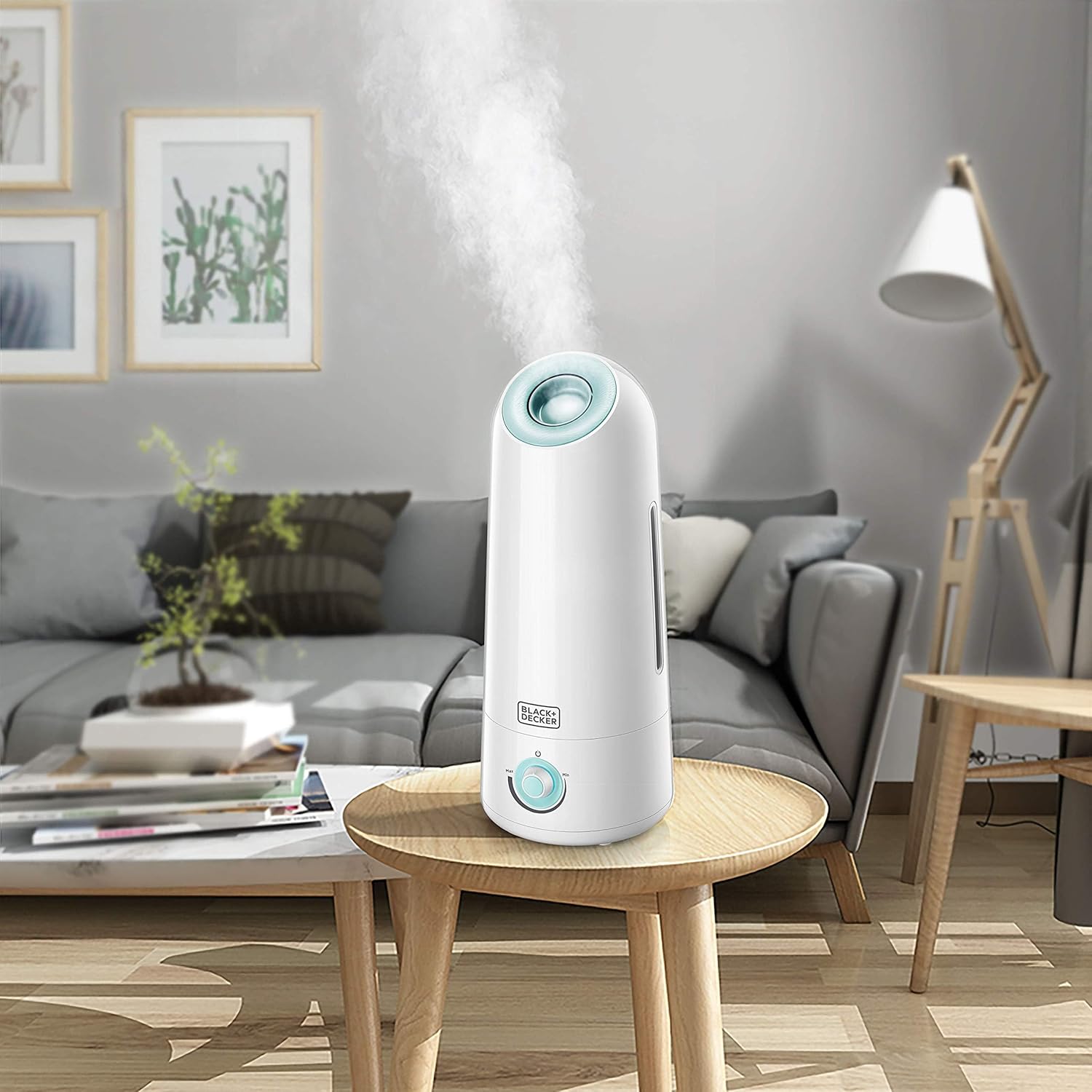
Figure 4.6: The humidifier's sleek design blends well with modern home decor.
5. Maintenance
Regular cleaning and maintenance will ensure the longevity and optimal performance of your humidifier.
- Always unplug the appliance from the power outlet before performing any cleaning or maintenance.
- Remove the water filter and rinse it thoroughly with clean water.
- For mineral incrustation on the water tank and ultrasonic dish, use a brush with citric acid to clean, then rinse with clean water.
- The water tank can be washed with clean water and wiped with a soft cloth. Do not use metal scourers or abrasive materials on any part of the appliance, as this may cause scratches.
- Never clean the appliance with harsh chemicals such as methyl benzene, acid cleansers, petrol, or alcohol.
- If the appliance will not be used for an extended period, clean it thoroughly, ensure it is completely dry, and store it in a cool, dry place.
Figure 5.1: Cleaning the internal components of the humidifier.
Figure 5.2: Avoid using harsh chemical cleaning agents.
6. Troubleshooting
Refer to the table below for common issues and their solutions.
| Problem | Analysis | Troubleshooting |
|---|---|---|
| No mist | Power cord is not connected or indicator light does not work. | Plug in the power cord and turn the knob to the 'on' position. |
| No mist | The indicator light works but no mist. Water tank is empty. | Fill the water tank with clean water. |
| No mist | The knob is in the wrong position. | Turn the knob to a higher mist volume. |
| No mist | The float holder has loosened. | Tighten the Float Holder. |
| No mist | Water is not clean or there is too much incrustation. | Clean the water tank with a clean soft cloth. |
| Smelly mist | Water in the water tank or on the base is dirty. | Clean the base and water tank. Fill with clean water. |
| Smelly mist | The Ultrasonic Dish is dirty or the water in the dish has been stored for too long. | Clean the Ultrasonic Dish and fill with clean water. |
| Mist leakage | Mist outlet is not in the correct position. | Assemble the mist outlet correctly. |
7. Specifications
| Feature | Specification |
|---|---|
| Brand | BLACK+DECKER |
| Model Number | HM5000 |
| Color | White/Mint Green |
| Product Dimensions (D x W x H) | 22.8 x 23 x 49.6 cm |
| Item Weight | 1.5 Kilograms |
| Capacity | 5 Liters |
| Voltage | 220 - 240 V |
| Frequency | 50 - 60 Hz |
| Power | 25 Watts |
| Material | Plastic |
| Automatic Shut-off | Yes |
| Operating Time | Up to 25 hours |
| Special Features | Water level window, Automatic shut-off |
| Filter Type | Wick Filter |
| Operating Mode | Ultrasonic |
8. Warranty and Support
The BLACK+DECKER HM5000 Humidifier comes with a Two-Year Warranty from the date of purchase, covering manufacturing defects and malfunctions under normal use. Please retain your proof of purchase for warranty claims.
For technical support, service, or warranty inquiries, please contact BLACK+DECKER customer service through their official website or the retailer where the product was purchased. Additional protection plans may be available from third-party providers.


