
Introduction
The Blueskysea TS200 RV TPMS (Tire Pressure Monitoring System) is designed to provide real-time monitoring of tire pressure and temperature for RVs, trailers, trucks, and motorhomes. This wireless system enhances driving safety by alerting you to abnormal tire conditions, helping to prevent accidents, improve fuel efficiency, and extend tire lifespan.

Image: The main display unit with a solar panel and six external tire sensors.
Product Features
- Solar Power & USB Charging: The intelligent wireless system offers dual charging methods (solar and USB) to ensure continuous operation and extend battery life.
- Suitable for 4-6 Tires: Provides real-time, highly accurate monitoring of temperature and pressure for up to six tires simultaneously. The LCD display ensures clear, high-definition data presentation.
- Precise Sensor Connection: Utilizes USA-imported chip design for stable and accurate signal transmission. Sensors are lightweight, easy to install, and support tire position exchange. IP5K4K waterproof rating ensures durability in various climates.
- Balance Tire Pressure: Helps in fuel-saving, detecting air leaks, reducing tire wear, and balancing tire pressure for safer driving. Features RF wireless technology for automatic alerts on abnormal pressure or temperature. Offers "PSI, BAR" pressure units and "℃, ℉" temperature units.

Image: Visual representation of the six alarm modes, including temperature and pressure monitoring.
Setup Guide
1. Charging the Display Unit
The display unit can be charged via its integrated solar panel or through the provided USB cable. Ensure the unit is fully charged before initial use for optimal performance.
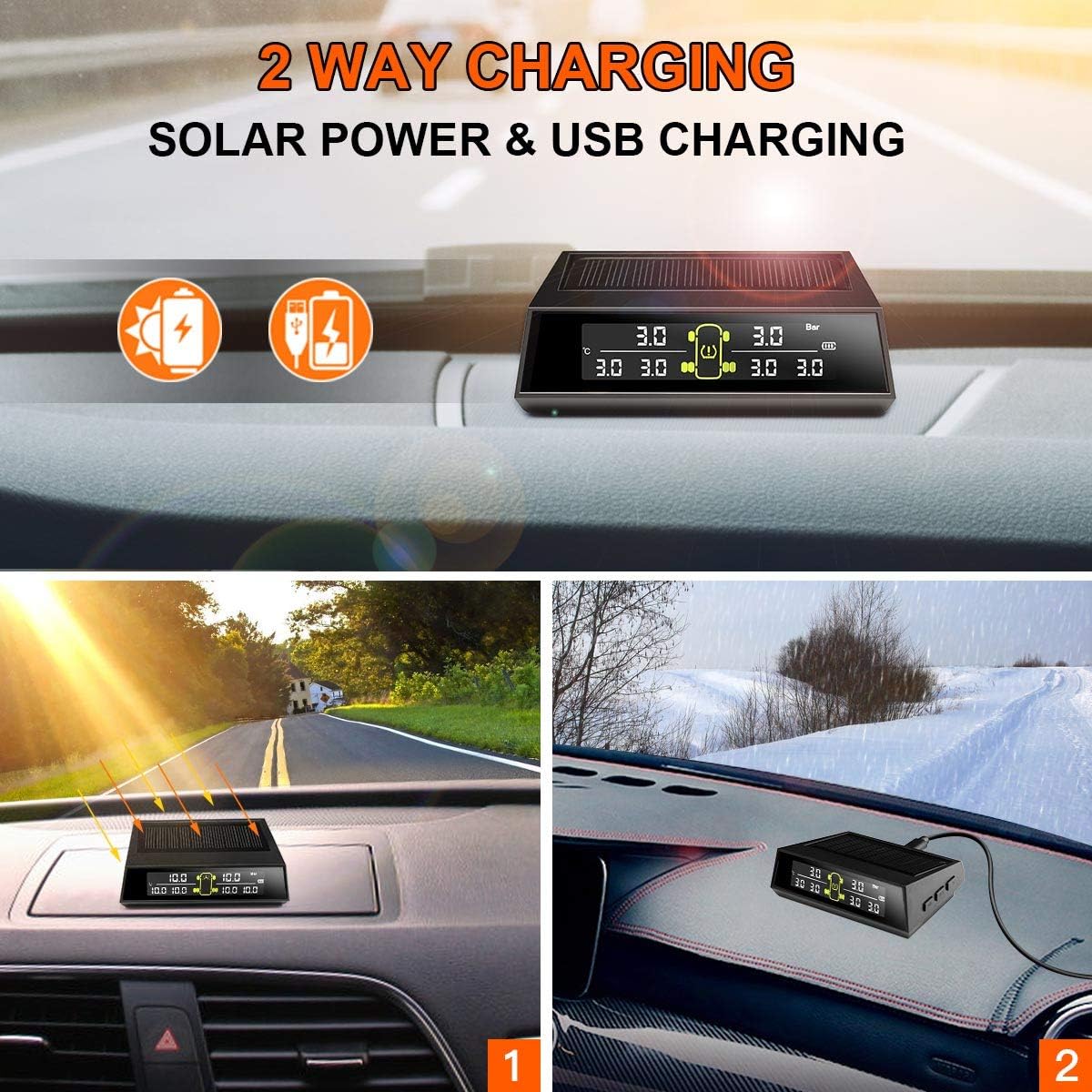
Image: The display unit illustrating its two charging methods: solar power and USB charging.
2. External Sensor Installation
- Step 1: Install the anti-theft washer onto the tire valve stem first.
- Step 2: Thread the numbered sensor onto the valve stem and tighten it by hand.
- Step 3: Rotate the anti-theft nut in a counter-clockwise direction until it is snug against the sensor.
- Step 4: Use the provided wrench to tighten the anti-theft nut by turning it clockwise. This secures the sensor and prevents unauthorized removal.
Ensure each sensor is installed on its corresponding tire position (e.g., Sensor 1 on front left, Sensor 2 on front right, etc.) as indicated by the numbering on the sensors and the display unit's interface. If the display does not show values immediately, unscrew the sensor and re-tighten, or drive the vehicle for a short distance to activate the sensors.

Image: A step-by-step visual guide demonstrating the installation process for the external tire sensors.
3. Initial Pairing and Settings
The system is typically pre-programmed. Upon powering on the display unit and installing the sensors, the unit should automatically detect and display tire data. If manual pairing is required, refer to the detailed instructions in the full user manual (PDF link available in the support section). You can adjust pressure units (PSI/BAR) and temperature units (℃/℉) via the display unit's menu settings.
Operating Instructions
Real-time Monitoring
Once installed and powered on, the TS200 system continuously monitors the pressure and temperature of all connected tires. The digital LCD display provides clear, real-time readings for each tire position.
Alarm Functions
The system is equipped with multiple alarm modes to alert you to potential issues:
- High Pressure Alarm: Alerts when tire pressure exceeds a preset maximum.
- Low Pressure Alarm: Alerts when tire pressure drops below a preset minimum.
- High Temperature Alarm: Alerts when tire temperature exceeds a safe limit.
- Fast Leak Alarm: Detects and alerts rapidly decreasing tire pressure.
- Sensor Battery Low Alarm: Indicates when a sensor's battery needs replacement.
- Sensor Data Loss Alarm: Alerts if a sensor stops transmitting data.
When an alarm is triggered, the display unit will typically emit an audible warning and visually indicate the affected tire. Address any alarms promptly to ensure driving safety.
Maintenance
Display Unit Charging
Keep the display unit exposed to sunlight for solar charging whenever possible. For extended periods without sunlight or during heavy use, charge the unit via the USB cable. A full charge ensures consistent monitoring.
Sensor Battery Replacement
The external sensors use replaceable batteries. If a "Sensor Battery Low Alarm" is triggered, replace the battery in the affected sensor. Refer to the full user manual for specific battery type and replacement instructions.
Cleaning
Wipe the display unit and sensors with a soft, dry cloth. Avoid using abrasive cleaners or solvents that could damage the components.
Troubleshooting
| Problem | Possible Cause | Solution |
|---|---|---|
| No tire pressure/temperature displayed. | Sensors not activated or paired; weak signal; sensor battery low. | Ensure sensors are tightly installed. Drive the vehicle for a few minutes to activate. Check sensor battery levels. Reposition the display unit for better signal reception. |
| Inaccurate readings. | Sensor not properly seated; external interference; sensor malfunction. | Re-install the sensor, ensuring it's tight. Verify readings with a reliable manual gauge. If discrepancy persists, contact support. |
| Display unit not turning on or holding charge. | Insufficient solar charging; USB cable/port issue; internal battery issue. | Ensure solar panel is clean and exposed to direct sunlight. Try charging via USB with a different cable/adapter. If problem persists, contact support. |
| Alarm sounds frequently without apparent reason. | Alarm thresholds set too sensitive; rapid temperature changes affecting pressure. | Adjust alarm thresholds in the settings if they are too close to normal operating pressures. Note that tire pressure naturally fluctuates with temperature. |
For more detailed troubleshooting steps, please refer to the comprehensive user manual or contact Blueskysea customer support.
Specifications
- Brand: Blueskysea
- Model: TS200
- Item Dimensions (L x W x H): 2.36 x 3.74 x 0.62 inches
- Material: Plastic
- Item Weight: 8.78 Ounces
- Style: RVs TPMS
- Maximum Supply Voltage: 5 Volts
- Measurement Accuracy: High
- Measuring Range: Pressure: 0-150 PSI (0-10 BAR), Temperature: -40-250 ℃ (−40-482 ℉)
- Mounting Type: Flange Mount
- Output Type: Digital
- Sensing Distance: 10 Meters
- Specific Uses For Product: RVs, Cars, Trucks, Tow Motorhomes
- UPC: 708200909955
- Manufacturer: Blueskysea Shenzhen CheShiTong Industrial Co., Ltd
- Country of Origin: China
- Date First Available: August 17, 2020
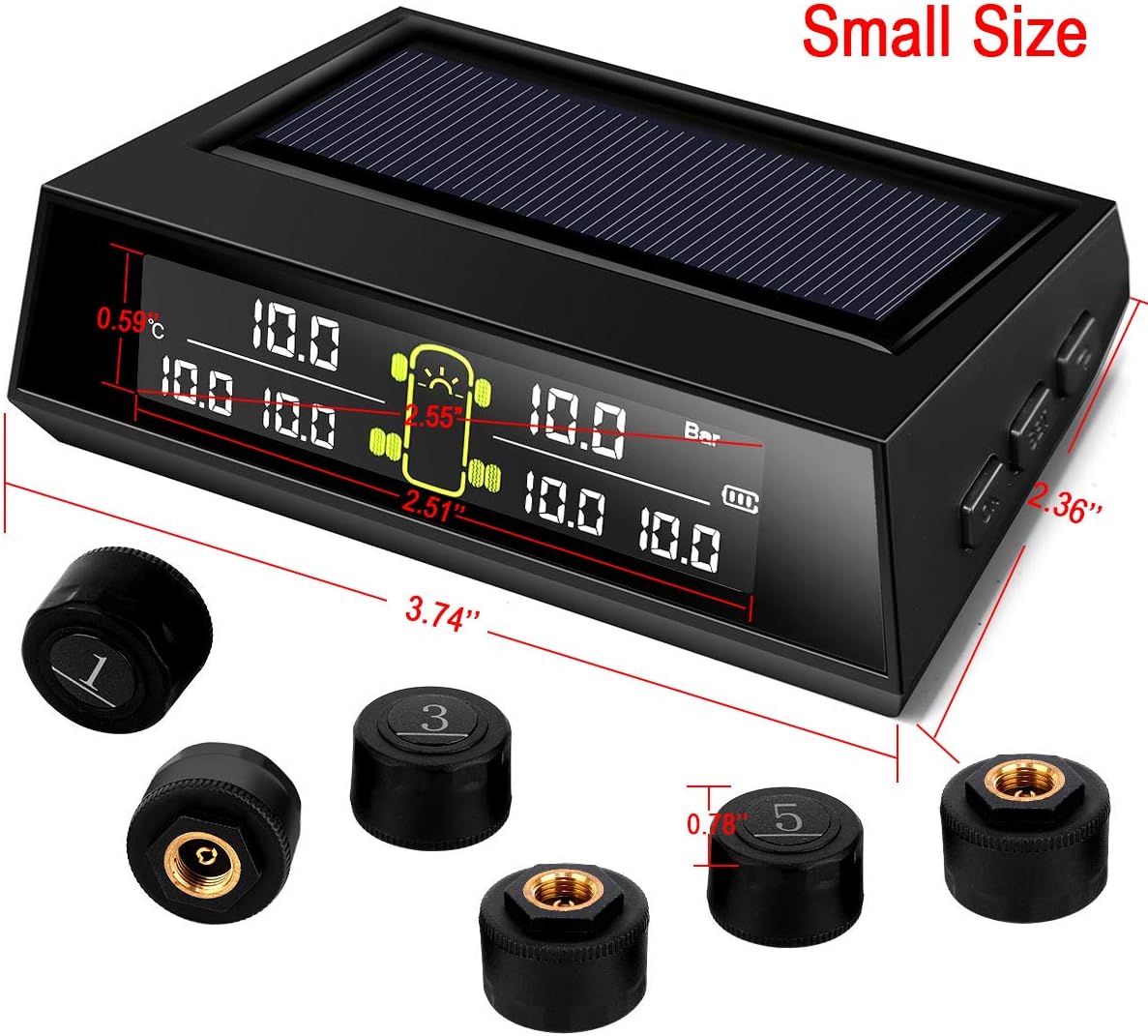
Image: The compact size of the TS200 display unit with key dimensions.
Warranty and Support
For detailed warranty information and customer support, please refer to the official Blueskysea website or the full user manual. A PDF version of the user manual is available for download, which provides more comprehensive instructions and troubleshooting guides.
You can access the official user manual PDF here.
For direct assistance, you may contact Blueskysea customer service. Contact details are typically found in the product packaging or the full user manual.