
DAWINSIE 1
Joel Osteen Inspiration Audio Cube User Manual
Model: Inspiration Audio Cube | Brand: DAWINSIE
Product Overview
The Joel Osteen Inspiration Audio Cube is a portable audio device designed to provide daily inspiration, sermons, and affirmations. It features a user-friendly interface, Bluetooth connectivity, and a rechargeable battery, making it ideal for personal use at home or on the go. This device is pre-loaded with a comprehensive collection of uplifting messages to support your daily life.
What's in the Box
- Joel Osteen Inspiration Audio Cube Speaker Unit
- Rechargeable Battery (pre-installed)
- Charging Cable
- Instruction Manual (this document)

Figure 1: Front view of the Inspiration Audio Cube, highlighting its display and control buttons.
Important Safety Instructions
- Do not expose the device to water or excessive moisture. This product is not waterproof.
- Do not attempt to disassemble, repair, or modify the device.
- Use only the provided charging cable and a compatible USB power source.
- Keep the device out of reach of small children.
- Avoid exposing the device to extreme temperatures (hot or cold).
- Dispose of batteries properly according to local regulations.
Getting Started
Charging the Device
Before using your Inspiration Audio Cube for the first time, ensure it is fully charged to maximize battery life.
- Connect the provided charging cable to the charging port on the device.
- Plug the other end of the cable into a USB power adapter (not included) or a computer's USB port.
- The device's display will indicate the charging status.
Initial Power On
To turn on the Inspiration Audio Cube, press and hold the power button (typically marked with a circle and a vertical line) until the display illuminates.
Operating Your Inspiration Audio Cube
Controls Overview
The Inspiration Audio Cube features an intuitive control panel for easy navigation of its content and functions.
Figure 2: Detailed view of the control buttons on the Inspiration Audio Cube.
- Power Button: Press and hold to turn the device on or off.
- Play/Pause Button: Starts or pauses audio playback.
- Volume Up/Down Buttons (+/-): Adjusts the audio volume.
- Previous/Next Track Buttons (<< / >>): Skips to the previous or next message/sermon within the selected category.
- Mode Selection Buttons (Daily Inspiration, Sermon, Daily Affirmation, Favorites): Selects the desired content category.
- Favorites Button (Heart Icon): Adds the currently playing message to your personal favorites list for easy access.
Listening to Content
The Inspiration Audio Cube comes pre-loaded with a vast library of inspiring content:
- Daily Inspiration: Features 365 unique daily inspirational messages. The device is designed to automatically play a new daily inspiration each day.
- Sermons: Includes 52 full-length sermons.
- Affirmations: Contains 31 positive affirmations.
To switch between content types, simply press the corresponding mode button (Daily Inspiration, Sermon, or Daily Affirmation). Use the Previous/Next buttons to navigate through messages within a selected category.
Bluetooth Connectivity
In addition to its pre-loaded content, the Inspiration Audio Cube can function as a high-quality Bluetooth speaker, allowing you to stream audio from your personal devices.
- Ensure the Inspiration Audio Cube is powered on.
- On your smartphone, tablet, or other Bluetooth-compatible device, navigate to the Bluetooth settings.
- Search for available devices and select "Inspiration Audio Cube" (or a similar name) from the list.
- Once successfully paired, you can play music, podcasts, or any other audio from your connected device through the cube.
Video 1: An official product video demonstrating the features and benefits of the Joel Osteen Inspiration Audio Cube, including its ease of use and the variety of content available.

Figure 3: The Inspiration Audio Cube placed on a coffee table, blending into a home environment.
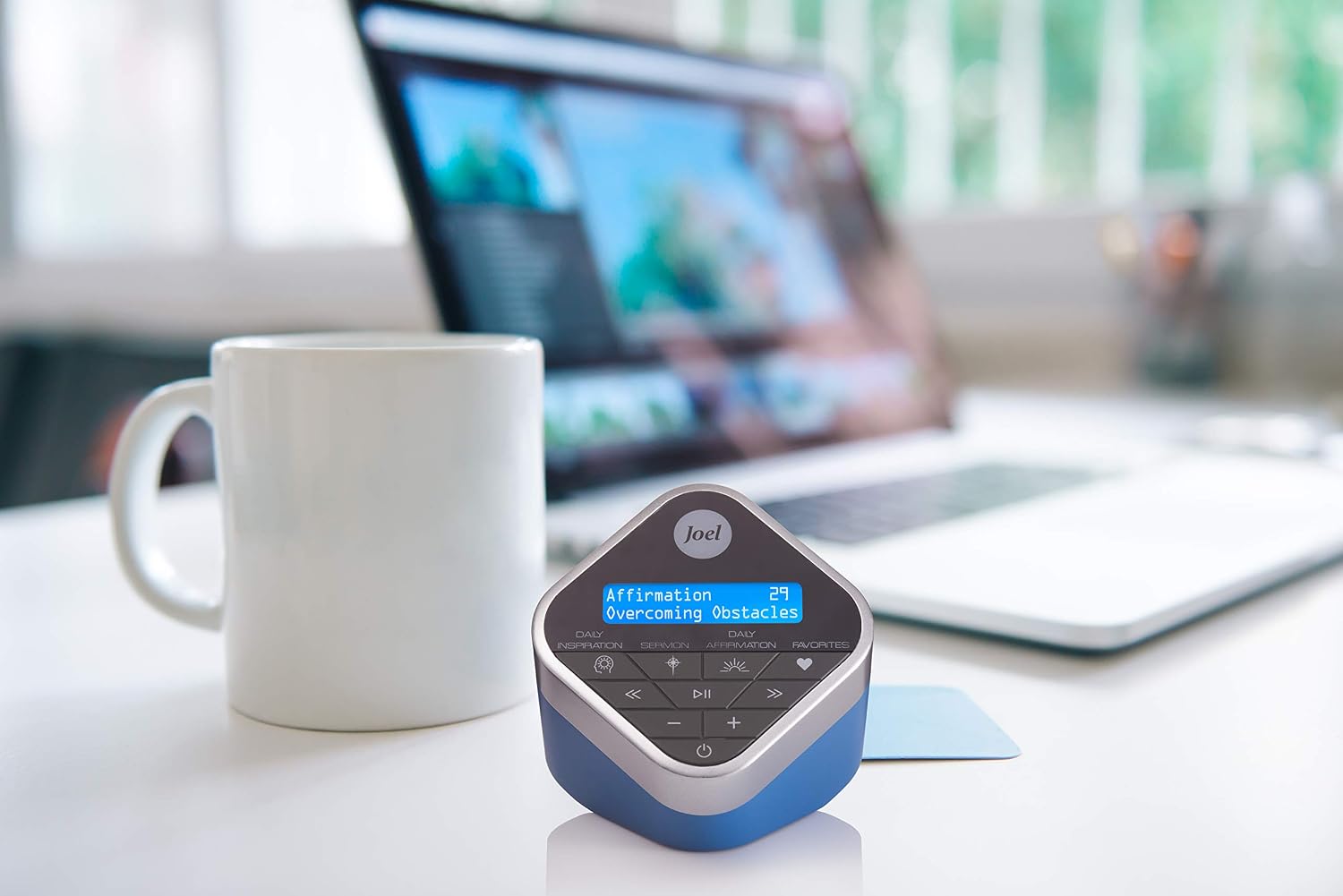
Figure 4: The Inspiration Audio Cube positioned on a desk, suitable for use during work or study.
Care and Maintenance
- Cleaning: To clean the device, gently wipe its surface with a soft, dry cloth. Do not use liquid cleaners, abrasive materials, or chemical solvents, as these may damage the finish.
- Storage: When not in use for extended periods, store the Inspiration Audio Cube in a cool, dry place, away from direct sunlight and extreme temperatures.
- Battery: The rechargeable Lithium Ion battery is integrated into the device. Do not attempt to remove or replace the battery yourself.
Troubleshooting
If you encounter any issues with your Inspiration Audio Cube, please refer to the following common problems and their solutions:
| Problem | Solution |
|---|---|
| Device won't turn on. | Ensure the battery is sufficiently charged. Press and hold the power button for several seconds. |
| No sound or low volume. | Check the volume level on the device using the +/- buttons. Ensure the device is not paused. If using Bluetooth, verify that the device is properly paired and the volume on your connected device is also turned up. |
| Cannot pair via Bluetooth. | Ensure Bluetooth is enabled on both the Audio Cube and your external device. Move the devices closer to each other. Try disconnecting from any other Bluetooth devices that may be currently paired. |
| Messages are not advancing automatically. | For Daily Inspirations, the device is programmed to advance daily. For other categories, use the next track button (>>) to manually advance to the next message or sermon. |
Product Specifications
- Model Name: Inspiration Audio Cube
- Dimensions: 5.5"D x 7"W x 9"H
- Weight: 16 ounces (1 pound)
- Material: Plastic
- Power Source: Battery Powered (1 Lithium Ion battery included)
- Connectivity: Bluetooth (Wireless Communication Technology, Connectivity Protocol)
- Bluetooth Range: 10 Meters
- Control Method: Button, Touch
- Speaker Type: Satellite
- Audio Output Mode: Stereo
- Included Components: Cube Speaker Unit, Rechargeable Battery, Instruction Manual
- Waterproof: No
- UPC: 754502045310
Warranty and Customer Support
Warranty Information
This Joel Osteen Inspiration Audio Cube comes with a time-based warranty of 60 days from the original date of purchase. Please retain your proof of purchase for any warranty claims.
Customer Support
For further assistance, troubleshooting, or inquiries regarding your warranty, please contact DAWINSIE customer support. Refer to the product packaging or the manufacturer's official website for the most current contact details.
Ask a question about this manual
Ask about setup, troubleshooting, compatibility, parts, safety, or missing instructions. Manuals+ will review the question and use this page’s manual context to help answer it.