
1. Product Overview
The Sennheiser SC 60 USB ML is a double-sided business headset designed for clear communication, particularly optimized for Skype for Business. It features HD sound and a noise-cancelling microphone to enhance audio quality in professional environments. This package also includes Sennheiser HZP 31 SC 200 leatherette ear pads, providing comfort and serving as replacement parts for compatible Sennheiser Culture and Circle Series headsets.

Image 1: Sennheiser SC 60 USB ML Headset shown alongside two HZP 31 leatherette ear pads. The headset is black with a flexible microphone boom arm and an in-line USB control unit.
Key Features:
- HD Sound: Neodymium speaker for clear and natural audio.
- Noise-Cancelling Microphone: Filters out background noise for clear conversations.
- USB Connectivity: Plug-and-play functionality for easy setup.
- Skype for Business Optimization: Integrated call control for seamless use.
- ActiveGard™ Technology: Protects users from acoustic shock.
- HZP 31 Leatherette Ear Pads: Skin-friendly, durable, and thickly-padded for comfort.
2. Package Contents
Verify that all items are present in your package:
- Sennheiser SC 60 USB ML Headset
- Sennheiser HZP 31 SC 200 Leatherette Ear Pads (1 pair)
3. Setup
3.1 Connecting the Headset
- Locate an available USB port on your computer (laptop, desktop, or tablet).
- Plug the USB connector of the SC 60 USB ML headset into the USB port.
- The headset is plug-and-play. Your operating system should automatically detect and install the necessary drivers. This process may take a few moments.
- Once installed, the headset will be ready for use with your communication applications, such as Skype for Business.
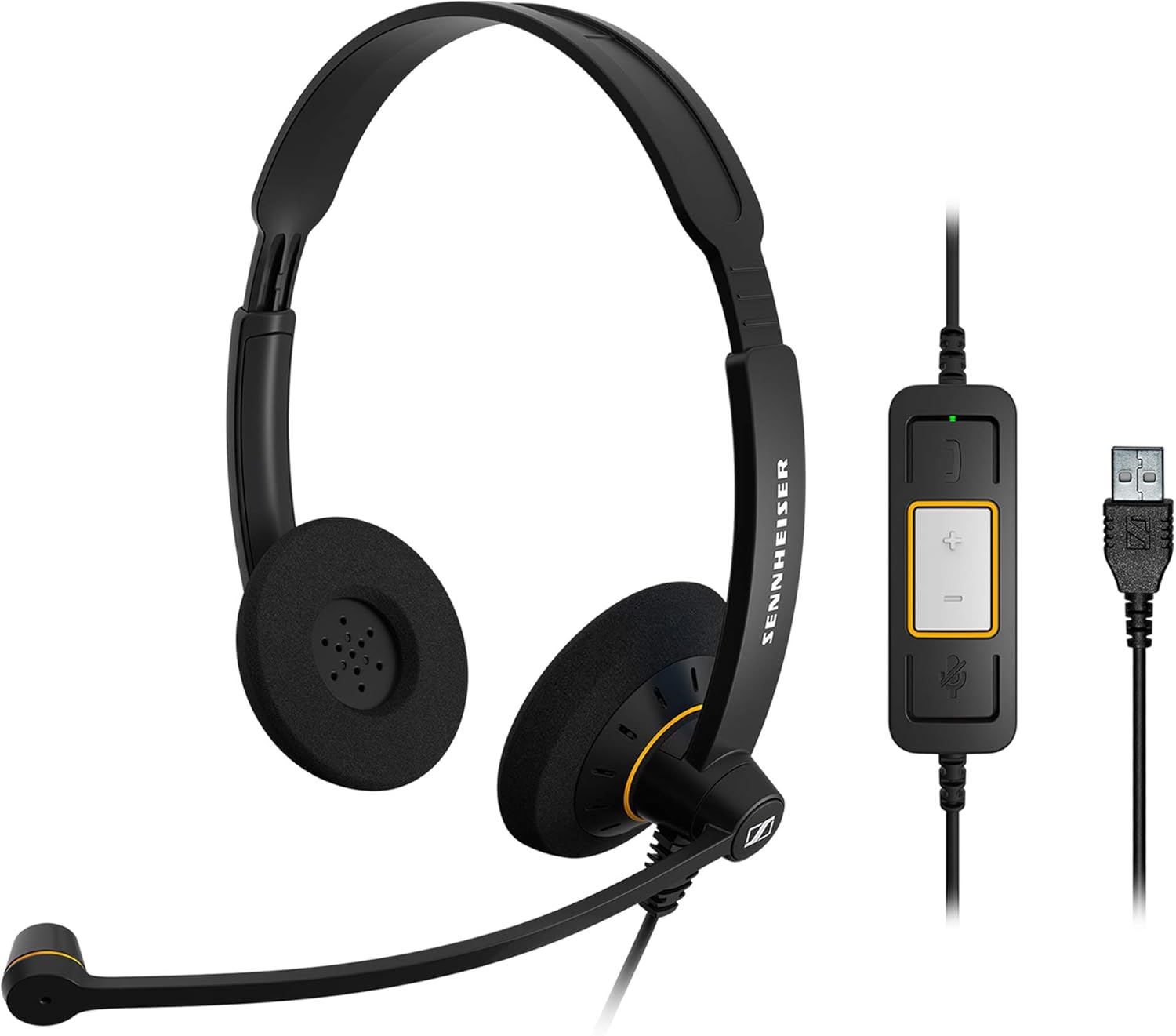
Image 2: The Sennheiser SC 60 USB ML headset, showing the dual earcups, adjustable headband, flexible microphone boom, and the in-line control unit with its USB connector.
3.2 Installing/Replacing Ear Pads (HZP 31 SC 200)
The HZP 31 SC 200 leatherette ear pads are designed for easy replacement on compatible Sennheiser headsets, including the SC 60 USB ML. These ear pads provide enhanced comfort and durability.
- Gently remove the existing ear pad from the earcup by peeling it away from the edge.
- Align the new HZP 31 ear pad with the earcup.
- Carefully stretch the edge of the ear pad over the rim of the earcup, working your way around until it is securely fitted.
- Ensure the ear pad is evenly seated and does not have any loose edges.
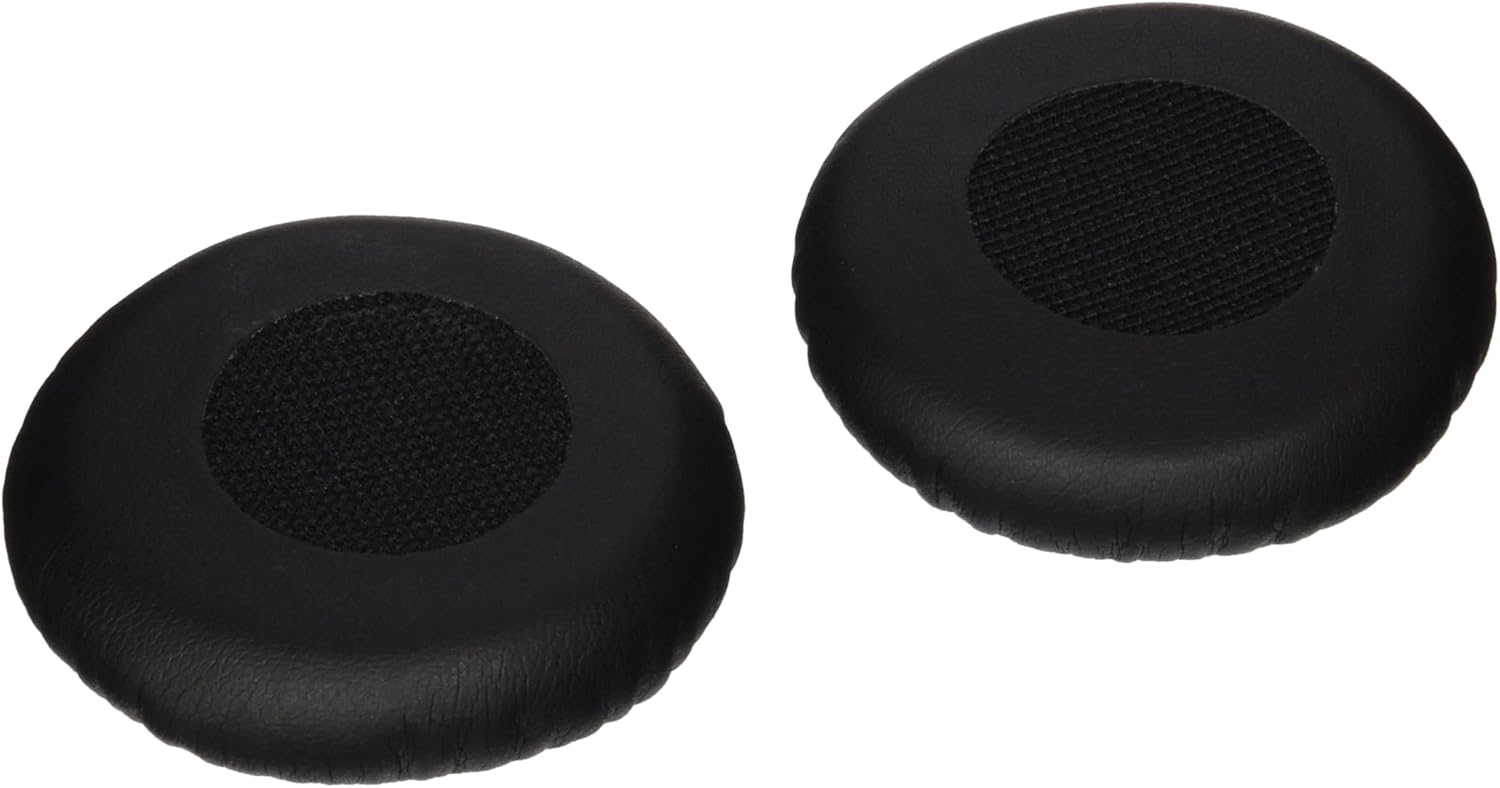
Image 3: A pair of Sennheiser HZP 31 SC 200 leatherette ear pads, designed for comfort and durability, shown ready for installation or replacement.
4. Operating Instructions
4.1 Wearing the Headset
- Adjust the headband to ensure a comfortable and secure fit on your head.
- Position the microphone boom arm so that the microphone is approximately 2-3 cm (about 1 inch) from the corner of your mouth. This optimal placement ensures the best voice pickup and noise cancellation.

Image 4: Diagram highlighting key features of the Sennheiser SC 60 USB ML headset, including its dual-sided wearing style for stereo HD sound, ActiveGard™ technology for acoustic shock protection, and certification for Skype for Business with integrated call control and USB connector.
4.2 Using the In-line Control Unit
The in-line control unit provides convenient access to essential call functions:
- Answer/End Call Button: Press the telephone icon button to answer an incoming call or end an active call.
- Volume Up/Down Buttons: Use the '+' and '-' buttons to adjust the listening volume.
- Mute Microphone Button: Press the microphone icon button to mute or unmute your microphone. An indicator light on the control unit may show the mute status.
5. Maintenance
5.1 Cleaning the Headset
- Wipe the headset surfaces with a soft, dry cloth.
- For deeper cleaning, a slightly damp cloth with mild soap can be used, ensuring no moisture enters the speaker grilles or microphone.
- Do not use harsh chemicals or abrasive cleaners.
5.2 Ear Pad Care and Replacement
- The HZP 31 leatherette ear pads are designed for durability. Clean them with a soft, damp cloth as needed.
- If ear pads become worn or damaged, replace them using the instructions in Section 3.2 to maintain comfort and hygiene.
6. Troubleshooting
| Problem | Possible Cause | Solution |
|---|---|---|
| No sound from headset |
|
|
| Microphone not working |
|
|
| Call control buttons not responding |
|
|
7. Specifications
| Feature | Detail |
|---|---|
| Model Name | SC 60 USB ML |
| Connectivity Technology | Wired (USB) |
| Ear Placement | On Ear |
| Form Factor | On Ear |
| Material | Faux Leather (Ear Pads) |
| Compatible Devices | Laptops, Desktops, Tablets |
| Frequency Range | 20 Hz to 20,000 Hz |
| Special Features | Microphone Included, Noise Cancellation, ActiveGard™ |
| Control Method | Remote (In-line control unit) |
| Color | Black |
8. Warranty and Support
Sennheiser products are designed for reliability and performance. The SC 60 USB ML headset typically comes with a 2-year warranty, covering manufacturing defects under normal use.
For technical support, warranty claims, or further assistance, please visit the official Sennheiser support website or contact their customer service department. Refer to the product packaging or Sennheiser's official website for the most current contact information and warranty details.
Sennheiser Store: Visit the Sennheiser Store on Amazon