
LumintrailX FX-UC35
Fenix UC35 V2.0 Rechargeable Tactical Handheld LED Flashlight User Manual
Model: FX-UC35 | Brand: LumintrailX (Fenix Flashlight)
Introduction
This manual provides detailed instructions for the safe and effective use of your Fenix UC35 V2.0 Rechargeable Tactical Handheld LED Flashlight. Designed for durability and high performance, this flashlight offers versatile illumination for various outdoor and indoor activities.
The Fenix UC35 V2.0 is a compact yet powerful flashlight, boasting an impressive output of up to 1000 lumens and a far-reaching beam up to 873 feet (266 meters). It features multiple lighting modes, convenient Micro-USB recharging, and robust construction to withstand harsh conditions.
What's Included
Your Fenix UC35 V2.0 package includes the following items:
- Fenix UC35 V2.0 LED Rechargeable Flashlight (fully charged)
- Micro-USB Cable
- Holster
- Lanyard
- Spare O-ring
- Lumintrail USB Wall Plug Adapter

Image: All components included in the Fenix UC35 V2.0 package.
Setup
Battery Installation
The Fenix UC35 V2.0 comes with one high-capacity 3500mAh Lithium-Ion battery pre-installed. To access or replace the battery, unscrew the tail cap of the flashlight. Insert the battery with the positive (+) end facing towards the head of the flashlight. Securely screw the tail cap back on.

Image: Inserting the 3500mAh Li-ion battery and observing the battery level indicator.
Initial Charging
For optimal performance, it is recommended to fully charge the flashlight before first use. Connect the Micro-USB cable to the charging port on the flashlight and the other end to the Lumintrail USB Wall Plug Adapter or any compatible USB power source. The charging time is approximately 3.5 hours.

Image: The Fenix UC35 V2.0 flashlight being charged via Micro USB.
Operating Instructions
Power On/Off
The flashlight features a tactical tail switch for instant activation. Press the tail switch fully to constantly turn the flashlight on or off. A light tap will momentarily turn it on.
Mode Selection
Cycle through the five brightness levels (Moonlight, Low, Medium, High, Turbo) and Strobe mode using the stainless steel side switch. A single click on the side switch selects brightness. Keep the side switch depressed for Strobe mode.

Image: User-friendly operation with side switch for output selection and tail switch for instant action.
Moonlight Mode
The 1-lumen Moonlight mode is ideal for close-up tasks, reading, or navigating in low-light conditions without causing glare. This mode also provides an ultra-long runtime of up to 800 hours.

Image: Demonstrating the 1-lumen Moonlight mode for extended runtime.
Battery Level Indication
Each time the flashlight is turned on, the built-in battery level indicator will automatically display the battery status for 3 seconds:
- Green constant on: Saturated (Fully Charged)
- Green flashes: Sufficient
- Red constant on: Poor
- Red flashes: Critical
Note: There is no indication when CR123A battery is used.
Charging
The Fenix UC35 V2.0 is Micro-USB rechargeable. Ensure the tail switch is depressed to get charging started. The normal charging time for the included Fenix ARB-L18-3500 battery is approximately 3.5 hours. The inner waterproofing treatment of the charging port ensures durability.
Video: An overview of the Fenix UC35 V2.0, demonstrating its features including charging.
Maintenance
The Fenix UC35 V2.0 is crafted from high-strength oxidation-resistant aluminum with a premium type HAIII hard-anodized anti-abrasive finish. It is IP68-rated, meaning it is totally protected against dust and submersible to 2 meters underwater.
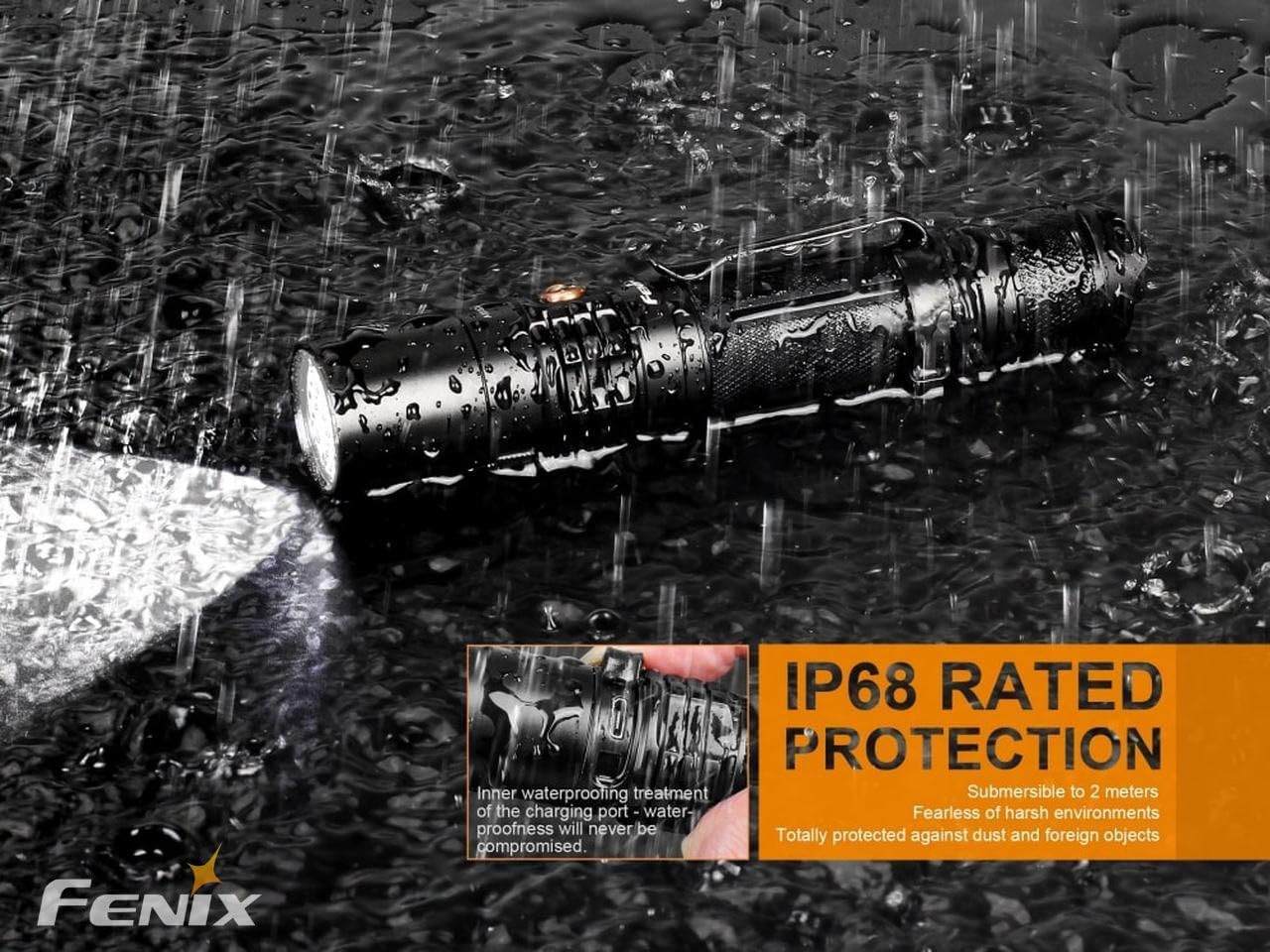
Image: The Fenix UC35 V2.0 demonstrating its IP68 waterproof and dustproof rating.
To maintain optimal performance, regularly clean the threads and O-rings with a silicone-based lubricant. Replace O-rings if they become damaged to ensure the flashlight remains waterproof. Keep the lens clean for clear illumination.
Troubleshooting
If your Fenix UC35 V2.0 flashlight is not functioning as expected, consider the following:
- No Light or Intermittent Light: Ensure the battery is fully charged and correctly inserted with the positive (+) end towards the head. Check if the tail cap is screwed on tightly.
- Dim Light: The battery may be low. Recharge the flashlight fully.
- Mode Switching Issues: Ensure the side switch is clean and free from debris.
If problems persist after checking these points, please refer to the warranty and support section for further assistance.
Specifications
Detailed technical parameters for the Fenix UC35 V2.0 Flashlight:
| Feature | Detail |
|---|---|
| Max Lumens | 1000 Lumens |
| Max Beam Distance | 873 feet (266 meters) |
| Max Runtime | 750 hours (Moonlight mode) |
| Lighting Modes | 6 (Turbo, High, Medium, Low, Moonlight, Strobe) |
| Bulb Type | Cree XP-L HI V3 LED |
| Battery | One rechargeable battery (installed) or two CR123A batteries (not included) |
| Charging | Micro-USB rechargeable, approx. 3.5 hours charging time |
| Material | High-strength oxidation-resistant aluminum |
| Waterproof Rating | IP68 (submersible to 2 meters) |
| Size | Length: 5.5” (140mm), Diameter: 1 inch (25.4mm) |
| Weight | 3.13 oz (89g) excluding battery |

Image: Technical Parameters table for Fenix UC35 V2.0.

Image: Size comparison of the Fenix UC35 V2.0 (New) and the previous model (Old).
Warranty and Support
For warranty information or technical support regarding your Fenix UC35 V2.0 flashlight, please contact LumintrailX customer service. Keep your purchase receipt as proof of purchase.
Contact information can typically be found on the LumintrailX website or through your original point of purchase.
Ask a question about this manual
Ask about setup, troubleshooting, compatibility, parts, safety, or missing instructions. Manuals+ will review the question and use this page’s manual context to help answer it.