
1. Introduction
Thank you for choosing the UNIKAMI SQ11 Mini Camera. This compact and versatile device is designed for various recording needs, offering 1080P Full HD video, night vision, and motion detection capabilities. Please read this manual carefully before use to ensure proper operation and to maximize the camera's potential.

Figure 1: Front view of the UNIKAMI SQ11 Mini Camera.
2. Product Features
- Mini 1080P Full HD car DVR camera recorder (1920 x 1080P, 1280 x 720P)
- Support TV out, TV monitor video connection
- 12MP (4032 x 3024) image resolution
- Compact design, portable handheld DV DC
- USB 2.0 interface for high-speed transmission
- Supports up to 32 GB T-flash cards (not included)
- Night Vision capability
- Motion Detection
- Loop Recording
- Records while charging
3. Package Contents
Please check the package for the following items:
- UNIKAMI SQ11 Mini Camera
- USB Cable

Figure 2: The SQ11 Mini Camera shown with its included USB cable and optional mounting accessories (mounts not always included).
4. Product Diagram
Familiarize yourself with the camera's components:

Figure 3: Key components of the SQ11 Mini Camera, including Switch Key, Mode Key, Indicator Light, Lanyard Hole, SD Card Port, Mini USB Port, Reset Hole, HD Camera, and Night Vision Lamp.

Figure 4: Another view of the SQ11 Mini Camera's components, highlighting ON/OFF Key, Mode key, Infrared lamp, LED indicator, Ultra wide Angle, TF card port, MINI USB port, Rest port, and Sling.
5. Setup
5.1 Charging the Camera
Before first use, fully charge the camera. Connect the camera to a USB power source (e.g., computer USB port or USB wall adapter) using the provided USB cable. The indicator light will show charging status (refer to operating instructions for specific light behavior).

Figure 5: The camera can be charged via USB or used while connected to a power source.
5.2 Inserting a Micro SD Card
The camera requires a Micro SD card (TF card) for storing recordings. Insert the card into the TF card port with the gold contacts facing down until it clicks into place. The camera supports up to 32GB Micro SD cards (not included).
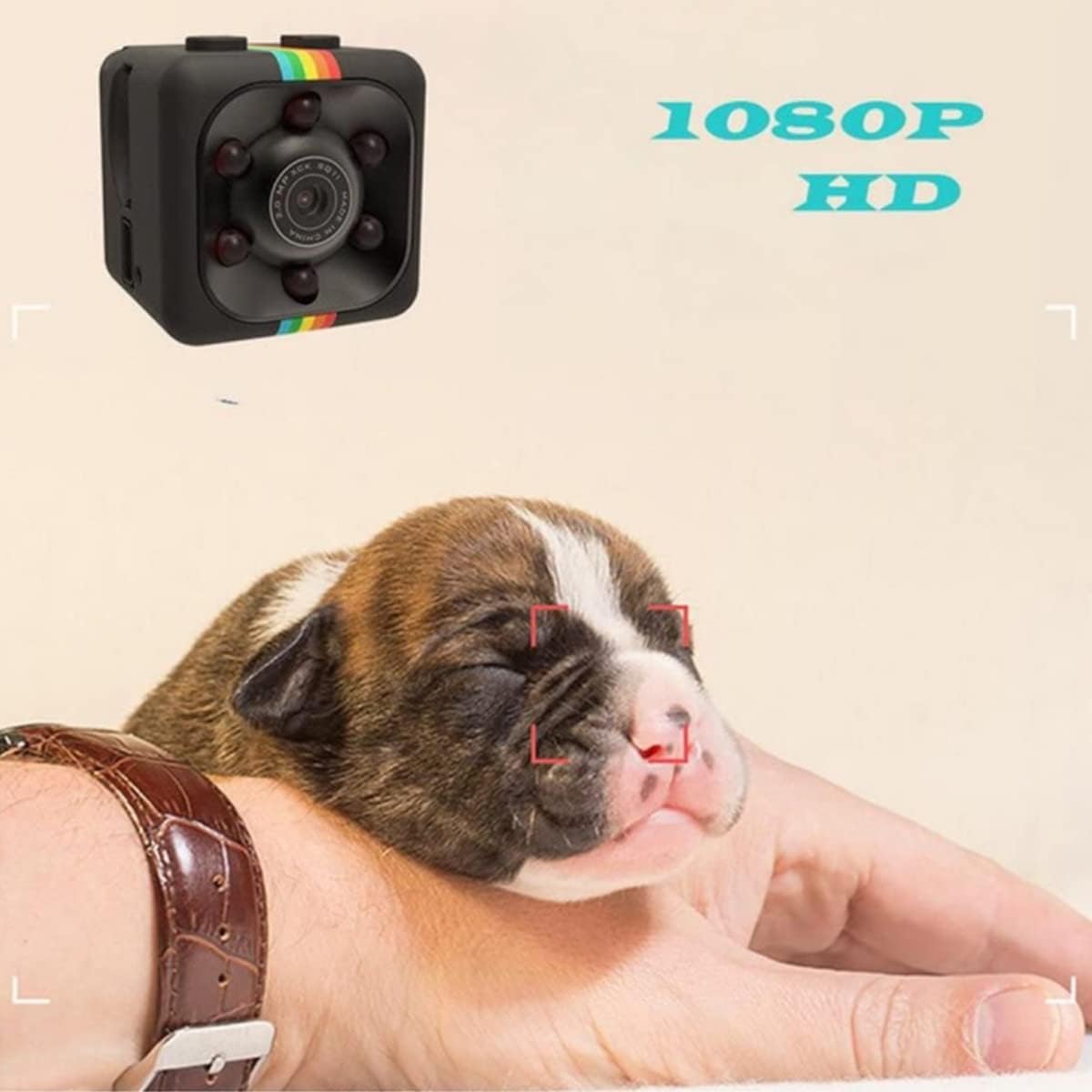
Figure 6: The camera supports up to 32GB Micro SD card for memory expansion.
6. Operating Instructions
6.1 Power On/Off
- Power On: Press and hold the ON/OFF Key for approximately 2 seconds until the blue indicator light turns on. The camera is now in standby mode.
- Power Off: In any mode, press and hold the ON/OFF Key for approximately 5 seconds. The indicator lights will turn off, indicating the camera is powered off.
6.2 Video Recording (1080P / 720P)
- 720P Video Recording: From standby mode (blue light on), press the ON/OFF Key once. The blue light will flash 3 times and then turn off, indicating 720P video recording has started. To save and stop recording, press the ON/OFF Key again. The camera will return to standby mode.
- 1080P Video Recording: From standby mode (blue light on), press the Mode Key once. The red and blue lights will turn on, indicating 1080P standby mode. Press the ON/OFF Key once. The blue light will turn off and the red light will flash 3 times and then turn off, indicating 1080P video recording has started. To save and stop recording, press the ON/OFF Key again. The camera will return to 1080P standby mode.
6.3 Motion Detection Recording
- From 1080P standby mode (red and blue lights on), press the Mode Key twice. The red light will flash 3 times, indicating motion detection recording has started. The camera will record when motion is detected.
- To stop motion detection recording, press the ON/OFF Key once. The camera will return to 1080P standby mode.
6.4 Night Vision
- To activate night vision, press and hold the ON/OFF Key for 2 seconds while in any recording mode. The red light will flash twice, indicating night vision is on.
- To deactivate night vision, press and hold the ON/OFF Key for 2 seconds again. The red light will flash once, indicating night vision is off.
6.5 Loop Recording
The camera supports loop recording. When the Micro SD card is full, the oldest video files will be automatically overwritten by new recordings. Ensure you back up important footage regularly.
6.6 Connecting to PC / TV
- PC Connection: Connect the camera to your computer using the USB cable. The camera will be recognized as a removable disk, allowing you to access and transfer video files.
- TV Connection: Use a TV-out cable (not included, but compatible with the Mini USB port) to connect the camera to a TV for live viewing or playback.
6.7 Resetting the Camera
If the camera becomes unresponsive or malfunctions, you can reset it. Use a thin object (like a paperclip) to press the Reset Hole. This will force the camera to shut down and restart.
Video 1: Official product video demonstrating the features and use cases of the SQ11 Mini Camera, including its compact size, night vision, motion detection, and loop recording capabilities. (Source: Seller)
7. Maintenance
- Keep the camera dry. Avoid exposure to water or high humidity.
- Clean the lens gently with a soft, lint-free cloth. Do not use harsh chemicals.
- Store the camera in a cool, dry place away from direct sunlight and extreme temperatures.
- Charge the battery regularly, even if not in use, to maintain battery health.
8. Troubleshooting
| Problem | Possible Cause | Solution |
|---|---|---|
| Camera does not turn on. | Low battery; System crash. | Charge the camera fully; Press the Reset Hole. |
| Cannot record video. | No Micro SD card; Card full; Card error. | Insert Micro SD card; Delete files or replace card; Format card. |
| Video quality is poor. | Low light conditions; Lens dirty; Incorrect resolution setting. | Activate night vision; Clean the lens; Ensure 1080P mode is selected. |
| Camera freezes. | System error. | Press the Reset Hole. |
9. Specifications
| Feature | Detail |
|---|---|
| Model Name | SQ11 |
| Video Capture Resolution | 1080p (Full HD), 720p |
| Image Resolution | 12MP (4032 x 3024) |
| Flash Memory Type | Micro SD (supports up to 32GB) |
| Video Capture Format | AVI |
| Connectivity Technology | Wired (USB) |
| Special Features | Night Vision, Motion Detection |
| Item Weight | 2.08 ounces |
| Product Dimensions | 0.9 x 0.9 x 0.9 inches |
| Batteries | 1 Lithium Polymer battery (included) |
| Color | Black |
10. Warranty and Support
The UNIKAMI SQ11 Mini Camera comes with a one-year warranty service from the date of purchase. Please retain your proof of purchase for warranty claims.
For technical support or warranty inquiries, please contact the seller directly through the platform where you purchased the product.


