
1. Introduction
The LYFRO Air Capsule is a versatile device designed to provide both UVC disinfection for various items and 10W Qi fast wireless charging for compatible smartphones and accessories. This manual provides essential information for the safe and effective use of your device, including setup, operation, maintenance, and troubleshooting.
2. Package Contents
- LYFRO Air Capsule UVC Disinfection Sanitiser Box with 10W Qi Fast Wireless Charger
- USB Power Cable
- User Manual
3. Safety Information
Please read all safety instructions carefully before using the device to prevent injury or damage.
- UVC Light Exposure: Do not open the lid or look directly at the UVC light during operation. UVC light can be harmful to eyes and skin. The device is designed to automatically shut off the UVC light when the lid is opened.
- Electrical Safety: Use only the provided USB power cable and a compatible power adapter (5V/2A or 9V/2A recommended for fast charging). Do not expose the device to water or excessive moisture.
- Placement: Place the device on a stable, flat surface away from direct sunlight, heat sources, and flammable materials.
- Children and Pets: Keep the device out of reach of children and pets.
- Cleaning: Disconnect power before cleaning. Use a soft, dry cloth. Do not use abrasive cleaners or immerse the device in liquid.
- Disposal: Dispose of the device according to local regulations for electronic waste.
4. Setup
- Unpack: Carefully remove the LYFRO Air Capsule and all accessories from the packaging.
- Connect Power: Insert the small end of the USB power cable into the power input port on the back of the Air Capsule. Connect the larger end of the USB cable to a compatible USB power adapter (not included). Plug the power adapter into a wall outlet.
- Placement: Place the device on a flat, stable surface. Ensure there is adequate ventilation around the unit.
5. Operating Instructions
5.1 UVC Disinfection Function
The UVC disinfection function helps sanitise small items using ultraviolet-C light.
- Open Lid: Gently open the lid of the Air Capsule.
- Place Items: Place the items you wish to disinfect (e.g., smartphone, keys, wallet, earbuds) inside the disinfection chamber. Ensure items are not overlapping excessively to allow UVC light to reach all surfaces.
- Close Lid: Close the lid securely. The UVC disinfection cycle will automatically begin. An indicator light will illuminate to show the disinfection process is active.
- Cycle Completion: The disinfection cycle typically lasts for a set duration (e.g., 3-5 minutes, refer to indicator light for status). The UVC light will automatically turn off when the cycle is complete.
- Remove Items: Open the lid and carefully remove your disinfected items.

Image: A wallet placed inside the LYFRO Air Capsule's UVC disinfection chamber, illustrating how items are positioned for sanitisation.
5.2 10W Qi Fast Wireless Charging Function
The top surface of the Air Capsule functions as a 10W Qi fast wireless charger for compatible devices.
- Place Device: Place your Qi-compatible smartphone or other wireless charging device (e.g., earbuds case) centrally on the top surface of the Air Capsule.
- Charging Indicator: The charging indicator light on the device will illuminate (e.g., blue or green) to confirm that charging has begun. Your device's screen will also typically show a charging icon.
- Optimal Charging: For optimal charging performance, ensure your device is centered on the charging pad. Remove any thick cases or metallic objects that may interfere with wireless charging.
- Fast Charging: To achieve 10W fast wireless charging, ensure your power adapter supports Quick Charge 2.0/3.0 or Power Delivery.
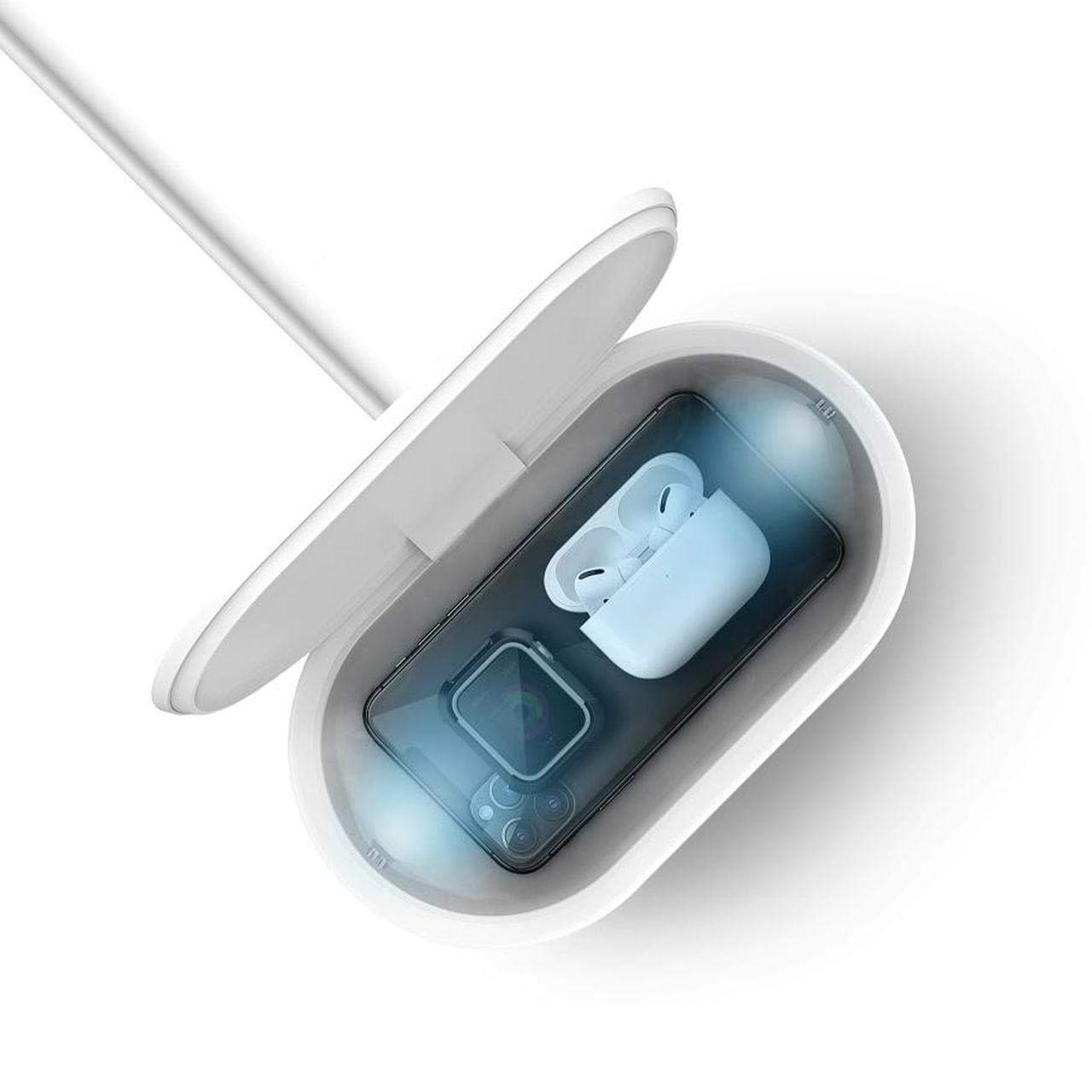
Image: A smartphone placed on the top surface of the LYFRO Air Capsule, actively charging wirelessly.
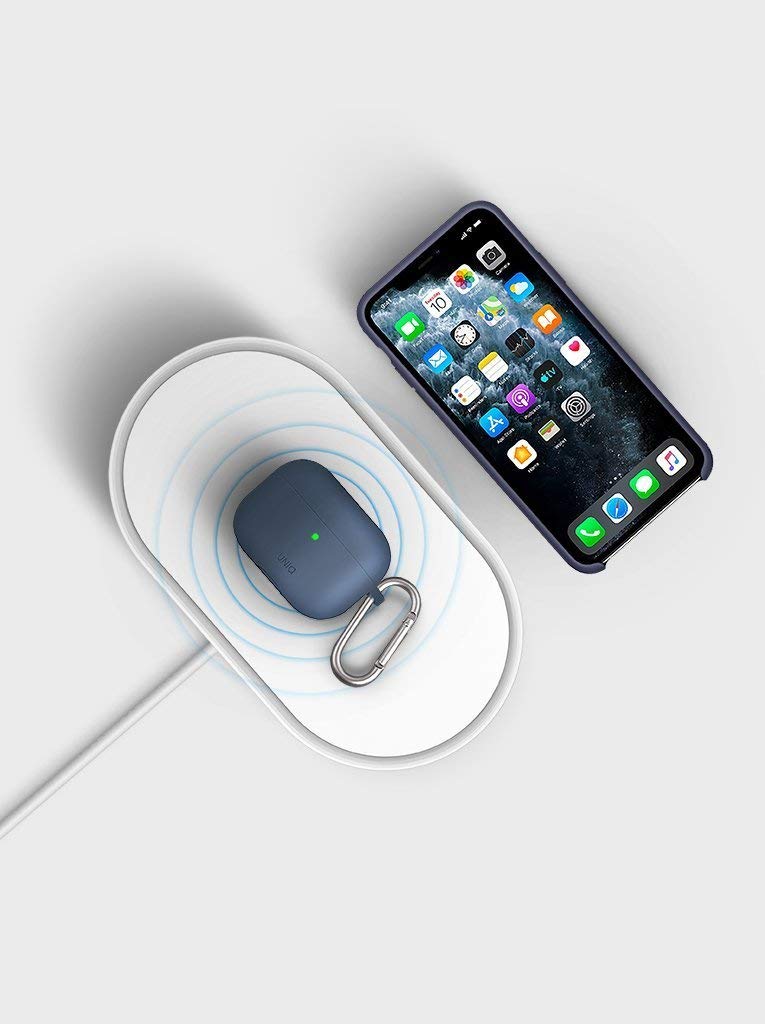
Image: A smartphone and a pair of wireless earbuds charging simultaneously on the LYFRO Air Capsule's wireless charging pad.
6. Maintenance
Proper maintenance ensures the longevity and optimal performance of your Air Capsule.
- Cleaning: Disconnect the power cable before cleaning. Use a soft, slightly damp cloth to wipe the exterior surfaces. Do not use harsh chemicals, abrasive cleaners, or solvents. Ensure the device is completely dry before reconnecting power.
- Storage: When not in use for extended periods, store the device in a cool, dry place away from direct sunlight and extreme temperatures.
- UVC Lamp: The UVC lamp is designed for long-term use. Do not attempt to replace the UVC lamp yourself. Contact customer support if you suspect a malfunction.
7. Troubleshooting
If you encounter issues with your LYFRO Air Capsule, refer to the following troubleshooting guide:
| Problem | Possible Cause | Solution |
|---|---|---|
| Device not powering on. | No power connection or faulty cable/adapter. | Ensure the USB cable is securely connected to both the device and the power adapter. Try a different USB port or power adapter. |
| UVC disinfection not starting. | Lid not closed properly. | Ensure the lid is fully closed. The UVC light will not activate if the lid is open for safety reasons. |
| Wireless charging not working. | Device not Qi-compatible, not centered, or foreign objects present. | Verify your device supports Qi wireless charging. Reposition the device centrally on the charging pad. Remove any metallic objects or thick cases. Ensure the power adapter provides sufficient power (5V/2A or 9V/2A). |
| Slow wireless charging. | Insufficient power input or device misalignment. | Use a Quick Charge 2.0/3.0 or Power Delivery compatible adapter for fast charging. Ensure the device is perfectly centered on the charging pad. |
If the problem persists after trying these solutions, please contact customer support.
8. Specifications
- Brand: LYFRO
- Model Number: LF-AIR CAPSULE WIRELESSCHARGINGPAD-73812
- Item Type Name: Air Capsule
- Connector Type: USB
- Compatible Devices: Cellular Phones (Qi-compatible smartphones), Wireless Earbuds, etc.
- Special Features: UVC Disinfection Box, 10W Qi Fast Wireless Charger
- Wireless Charging Output: 10 Watts (Max)
- Material: Acrylonitrile Butadiene Styrene (ABS)
- Item Weight: 450 Grams
- Power Source: Corded Electric
- Input: 5V/2A, 9V/2A (for fast charging)
9. Warranty and Support
Your LYFRO Air Capsule comes with a 12-month warranty from the date of purchase, covering manufacturing defects.
For technical support, warranty claims, or any inquiries regarding your product, please contact:
Email: INFO@GOLIFESTYLERETAIL.COM
Please have your purchase receipt and model number ready when contacting support.