Introduction
This manual provides detailed instructions for the installation, operation, and maintenance of your UCTRONICS 1U Rackmount. This rackmount is designed to efficiently organize and house up to four Raspberry Pi units within a standard 19-inch server rack environment. It supports various Raspberry Pi models, including Raspberry Pi 5, 4B, 3B, and B+.

Image 1: UCTRONICS 1U Rackmount for Raspberry Pi, showing its full length and multiple slots.
Product Features
- Compatibility: Supports 1 to 4 units of Raspberry Pi 5, 4B, 3B, and B+ models.
- Standard 1U Size: Dimensions of 19" x 1.75" (482.6 x 44.5mm) ensure full compatibility with standard 19-inch server racks.
- Easy Installation: Features 4 dedicated slots for Raspberry Pi boards, secured with included screws.
- Expandable Inserts: Includes 8 slots for optional keystone inserts such as HDMI, LAN, and USB.
- Durable Construction: Manufactured from 1.2mm carbon steel with a matte black powder coat finish for robustness and longevity.
- Optimized Design: Plate corners are rounded for safety and a smooth finish.
Setup and Installation
Follow these steps to install your Raspberry Pi units into the UCTRONICS 1U Rackmount and integrate it into your server rack.
- Prepare Raspberry Pi Units: Ensure your Raspberry Pi boards are ready for installation.
- Mount Raspberry Pi Boards: Align each Raspberry Pi board with one of the four designated slots on the rackmount. Secure each board using the provided screws. The rackmount is designed to hold the boards firmly.

Image 2: Close-up view illustrating how a Raspberry Pi board is mounted into a slot on the rackmount.
- Install Optional Keystone Jacks (if applicable): If you plan to use keystone jacks for HDMI, LAN, or USB, insert them into the 8 available slots. Ensure they click securely into place.
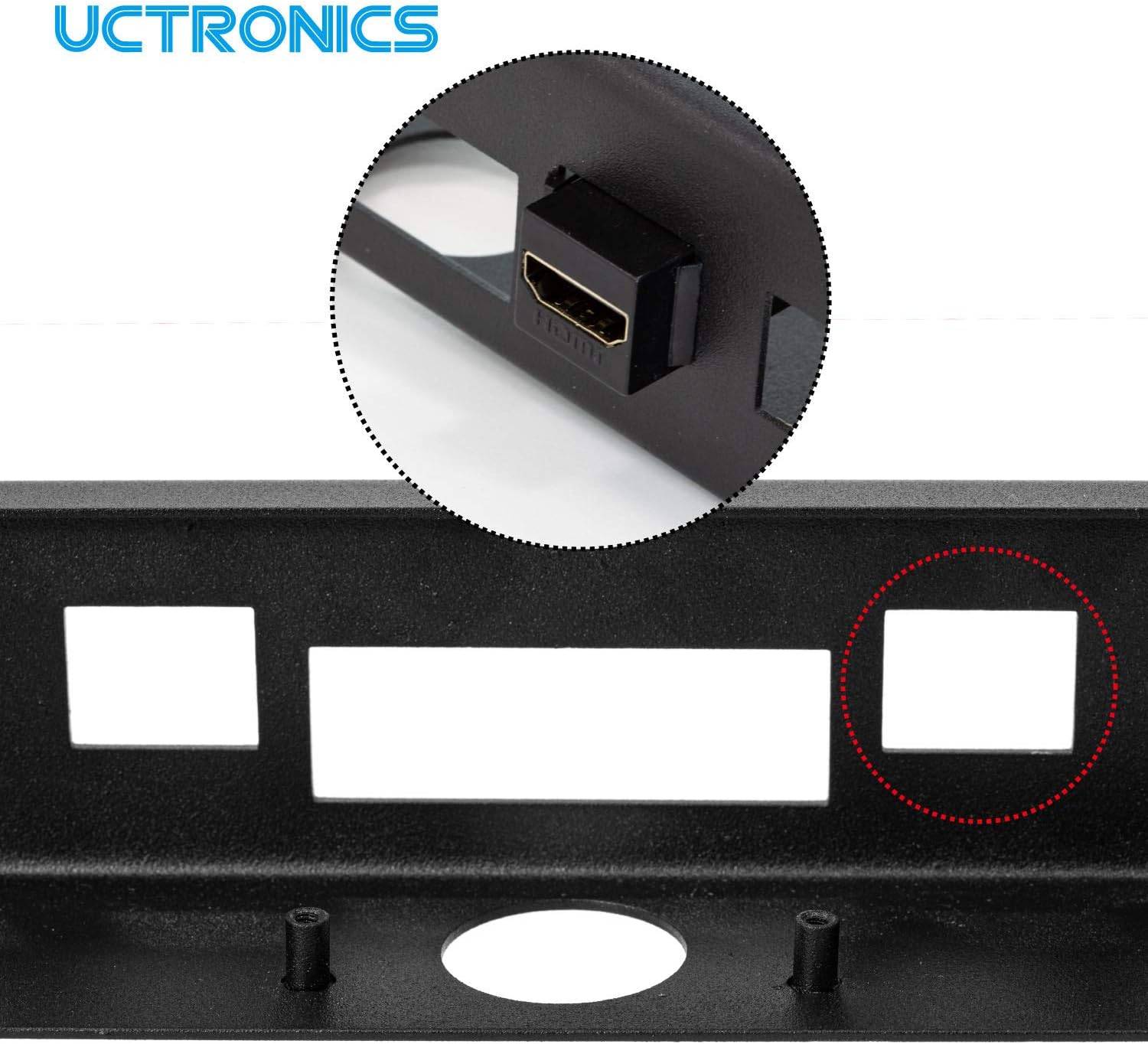
Image 3: Detail showing a keystone jack being inserted into one of the dedicated slots on the rackmount.
- Mount Rackmount into Server Rack: Position the assembled UCTRONICS 1U Rackmount into a free 1U space in your 19-inch server rack. Secure it using appropriate rackmount screws (not included). The rack can be vertically fixed on the mounting rail.
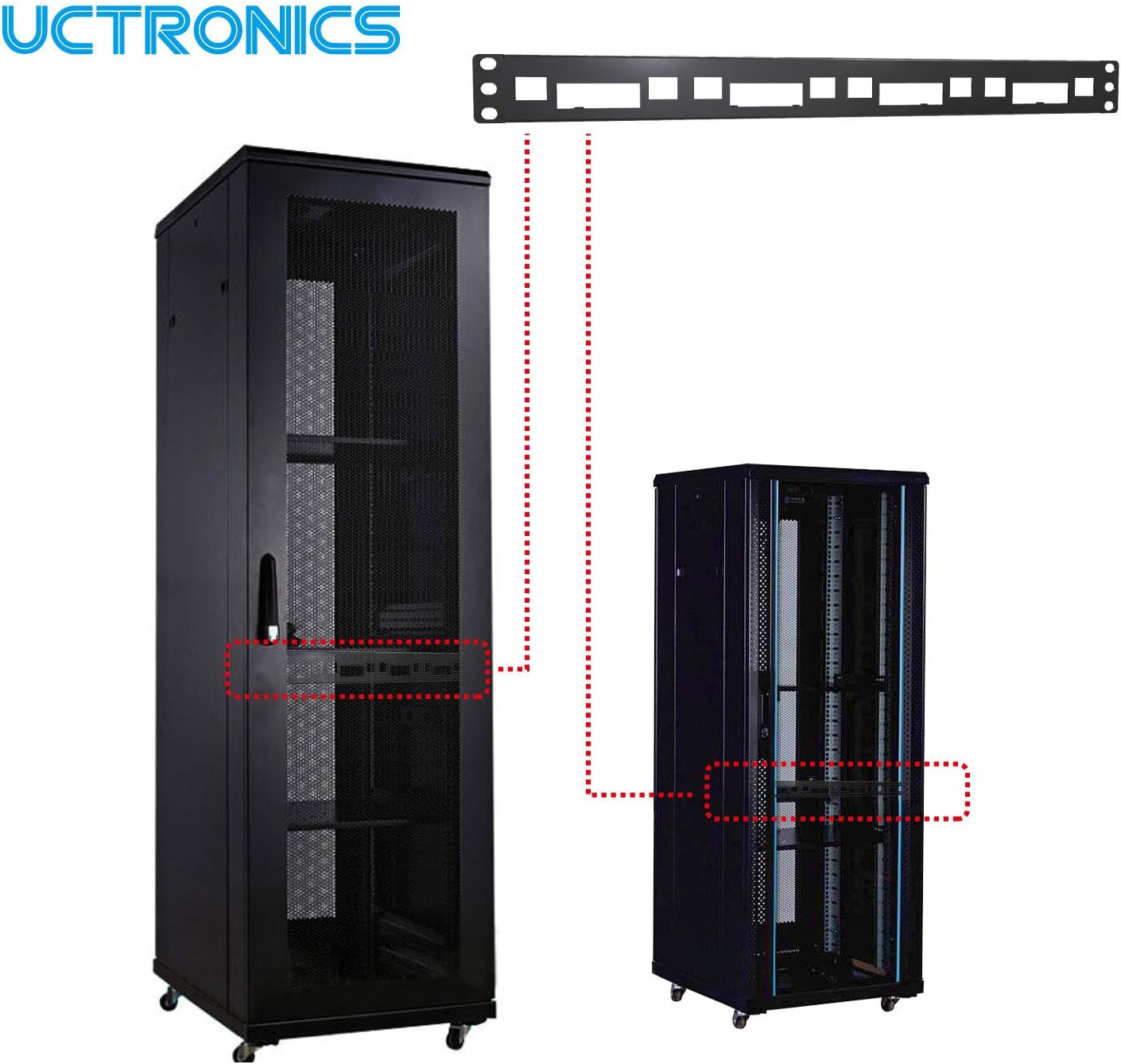
Image 4: Diagram showing the UCTRONICS 1U Rackmount being installed into a larger server rack setup.
- Connect Peripherals: Once secured, connect power, network, and any other necessary peripherals to your Raspberry Pi units.
Operation
The UCTRONICS 1U Rackmount is a passive component designed to house and organize your Raspberry Pi units. Its operation is directly tied to the functionality of the Raspberry Pi boards installed within it. Once the Raspberry Pi units are powered on and configured, they will operate as intended within the rackmount structure.
Ensure adequate airflow within your server rack to prevent overheating of the Raspberry Pi units, especially when running multiple boards simultaneously.
Maintenance
To ensure the longevity and optimal performance of your UCTRONICS 1U Rackmount, follow these simple maintenance guidelines:
- Cleaning: Periodically wipe the rackmount with a soft, dry cloth to remove dust and debris. Avoid using abrasive cleaners or solvents.
- Inspection: Regularly check all screws and connections to ensure they remain secure.
- Environment: Maintain a stable environment within your server rack, avoiding extreme temperatures or humidity, which can affect both the rackmount and the installed Raspberry Pi units.
Troubleshooting
This section addresses common concerns and potential issues you might encounter with the UCTRONICS 1U Rackmount.
- Raspberry Pi Hats Not Fitting: Some Raspberry Pi hats, particularly those with larger dimensions or specific power over Ethernet (PoE) hats, may not fit within the standard cutout or may interfere with the rackmount's lip. Verify the dimensions of your hat before installation.
- Keystone Jack Orientation: When installing RJ45 keystone jacks, consider the position of the push tab to ensure proper fit and accessibility.
- Lack of Rear Support: The rackmount primarily secures Raspberry Pi boards at the front. For enhanced stability, especially with heavier hats or frequent cable manipulation, consider additional rear support for the boards if available or necessary for your specific setup.
- SSD Mounting: The rackmount does not natively support SSD mounting. An optional SSD Mounting Plate (ASIN: B094PP659Q) is required for this functionality.
Specifications
| Feature | Specification |
|---|---|
| Product Dimensions | 1.75"D x 19"W x 1.75"H (44.5mm D x 482.6mm W x 44.5mm H) |
| Item Weight | 12.7 ounces (approx. 360 grams) |
| Material | 1.2mm Carbon Steel |
| Color | Matte Black |
| Form Factor | 1U Rackmount |
| Manufacturer | UCTRONICS |
| Model Number | U6123 |

Image 5: Technical diagram displaying the precise dimensions of the UCTRONICS 1U Rackmount.
Support
For further assistance, technical support, or inquiries regarding your UCTRONICS 1U Rackmount, please visit the official UCTRONICS website or contact their customer service department. Refer to your product packaging or the UCTRONICS brand store on Amazon for specific contact details.
UCTRONICS Brand Store: Visit UCTRONICS Store on Amazon


