
1. Introduction
This manual provides detailed instructions for the setup, operation, and maintenance of your findtime FTSHLAK16Silver Fitness Tracker Smart Bracelet. Please read this manual thoroughly before using the device to ensure proper function and longevity.

Image 1.1: The findtime FTSHLAK16Silver Fitness Tracker Smart Bracelet, featuring a silver stainless steel band and a rectangular display.
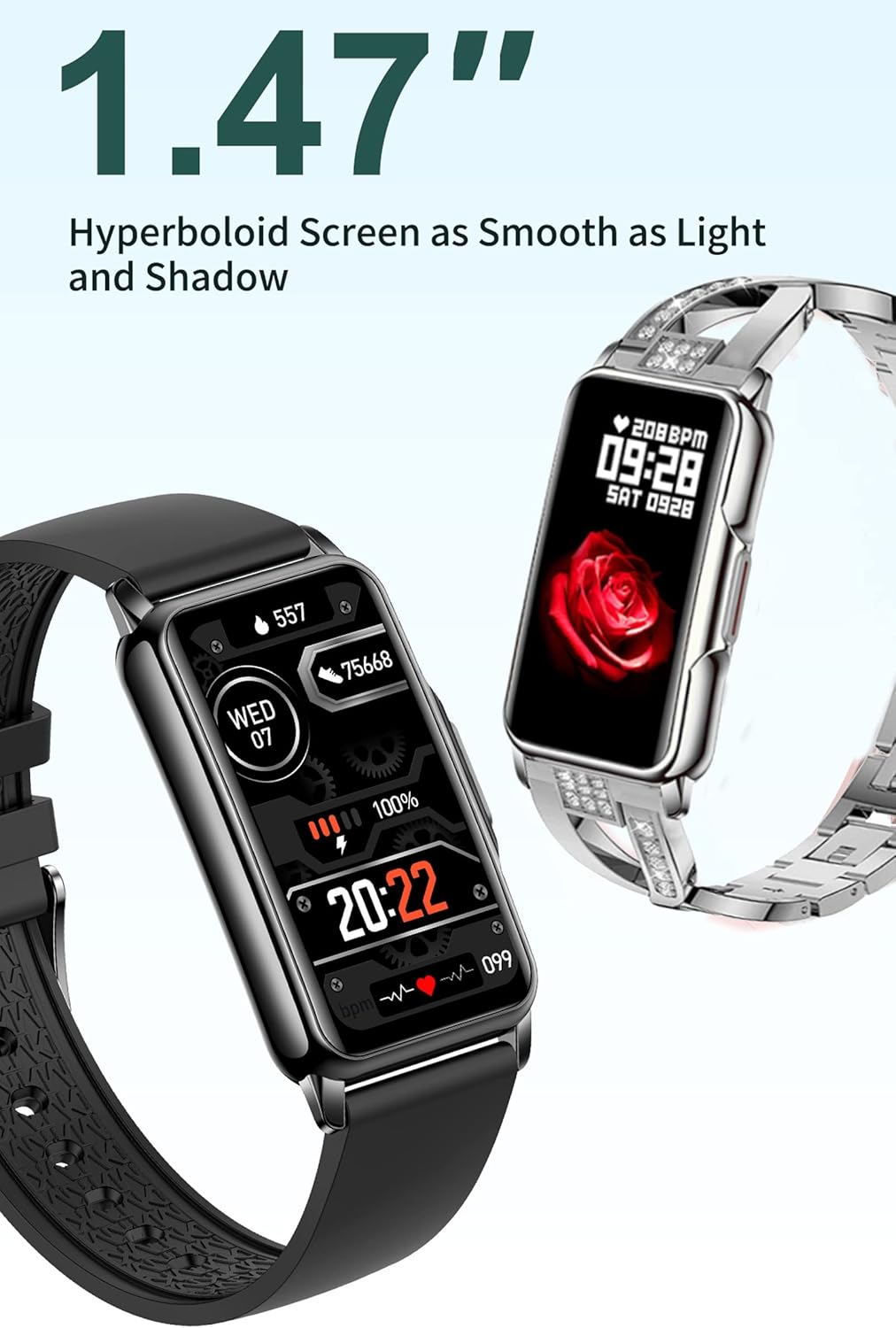
Image 1.2: Close-up view of the 1.47-inch hyperboloid screen, showcasing its smooth design and vibrant display.
2. Package Contents
Verify that all items are present in the package:
- 1 x findtime FTSHLAK16Silver Smart Watch
- 1 x User Manual
- 1 x Charging Cable
- 1 x Gift Box
3. Getting Started
3.1. Charging the Device
Before first use, fully charge the smart bracelet. Connect the provided charging cable to the charging port on the device and a USB power source. The screen will indicate charging status. A full charge typically takes approximately 2 hours.
3.2. App Installation
To access all features and synchronize data, download the 'Da Fit' application on your smartphone.
- For Android users: Search for 'Da Fit' in the Google Play Store. Requires Android 5.0 or above.
- For iOS users: Search for 'Da Fit' in the Apple App Store. Requires iOS 9.0 or above.
3.3. Device Pairing
- Ensure your smart bracelet is charged and powered on.
- Enable Bluetooth on your smartphone.
- Open the 'Da Fit' app and follow the on-screen instructions to create an account or log in.
- In the app, navigate to the 'Device' section and select 'Add Device'.
- Select 'FTSHLAK16Silver' from the list of available devices to pair.
- Confirm the pairing request on both your smartphone and the smart bracelet if prompted.
4. Operating Instructions
4.1. Basic Navigation
The smart bracelet features a 1.47-inch full touch screen for navigation. Swipe left/right, up/down, and tap to interact with menus and functions. The side button typically serves as a power button or a return-to-home function.
4.2. Activity Tracking
The device continuously tracks your daily activity:
- Pedometer: Records your steps throughout the day.
- Calorie Counter: Estimates calories burned based on your activity.
- Distance Tracker: Calculates the distance covered.
4.3. Sleep Monitoring
Wear the smart bracelet during sleep to monitor your sleep patterns. The 'Da Fit' app provides detailed analysis of your sleep stages (deep sleep, light sleep, awake time).
4.4. Notifications
Receive alerts for incoming calls, text messages, and social media notifications directly on your wrist when connected to your smartphone.

Image 4.1: Illustration of the notification reminder feature, showing various app icons and message previews on the watch screen.
4.5. Multi-Sport Modes
The smart bracelet supports over 20 multi-sport modes to accurately track specific activities. Select the appropriate mode in the device or app before starting your workout.

Image 4.2: Icons representing various sport modes available on the fitness tracker, including running, cycling, and swimming.
4.6. Customizing Watch Faces
Personalize your smart bracelet by choosing from multiple available watch faces through the 'Da Fit' app. Some watch faces display health metrics, while others offer aesthetic designs.

Image 4.3: Examples of customizable watch faces, showing different styles and information displays.
4.7. Other Features
- Alarm Clock: Set alarms via the app to vibrate on your wrist.
- Calendar: View date and time.
- Remote Camera: Use the bracelet as a remote shutter for your phone's camera.
- Sedentary Reminder: Receive alerts to move after periods of inactivity.
- Weather: View current weather conditions when connected to your phone.
- Drinking Water Reminder: Set reminders to stay hydrated.
- Lift Wrist to Brighten Screen: Automatically illuminates the screen when you raise your wrist.
- Flashlight: Activates the screen at maximum brightness for a temporary light source.
- Do Not Disturb Mode: Mutes notifications during specified times.
- Stopwatch: A built-in timer function.
- Find the Bracelet: Use the app to make the bracelet vibrate, helping you locate it.
- Music Control: Control music playback on your smartphone (play, pause, skip tracks).
5. Care and Maintenance
5.1. Water Resistance
The findtime FTSHLAK16Silver is IP67 rated, meaning it is resistant to daily splashes, rain, and dust. It is not suitable for showering, swimming, or diving. Avoid pressing any buttons while the device is wet. Do not expose the device to extreme hot or cold temperatures.
5.2. Cleaning
Wipe the device regularly with a soft, dry cloth. If necessary, use a slightly damp cloth and then dry thoroughly. Avoid using harsh chemicals or abrasive materials.
5.3. Battery Information
The device is equipped with a rechargeable battery. A single charge can provide over 10 days of typical use and over 20 days of standby time. Battery life may vary based on usage patterns and enabled features.

Image 5.1: Visual representation of the smart bracelet's long battery life, indicating 10+ days of use and 20+ days of standby on one charge.
6. Troubleshooting
If you encounter issues with your smart bracelet, refer to the following common solutions:
- Device not turning on: Ensure the device is fully charged.
- Cannot pair with smartphone: Make sure Bluetooth is enabled on your phone, the 'Da Fit' app is open, and the bracelet is within range. Try restarting both the bracelet and your phone.
- Notifications not received: Check app permissions on your phone to ensure 'Da Fit' has access to notifications. Verify that notification settings are enabled within the 'Da Fit' app.
- Inaccurate activity data: Ensure the bracelet is worn snugly on your wrist. Calibrate settings in the 'Da Fit' app if available.
- Screen unresponsive: Try restarting the device. If the issue persists, ensure the screen is clean and dry.
7. Product Specifications
| Feature | Specification |
|---|---|
| Model Number | FTSHLAK16Silver |
| Display Size | 1.47 Inches |
| Display Resolution | 240 x 240 |
| Case Material | Metal |
| Band Material | Stainless Steel |
| Case Diameter | 31.5 mm (1.24 inches) |
| Case Thickness | 9.65 mm (0.38 inches) |
| Item Weight | 5.5 ounces |
| Water Resistance | IP67 (Daily waterproof/dustproof/shockproof) |
| Connectivity | Bluetooth |
| Compatible OS | Android 5.0 and above, iOS 9.0 and above |
| App Name | Da Fit |
| Battery Type | Rechargeable (1 included) |
| Human Interface Input | Buttons, Touchscreen |
8. Warranty and Customer Support
For any questions regarding your findtime FTSHLAK16Silver Smart Bracelet or for customer service, please contact us directly. We aim to respond within 24 hours and provide a satisfactory solution.
Refer to your purchase documentation for specific warranty details. Typically, products come with a manufacturer's warranty covering defects in materials and workmanship.
Contact Information: Please refer to the seller's contact details on the platform where the product was purchased.