1. Introduction
The Honeywell Home RTH8560D Programmable Touchscreen Thermostat offers flexible programming for efficient energy management and home comfort. This device features 7-day programming with four periods per day (wake, leave, arrive, sleep), allowing for customized temperature settings throughout the week. It automatically transitions between heating and air conditioning modes as needed. The thermostat retains programmed settings during power outages and includes a low battery warning. Its sleek touchscreen with a cool blue backlight provides clear visibility of temperature and humidity levels. The integrated clock automatically adjusts for daylight saving time, and the Smart Response learning system optimizes heating and cooling cycles for desired temperatures.

Image 1.1: Front view of the Honeywell Home RTH8560D Programmable Touchscreen Thermostat, displaying current time, humidity, mode, fan setting, and temperature.
2. Package Contents
Verify that all items are present in the product packaging:
- Honeywell Home RTH8560D Thermostat
- Mounting Hardware
- User Guide
- 3 AA batteries (included)
3. Installation
3.1 Compatibility
The RTH8560D thermostat is compatible with most heating and cooling systems, including:
- Forced air (gas, oil, or electric)
- Hot water and steam systems
- Heat pumps with electric backup
Important: This thermostat is not compatible with electric baseboard heat (120-240V).

Image 3.1: A detailed table outlining system compatibility for the thermostat, indicating 'Yes' or 'No' for various heating and cooling system types.
3.2 Power Options
The thermostat can be powered by either batteries or hardwired to your heating/cooling system. Hardwiring eliminates the need for battery changes.
3.3 Mounting
The thermostat is designed for wall mount installation. Ensure power to the HVAC system is turned off at the circuit breaker before beginning installation.
4. Setup
4.1 Initial Programming
The RTH8560D features 7-day programming, allowing you to set distinct schedules for each day of the week. Each day can have up to four program periods: Wake, Leave, Arrive, and Sleep. Follow the on-screen prompts to customize your desired temperatures for each period.
4.2 Smart Response Technology
This thermostat incorporates Smart Response Technology, which learns your system's heating and cooling cycle times. This feature ensures that your desired temperature is reached precisely when you want it, optimizing comfort and energy usage.
4.3 Clock and Date Settings
The thermostat's internal clock is designed to automatically adjust for daylight saving time, ensuring accurate time display without manual intervention.
5. Operating Instructions
5.1 Digital Display
The large LCD backlit display provides real-time information, including:
- Indoor temperature
- Humidity levels
- Current time
- Active program settings (e.g., 'Following Schedule', 'Hold')
- System mode (Heat, Cool, Off, Auto)
- Fan setting (Auto, On)
5.2 Auto Changeover
In 'Auto' mode, the thermostat automatically switches between heating and cooling to maintain your set temperature, adapting to indoor temperature fluctuations for continuous comfort.
5.3 Adjusting Temperature
Use the touchscreen interface to adjust the desired temperature. Press the '+' or '-' icons on the display to increase or decrease the setpoint. Temporary adjustments will typically revert to the programmed schedule at the next scheduled period.
6. Maintenance
6.1 Reminders and Alerts
The thermostat provides helpful reminders and alerts:
- Filter Change Reminder: Notifies you when it's time to replace your HVAC system's air filter.
- Low Battery Indicator: Alerts you when the AA batteries need to be replaced.
6.2 Battery Replacement
If the low battery indicator appears, replace the three AA batteries. Ensure the thermostat is properly seated after battery replacement.
7. Troubleshooting
This section addresses common issues you might encounter with your Honeywell Home RTH8560D thermostat.
- No Display: Check if batteries are correctly installed and charged, or if the thermostat is receiving power from the HVAC system if hardwired.
- Incorrect Temperature Reading: Ensure the thermostat is not exposed to direct sunlight, drafts, or heat sources that could affect its sensor.
- System Not Responding: Verify that the system mode (Heat/Cool/Off) is correctly selected and that the fan setting is appropriate. Check circuit breakers for your HVAC system.
- Programming Issues: Review the programming section of this manual to ensure schedules are set correctly.
For persistent issues, consult a qualified HVAC technician or contact Honeywell Home customer support.
8. Specifications
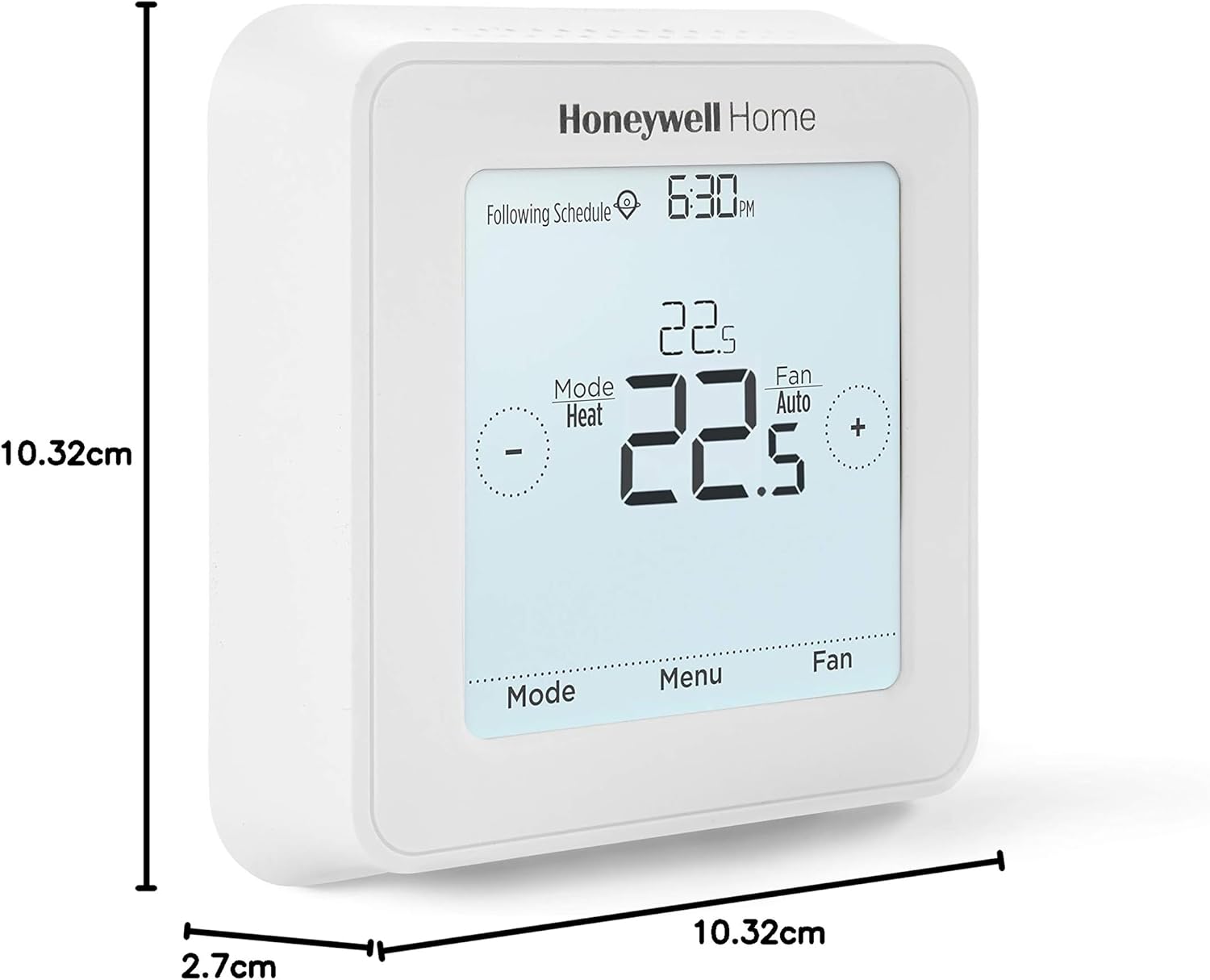
Image 8.1: Diagram illustrating the physical dimensions of the thermostat: 10.32 cm width, 10.32 cm height, and 2.7 cm depth.
| Feature | Detail |
|---|---|
| Model Number | RTH8560D1008/E |
| Product Dimensions | 2.7D x 10.3W x 10.3H Centimetres |
| Item Weight | 470 g |
| Colour | White |
| Material | Plastic |
| Power Source | Battery Powered (3 AA batteries included) or Hardwired |
| Voltage | 240 Volts (System compatibility, not thermostat operating voltage) |
| Display Style | LCD Touchscreen with Backlight |
| Mounting Type | Wall Mount |
| Special Features | Auto Changeover, Clock Display, Daylight Savings Time Ready, Filter Indicator, Lighted, Low Battery Indicator, Programmable, Temperature Display, Humidity Display |
| Usage | Air Conditioner, Furnace, Heat Pump, Residential, Indoor |
| Connectivity Technology | Wired |
| Controller Type | Touchpad Control |
9. Warranty and Support
9.1 Warranty Information
The Honeywell Home RTH8560D Programmable Touchscreen Thermostat comes with a 1-year limited warranty. Please refer to the warranty documentation included with your product for full terms and conditions.
9.2 Customer Support
For technical assistance, troubleshooting, or warranty claims, please contact Honeywell Home customer support through their official website or the contact information provided in your product packaging.