
1. Product Overview
The NUTRI FIT Ultra Slim Digital Kitchen Scale is designed for precise measurement of food ingredients, liquids, and small items. Its compact design and multiple unit options make it suitable for various culinary and household needs.
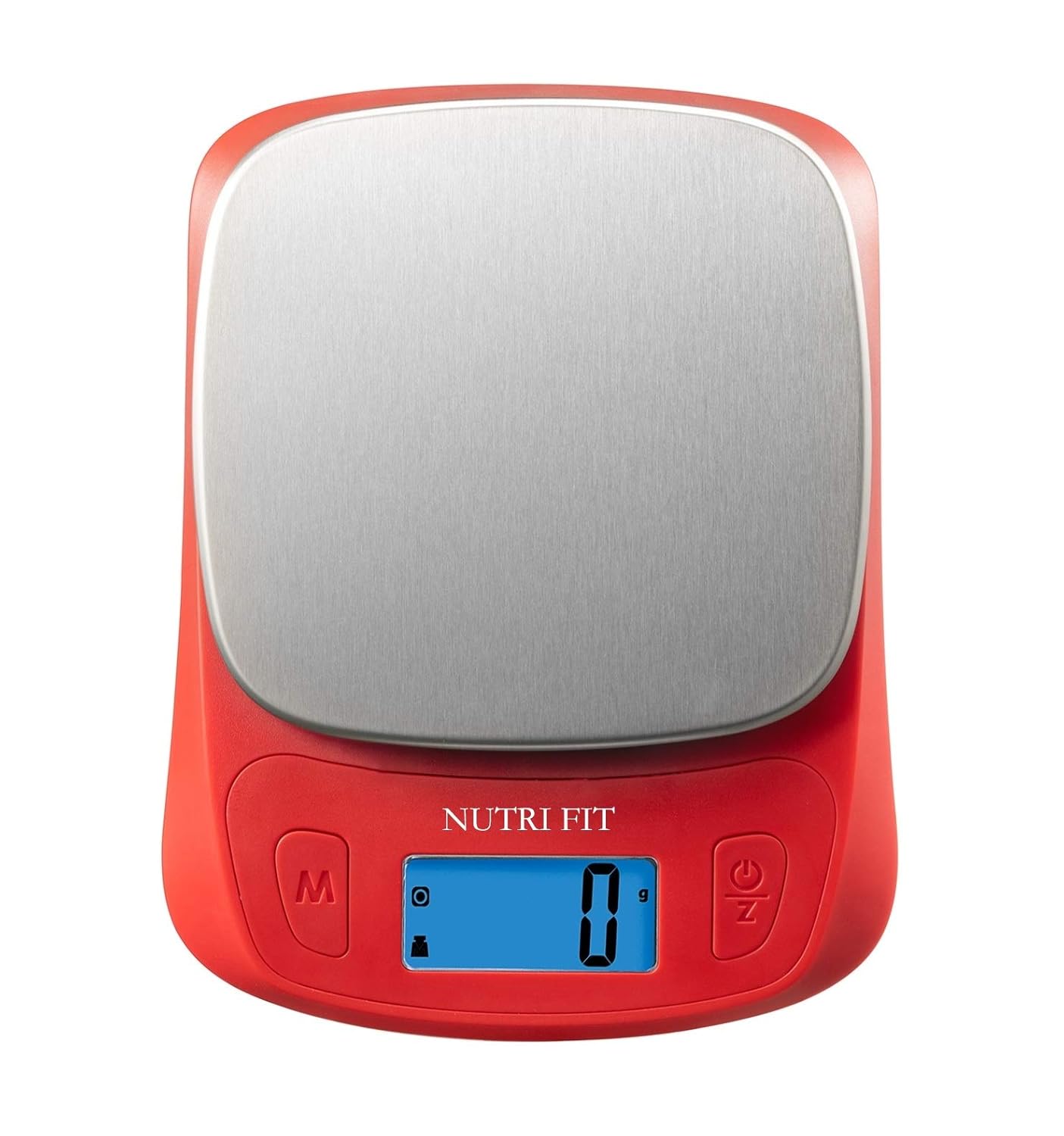
Image 1.1: The NUTRI FIT Ultra Slim Digital Kitchen Scale in use, demonstrating its compact size and stainless steel platform.
Key Features
- Super Extra-Slim Design: The scale measures only 7 x 5.2 x 1.1 inches, making it easy to store in any cabinet and saving kitchen space.
- Portable Material: Features a stainless steel platform for easy cleaning and durability. Ideal for dieting, weight loss, exercise, or travel.
- Easy to Use: Equipped with a large backlight LCD screen displaying weights in lb:oz, g, ml, and fl.oz. Includes Auto Tare & Zero Function, low power indication, and overload indication. Perfect for home cooking, baking, and food portioning.
- Accuracy: Multifunction food scale with high precision sensors and liquid measurement technology, providing accurate measurements from 0.1 oz / 1 g up to 5 kg / 11 lbs.
- Energy Saving: Operates on 2 AAA batteries (included). The scale features an auto-off function after 2 minutes of inactivity to conserve power.
2. Package Contents
- 1 x NUTRI FIT Ultra Slim Digital Kitchen Scale
- 2 x AAA Batteries
- 1 x User Manual
3. Setup
Battery Installation
- Locate the battery compartment on the underside of the scale.
- Open the battery compartment cover.
- Insert the 2 AAA batteries, ensuring correct polarity (+/-).
- Close the battery compartment cover securely.

Image 3.1: View of the scale's underside, indicating the battery compartment.
4. Operating Instructions
Power On/Off
- To power on, press the ON/OFF/Z button. The LCD screen will illuminate and display "0".
- To power off, press and hold the ON/OFF/Z button for a few seconds. The scale will also automatically turn off after 2 minutes of inactivity.
Unit Conversion
- With the scale powered on, press the M (Mode) button to cycle through available units: grams (g), pounds and ounces (lb:oz), milliliters (ml), and fluid ounces (fl.oz).
- The selected unit will be displayed on the LCD screen.

Image 4.1: The scale's display indicating various measurement units.

Image 4.2: Visual representation of the convertible weight and volume units.
Tare Function (Zeroing)
- Place an empty container on the weighing platform. The display will show the container's weight.
- Press the ON/OFF/Z button. The display will reset to "0", effectively subtracting the container's weight.
- Add your items to the container. The scale will now display only the net weight of the items.

Image 4.3: Step-by-step guide for using the tare function to measure ingredients accurately.
Video 4.1: Official product video demonstrating the NUTRI FIT Digital Ultra Slim Food Scale's features, including unit conversion and tare function.
5. Maintenance
Cleaning
- Wipe the scale's stainless steel platform and plastic housing with a soft, damp cloth.
- Do not immerse the scale in water or use abrasive cleaners.
- Ensure the scale is completely dry before storage or next use.

Image 5.1: Cleaning the stainless steel platform of the scale.
6. Storage
- Store the scale in a cool, dry place.
- Its ultra-slim design allows for vertical storage in cabinets or drawers, minimizing space usage.

Image 6.1: The slim design of the scale allows for convenient vertical storage.
7. Troubleshooting
- "Lo" or Low Battery Indicator: Replace the AAA batteries.
- "O-Ld" or Overload Indicator: The weight on the scale exceeds its maximum capacity (5kg / 11 lbs). Remove items immediately to prevent damage.
- Inaccurate Readings: Ensure the scale is placed on a flat, stable surface. Avoid placing it near strong electromagnetic fields. Recalibrate if necessary by removing and reinserting batteries.
- Display Not Turning On: Check battery installation and ensure batteries are not depleted.
8. Specifications
| Brand | NUTRI FIT |
| Model Number | EK3643H-NF-R |
| Color | Red |
| Material Type | Stainless Steel |
| Weight Capacity Maximum | 11 Pounds (5 kg) |
| Readout Accuracy | 0.1 Ounces (1 g) |
| Display Type | LCD |
| Special Feature | Auto Shut Off |
| Power Source | 2 x AAA Batteries |
| Item Weight | 150 Grams |
9. Warranty and Support
For warranty information or product support, please visit the official NUTRI FIT store or contact customer service through your purchase platform.
Visit the NUTRI FIT Store for more products and information.