1. Introduction
This manual provides comprehensive instructions for the installation, operation, and maintenance of your PLAYA by Belkin Tempered Glass Privacy Screen Protector. Designed for iPhone 11 and iPhone XR models, this screen protector offers robust protection against impacts and scratches, while also incorporating a privacy feature to limit viewing angles.
Please read these instructions carefully before installation to ensure proper application and optimal performance of the product.
2. What's Included
Verify that all items listed below are present in your package:
- 2 x PLAYA iPhone Tempered Glass Privacy Screen Protectors
- 1 x Installation Instruction Insert (this document)
- 1 x Cleaning Cloth
- 1 x Dust Removal Sticker
- 1 x Replacing Sticker (for repositioning if needed)
- 1 x Alcohol Prep Pad
3. Setup: Screen Protector Installation
Follow these steps carefully for a bubble-free installation. Ensure you are in a clean, dust-free environment.
3.1. Preparation
- Clean Your Phone Screen: Turn off your device. Use the provided alcohol prep pad to thoroughly clean the entire surface of your iPhone screen. This removes oils and smudges.
- Dry the Screen: Use the cleaning cloth to dry the screen completely. Ensure no streaks or moisture remain.
- Remove Dust: Use the dust removal sticker to dab the screen and lift any remaining dust particles. Pay close attention to the edges and corners.

Image: A clean iPhone screen, ready for screen protector application.
3.2. Application
- Peel Off Protective Film: Carefully peel off the protective film from the adhesive side of one screen protector. Avoid touching the adhesive surface.
- Align the Screen Protector: Hold the screen protector by its edges. Align it precisely with your iPhone screen, ensuring the cutouts for the speaker, camera, and sensors match perfectly.
- Lower and Adhere: Once aligned, gently lower the screen protector onto the screen. It will begin to adhere automatically.
- Remove Bubbles: If bubbles appear, use the cleaning cloth or a soft card (not included) to gently push them towards the edges of the screen. For stubborn bubbles, you may carefully lift a corner of the protector using the replacing sticker and re-apply.
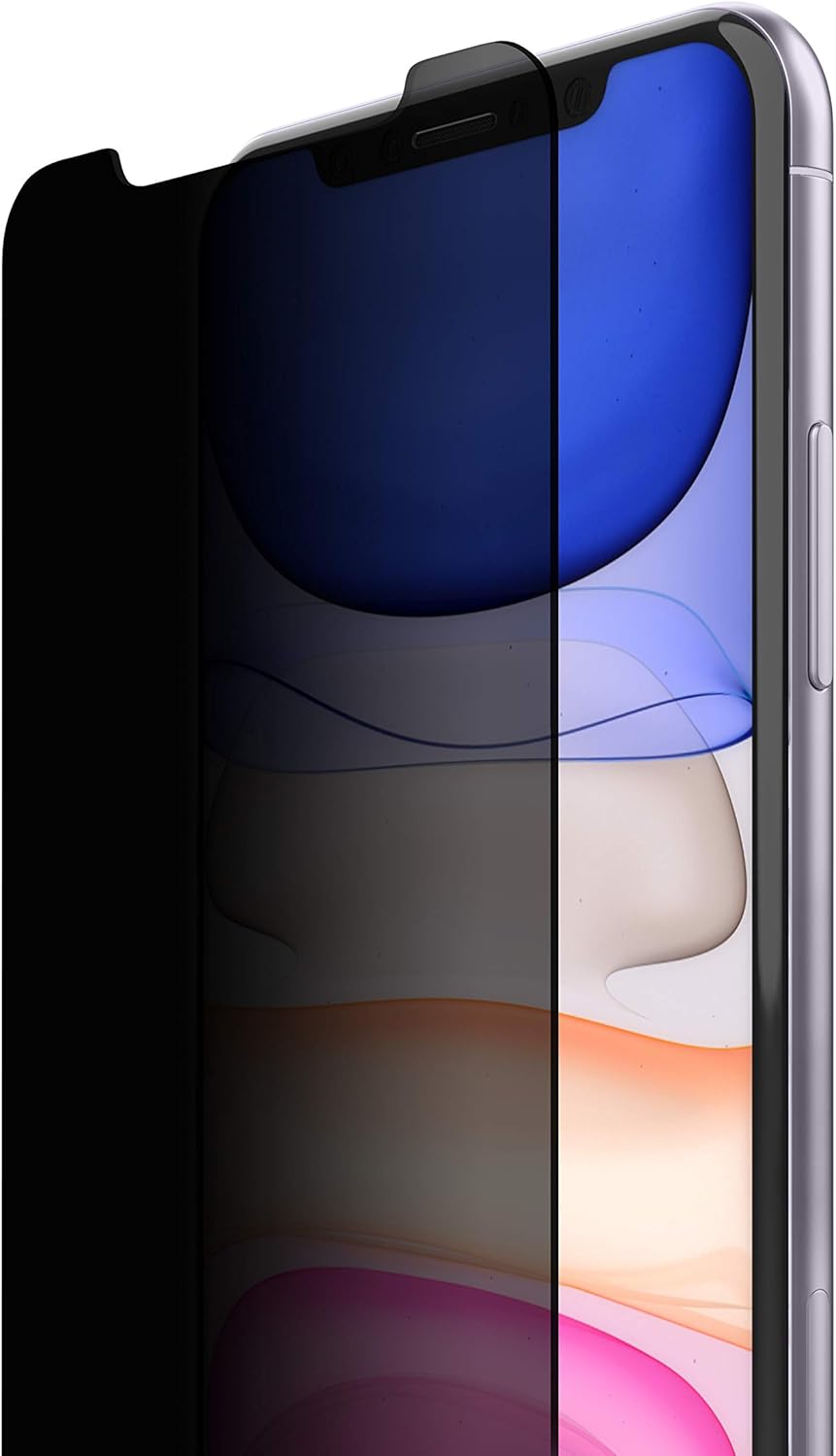
Image: A privacy screen protector partially applied to an iPhone, demonstrating the privacy effect.
Allow a few hours for the adhesive to fully settle and for any minor remaining bubbles to dissipate naturally.
4. Operation
4.1. Privacy Feature
The PLAYA Privacy Screen Protector is designed to restrict the viewing angle of your screen. When viewed directly from the front, your screen content will be clear. However, from side angles, the screen will appear darkened, protecting your information from onlookers.
- Portrait Mode: In portrait orientation, your screen content is visible only to you.
- Landscape Mode: In landscape orientation, the privacy effect is reduced, allowing for easier sharing of content with others.
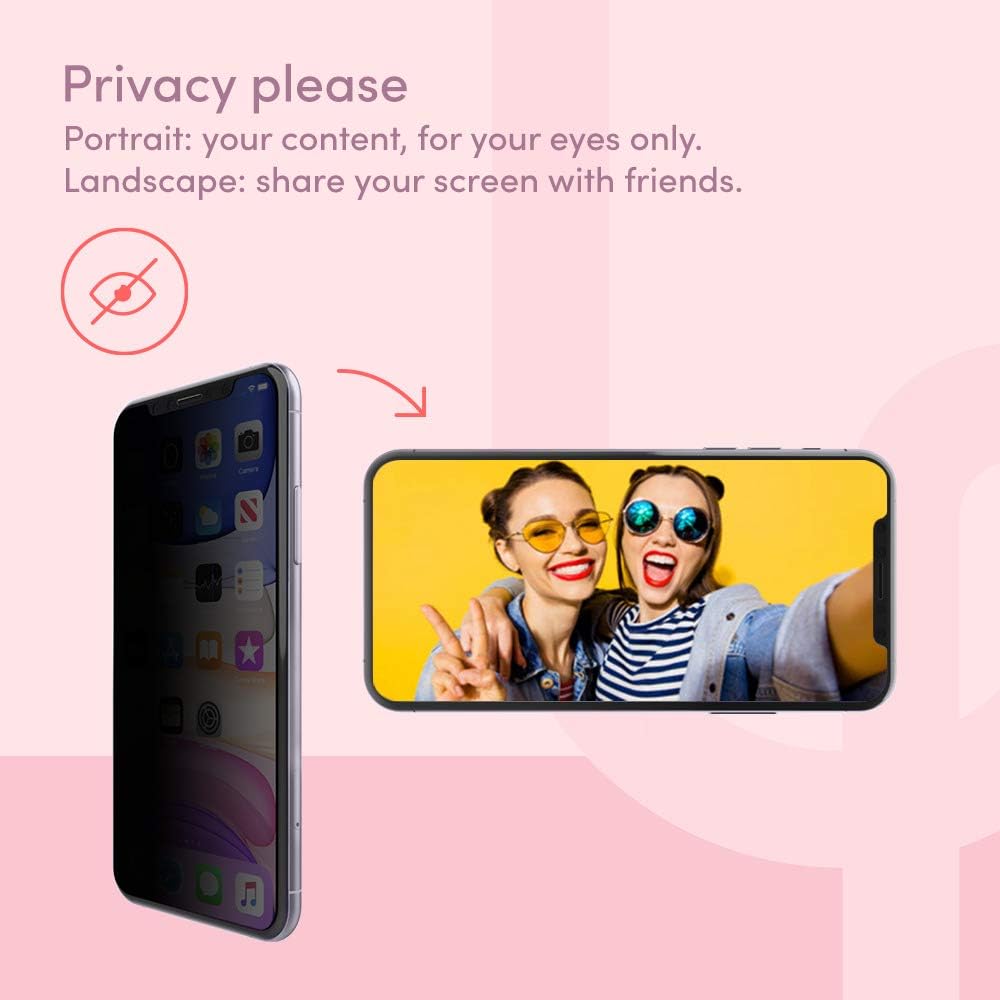
Image: Illustration of the privacy feature, showing a darkened screen in portrait mode and a visible screen in landscape mode.
4.2. Touch Sensitivity and Clarity
This tempered glass screen protector maintains the original touch sensitivity and clarity of your iPhone screen. You should experience no noticeable difference in responsiveness or display quality.

Image: An iPhone screen displaying vibrant content, demonstrating crystal clarity and smooth operation with the screen protector applied.
5. Maintenance
To ensure the longevity and clarity of your screen protector:
- Cleaning: Use a soft, lint-free cloth (like the one provided) to gently wipe the screen protector. For stubborn smudges, slightly dampen the cloth with water or a screen-safe cleaner. Avoid harsh chemicals.
- Avoid Sharp Objects: While the protector is scratch-resistant, extreme pressure or sharp objects can still cause damage.
- Case Compatibility: The screen protector is designed for case-friendly coverage, protecting the responsive part of your screen without interfering with most phone cases.

Image: A close-up of an iPhone with a screen protector and a clear case, illustrating case-friendly design.
6. Troubleshooting
| Issue | Possible Cause | Solution |
|---|---|---|
| Bubbles after installation | Dust particles trapped underneath, or uneven application. | Gently push bubbles towards the nearest edge with a soft cloth. For persistent bubbles, carefully lift the nearest edge with the replacing sticker, remove dust with the dust removal sticker, and re-apply. Small bubbles may disappear within 24-48 hours. |
| Screen protector not adhering properly at edges | Dust or oil on the screen edge, or improper alignment. | Ensure the screen is thoroughly clean before application. If already applied, try gently pressing the edges for a few minutes. If the issue persists, consider using the second screen protector after a more meticulous cleaning process. |
| Reduced touch sensitivity | Rare, but could be due to improper installation or a defective protector. | Ensure the screen protector is fully adhered without air gaps. If the issue persists, contact customer support. |
| Privacy feature not working as expected | Misunderstanding of privacy angle, or incorrect product. | The privacy feature darkens the screen from side angles, not directly above or below. Ensure you are viewing from an appropriate side angle. Verify you have installed the correct privacy screen protector. |
7. Specifications
| Brand | PLAYA |
| Model Number | PO0007zz |
| Compatible Devices | iPhone 11, iPhone XR |
| Material | Tempered Glass |
| Item Hardness | 9H |
| Special Features | Scratch Resistant, Privacy Filter, Impact Protection, Touch Sensitive, Ultra-thin, Anti-fingerprint |
| Screen Size | 6.1 Inches |
| Screen Surface Description | Glossy |
| Number of Items | 2 (Screen Protectors) |
| Product Dimensions | 5.51 x 2.6 x 0.5 inches (Protector dimensions: 0.12 x 2.6 x 5.51 inches) |
| Item Weight | 2.11 ounces |
8. Warranty & Support
8.1. Product Warranty
The PLAYA by Belkin iPhone Tempered Glass Privacy Screen Protector is covered by a 2-year warranty from the date of purchase. This warranty covers defects in materials and workmanship under normal use. It does not cover damage caused by misuse, accidents, or unauthorized modifications.
For warranty claims, please retain your proof of purchase.
8.2. Customer Support
If you encounter any issues or have questions regarding your PLAYA screen protector, please visit the official PLAYA support website or contact their customer service for assistance. Refer to the packaging or the brand's official website for the most current contact information.