1. Product Overview
The JJC DCH-BLH1UE-4 Dual USB Charger is designed to charge two Olympus BLH-1 camera batteries simultaneously. It features a compact design with a built-in USB cable and includes a 40cm extension cable for flexible charging options. This charger is compatible with Olympus OM-D E-M1 Mark III, OM-D E-M1 Mark II, and OM-D E-M1X cameras.

Image: The JJC Dual USB Charger with a single Olympus BLH-1 battery inserted into one of its charging slots.
2. Package Contents
- 1 x JJC Dual USB Battery Charger
- 1 x 40cm USB Extension Cable
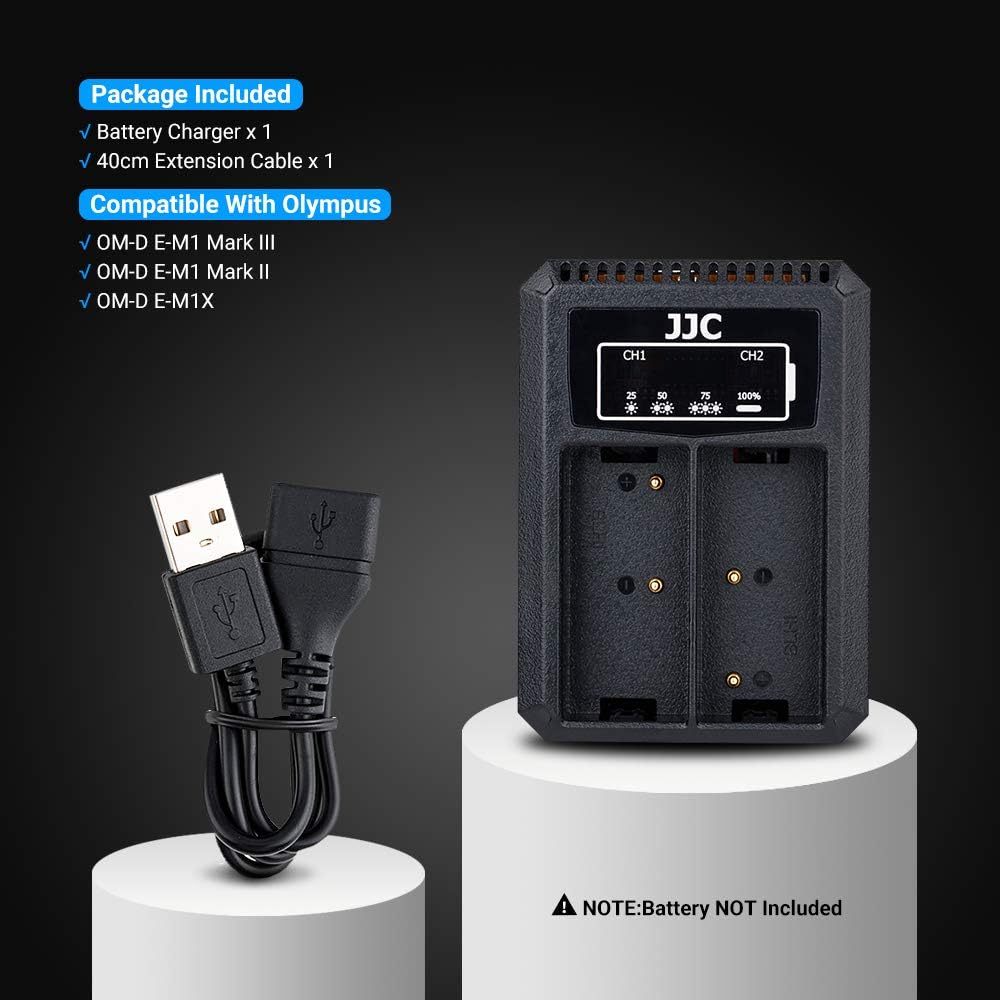
Image: The package contents, including the JJC Dual USB Charger and the 40cm USB extension cable.
3. Compatibility
This charger is specifically designed for Olympus BLH-1 batteries. It is compatible with the following camera models:
- Olympus OM-D E-M1 Mark III
- Olympus OM-D E-M1 Mark II
- Olympus OM-D E-M1X
4. Setup and Connection
- Connect to Power Source: Extend the built-in USB cable from the charger. Connect it to a USB power source such as an AC adapter, laptop, power bank, or car charger. For extended reach, use the provided 40cm USB extension cable. The charger requires a 5V 2.2A input for optimal performance.
- Insert Batteries: Carefully insert one or two Olympus BLH-1 batteries into the designated charging slots on the charger. Ensure the battery contacts align correctly with the charger pins.

Image: The charger connected to different USB power sources like a wall adapter, power bank, laptop, and car charger.

Image: Illustration of the charger's built-in USB cable and the additional 40cm extension cable for flexible charging.
5. Operating Instructions
Once connected to a power source and batteries are inserted, the charger will automatically begin charging. You can charge one or two batteries simultaneously.

Image: The charger with a single battery inserted and charging.

Image: The charger with two batteries inserted and charging simultaneously.
6. LED Indicator Guide
The charger features two indicator lamps (CH1 and CH2) for each battery slot, displaying the charging status:
- Flashing once (25%): Battery charge level is less than 25%.
- Flashing twice (50%): Battery charge level is 25% but less than 50%.
- Flashing three times (75%): Battery charge level is 50% but less than 75%.
- Solid red light (100%): Charging is complete, and the battery is fully charged.

Image: A close-up of the charger's LED indicators, illustrating the different flashing patterns for charge levels (25%, 50%, 75%) and a solid light for 100% charge.
7. Safety and Protection Features
The JJC Dual USB Charger incorporates multiple safety features to protect your batteries and the charger itself:
- Short Circuit Protection: Prevents damage from electrical shorts.
- Overcharge Protection: Automatically stops charging once batteries are full to prevent overcharging.
- Overcurrent Protection: Safeguards against excessive current flow.
- Voltage Regulation Protection: Maintains stable voltage during charging.
- Overdischarge Protection: Protects batteries from being excessively discharged.

Image: A visual representation of the charger's safety features, including short circuit, overcharge, overcurrent, voltage regulation, and overdischarge protection.
8. Maintenance
- Keep the charger clean and dry. Avoid exposure to moisture or extreme temperatures.
- Do not attempt to disassemble or modify the charger.
- Store the charger in a cool, dry place when not in use.
- Regularly check the USB cable for any signs of damage.
9. Troubleshooting
- Charger not working: Ensure the USB cable is securely connected to both the charger and a functional USB power source. Verify the power source provides at least 5V 2.2A.
- Batteries not charging: Check that batteries are inserted correctly with contacts aligned. Ensure batteries are compatible with the charger (Olympus BLH-1).
- Slow charging: Charging speed can vary depending on the power source. Using a higher amperage USB adapter (up to 2.2A) can improve charging time. Charging two batteries simultaneously may also result in a longer charge duration compared to charging a single battery.
- LED indicators not lighting up: This may indicate a power supply issue or a faulty connection. Recheck connections and try a different USB power source.
10. Specifications
| Feature | Specification |
|---|---|
| Model Number | DCH-BLH1UE-4 |
| Input Voltage | DC 5V 2.2A (Min) |
| Output Voltage | DC 8.4V 600mA (for each battery) |
| Product Dimensions | 3.15 x 2.28 x 0.98 inches (80 x 58 x 25 mm) |
| Item Weight | 2.89 ounces (82g) |
| Color | Black |
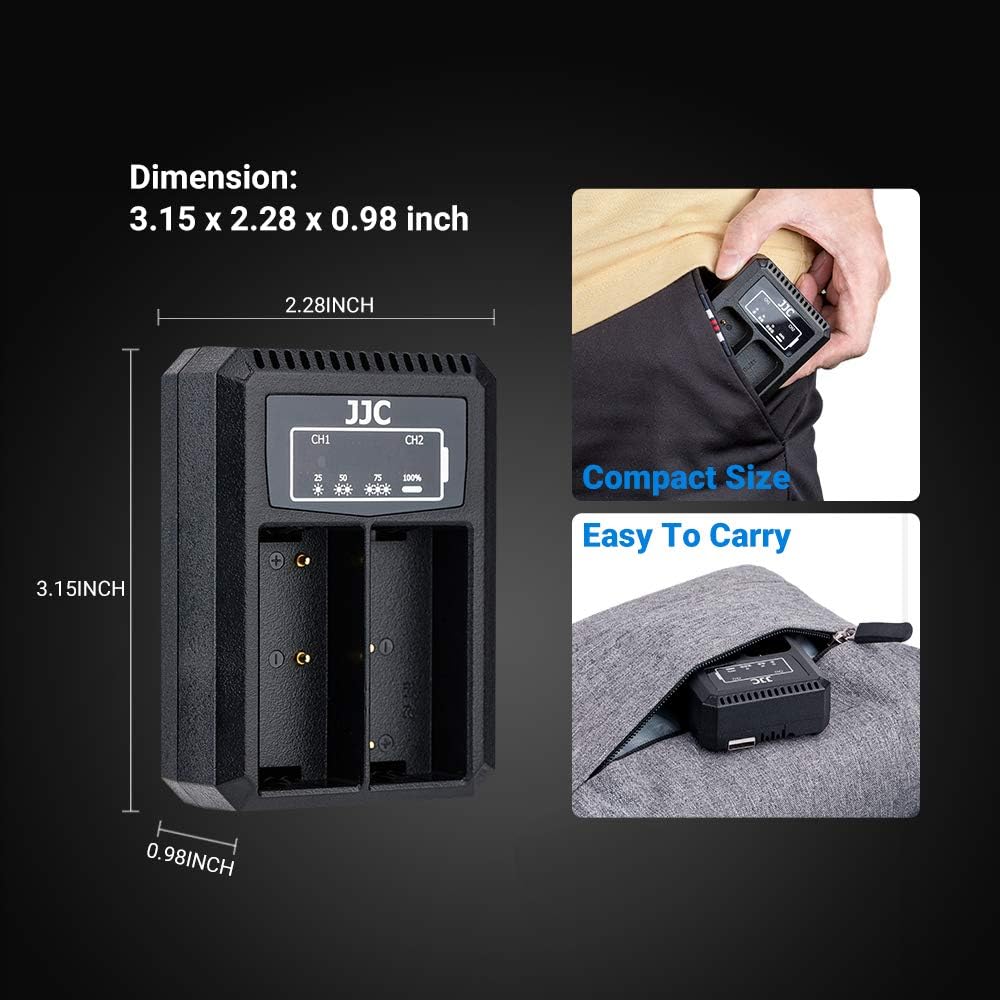
Image: An illustration detailing the compact dimensions of the charger and demonstrating its portability.