
1. Introduction
Thank you for choosing the WulaWindy Digital Alarm Clock. This device combines a large mirrored LED display with practical features such as dual USB charging ports, a snooze function, and adjustable brightness settings. Designed for versatility, it can be used as a bedside clock, desk clock, or wall-mounted display, making it a functional and modern addition to any bedroom or room decor.
This manual provides detailed instructions for setting up, operating, and maintaining your new alarm clock. Please read it thoroughly to ensure proper use and to maximize your product experience.
2. Package Contents
- WulaWindy Digital Alarm Clock (Model: Yishang)
- USB Power Cable
- Detachable Stand
- CR2032 Memory Battery (pre-installed)
- User Manual
3. Product Features
- Large Mirrored LED Display: 6.5-inch screen with large, clear numbers for easy readability. The mirrored surface can also serve as a makeup mirror.
- Dual USB Charging Ports: Two USB ports (5V/1A) allow simultaneous charging of two devices.
- Snooze Function: A large, easily accessible snooze button provides a customizable snooze duration from 5 to 60 minutes.
- Adjustable Brightness: Three manual brightness levels (L1, L2, L3) and an automatic dimming mode that adjusts brightness based on ambient light.
- Memory Battery Backup: A pre-installed CR2032 battery stores time and alarm settings during power outages, eliminating the need for re-setting.
- Versatile Placement: Includes a detachable stand for tabletop use and a built-in wall-hanging hole for mounting.
- 12/24 Hour Format: Easily switch between 12-hour and 24-hour time display.
4. Setup
- Unpacking: Carefully remove all components from the packaging.
- Remove Protective Film: Peel off the protective film from the mirrored display surface. This ensures optimal clarity and mirror functionality.

A hand carefully peeling the protective film from the mirrored display of the WulaWindy Digital Alarm Clock, revealing the clear surface underneath.
- Remove Battery Insulator Tab: Locate the CR2032 battery compartment on the back of the clock. Pull out the plastic insulator tab to activate the memory backup battery. This battery maintains time settings during power interruptions.

A hand removing the plastic insulator tab from the CR2032 battery compartment on the back of the WulaWindy Digital Alarm Clock.
- Power Connection: Connect the provided USB power cable to the DC 5V input port on the back of the clock. Plug the other end into a USB power adapter (not included) or a compatible USB port. The clock requires continuous USB power to operate.
Official WulaWindy video demonstrating the initial setup of the digital alarm clock, including plugging in the power cord.
- Placement: Attach the detachable stand for tabletop use or utilize the wall-hanging hole on the back for wall mounting.
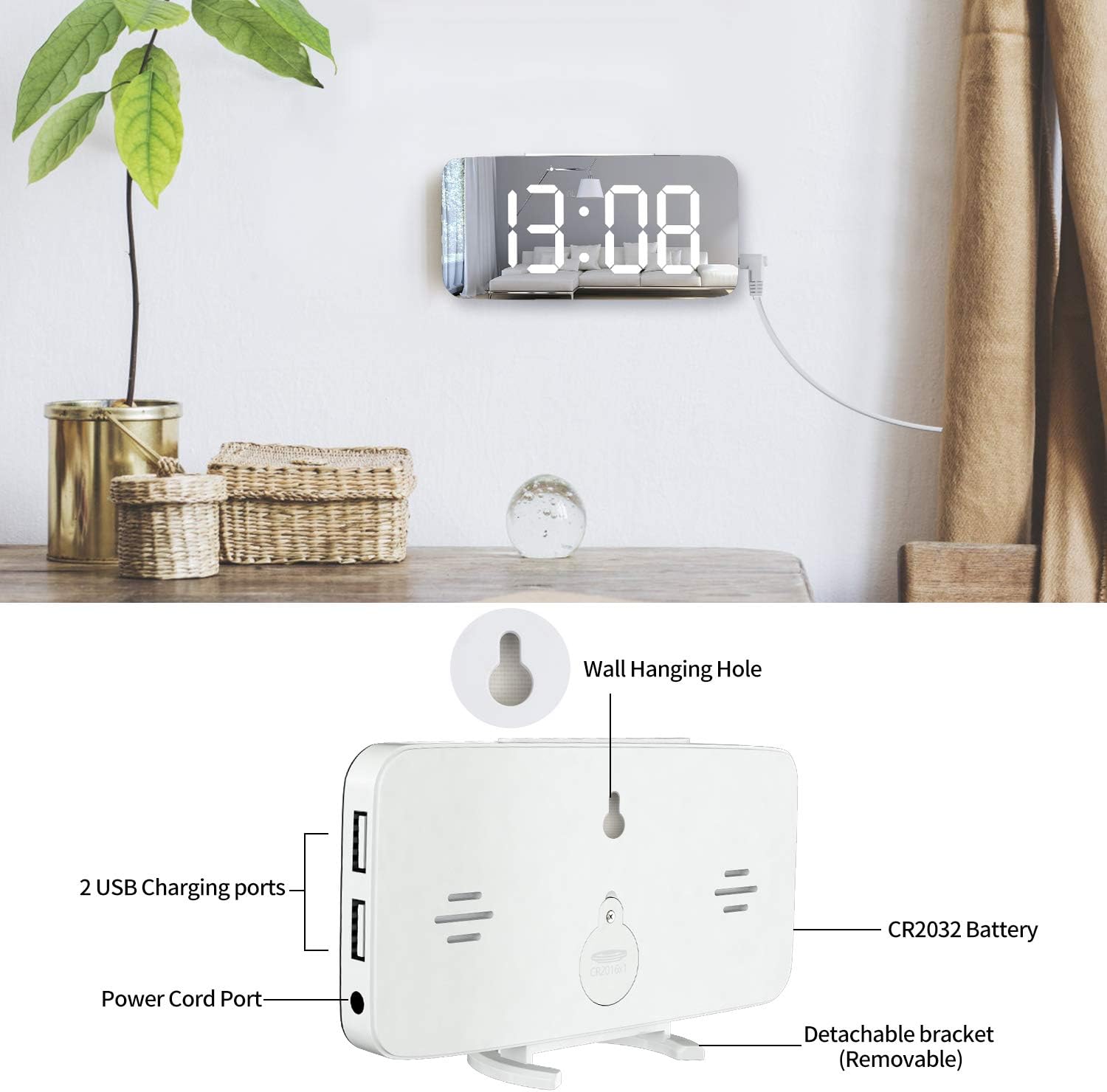
The back of the WulaWindy Digital Alarm Clock, highlighting the two USB charging ports, CR2032 battery compartment, power cord port, and the wall-hanging hole, with a removable bracket for tabletop use.
5. Operating Instructions
The clock features three main buttons on the side: 'M' (Mode), '+' (Up), and '-' (Down), along with a large 'SNOOZE' button on top.
- Time Setting:
- Press and hold the 'M' button for 3 seconds to enter time setting mode. The hour digits will flash.
- Use the '+' or '-' buttons to adjust the hour.
- Press 'M' again to switch to minute setting. The minute digits will flash.
- Use the '+' or '-' buttons to adjust the minute.
- Press 'M' a third time to select 12-hour or 24-hour format. Use '+' or '-' to toggle.
- Press 'M' again to confirm and exit time setting mode.
- Alarm Setting:
- From normal time display, press the 'M' button once to enter alarm setting mode. The alarm hour digits will flash.
- Use the '+' or '-' buttons to adjust the alarm hour.
- Press 'M' again to switch to alarm minute setting. The alarm minute digits will flash.
- Use the '+' or '-' buttons to adjust the alarm minute.
- Press 'M' again to confirm and exit alarm setting mode.
- To activate/deactivate the alarm, press the '-' button from the normal time display. An 'AL' indicator will appear on the screen when the alarm is active.
- Snooze Function:

A hand pressing the large snooze button on the top of the WulaWindy Digital Alarm Clock, with a person sleeping in the background, illustrating the snooze function.
- When the alarm sounds, press the large 'SNOOZE' button on top of the clock to activate snooze mode. The alarm will pause for the set snooze duration.
- To adjust the snooze duration (5-60 minutes), press 'M' from normal time display until the snooze time flashes. Use '+' or '-' to set the desired duration.
- Brightness Adjustment:
An illustration demonstrating the three adjustable screen brightness levels (L1, L2, L3) of the WulaWindy Digital Alarm Clock, with L1 being the dimmest and L3 the brightest.
- Manual Brightness: From normal time display, repeatedly press the '+' button to cycle through three brightness levels (L1 - dim, L2 - medium, L3 - bright).
- Automatic Dimming: The clock features a light sensor that can automatically dim the display at night. To activate this mode, ensure the light sensor (small black dot on the side) is not obstructed. The display will automatically adjust its brightness based on ambient light conditions.
Official WulaWindy video showcasing the automatic dimming feature of the digital mirror clock, demonstrating how the display adjusts to ambient light for comfortable viewing at night.
- USB Charging Ports:

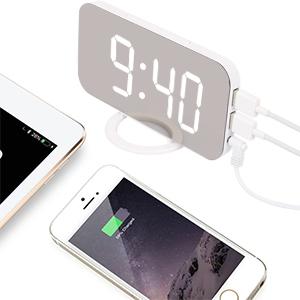
The WulaWindy Digital Alarm Clock with two phones connected to its dual USB charging ports, illustrating its charging capability.
The two USB ports on the side of the clock are for charging external devices (e.g., smartphones, tablets). Simply connect your device's charging cable to one of the USB ports. Note that the charging speed is 5V/1A.
6. Maintenance
- Cleaning: Use a soft, dry cloth to clean the mirrored display and the clock's body. Avoid abrasive cleaners or solvents that may damage the surface.
- Battery Replacement: The CR2032 memory battery typically lasts for a long time. If you notice that the time and alarm settings are not retained after a power outage, the battery may need replacement. Open the battery compartment on the back of the clock and replace the old battery with a new CR2032 battery.
7. Troubleshooting
- Display is blank:
- Ensure the USB power cable is securely connected to both the clock and a working power source.
- Verify that the power adapter or USB port is functional.
- Time/Alarm settings are lost after power outage:
- Check if the CR2032 memory battery's insulator tab has been removed.
- The CR2032 battery may need replacement.
- Automatic dimming is not working correctly:
- Ensure the light sensor (small black dot on the side of the clock) is not obstructed by any objects.
- The automatic dimming feature responds to ambient light; very subtle changes in light might not trigger an immediate noticeable change.
- USB charging is slow or not working:
- Ensure the clock is powered by a sufficient USB power adapter (e.g., 5V/1A or higher).
- Check the charging cable of your device for any damage.
8. Specifications
| Brand | WulaWindy |
| Model Number | Yishang |
| Color | White |
| Display Type | Digital LED |
| Product Dimensions | 6.7"W x 3.7"H |
| Item Weight | 190 Grams |
| Power Source | Corded Electric (USB) |
| Backup Battery | 1 CR2032 battery required (included) |
| Special Features | Adjustable Brightness, Alarm, Large Display, Snooze, Dual USB Charging Ports, Mirror Surface |
| Mounting Type | Wall Mount, Tabletop |
9. Warranty and Support
This WulaWindy Digital Alarm Clock is covered by the manufacturer's warranty. For specific details regarding warranty coverage, duration, and claims, please refer to the warranty information provided with your purchase or contact WulaWindy customer support directly.
For further assistance, troubleshooting, or product inquiries, please visit the official WulaWindy store or contact their customer service team.
WulaWindy Official Store: Visit Store