
Introduction
This manual provides detailed instructions for the safe installation, operation, and maintenance of your GLOBO Klemens Ceiling Light, model 48411-40RGB. Please read this manual thoroughly before installation and retain it for future reference.
The GLOBO Klemens ceiling light is a white metal and acrylic fixture with a chrome ring, offering dimmable functionality, remote control operation, color changing (RGB), and color fixing capabilities. It includes one 40W LED (3260 lm source, 2140 lm output) and one 2W RGB LED, with a CCT range of 3000-6000K. Its dimensions are 500mm diameter and 90mm height.
Important Safety Instructions
- Always disconnect power at the main fuse or circuit breaker before installation or maintenance.
- Installation must be performed by a qualified electrician in accordance with all local electrical codes.
- Do not connect this fixture to an ungrounded electrical system.
- Ensure all connections are secure and properly insulated.
- Do not exceed the specified wattage for the light source.
- Keep packaging materials out of reach of children.
- This product is designed for indoor use only.
Package Contents
Verify that all components are present before beginning installation.
- GLOBO Klemens Ceiling Light fixture
- Remote Control
- Mounting hardware (screws, wall anchors)
- Instruction Manual (this document)
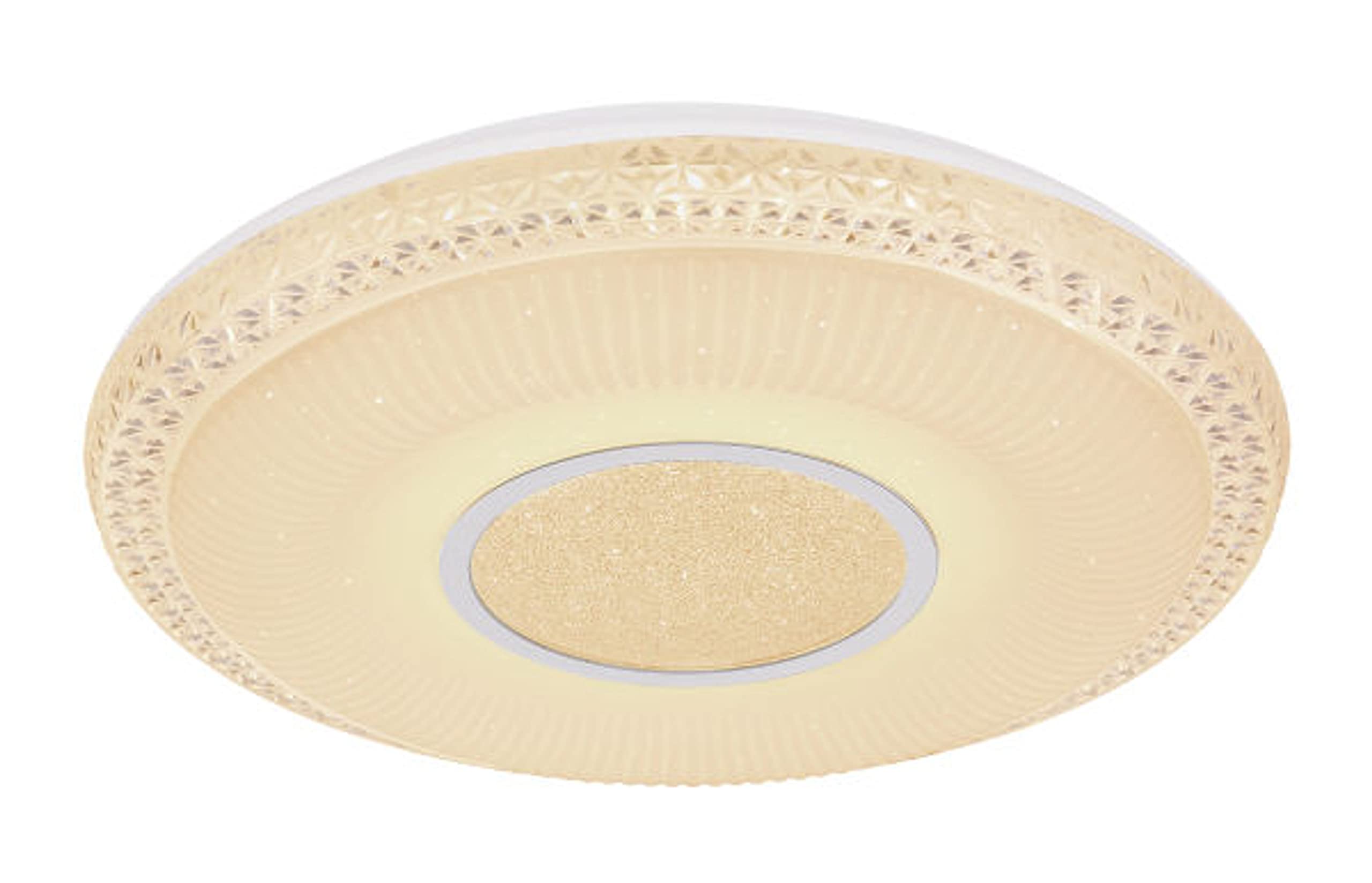
Image 1: Illustration of the GLOBO Klemens Ceiling Light and its main components, including the fixture and remote control. This image helps identify all parts included in the package.
Setup and Installation
- Prepare for Installation: Turn off power at the circuit breaker or fuse box. Ensure the power is completely off before proceeding.
- Mounting Bracket Installation: Attach the mounting bracket to the ceiling junction box using the provided screws. Ensure the bracket is securely fastened.
- Electrical Connections: Connect the household supply wires to the fixture wires.
- Connect the live (black or brown) wire from the ceiling to the live wire of the fixture.
- Connect the neutral (white or blue) wire from the ceiling to the neutral wire of the fixture.
- Connect the ground (green or green/yellow) wire from the ceiling to the ground wire of the fixture.
- Secure the Fixture: Carefully lift the ceiling light fixture and align it with the mounting bracket. Secure the fixture to the bracket using the provided screws.
- Restore Power: Once the fixture is securely installed and all connections are checked, restore power at the circuit breaker.
Image 2: Diagram illustrating the steps for mounting the GLOBO Klemens Ceiling Light to the ceiling and making electrical connections. This image provides a visual guide for the installation process.
Operating Instructions
Remote Control Functions
The GLOBO Klemens Ceiling Light is operated using the included remote control. Ensure the remote control has working batteries installed.
- On/Off Button: Press to turn the light on or off.
- Dimming Buttons: Use the '+' and '-' buttons to adjust the brightness level.
- Color Temperature (CCT) Adjustment: Buttons labeled 'Warm White' and 'Cool White' or similar icons allow you to change the color temperature between 3000K (warm) and 6000K (cool).
- RGB Color Change: Buttons with color icons (e.g., Red, Green, Blue) or a 'Color Cycle' button will activate the RGB LED to display various colors or cycle through them.
- Color Fixing: If a specific RGB color is desired, press the corresponding color button or pause the color cycle at the desired hue.
- Night Light Mode: Some remotes may include a 'Night' button for a very low brightness setting.
Image 3: Close-up of the remote control for the GLOBO Klemens Ceiling Light, highlighting its various buttons for power, dimming, color temperature, and RGB color selection. This image helps users identify and understand the remote's functions.
Maintenance
- Cleaning: Ensure the power is off before cleaning. Wipe the fixture with a soft, dry cloth. Do not use abrasive cleaners or solvents, as they may damage the finish.
- LED Replacement: The integrated LED light sources are designed for long life and are generally not user-replaceable. If the LED fails, contact a qualified electrician or the manufacturer for service.
- Remote Control Batteries: Replace batteries in the remote control as needed. Use the specified battery type (usually AAA or CR2032, check remote compartment).
Troubleshooting
| Problem | Possible Cause | Solution |
|---|---|---|
| Light does not turn on. | No power supply; loose wiring; faulty remote control batteries. | Check circuit breaker/fuse. Verify all wire connections. Replace remote control batteries. |
| Light flickers or dims unexpectedly. | Loose wiring; incompatible dimmer switch (if not using remote dimming); power fluctuations. | Check wire connections. Ensure no external dimmer is used if the fixture has integrated dimming. Consult an electrician for power issues. |
| Remote control not working. | Dead batteries; remote out of range; obstruction; pairing issue. | Replace batteries. Ensure remote is within operating range. Remove obstructions. Refer to remote pairing instructions if applicable (not detailed in product info). |
| Color changing/fixing not working. | Remote control issue; internal LED fault. | Check remote control functionality. If problem persists, contact customer support. |
Specifications
- Model: 48411-40RGB
- Brand: GLOBO
- Manufacturer: Globo Lighting
- Dimensions (L x W x H): 50 x 50 x 9 cm (Diameter: 500mm, Height: 90mm)
- Weight: 1.68 Kilograms
- Material: Metal, Acrylic
- Color: White
- Style: Contemporary
- Light Source: 1x Integrated LED 40W, 1x Integrated RGB LED 2W
- Luminous Flux: 2140 lumen (output)
- Color Temperature (CCT): 3000K - 6000K
- Special Features: Dimmable, Remote Control, Color Changing (RGB), Color Fixing
- Power Source: AC
- Installation Type: Ceiling Mount
- Energy Efficiency Class: A+
- Batteries Required: Yes (for remote control)
- Batteries Included: Yes (for remote control)
- Indoor/Outdoor Use: Indoor
Warranty and Support
Information regarding specific warranty terms for the GLOBO Klemens Ceiling Light is not available in the provided product details. For warranty claims or technical support, please contact your retailer or the manufacturer, Globo Lighting, directly.
You may find contact information on the product packaging or the official GLOBO Lighting website. Please have your model number (48411-40RGB) and proof of purchase ready when contacting support.


