
1. Introduction
The Mu6 LifeLike2 Binaural Microphone 3D Recording Earphones are designed to capture and reproduce immersive 3D audio. Featuring dual high-performance omnidirectional microphones, these earphones mimic human hearing to record spatial sound, distance, and movement. They are compatible with both Android and iOS devices, offering a high-fidelity listening experience in addition to their advanced recording capabilities.
This manual provides essential information for setting up, operating, and maintaining your LifeLike2 earphones to ensure optimal performance.
2. Package Contents
Please verify that all items listed below are present in your package:
- Mu6 LifeLike2 Binaural Recording Earphones with In-line Control
- USB-C to USB-A Charging/Data Cable
- USB-A to Lightning Adapter
- Multiple Sizes of Ear Tips (S, M, L)
- Carrying Pouch
- User Guide

Image: Contents of the Mu6 LifeLike2 Earphones package.
3. Product Overview
The LifeLike2 earphones integrate high-performance headphones with advanced 3D binaural recording microphones. An in-line control unit houses a professional codec chip and HRTF audio algorithm for sensitive and natural binaural recording.

Image: Detailed diagram of the Mu6 LifeLike2 Earphones components.
4. Setup and Connection
4.1 Connecting to Your Device
- For Android Devices: Connect the USB-C connector of the earphones directly to your Android smartphone's USB-C port.
- For iOS Devices: Use the provided USB-A to Lightning adapter. Connect the USB-C end of the earphones to the USB-A adapter, then plug the Lightning end into your iOS device's Lightning port.
Ensure the connection is secure. Your device should recognize the earphones as an external microphone and audio output device.
4.2 Ear Tip Selection and Fit
Select the ear tips that provide the most comfortable and secure fit for your ears. A proper seal is crucial for both optimal sound quality during listening and accurate binaural recording. Gently insert the earphones into your ear canals until they feel snug.
5. Operating Instructions
5.1 Recording in 3D
The LifeLike2 earphones are designed for immersive 3D audio recording. The built-in microphones, positioned in each earbud, capture sound direction, distance, and movement, mimicking human hearing.
- Optimal Placement: For the most accurate spatial recording, wear the earphones as you would for listening. The microphones will then capture audio from your perspective.
- Applications: Ideal for recording wildlife, concerts, field recordings, ASMR content, video making, and music production.
- Compatibility Note: The LifeLike2 does NOT support live streaming.
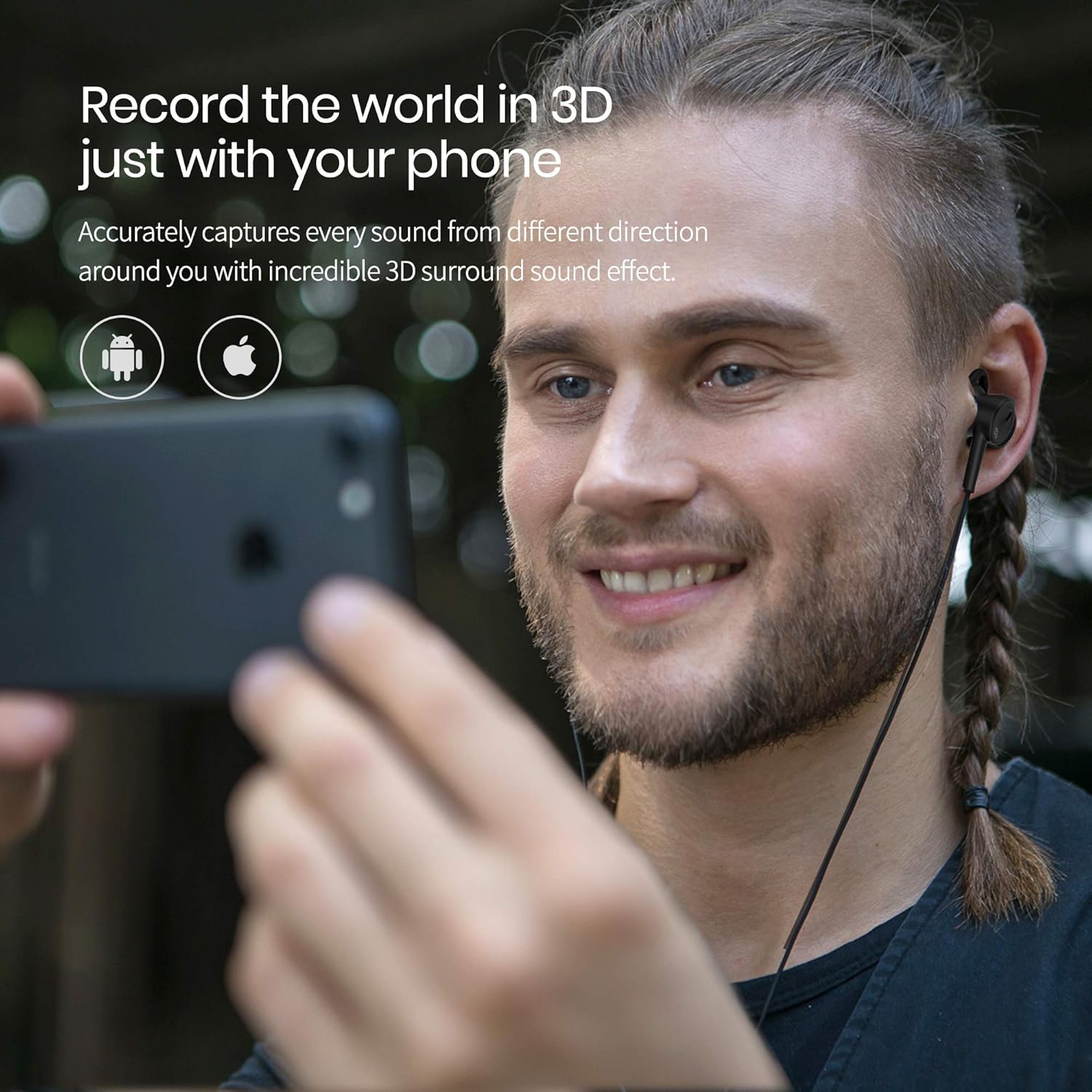
Image: User recording 3D audio with a smartphone and LifeLike2 earphones.

Image: Examples of 3D recording applications including video making, dummy head recording, music production, and ASMR.
5.2 Listening in Hi-Fi and 3D Playback
Beyond recording, the LifeLike2 earphones provide a high-fidelity music listening experience. Professional acoustical components ensure excellent performance across high, middle, and low frequencies.
- 3D Audio Playback: When playing back a binaural recording made with LifeLike2, the HRTF audio optimization algorithm fully restores the 360° sound field, creating an immersive experience.
- Playback Compatibility: You can enjoy the recorded binaural effect audio using any stereo earphones, or play it back as a regular stereo recording over any type of headphone or speaker.

Image: User experiencing 3D sound playback with LifeLike2 earphones.
5.3 In-line Control
The in-line control unit allows for easy management of audio playback and volume:
- Volume Up (+): Press to increase audio volume.
- Volume Down (-): Press to decrease audio volume.
- Multi-function Button (Play/Pause): Press once to play or pause audio.
6. Compatibility Notes
- The LifeLike2 binaural recording microphone is compatible with most iOS and Android devices. However, some specific device models may not be fully supported.
- The LifeLike2 headset does NOT support calling functions on iOS devices.
- The LifeLike2 does NOT support live streaming.
For detailed compatibility information, please refer to the product's official website or contact customer support.
7. Maintenance
Proper care ensures the longevity and performance of your LifeLike2 earphones:
- Cleaning: Regularly clean the ear tips with a soft, dry cloth. If necessary, use a slightly damp cloth with mild soap, then dry thoroughly. Ensure no moisture enters the earphone drivers or microphone ports.
- Storage: When not in use, store the earphones in the provided carrying pouch to protect them from dust, dirt, and physical damage.
- Cable Care: Handle the cable gently. Avoid sharp bends, excessive pulling, or tangling to prevent internal wire damage.
- Avoid Extreme Conditions: Do not expose the earphones to extreme temperatures, humidity, or direct sunlight for extended periods.
8. Troubleshooting
If you encounter issues with your LifeLike2 earphones, please refer to the following common solutions:
- No Sound/Poor Sound Quality:
- Ensure the earphones are securely connected to your device.
- Check your device's volume settings and the in-line control volume.
- Verify that the ear tips provide a good seal in your ears.
- Test with a different audio source or device to rule out device-specific issues.
- Recording Issues (e.g., Hissing, Low Volume):
- Confirm that your device recognizes the LifeLike2 as the active microphone input.
- Ensure the recording environment is quiet and free from excessive wind noise.
- Check microphone settings within your recording application.
- Clean any debris from the microphone ports on the earbuds.
- Connection Problems:
- Ensure the USB-C connector and any adapters are fully inserted.
- Try connecting to a different port or device to isolate the issue.
If the problem persists, please contact Mu6 customer support for further assistance.
9. Specifications
| Brand | Mu6 |
| Model Number | LifeLike2 |
| Color | Black |
| Ear Placement | In Ear |
| Form Factor | In Ear |
| Connection Type | Wired (USB-C, with Lightning adapter) |
| Audio Driver Type | Balanced Armature Driver |
| Frequency Range | 20Hz - 30kHz |
| Microphone Type | Omnidirectional, 4mm High Performance (up to 42dB) |
| Control Method | Remote (In-line) |
| Material | Plastic |
| Item Weight | 35 Grams |

Image: Internal components of the LifeLike2 earphone.
10. Warranty and Support
For warranty information, product registration, or technical support, please visit the official Mu6 website or contact their customer service department. Keep your purchase receipt as proof of purchase for any warranty claims.
Mu6 Official Website: www.mu6.co (Note: This is a placeholder URL, please refer to your product packaging or official documentation for the correct support contact.)
