
Introduction
The Belkin Quick Charge Wireless Charging Pad provides a convenient and efficient way to charge your Qi-enabled devices. This manual outlines the setup, operation, maintenance, and troubleshooting for your new wireless charging pad, ensuring optimal performance and longevity.
What's in the Box
Upon opening the package, please verify that all components are present:
- 1 x Belkin Boost Charge 15W Wireless Charging Pad
- 1 x AC Adapter
- 1 x 4ft./1.2m USB-A to micro-USB cable
- 1 x Quick Install Guide

Image: Top view of the white circular Belkin Quick Charge Wireless Charging Pad with its cable connected.
Setup
Connecting the Charging Pad
- Connect the micro-USB end of the provided cable into the micro-USB port on the back of the Belkin Wireless Charging Pad.
- Connect the USB-A end of the cable into the provided AC Adapter.
- Plug the AC Adapter into a wall outlet. The charging pad is now ready for use.
Placement
Place the charging pad on a flat, stable surface, such as a desk or nightstand. Ensure there is adequate ventilation around the pad and avoid placing it near heat sources or in direct sunlight.
Operating Instructions
Charging Your Device
The Belkin Quick Charge Wireless Charging Pad is designed for fast wireless charging of Qi-enabled devices up to 15W.
- Ensure the charging pad is connected to power as described in the Setup section.
- Place your Qi-enabled smartphone or other compatible device directly onto the center of the charging pad.
- The LED indicator light on the charging pad will illuminate green to confirm that charging has begun.
- For optimal charging, ensure your device is centered on the pad. Charging will automatically stop once your device is fully charged.
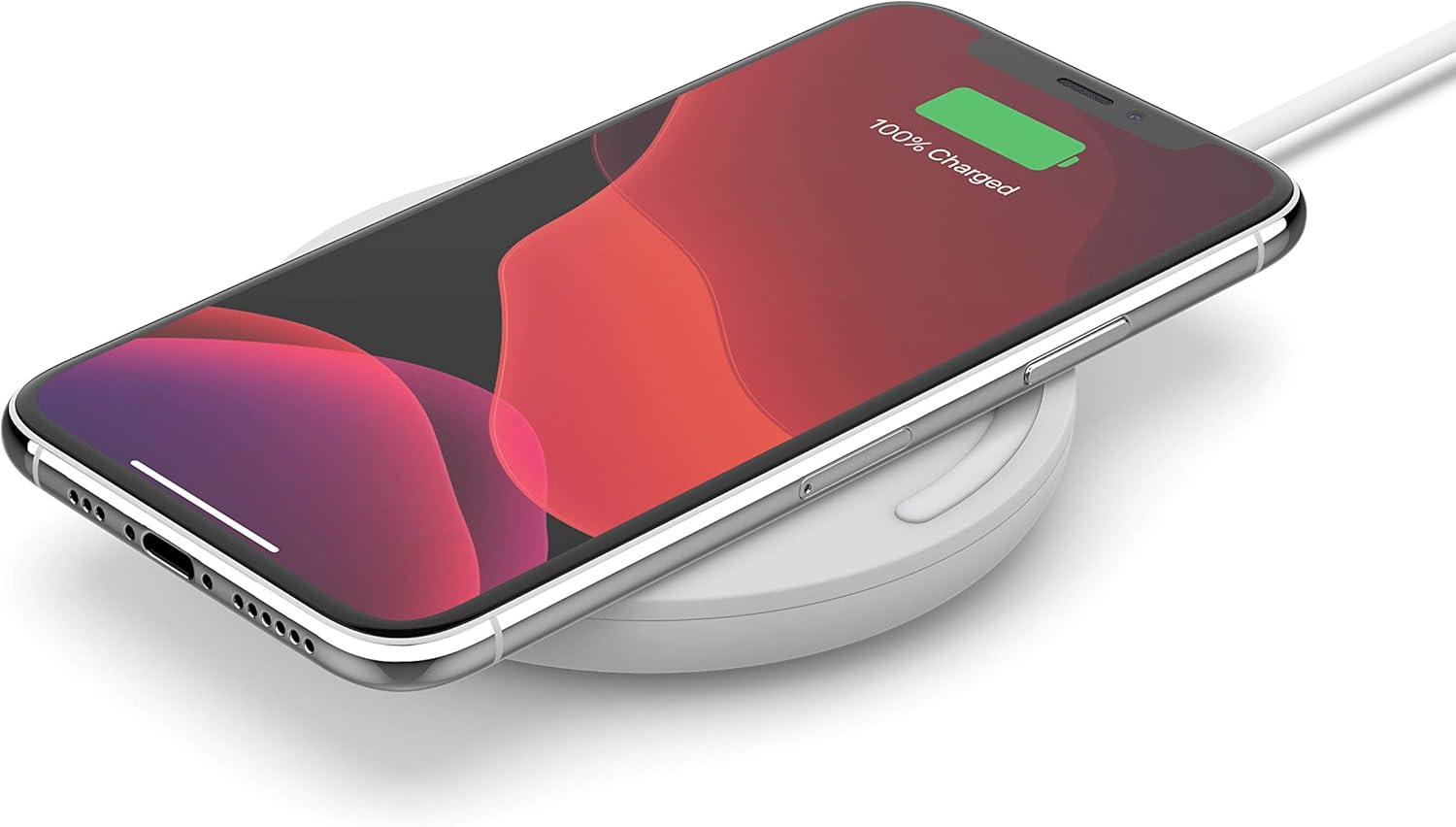
Image: An iPhone placed horizontally on the white Belkin wireless charging pad, showing a 100% charged battery icon on its screen.
LED Indicator Status
- Solid Green: Device is charging.
- No Light: Device is not charging, or charging is complete.
- Note: If the light is not green when a device is placed, reposition the device to ensure proper alignment.
Case Compatibility
The Belkin Quick Charge Wireless Charging Pad is designed to charge through most lightweight plastic cases up to 3mm thick. If your device is not charging, try removing the case.

Image: A diagram illustrating a smartphone charging on the pad with a clear case, highlighting that it charges through cases up to 3mm (0.12 inches) thick.
Compatible Devices
This charging pad is compatible with a wide range of Qi-enabled smartphones and devices, including but not limited to:
- iPhone 14, 14 Plus, 14 Pro, 14 Pro Max
- iPhone 13, 13 Mini, 13 Pro, 13 Pro Max
- iPhone 12, 12 Mini, 12 Pro, 12 Pro Max
- iPhone 11, 11 Pro, 11 Pro Max
- iPhone X, XS, XS Max, XR
- iPhone 8, 8 Plus
- iPhone SE (2nd Gen and later)
- Samsung Galaxy S24, S24+, S24 Ultra
- Samsung Galaxy S23, S23+, S23 Ultra
- Samsung Galaxy S22, S22+, S22 Ultra
- Samsung Galaxy S21, S21+, S21 Ultra
- Samsung Galaxy S20, S20+, S20 Ultra
- Samsung Galaxy Note10, Note10+, Note9
- Google Pixel 4, 5, 6

Image: A detailed list of compatible iPhone, Samsung Galaxy, and Google Pixel models for the wireless charging pad.
Maintenance
Cleaning the Charging Pad
To maintain the appearance and functionality of your charging pad, follow these cleaning guidelines:
- Always disconnect the charging pad from the power source before cleaning.
- Use a soft, dry, lint-free cloth to wipe the surface of the pad.
- For stubborn marks, lightly dampen the cloth with water. Avoid using harsh chemicals, abrasive cleaners, or solvents, as these can damage the product.
- Ensure the pad is completely dry before reconnecting it to power.
Storage
When not in use for extended periods, store the charging pad in a cool, dry place away from direct sunlight and extreme temperatures.
Troubleshooting
If you encounter issues with your Belkin Quick Charge Wireless Charging Pad, please refer to the following common problems and solutions:
| Problem | Possible Cause | Solution |
|---|---|---|
| Device not charging / LED not illuminating. | Device not properly aligned; thick phone case; power connection issue; device not Qi-enabled. | Reposition the device on the center of the pad. Remove the phone case. Check if the AC adapter and cable are securely connected to the wall outlet and the charging pad. Verify your device supports Qi wireless charging. |
| Slow charging. | Device not optimally aligned; background apps consuming power; non-optimal power source. | Ensure the device is perfectly centered. Close unnecessary background applications on your device. Ensure you are using the provided Belkin AC adapter and cable. |
| Charging pad feels warm. | Normal operation; poor ventilation. | It is normal for the charging pad to become slightly warm during operation. Ensure the pad is placed on a surface with good airflow and not covered. If it becomes excessively hot, disconnect it immediately. |
Specifications
| Feature | Detail |
|---|---|
| Brand | Belkin |
| Model Number | WIA002 |
| Product Dimensions | 0.58 x 3.31 x 3.31 inches |
| Item Weight | 0.023 ounces |
| Connectivity Technology | Wireless (Qi-certified) |
| Special Features | 15W Fast Wireless Charging, LED Indicator, Case Compatible (up to 3mm) |
| Color | White |
| Input Voltage | 100 Volts (via included AC Adapter) |
| Mounting Type | Tabletop Mount |
| Included Components | Wireless Charging Pad, AC Adapter, USB-A to micro-USB cable, Quick Install Guide |
Warranty and Support
Product Warranty
Belkin products are designed and manufactured to the highest standards. For detailed information regarding the warranty coverage for your Belkin Quick Charge Wireless Charging Pad, please refer to the warranty card included in your product packaging or visit the official Belkin website.
Customer Support
Should you require further assistance or have questions not covered in this manual, please contact Belkin Customer Support through their official website or the contact information provided in your product documentation. You can also find additional resources, FAQs, and software updates on the Belkin Support Website.
A digital version of the user guide is also available for download: User Guide (PDF).


