
1. Introduction
This manual provides comprehensive instructions for the installation, operation, and maintenance of your HEKEE E14 5W RGBW LED Bulbs. Please read this manual carefully before use to ensure safe and optimal performance of the product. Keep this manual for future reference.
2. Safety Information
- Ensure the power is turned off before installing or replacing the bulb.
- Do not disassemble or modify the bulb.
- Avoid exposing the bulb to direct water or high humidity.
- This bulb is designed for indoor use in dry environments.
- Do not use with standard dimmers; use the provided remote control for dimming.
- Keep the remote control away from children.
3. Package Contents
Verify that all items are present in your package:
- HEKEE E14 5W RGBW LED Bulb (x4)
- Remote Control (x2)
- User Manual (x1)
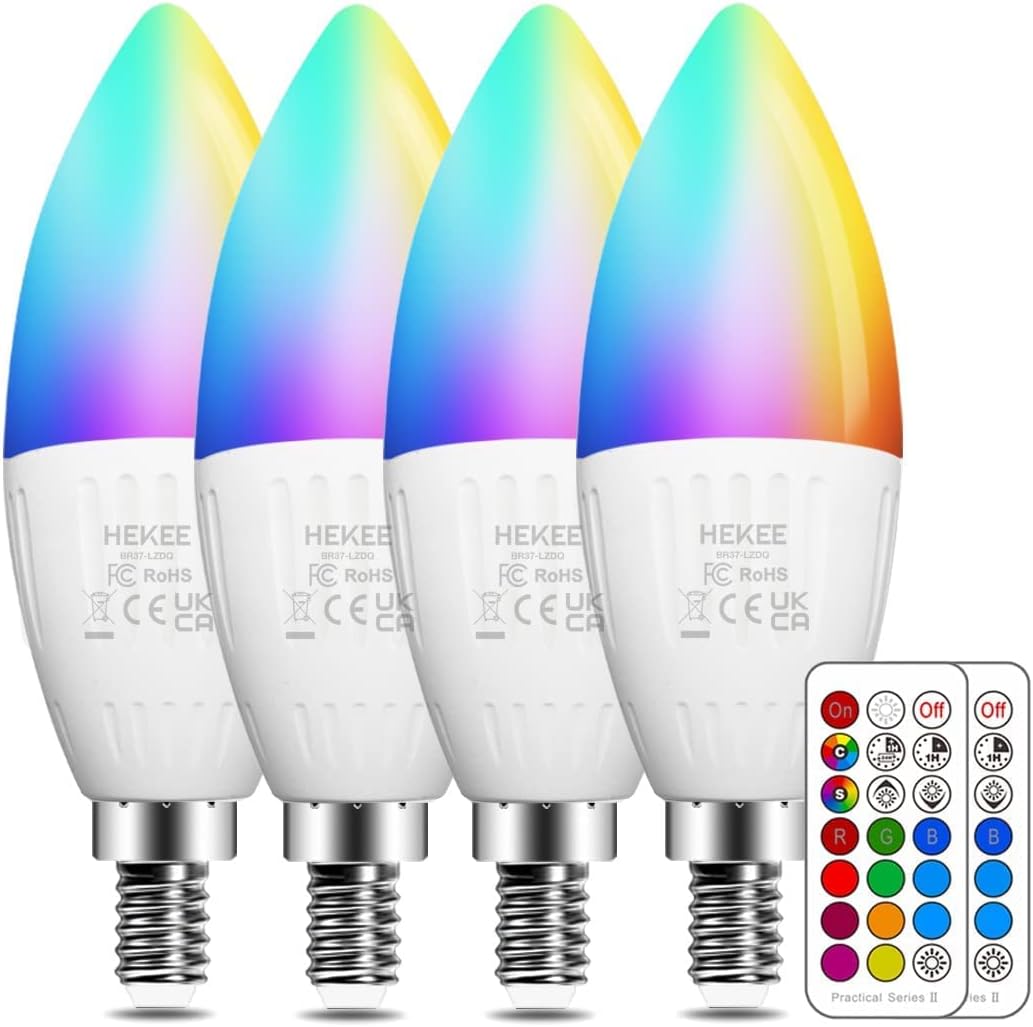
Image: Contents of the HEKEE E14 RGBW LED Bulb package, showing four bulbs and two remote controls.
4. Product Features
The HEKEE E14 5W RGBW LED Bulb offers a range of features for versatile lighting:
- RGBW Lighting: Full-color spectrum (RGB) plus warm white (2700K) for diverse ambiance.
- Remote Control: Convenient wireless control for color, brightness, and modes.
- Dimmable: 3 levels of brightness adjustment.
- 12 Preset Colors: Quick selection of popular colors.
- Dynamic Modes: Flash mode for vibrant effects and Smooth mode for gradual color transitions.
- Memory Function: Remembers the last static color or dynamic mode used.
- Timing Function: Set the bulb to turn off automatically after a specified time or use the 24-hour cycle timer.
- Energy Efficient: 5W LED equivalent to a 40W incandescent bulb.
- High CRI: Color Rendering Index > 85 for accurate color representation.
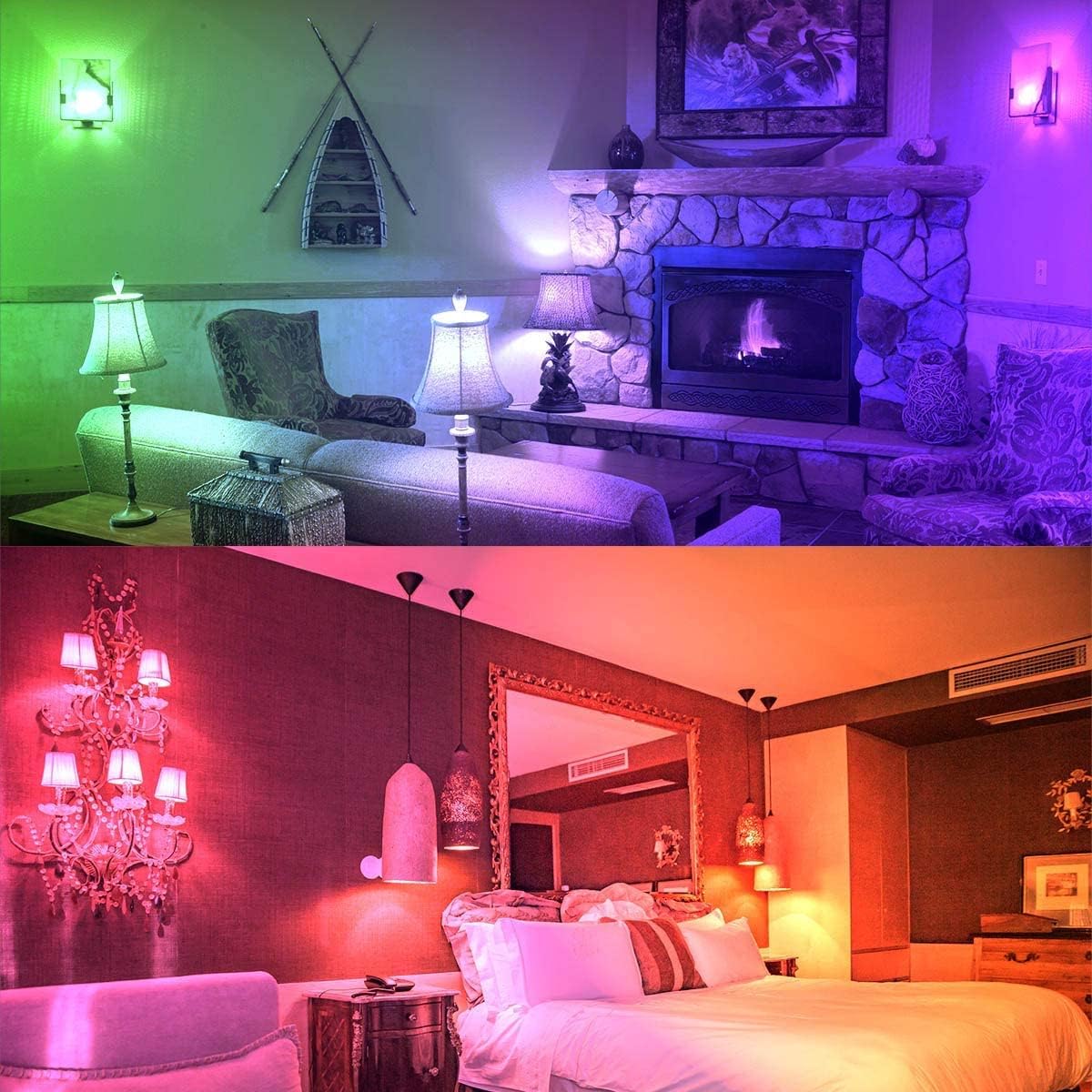
Image: Example of HEKEE RGBW LED bulbs illuminating rooms with green and purple light, demonstrating color-changing capabilities.

Image: Four scenes depicting different moods (Party, Sport, Sleep, Repast) with corresponding lighting effects, illustrating the versatility of the RGBW bulbs.

Image: A visual comparison showing the difference between High CRI (>85Ra) and Low CRI lighting, highlighting how High CRI accurately presents true colors in a living room setting.
5. Setup and Installation
- Power Off: Before installation, ensure the power supply to the light fixture is completely turned off at the main switch.
- Remove Old Bulb: Carefully unscrew and remove the existing bulb from the E14 socket.
- Install New Bulb: Gently screw the HEKEE E14 RGBW LED bulb into the E14 socket until it is secure. Do not overtighten.
- Insert Remote Battery: If the remote control is not working, check if the battery insulation tab needs to be removed. Pull out the small plastic tab from the battery compartment of the remote control.
- Power On: Turn on the power supply to the light fixture. The bulb should light up in its default setting.

Image: A HEKEE E14 RGBW LED bulb shown in a living room setting with a chandelier, illustrating its application in various fixtures.

Image: Various lighting fixtures including a table lamp, ceiling fan light, wall sconce, and desk lamp, demonstrating the wide range of applications for the E14 LED bulbs.
6. Operation
The HEKEE RGBW LED bulbs are controlled using the included remote control. A single remote can control multiple bulbs.

Image: Detailed diagram of the remote control, showing buttons for On/Off, Timer, Flash mode, Smooth mode, Dim up/down, and 12 preset color buttons.
6.1 Remote Control Functions
- On/Off: Press the On button to turn the light on, and Off to turn it off.
- Brightness Adjustment: Use the Dim Up (sun icon with plus) and Dim Down (sun icon with minus) buttons to adjust brightness (3 levels).
- Color Selection: Press any of the 12 colored buttons to select a static color.
- Warm White: Press the W button for 2700K warm white light.
- Flash Mode (C): Activates a rapid color-changing effect.
- Smooth Mode (S): Activates a gradual, smooth transition between colors.
- Timer (1H): Sets the bulb to turn off automatically after 1 hour.
- Daily Cycle Timer (24H): Sets the bulb to turn on and off at the same time every 24 hours.
- Memory Function: The bulb will remember the last static color or dynamic mode used when turned off and on again.
6.2 Synchronization
When using multiple HEKEE RGBW LED bulbs with one remote, they will synchronize their color changes in Flash and Smooth modes, creating a cohesive lighting effect across all connected bulbs.
7. Maintenance
- Cleaning: Ensure the bulb is off and cool before cleaning. Wipe with a soft, dry cloth. Do not use liquid cleaners.
- Storage: If storing the bulbs for an extended period, keep them in a cool, dry place away from direct sunlight.
- Remote Battery: Replace the remote control battery (CR2025, not included) when its range decreases or it stops responding.
8. Troubleshooting
| Problem | Possible Cause | Solution |
|---|---|---|
| Bulb does not light up. | No power to the fixture; Bulb not screwed in properly; Bulb is faulty. | Check power supply; Ensure bulb is securely screwed in; Test bulb in another working fixture. |
| Remote control not working. | Battery insulation tab not removed; Battery is dead; Remote is too far from the bulb. | Remove battery tab; Replace battery (CR2025); Move closer to the bulb (within 5-8 meters). |
| Bulb flickers or changes color unexpectedly. | Interference; Loose connection; Faulty bulb. | Ensure no other remote controls are operating nearby; Re-seat the bulb; Contact customer support if problem persists. |
9. Specifications
| Parameter | Value |
|---|---|
| Brand | HEKEE |
| Model Number | BR37-LZDQ (FLM-HE-CLB-RWW-5W-E14*4) |
| Power | 5 Watts |
| Incandescent Equivalent | 40 Watts |
| Input Voltage | 85-265V Universal |
| Luminous Flux | 450 Lumens |
| Color Temperature | 2700K (Warm White) + RGB |
| Color Rendering Index (CRI) | > 85 |
| Beam Angle | 270° |
| Base Type | E14 |
| Product Dimensions (Diameter x Height) | 37mm x 115mm (1.45 x 4.5 inches) |
| Weight | 190 grams (for 4 bulbs) |
| Average Lifespan | 2 Years |
| Energy Efficiency Class | E |

Image: Technical drawing of the HEKEE E14 LED bulb, indicating its dimensions (115mm height, 37mm width) and E14 screw base (14mm diameter).

Image: A summary of key product features: Special feature: Color Changing; Light type: LED; Wattage: 5.0 Watts; Light color: Warm White, RGB.
For detailed energy information, refer to the EPREL Product Information Sheet or the Energy Label PDF.
10. Warranty and Support
HEKEE provides a 2-year warranty and a 90-day money-back guarantee for this product. If you encounter any questions or receive defective lights, please contact our customer service center. We aim to provide a solution within 12 hours.
For support, please refer to the contact information provided with your purchase or visit the official HEKEE website.