1. Introduction
Thank you for choosing the HOVVIDA 5M RGB LED Strip Light. This product is designed to provide versatile and vibrant lighting for various indoor environments, including bedrooms, game rooms, parties, and festivals. Featuring 30 LEDs per meter, APP control, remote control, music synchronization, and timer functions, this LED strip offers a customizable lighting experience. Please read this manual carefully before installation and use to ensure proper operation and safety.
2. Package Contents
Verify that all components are present in the package:
- 5-Meter RGB LED Strip (30 LEDs/meter)
- 24V Power Adapter
- Control Box
- 44-Key IR Remote Control
- User Manual

Image: Overview of the HOVVIDA 5M RGB LED Strip Light and its included accessories, such as the LED strip, remote control, power adapter, and control box.
3. Setup and Installation
Follow these steps for proper installation:
- Preparation: Choose a clean, dry, and smooth surface for installation. Ensure the surface is free of dust, oil, or moisture.
- Measure and Cut (Optional): If necessary, measure the desired length for your installation. The LED strip can be cut along the designated cut marks (usually indicated by a scissor icon or copper pads). Do not cut anywhere else, as this may damage the strip.
- Peel and Stick: Carefully peel off the adhesive backing from the LED strip. Press the strip firmly onto the prepared surface, ensuring good contact along its entire length.
- Connect Components:
- Connect the LED strip to the control box connector, ensuring the arrows on both parts align.
- Connect the power adapter to the control box.
- Plug the power adapter into a standard electrical outlet.
- App Download and Pairing:
- Scan the QR code provided in the manual or on the control box to download the HiLighting APP from your device's app store (App Store for iOS, Google Play for Android).
- Enable Bluetooth on your smartphone.
- Open the HiLighting APP. The app should automatically detect and connect to the LED strip. If not, follow the in-app instructions to manually add the device.
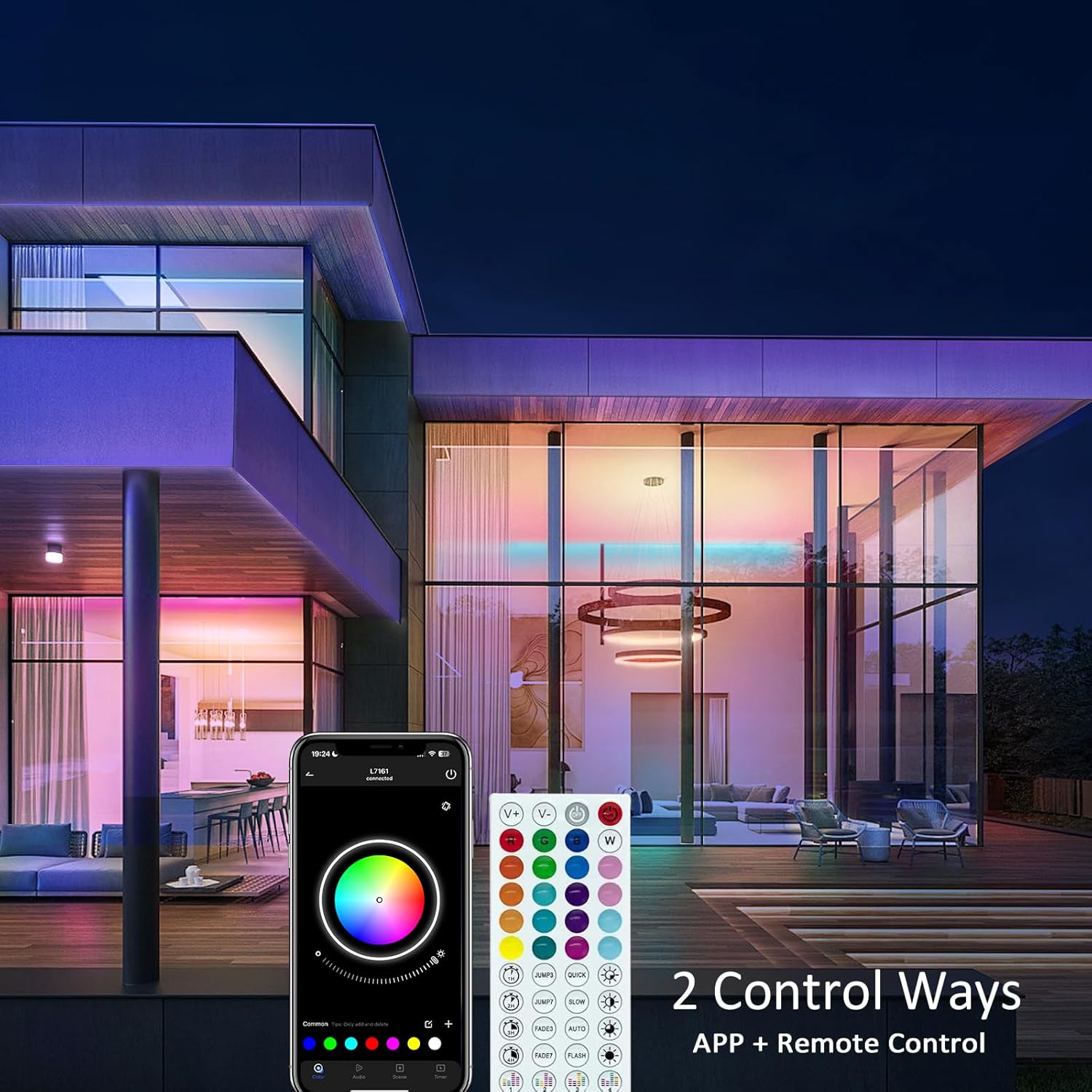
Image: The HOVVIDA LED strip can be controlled via a smartphone application and an included remote control, offering dual control methods.
4. Operating Instructions
The HOVVIDA LED Strip Light offers multiple control options and features:
4.1 Basic On/Off
Use the power button on the remote control or the corresponding toggle in the HiLighting APP to turn the LED strip on or off.
4.2 Color Selection
The RGB LED strip supports 16 million colors. You can select your desired color using:
- Remote Control: Use the color buttons on the 44-key remote to choose preset colors.
- HiLighting APP: Access the color wheel in the app for precise color selection from the full spectrum of 16 million colors.

Image: The LED strip showcasing its ability to display 16 million colors, providing extensive customization for any ambiance.
4.3 Brightness Adjustment
Adjust the brightness level to suit your preference:
- Remote Control: Use the brightness up/down buttons.
- HiLighting APP: Use the brightness slider in the app for fine-tuned control.

Image: A room illuminated by the HOVVIDA LED strip, showing the effect of adjustable brightness from minimum (0) to maximum (100) to highlight different areas.
4.4 Music Synchronization Mode
The built-in sensitive microphone allows the LED strip to dance to the rhythm of music:
- Remote Control: Press the 'Music' button to activate music mode.
- HiLighting APP: Navigate to the 'Music' section in the app to enable music sync and select different rhythm patterns.

Image: The HOVVIDA LED strip operating in music synchronization mode, with the lights dynamically responding to the beat of music played from a smartphone, creating an immersive audio-visual experience.
4.5 Timer Mode
Set schedules for the LED strip to turn on or off automatically:
- HiLighting APP: Access the 'Timer' function in the app to set specific times for the lights to turn on or off, and to repeat on selected days.

Image: The HOVVIDA LED strip demonstrating its timer mode, illustrating how it can be set to dim for sleep and brighten for waking, enhancing daily routines.
5. Maintenance
To ensure the longevity and optimal performance of your LED strip light, follow these maintenance guidelines:
- Cleaning: Gently wipe the LED strip with a soft, dry cloth to remove dust. Do not use liquid cleaners or abrasive materials.
- Storage: If storing the LED strip for an extended period, ensure it is clean, dry, and stored in a cool, dark place away from direct sunlight and extreme temperatures.
- Safety Precautions:
- Do not expose the LED strip to water or high humidity. This product is designed for indoor use only.
- Avoid bending the strip sharply or applying excessive force, as this can damage the internal circuitry.
- Ensure the power adapter is unplugged before performing any cleaning or maintenance.
6. Troubleshooting
If you encounter any issues with your HOVVIDA LED Strip Light, refer to the following common problems and solutions:
| Problem | Possible Cause | Solution |
|---|---|---|
| LED strip does not light up. | Power connection loose; Power adapter faulty; Strip damaged. | Check all connections are secure; Try a different outlet; Inspect the strip for visible damage. |
| Remote control not working. | Battery depleted; IR receiver blocked; Remote out of range. | Replace battery; Ensure no obstructions between remote and control box; Operate within 5 meters of the control box. |
| App cannot connect to the strip. | Bluetooth off; App not updated; Interference. | Ensure Bluetooth is enabled on your device; Update the HiLighting APP; Restart the app and LED strip. |
| Colors are incorrect or inconsistent. | Connection issue; Strip damage. | Check the connection between the strip and control box, ensuring arrows align; If a section is permanently discolored, it may be damaged. |
If the problem persists after trying these solutions, please contact HOVVIDA customer support for further assistance.
7. Specifications
Detailed specifications for the HOVVIDA 5M RGB LED Strip Light:
- Model Number: 5M-30LED-BT
- Length: 5 Meters
- LED Density: 30 LEDs per meter (Total 150 LEDs for 5M)
- LED Type: RGB
- Voltage: 24 Volts
- Power: 24 Watts
- Control Methods: HiLighting APP (Bluetooth), 44-Key IR Remote Control
- Special Features: Music Synchronization, Timer Mode, Adjustable Brightness, 16 Million Colors
- Material: Plastic
- Indoor/Outdoor Use: Indoor Use Only
- Item Weight: 190 grams

Image: A visual comparison highlighting the higher LED density of the HOVVIDA strip (30 LEDs/meter) compared to other strips (16 LEDs/meter), indicating brighter and more uniform illumination.
8. Warranty and Support
HOVVIDA products are manufactured with quality and customer satisfaction in mind. For any warranty claims, technical support, or inquiries regarding your HOVVIDA 5M RGB LED Strip Light, please contact the seller or manufacturer directly through the platform where the product was purchased. Keep your purchase receipt as proof of purchase for warranty purposes.