
1. Introduction
The Yubico YubiKey 5C NFC is a versatile multi-factor authentication (MFA) security key designed to protect your digital life from phishing attacks and unauthorized access. It supports connection via USB-C or Near Field Communication (NFC), offering a robust and convenient method for securing your online accounts. This manual provides essential information on setting up, operating, and maintaining your YubiKey 5C NFC.
Key features include:
- Powerful Security: Protects against phishing attacks, ensuring only you can access your accounts.
- Wide Compatibility: Works with over 1000 accounts, including popular services like Google, Microsoft, and Apple.
- Fast & Convenient: Authenticate by plugging into USB-C or tapping via NFC. No batteries or internet connection required.
- Multi-Protocol Support: Supports FIDO2/WebAuthn, FIDO U2F, Yubico OTP, OATH-TOTP/HOTP, Smart card (PIV), and OpenPGP.
- Built to Last: Constructed from tough, waterproof, and crush-resistant materials.

Figure 1: Yubico YubiKey 5C NFC Security Key, showing its compact design with a USB-C connector and a gold-colored touch sensor.
2. Safety Information
To ensure safe and effective use of your YubiKey 5C NFC, please observe the following:
- Keep the YubiKey in a secure location when not in use to prevent unauthorized access or loss.
- Avoid exposing the YubiKey to extreme temperatures or harsh chemicals.
- While the YubiKey is designed to be durable, waterproof, and crush-resistant, excessive force or intentional damage may compromise its functionality.
- Do not attempt to disassemble or modify the YubiKey, as this will void the warranty and may damage the device.
3. Setup
Setting up your YubiKey 5C NFC involves registering it with your desired online services. Follow these general steps:
- Log in to the service: Access the online service you wish to secure (e.g., Google, Microsoft) and navigate to its security settings.
- Find security key option: Look for the option to add two-factor authentication or security keys. Setup instructions may vary by service.
- Register your YubiKey: Follow the on-screen instructions to register your YubiKey by plugging it into your device's USB-C port or tapping it on your device's NFC reader.
- Ready to use: Once registered, your YubiKey is ready for use. It is highly recommended to register a spare YubiKey as a backup in case of loss or theft of your primary key.

Figure 2: Visual guide illustrating the four simple steps to set up your YubiKey with an online service.
Video 1: A seller-provided video explaining how YubiKey helps eliminate phishing attacks, providing context for its importance in setup.
4. Operating Your YubiKey
The YubiKey 5C NFC offers two primary methods for authentication:
4.1. USB-C Connection
For devices with a USB-C port (e.g., laptops, desktops, some smartphones), simply plug your YubiKey 5C NFC into the port. When prompted by the online service, touch the gold-colored sensor on the YubiKey to complete the authentication process.

Figure 3: The YubiKey 5C NFC is shown plugged into the USB-C port of a laptop, ready for authentication.
4.2. NFC (Near Field Communication)
For NFC-enabled devices (e.g., most modern smartphones), hold the YubiKey 5C NFC against the NFC reader area of your device. The online service will prompt you to tap the key, and the authentication will be completed wirelessly.
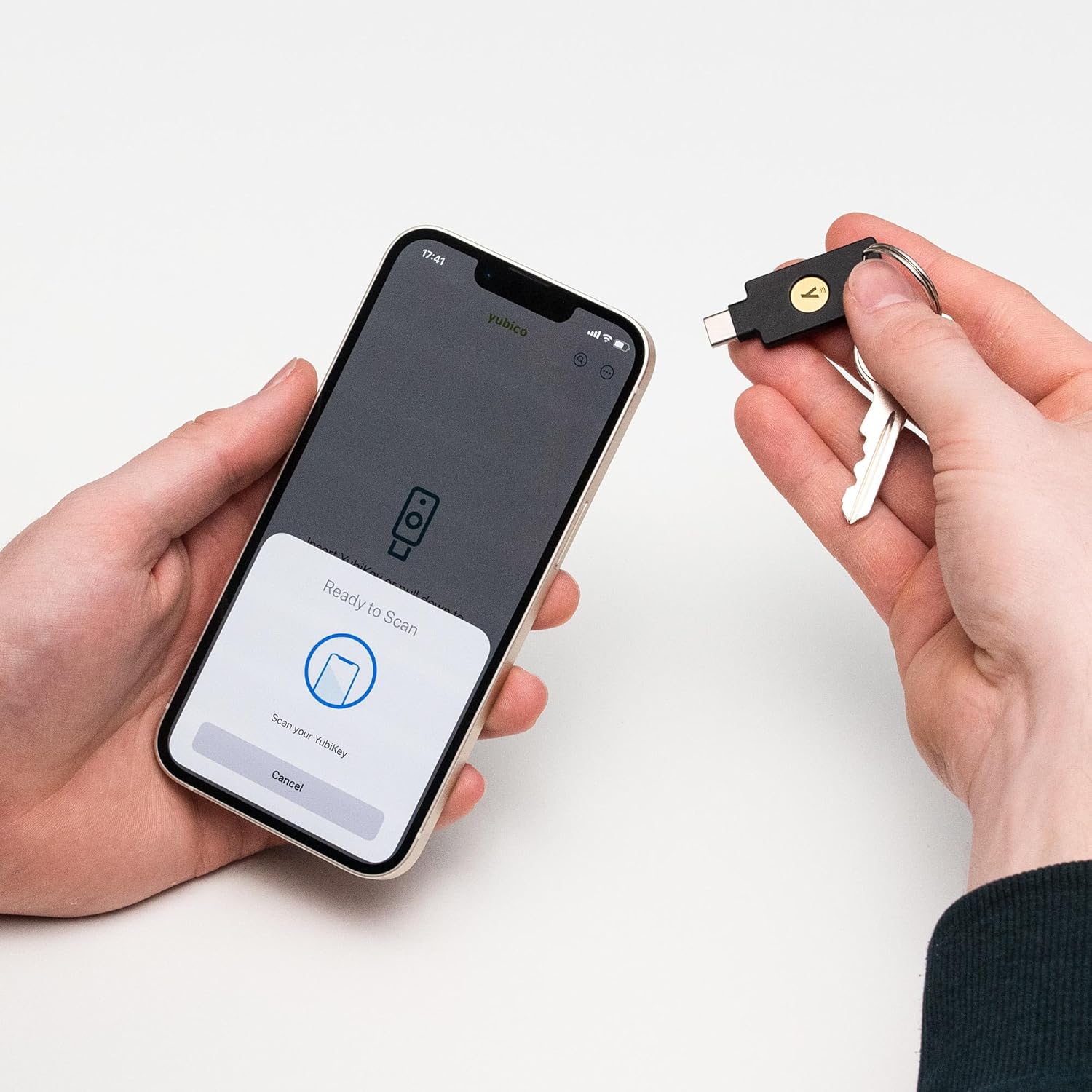
Figure 4: A hand holding the YubiKey 5C NFC against the back of a smartphone, demonstrating NFC authentication.
4.3. Yubico Authenticator App
The Yubico Authenticator app provides the safest authenticator app experience across mobile and desktop. It allows you to generate authentication codes, configure PINs, manage passkeys, and perform factory resets for your YubiKey.

Figure 5: A visual representation of the Yubico Authenticator app, highlighting its features for managing security keys.
Video 2: A seller-provided video demonstrating the Yubico FIDO Security Key NFC in action, showcasing its ease of use.
5. Maintenance
The YubiKey 5C NFC is designed for durability and requires minimal maintenance. It is built to last from tough, waterproof, and crush-resistant materials. To ensure its longevity, keep it clean and free from debris. No batteries or charging are required.
For optimal security and convenience, it is recommended to purchase and register two YubiKeys: one for daily use and one as a spare. This ensures you always have access to your accounts, even if one key is lost or damaged.
6. Troubleshooting
If you encounter issues with your YubiKey 5C NFC, consider the following:
- Connection Issues: Ensure the YubiKey is properly inserted into the USB-C port or correctly tapped against the NFC reader area of your device.
- Service Compatibility: Verify that the online service you are trying to access supports FIDO2/WebAuthn or other protocols supported by your YubiKey. Refer to the service's documentation or the "Works With YubiKey" list on the Yubico website.
- Yubico Authenticator: If using the Yubico Authenticator app, ensure it is up-to-date and correctly configured for your accounts.
- Firmware: Note that the latest firmware is not assured when purchasing via Amazon. Check the Yubico website for information on firmware updates and tools.
- Lost Key: If your primary YubiKey is lost, use your registered spare key to regain access to your accounts.
7. Specifications
| Feature | Detail |
|---|---|
| Model Name | YubiKey 5C NFC |
| Item Model Number | Y-335 |
| Product Dimensions | 0.15"D x 0.7"W x 1.77"H |
| Item Weight | 0.353 ounces |
| Connectivity Technology | USB-C, Near-Field Communication (NFC) |
| Hardware Interface | USB |
| Hardware Platform | Mac, PC |
| Special Features | Crush Resistant, Fits on keychain, Water Resistant, Passkey (FIDO2) slots: 100, Smart card, OpenPGP, OATH – HOTP (Event), Yubico OTP, OATH – TOTP (Time) |
| Color | Black |
| Manufacturer | Yubico |
8. Warranty and Support
8.1. Warranty Information
The YubiKey 5C NFC typically comes with a manufacturer's warranty. For specific details regarding your product's warranty period and coverage, please refer to the documentation included with your purchase or visit the official Yubico website. Standard return policies may offer a 30-day return window.
8.2. Customer Support
For further assistance, technical support, or to access additional resources, please visit the official Yubico support page on their website. You can also find helpful information and manage your YubiKey settings through the Yubico Authenticator app.
- Yubico Website: www.yubico.com
- Yubico Authenticator App: Available for mobile and desktop platforms.


