
1. Introduction
The Medisana PM 100 Pulse Oximeter is a compact, non-invasive device designed for measuring arterial oxygen saturation (SpO2) and pulse rate. It is suitable for personal use at home, during travel, and for sports activities. This device features an OLED display and one-touch operation for ease of use, and it can connect to the VitaDock+ App via Bluetooth for data transfer.
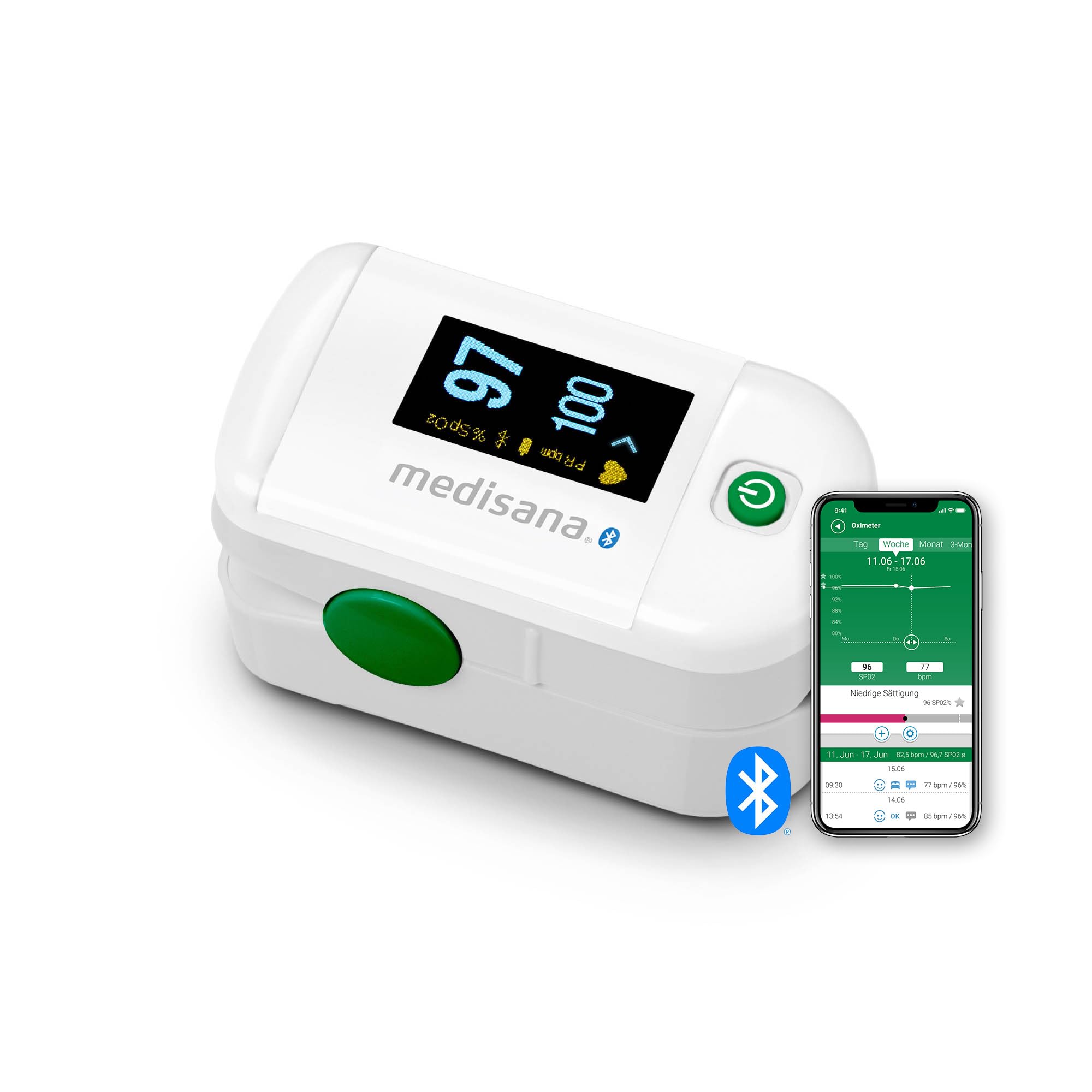
Image 1.1: The Medisana PM 100 Pulse Oximeter, a compact device for measuring blood oxygen saturation and pulse rate.
2. Safety Information
Please read this user manual thoroughly before using the device. Keep this manual for future reference. This device is intended for non-invasive spot-check measurement of oxygen saturation and pulse rate. It is not intended for continuous monitoring or for use as a diagnostic tool for medical conditions. Consult a medical professional for any health concerns.
- Do not use the device in an MRI or CT environment.
- Do not use the device on infants or individuals who cannot cooperate.
- Avoid using the device on fingers with nail polish, artificial nails, or open wounds, as this may affect accuracy.
- Keep the device away from water and extreme temperatures.
- Dispose of batteries according to local regulations.
3. Product Features
- Dual Display Modes: Oxygen saturation (SpO2) and pulse rate can be displayed in bar graph or waveform.
- One-Touch Operation: Easy and comfortable to use, ideal for travel, home, and sports activities.
- OLED Display: Measured values (blood oxygen saturation and pulse rate) are shown on a large OLED display with six different view modes and 10-step brightness adjustment.
- Automatic Shut-off: The oximeter features an automatic shut-off function to conserve battery power. It turns off after 8 seconds of inactivity.
- Bluetooth Connectivity: Connects to the VitaDock+ App for data transfer and tracking.
4. Package Contents
The Medisana PM 100 Pulse Oximeter package includes:
- 1x Medisana PM 100 Pulse Oximeter
- 2x AAA Batteries
- 1x User Manual

Image 4.1: Contents of the Medisana PM 100 Pulse Oximeter package, including the device, batteries, and user manual.
5. Setup
5.1 Battery Installation
- Open the battery compartment cover located on the back of the device.
- Insert the two AAA batteries, ensuring correct polarity (+ and -).
- Close the battery compartment cover securely.
5.2 Bluetooth Connection (VitaDock+ App)
To connect your Medisana PM 100 to the VitaDock+ App:
- Download the VitaDock+ App from your smartphone's app store (iOS or Android).
- Ensure Bluetooth is enabled on your smartphone.
- Open the VitaDock+ App and follow the on-screen instructions to add a new device.
- The app will guide you through the pairing process with your PM 100 Pulse Oximeter.

Image 5.1: A user connecting the Medisana PM 100 Pulse Oximeter to a smartphone via the VitaDock+ App.
6. Operating Instructions
Follow these steps to take a measurement:
- Ensure your finger is clean and free of nail polish or artificial nails.
- Open the clamp of the pulse oximeter.
- Insert one finger (preferably the index finger) into the opening until it touches the stop.
- Release the clamp, ensuring the device is securely attached to your finger.
- Press the power button once to turn on the device.
- Keep your hand still during the measurement. The readings will appear on the OLED display within a few seconds.
- The device will automatically turn off after 8 seconds of inactivity once the finger is removed.

Image 6.1: The Medisana PM 100 Pulse Oximeter, showing its compact size and design for finger placement.
7. Display Information
The OLED display shows the following information:
- SpO2 (%): Blood oxygen saturation level.
- PR bpm: Pulse rate in beats per minute.
- Pulse Bar Graph: A visual representation of the pulse strength.
- Plethysmograph (Waveform): A graphical representation of the blood flow.
- Battery Indicator: Shows the remaining battery life.
Press the power button briefly during measurement to cycle through the six different display modes and adjust brightness.

Image 7.1: Close-up of the Medisana PM 100 display, indicating oxygen saturation (SpO2) and pulse rate (PR bpm).
8. Maintenance and Care
- Cleaning: Wipe the device with a soft cloth dampened with a mild disinfectant. Do not immerse the device in water.
- Storage: Store the device in a cool, dry place, away from direct sunlight and extreme temperatures. If not in use for an extended period, remove the batteries.
- Battery Replacement: Replace batteries when the low battery indicator appears on the display.
9. Troubleshooting
| Problem | Possible Cause | Solution |
|---|---|---|
| Device does not turn on. | Batteries are dead or incorrectly inserted. | Replace batteries or check polarity. |
| No reading or unstable reading. | Finger not properly inserted, movement during measurement, nail polish, or cold fingers. | Reinsert finger, remain still, remove nail polish, warm hands. |
| Bluetooth connection fails. | Bluetooth off on phone, app not open, device too far. | Ensure Bluetooth is on, open VitaDock+ App, keep device close to phone. |
10. Specifications
| Feature | Detail |
|---|---|
| Model Name | PM 100 |
| Item Model Number | 79456 |
| Manufacturer | Medisana |
| Power Source | 2 x AAA batteries (included) |
| Battery Life | Approx. 20 hours |
| Measurement Range SpO2 | 70% - 100% |
| Measurement Range Pulse | 30 - 235 bpm |
| Measurement Accuracy | +/-0.5% |
| Product Dimensions | 5.8L x 3.4W x 3.5H cm (2.28L x 1.34W x 1.38H inches) |
| Color | White/Green |
| Country of Origin | China |
11. Official Product Video
Watch this official video for a visual guide on using the Medisana PM 100 Pulse Oximeter.
Video 11.1: Medisana PM 100 Pulse Oximeter demonstration, showing its features and how to use it.
12. Warranty and Support
For warranty information, technical support, or any questions regarding your Medisana PM 100 Pulse Oximeter, please refer to the contact details provided in the original product packaging or visit the official Medisana website. Keep your purchase receipt as proof of purchase for warranty claims.