
Goplus Goplus Massage Gaming Chair
Goplus Massage Gaming Chair User Manual
Model: Goplus Massage Gaming Chair
Important Safety Information
Please read and understand all instructions before assembling and using this product. Failure to follow these instructions may result in injury or product damage.
- Ensure all parts are present and undamaged before assembly. Do not use if any parts are missing or damaged.
- Assemble the chair on a soft, clean surface to prevent scratches.
- Tighten all screws securely, but do not overtighten. Recheck all connections periodically.
- Keep children and pets away during assembly.
- Do not stand on the chair or use it as a step stool.
- Do not exceed the maximum weight capacity of 330 lbs (150 kg).
- Use the chair only for its intended purpose.
Package Contents
Verify that all components listed below are included in your package:
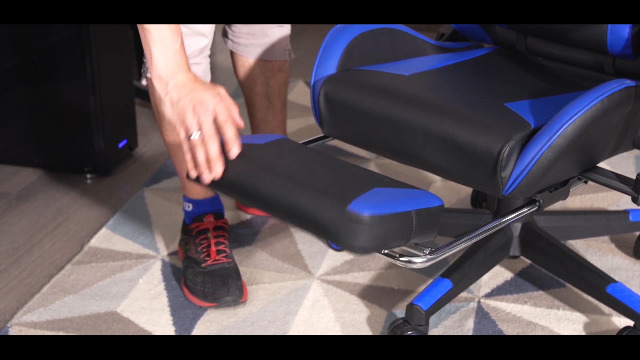
Image: All components of the Goplus Gaming Chair laid out and labeled for assembly.
- Casters (5 pcs)
- Five-star Base (1 pc)
- Gas Lift (1 pc)
- Gas Lift Cover (1 pc)
- Mechanism Plate (1 pc)
- Backrest (1 pc)
- Seat Cushion (1 pc)
- Armrest (Left) (1 pc)
- Armrest (Right) (1 pc)
- Armrest Connecting Bar (2 pcs)
- Lumbar Support Pillow (1 pc)
- Headrest Pillow (1 pc)
- Screws and Allen Wrench (Various sizes, quantity as needed)
- Side Covers (2 pcs)
- Footrest (1 pc)
- Footrest Support Rods (2 pcs)
Assembly Instructions
Follow these steps to assemble your Goplus Massage Gaming Chair:
Step 1: Assemble the Chair Base
- Insert the five casters (A) into the holes at the end of each leg of the five-star base (B). Push firmly until they click into place.
- Insert the gas lift (C) into the center hole of the five-star base (B).
- Place the gas lift cover (D) over the gas lift (C).

Image: A hand inserting a caster wheel into the leg of the chair's five-star base.

Image: A hand inserting the gas lift cylinder into the center of the five-star base.
Step 2: Attach Armrests to the Seat Cushion
- Attach the armrest connecting bars (J) to the underside of the seat cushion (G) using the provided screws (M). Ensure the front of the seat cushion is correctly oriented.
- Securely tighten the screws with the Allen wrench.

Image: A person attaching the armrest connecting bars to the underside of the seat cushion using screws.
Step 3: Attach the Mechanism Plate
- Align the mechanism plate (E) with the screw holes on the underside of the seat cushion (G). Ensure the tension knob faces the front of the chair.
- Secure the mechanism plate (E) using the appropriate screws (M) and tighten with the Allen wrench.

Image: A person attaching the mechanism plate to the underside of the seat cushion.
Step 4: Connect Seat to Base
- Carefully place the assembled seat cushion (G) onto the gas lift (C), ensuring the center hole of the mechanism plate aligns with the top of the gas lift. Press down firmly.

Image: A person lowering the assembled seat onto the gas lift cylinder.
Step 5: Attach the Backrest
- Align the backrest (F) with the armrest connecting bars (J). Secure the backrest to the armrest connecting bars using the remaining screws (M).
- Once secured, attach the plastic side covers (N) over the connection points and secure them with the small screws (O).

Image: A person attaching the backrest to the seat assembly.

Image: A close-up of a hand tightening a screw to secure the backrest.

Image: A person attaching a plastic side cover to the chair's backrest connection point.
Step 6: Attach Pillows and Footrest
- Attach the lumbar support pillow (K) and headrest pillow (L) using their elastic straps.
- Slide the footrest support rods (P) into the designated slots under the seat cushion, then attach the footrest (O) to the rods.

Image: A person attaching the lumbar support pillow to the chair backrest.

Image: A person attaching the headrest pillow to the top of the chair backrest.

Image: A person extending and attaching the footrest mechanism.
Assembly Video
Video: A detailed installation guide for the Goplus Massage Gaming Chair, demonstrating each step of the assembly process.
Operating Instructions
Your Goplus Massage Gaming Chair offers several adjustable features for personalized comfort:
Seat Height Adjustment
- To raise the seat, lift the lever on the right side of the seat while taking your weight off the chair.
- To lower the seat, lift the lever while seated on the chair.
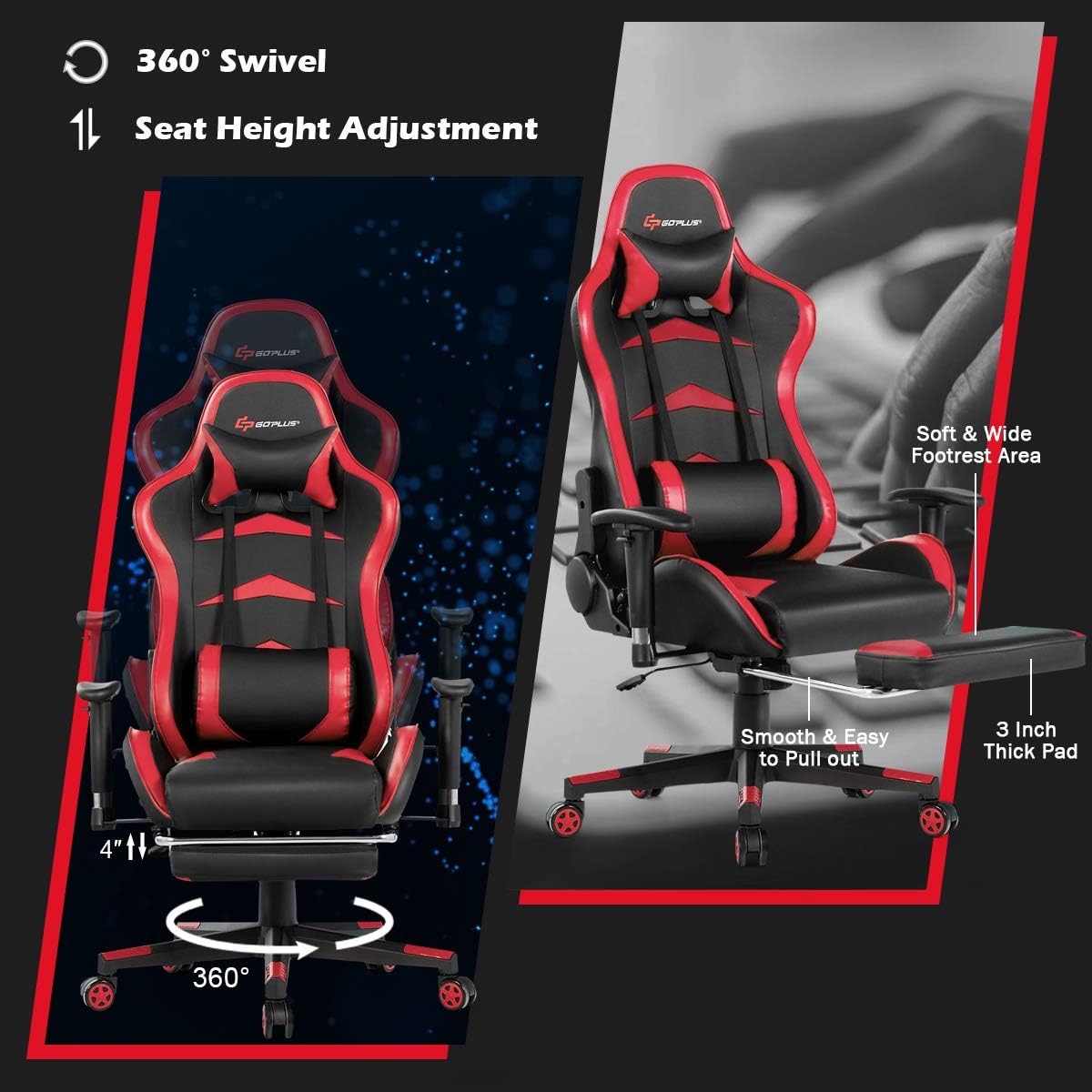
Image: The Goplus Gaming Chair demonstrating its 360-degree swivel and 4-inch seat height adjustment range.
Backrest Recline Function
- Pull the recline lever located on the right side of the chair (below the seat).
- Lean back to your desired angle (90° to 180°). Release the lever to lock the backrest in position.

Image: A diagram illustrating the Goplus Gaming Chair's adjustable recline angles, from 90 degrees for work to 180 degrees for sleep.
Armrest Adjustment
- The armrests feature 3-inch height adjustment. Press the button on the side of the armrest to adjust its height.
- The armrests can also rotate 60 degrees for optimal positioning.
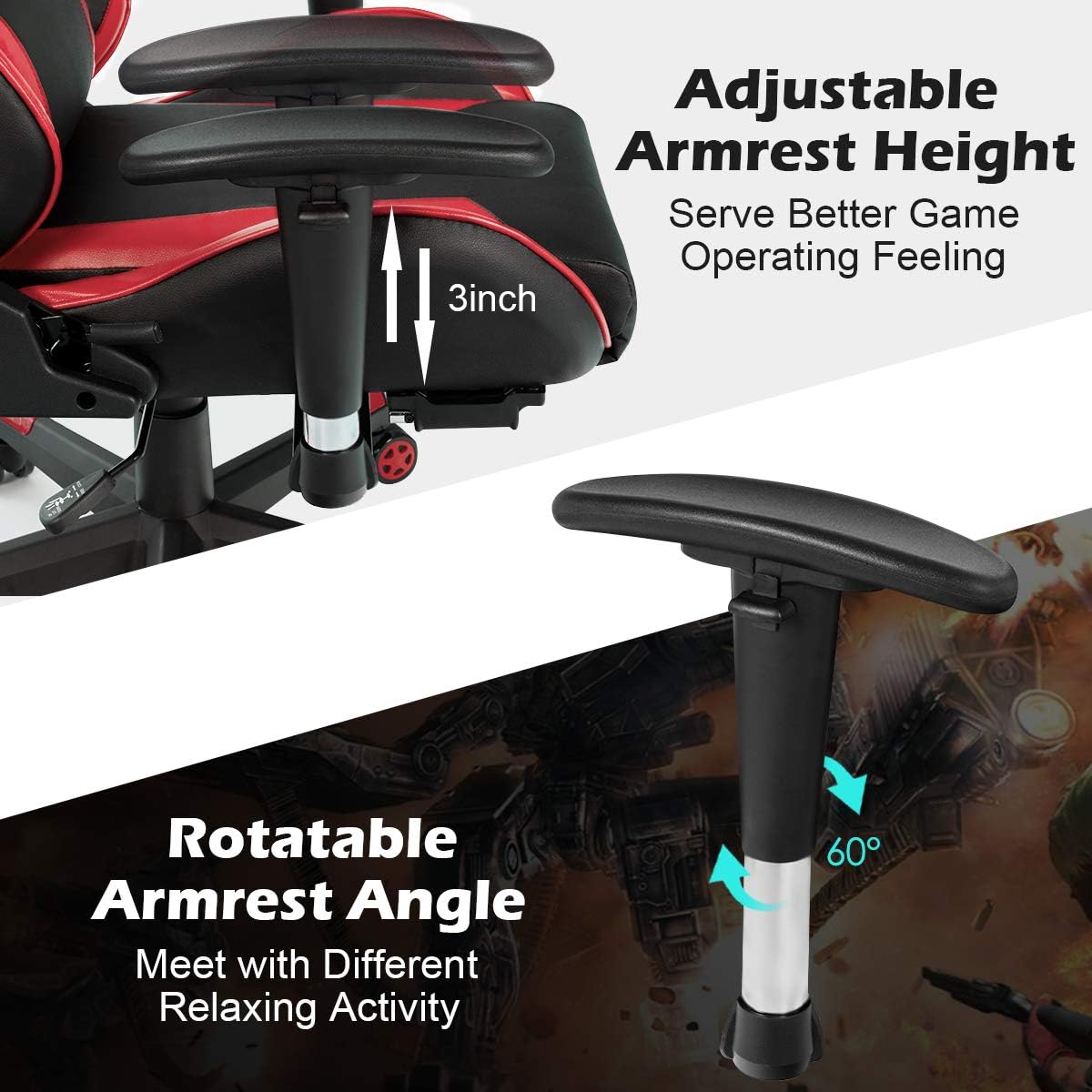
Image: Close-up view of the Goplus Gaming Chair's armrest, highlighting its 3-inch height adjustment and 60-degree rotatable function.
Retractable Footrest
- To extend the footrest, pull it out from underneath the seat.
- To retract, push it back in until it is fully stored.
Image: The Goplus Gaming Chair with its footrest extended, demonstrating its retractable feature.
Massage Function
- The lumbar pillow contains two motors for massage. Connect the USB cable from the lumbar pillow to a compatible USB power source (e.g., power bank, computer USB port).
- Use the integrated controller to activate and adjust the massage settings.

Image: A person relaxing in the Goplus Gaming Chair, highlighting the lumbar massage pillow with its USB interface.
Product Features Overview Video
Video: An overview of the Goplus Racing Style Massage Gaming Chair, showcasing its various adjustable features and ergonomic design.
Maintenance and Care
- Cleaning: Wipe clean with a damp cloth and spot clean as needed. Avoid harsh chemicals or abrasive cleaners.
- Inspection: Periodically check all screws and bolts to ensure they are tight. Retighten if necessary.
- Storage: Store the chair in a cool, dry place away from direct sunlight to prevent material degradation.
Troubleshooting
If you encounter any issues with your Goplus Massage Gaming Chair, refer to the following common problems and solutions:
| Problem | Possible Cause | Solution |
|---|---|---|
| Chair wobbles or is unstable. | Loose screws or uneven assembly. | Check and tighten all assembly screws. Ensure the casters are fully inserted. |
| Seat height adjustment not working. | Gas lift not properly installed or damaged. | Ensure the gas lift is fully inserted into the base and mechanism. If still not working, contact customer support. |
| Backrest does not recline or lock. | Recline mechanism jammed or damaged. | Check for any obstructions. Ensure the lever is fully engaged. If the issue persists, contact customer support. |
| Massage function not working. | USB power not connected or faulty. | Ensure the USB cable is securely connected to a working power source. Try a different USB port or power bank. |
Specifications
| Feature | Detail |
|---|---|
| Brand | Goplus |
| Model Name | Goplus Massage Gaming Chair |
| Color | Red |
| Product Dimensions | 29"D x 27"W x 49"H |
| Material | Faux Leather, Metal, Sponge |
| Weight Capacity | 330 lbs (approx.) |
| Recline Angle | 90° to 180° |
| Armrest Adjustment | 3-inch height adjustment, 60° rotatable |
| Special Features | Adjustable Backrest, Flexible Handrails, Massaging Functions, Retractable Footrest |
| Item Weight | 47.9 pounds |
Warranty and Support
For warranty information, technical support, or to order replacement parts, please contact Goplus customer service. Refer to your purchase documentation for specific warranty terms and contact details.
You can also visit the official Goplus store for more information: Goplus Store on Amazon
Ask a question about this manual
Ask about setup, troubleshooting, compatibility, parts, safety, or missing instructions. Manuals+ will review the question and use this page’s manual context to help answer it.