
xmartO BC3-parent
xmartO Wire-Free Home Security Camera User Manual
Model: BC3-parent
1. Introduction
The xmartO Wire-Free Home Security Camera is a versatile surveillance solution designed for both indoor and outdoor use. Powered by long-lasting rechargeable batteries and an optional solar panel, this camera offers complete wire-free installation flexibility. It provides 2K 3MP HD video and audio, advanced AI motion detection, and integrated spotlight and siren for enhanced security.
Key features include:
- 100% Wire-Free Operation: No power cables needed, allowing flexible placement.
- 2K 3MP HD Video & Two-Way Audio: Delivers clear video and enables real-time communication.
- Integrated Spotlight & Siren: Deters intruders with light and sound, triggered by motion detection.
- PIR Thermal True Detection: Minimizes false alerts by accurately detecting people, animals, and vehicles.
- Multiple Storage Options: Supports up to 128GB TF card and encrypted AWS Cloud storage.
- Easy Mobile View: Monitor your property from anywhere using the free mobile application.
- Durable & Weatherproof: Automotive-grade rechargeable batteries and IP66 weatherproof rating ensure long-term reliability.
- Smart Home Integration: Works with Alexa for convenient voice control.
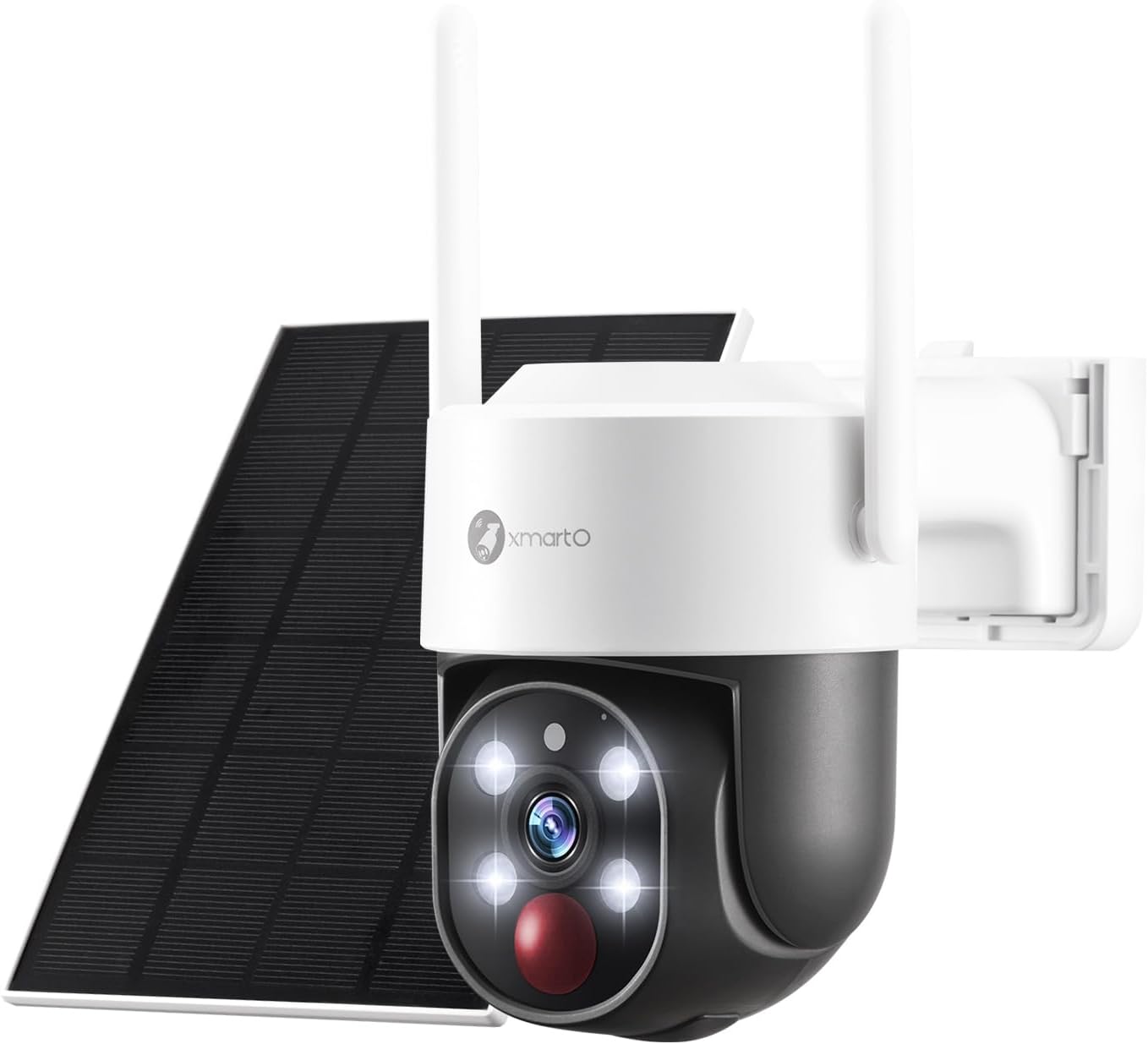
Figure 1: The xmartO Wire-Free Home Security Camera with its accompanying solar panel. This image showcases the compact design and the solar panel for continuous power.
2. Setup Guide
2.1. Package Contents
Before beginning installation, please verify that all components are present:
- 1 x xmartO Wi-Fi Security Camera
- 1 x Wi-Fi Antenna
- 1 x User Manual (this document)
- 1 x Mounting Kits (screws, wall plugs)
- 1 x Solar Panel (if purchased as a set)

Figure 2: An illustration of the components typically included in the xmartO camera package, showing the camera, solar panel, and mounting accessories.
2.2. Initial Charging and Power
The camera is powered by professional long-lasting rechargeable batteries. For optimal performance, it is recommended to fully charge the camera before the first use. The camera can be powered by its internal batteries or continuously charged via the included solar panel.

Figure 3: The xmartO camera connected to its solar panel, illustrating how it receives continuous power from sunlight.
The camera features a 9000mAh battery pack, providing extended operation. Its all-weather charging capability ensures reliable power in various environmental conditions.

Figure 4: Visual representation of the camera's large battery capacity and its ability to charge in different weather conditions, including sun, rain, and snow.
2.3. Installation
Due to its wire-free design, the camera can be mounted virtually anywhere, indoors or outdoors, without the need for complex wiring. Select a location that provides the desired viewing angle and good Wi-Fi signal strength.

Figure 5: A person demonstrating the easy installation of the xmartO camera on a wall, highlighting its wireless nature.
Use the provided mounting kits to securely attach the camera to a wall or other suitable surface. Ensure the solar panel is positioned to receive maximum sunlight exposure throughout the day for continuous charging.

Figure 6: The xmartO camera mounted on a tree, demonstrating its flexibility for outdoor placement in various environments.
2.4. Mobile Application Setup
To view and manage your camera, download the free xmartO mobile application. It is available on both Google Play Store and Apple App Store.


Follow the in-app instructions to add your camera. The process is designed to be quick and intuitive, allowing you to view live footage from multiple cameras simultaneously within minutes.
Note: If integrating with an xmartO NVR system, ensure your NVR firmware is version 3.1.6 or later for optimal performance.
3. Operating Instructions
3.1. Live View and Playback
Access live video feeds and review recorded footage directly from your mobile device. The app provides a user-friendly interface for seamless monitoring.

Figure 7: A mobile phone screen showing the live view from the camera, along with icons for recording to SD card, NVR, or cloud storage.
You can replay and clip videos directly from the app, utilizing either local SD card storage or encrypted AWS Cloud storage.

Figure 8: Visual representation of the camera's flexible storage options, including direct SD card recording, cloud storage, and integration with an NVR system.
3.2. Pan, Tilt, and Zoom Control
The camera features Pan-Tilt-Zoom (PTZ) capabilities, allowing you to remotely adjust the camera's viewing angle to cover a wider area. Use the controls within the mobile app to navigate the camera's perspective.

Figure 9: A mobile phone screen showing the interface for controlling the camera's pan, tilt, and zoom functions, with arrows indicating 360-degree rotation.
Video 1: This video demonstrates the Pan-Tilt-Zoom (PTZ) functionality of the xmartO camera, showing how users can remotely control the camera's movement and zoom through the mobile application to cover a wide area. It also highlights the 4MP video quality compared to 1080P, and the auto floodlight feature for color night vision.
3.3. Motion Detection and Alerts
The camera utilizes PIR thermal sensors and humanoid detection to accurately identify people, animals, or vehicles, significantly reducing false alerts. Upon detection, the camera sends real-time app notifications and email alerts to your phone.
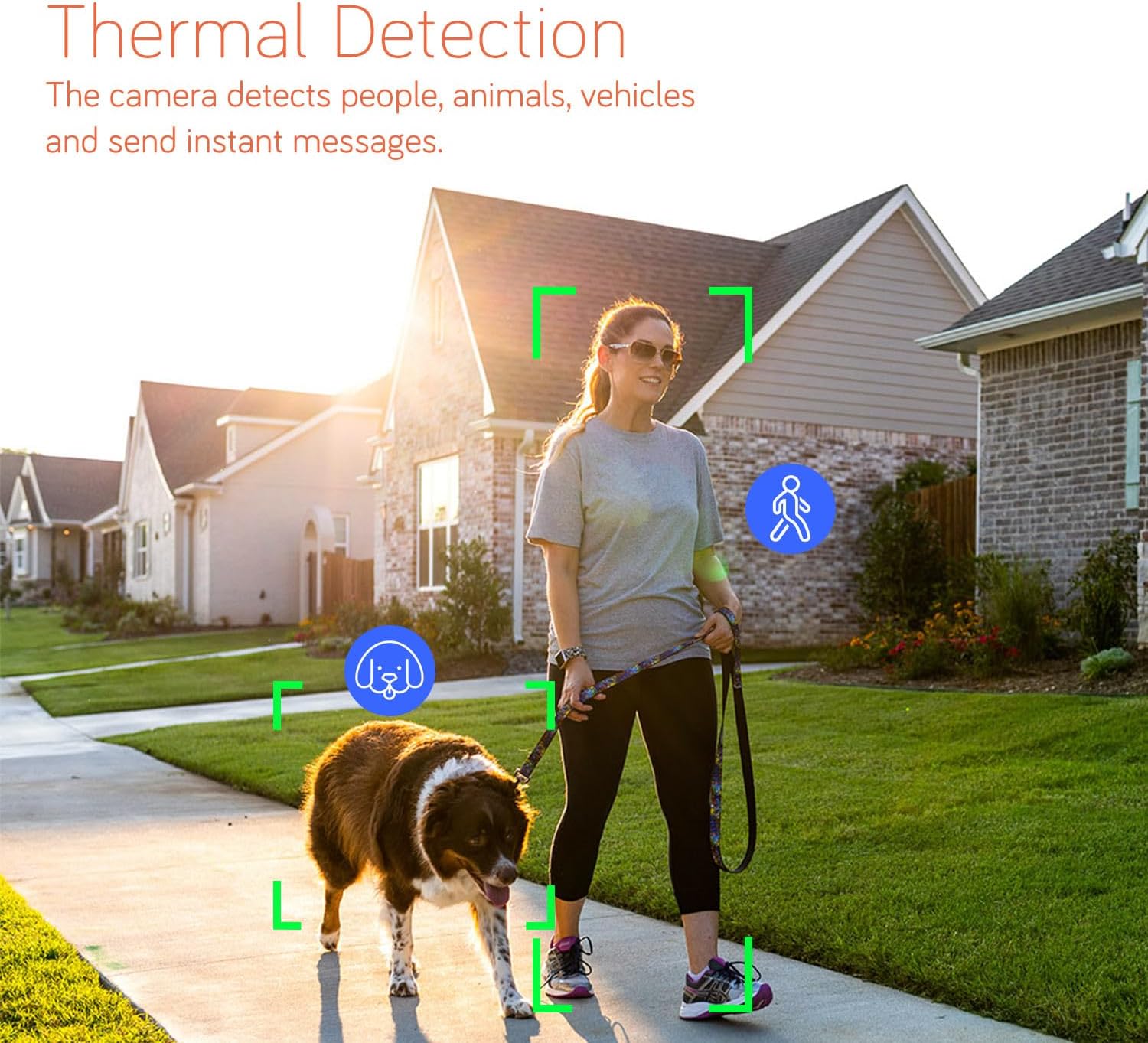
Figure 10: An image illustrating the camera's thermal detection capabilities, highlighting how it identifies and tracks people and animals.
The camera is equipped with both a spotlight and a siren. When motion is detected, the camera can automatically activate these features to deter potential threats. You have the flexibility to configure whether to use only the spotlight, only the siren, both, or neither, via the mobile application.

Figure 11: A mobile phone screen displaying event notifications from the camera, showing alerts for detected people and vehicles, along with options for siren, push notifications, and email alerts.
3.4. Two-Way Audio
The built-in two-way audio feature allows you to hear what's happening around the camera and speak through its speaker using the mobile app. This is useful for communicating with visitors or deterring unwanted guests.

Figure 12: An illustration of the two-way audio function, showing a person speaking through the camera to someone at the door.
3.5. Night Vision
The camera offers advanced night vision capabilities, including infrared LEDs for clear black-and-white footage in low light, and auto floodlights for full-color night vision when activated by motion.

Figure 13: A side-by-side comparison demonstrating the difference between infrared LED night vision (black and white) and spotlight-activated color night vision.
3.6. Multi-Device Viewing and Smart Home Integration
The xmartO app allows you to group multiple cameras for split-view monitoring, providing comprehensive coverage of your property. You can view your cameras on various devices, including smartphones, tablets, laptops, and compatible Alexa devices.

Figure 14: Various devices (smartphone, tablet, laptop, Alexa device) simultaneously displaying live feeds from xmartO cameras, showcasing multi-device compatibility.
With Alexa integration, you can use simple voice commands to view your camera feeds on compatible Alexa-enabled screens.
4. Maintenance
4.1. Cleaning
To ensure optimal performance and clear image quality, regularly clean the camera lens and the surface of the solar panel. Use a soft, damp cloth to gently wipe away dust and debris. Avoid using harsh chemicals or abrasive materials that could scratch the lens or damage the camera's finish.
4.2. Battery Care
The camera's automotive-grade rechargeable batteries are designed for longevity. To maximize battery life, ensure the solar panel receives adequate sunlight exposure. In periods of prolonged cloudy weather or heavy usage, the battery level may drop. If this occurs, you may temporarily charge the camera using a standard 5V USB power adapter (not included) to ensure continuous operation.
The IP66 weatherproof rating ensures the camera can withstand various outdoor conditions, contributing to its long-term durability.

Figure 15: The camera's ability to charge in various weather conditions, including sunny, rainy, and snowy environments, ensuring consistent power.
5. Troubleshooting
This section addresses common issues you might encounter with your xmartO security camera.
5.1. No Video Feed / Offline Camera
- Check Wi-Fi Connection: Ensure the camera is within range of your Wi-Fi router and the signal is strong. Relocate the camera or router if necessary.
- Check Power: Verify the camera battery is charged. If using the solar panel, ensure it is clean and receiving direct sunlight.
- Restart Camera: Power cycle the camera by turning it off and on again.
- NVR Compatibility: If connected to an xmartO NVR, confirm the NVR firmware is version 3.1.6 or later.
5.2. Frequent False Alerts
- Adjust Sensitivity: In the mobile app settings, reduce the motion detection sensitivity.
- Detection Zones: Configure specific detection zones to exclude areas with frequent irrelevant motion (e.g., busy streets, swaying trees).
- PIR Placement: Ensure the camera's PIR sensor is not directly facing heat sources or areas with rapid temperature changes.
5.3. Poor Video Quality
- Clean Lens: Gently clean the camera lens with a soft, lint-free cloth.
- Wi-Fi Signal: A weak Wi-Fi signal can lead to lower resolution or choppy video. Improve signal strength or move the camera closer to the router.
- Lighting: Ensure adequate lighting for optimal image clarity, especially at night. Utilize the spotlight feature if needed.

Figure 16: A visual comparison demonstrating the enhanced detail and clarity of 4MP video resolution compared to standard 1080P.
6. Specifications
| Feature | Detail |
|---|---|
| Model Name | BC3-parent |
| Indoor/Outdoor Usage | Outdoor |
| Power Source | Solar Powered (Rechargeable Lithium Ion batteries included) |
| Connectivity Technology | Wireless (Wi-Fi) |
| Video Capture Resolution | 4MP |
| Viewing Angle | 360 Degrees (Pan/Tilt) |
| Controller Type | Amazon Alexa, App |
| Mounting Type | Wall Mount |
| International Protection Rating | IP66 |
| Item Dimensions (L x W x H) | 5 x 2 x 3 inches |
| Item Weight | 12.3 ounces (0.35 Kilograms) |
| Alert Type | Motion Only (PIR Thermal True Detection) |
| Video Capture Format | H.265 |
| UPC | 655887203824 |
| Manufacturer | XMARTO TECHNOLOGY LIMITED |
7. Warranty and Support
7.1. Warranty Information
For detailed warranty information regarding your xmartO product, please refer to the official warranty policy provided by XMARTO TECHNOLOGY LIMITED at the time of purchase or visit their official website. Extended protection plans may also be available for purchase.
7.2. Customer Support
Should you require further assistance, technical support, or have questions not covered in this manual, please contact xmartO customer support. You can often find contact information on the manufacturer's official website or through the retailer where the product was purchased.
Additional resources:
- Official xmartO Store on Amazon: Visit Store
- User Guide (PDF): Download User Guide
- User Manual (PDF): Download User Manual
Related Documents - BC3-parent
 |
XmartO IP Camera User Guide: Setup, Features, and Troubleshooting Comprehensive user guide for XmartO IP cameras, covering packing list, camera features, setup instructions for standalone use or NVR pairing, app navigation, motion detection, light control, and troubleshooting tips. |
 |
XMARTO Wire-Free Security Camera Quick Setup Guide Comprehensive quick setup guide for XMARTO wire-free security cameras. Includes installation instructions, solar panel setup, troubleshooting, and battery safety tips. |
 |
Xmarto Wire-Free Security Camera Quick Setup Guide A comprehensive quick setup guide for the Xmarto Wire-Free Security Camera, covering unboxing, initial setup, app integration, NVR pairing, installation, solar panel mounting, and troubleshooting. |
 |
xmartO Wire-Free Security Camera System Quick Setup Guide A comprehensive quick setup guide for the xmartO Wire-Free Security Camera System, covering NVR and camera installation, system connection, mobile and PC access, and troubleshooting. |
 |
How to Setup the xmartO DPM2024 Dome PTZ WiFi Camera Step-by-step guide for setting up the xmartO DPM2024 dome PTZ WiFi camera. Learn how to connect using an Ethernet cable or WiFi-only setup with the xmartO WallPixel app. |
 |
Xmarto IP Camera User Guide: Setup, Features, and App Usage Comprehensive user guide for Xmarto IP cameras, covering setup, camera parts, app features like live footage and playback, motion detection, settings, and troubleshooting. Learn how to install and use your Xmarto camera effectively. |
Ask a question about this manual
Ask about setup, troubleshooting, compatibility, parts, safety, or missing instructions. Manuals+ will review the question and use this page’s manual context to help answer it.