
Introduction
Thank you for choosing the ZecRek Bluetooth Beanie. This product combines a comfortable winter hat with integrated Bluetooth headphones, allowing you to enjoy music and hands-free calls while staying warm. It features an upgraded Bluetooth chip for stable connectivity, a long-lasting battery, and high-quality speakers. This manual provides instructions for proper setup, operation, and maintenance to ensure optimal performance and longevity of your device.

Image: The ZecRek Bluetooth Beanie, shown in black and white knit, accompanied by a matching neck warmer. This image highlights the product's dual functionality for warmth and audio.
Package Contents
Please verify that all items are present in your package:
- ZecRek Bluetooth Beanie
- Polar Fleece Neck Warmer
- USB Charging Cable
- User Manual (this document)
Setup
1. Initial Charging
Before first use, fully charge the Bluetooth beanie. Connect the provided USB charging cable to the charging port located on the control panel of the beanie. Connect the other end to a standard USB power adapter (not included) or a computer's USB port. The indicator light will show charging status and turn off or change color when fully charged.
2. Bluetooth Pairing
- Ensure the beanie is charged and powered off.
- Press and hold the Power button on the control panel for approximately 3-5 seconds until the indicator light flashes blue and red, indicating pairing mode.
- On your mobile device (smartphone, tablet, etc.), enable Bluetooth.
- Search for available Bluetooth devices. The beanie will appear as "BT-Music" or similar.
- Select "BT-Music" to connect. Once connected, the indicator light will typically flash blue slowly or turn solid blue.
- If prompted for a password, enter "0000".
The beanie should automatically reconnect to the last paired device when powered on, if the device's Bluetooth is active and within range.
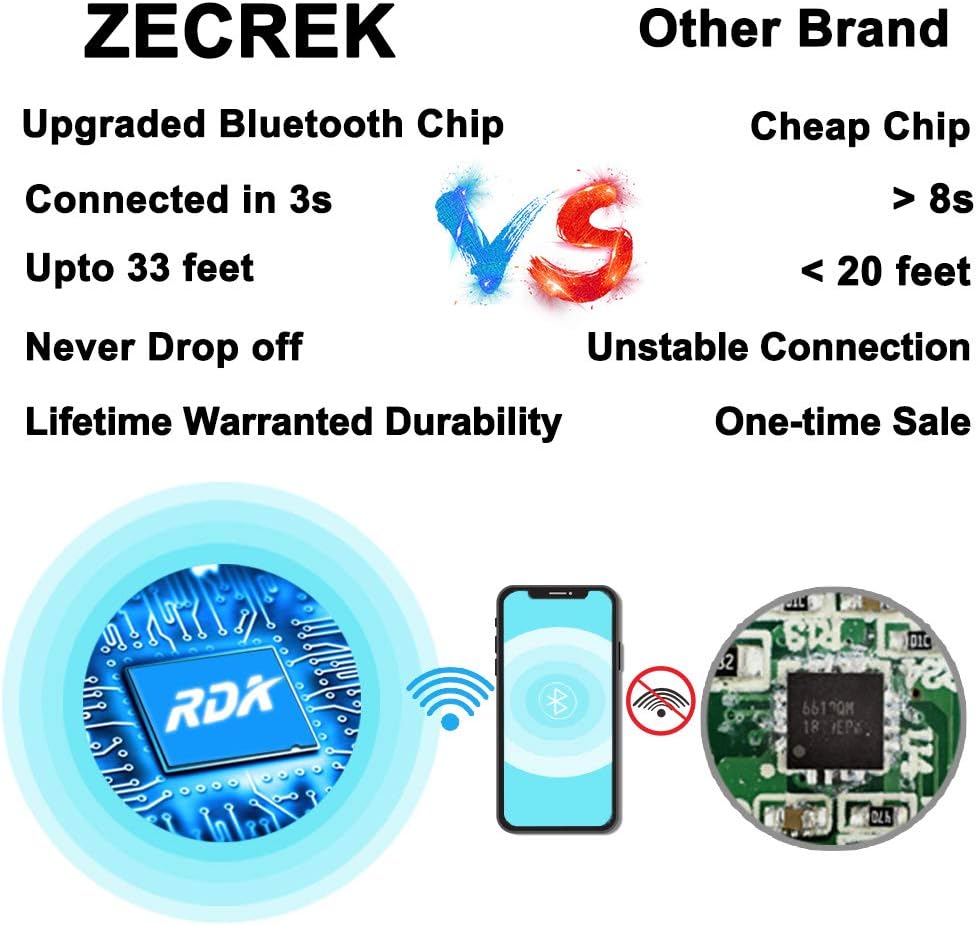
Image: A diagram illustrating the upgraded Bluetooth chip (RDA) and its stable connection to a smartphone, contrasting it with a generic chip and unstable connection. This highlights the beanie's reliable wireless technology.
Operating Instructions
The control panel is located on the right side of the beanie for easy access.
| Button/Action | Function |
|---|---|
| Power Button (Center) |
|
| Volume Up / Next Track (+) |
|
| Volume Down / Previous Track (-) |
|

Image: A person wearing the ZecRek Bluetooth Beanie, with the control panel clearly visible on the right side. This illustrates the ergonomic design and convenient placement of controls.
Battery Life
The beanie is equipped with a 250mAh battery, providing up to 20 hours of music playback on a single charge. Actual battery life may vary based on volume level and usage.
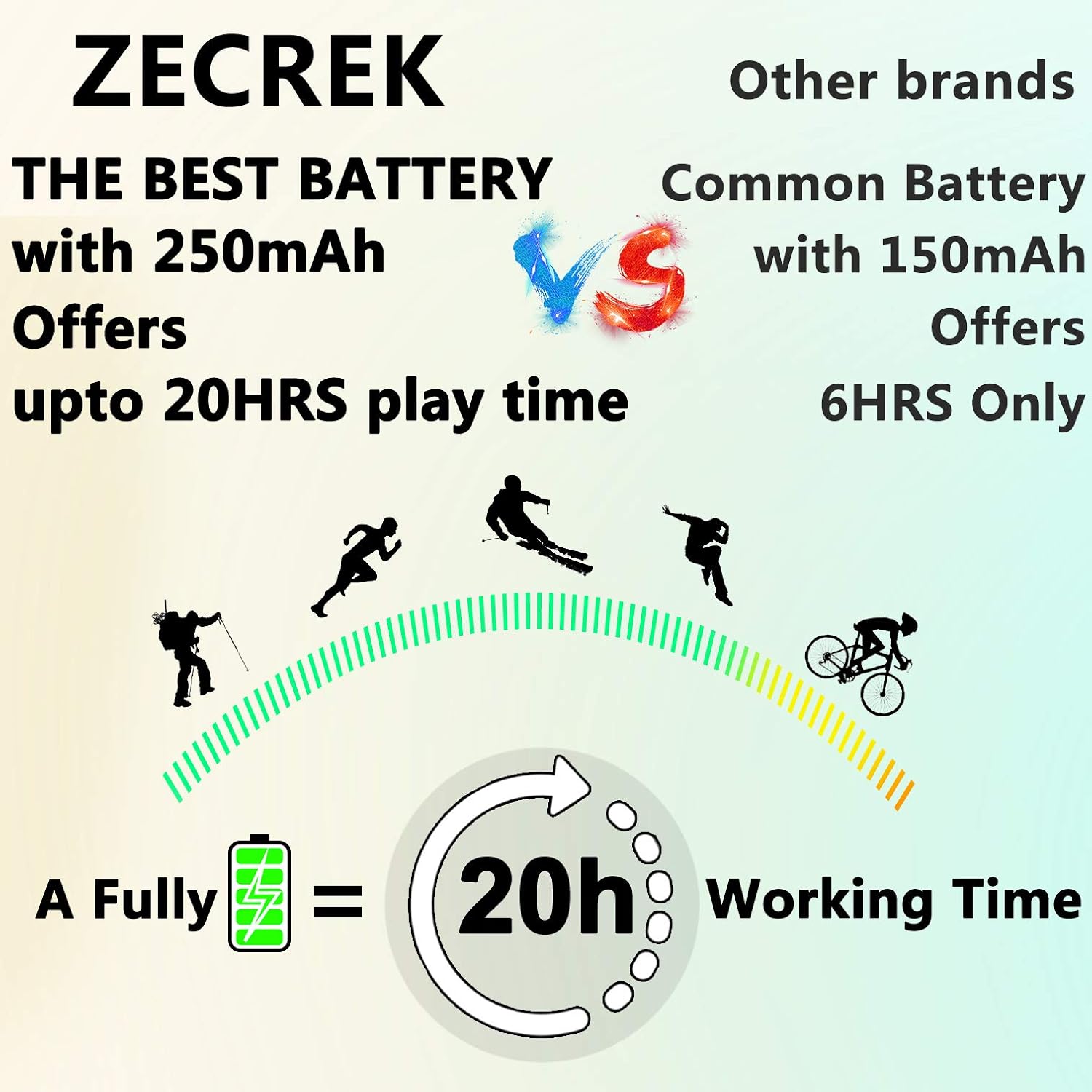
Image: A graphic depicting various outdoor activities (running, skiing, cycling) with a battery icon indicating "20h Working Time," emphasizing the extended battery life of the ZecRek Bluetooth Beanie.
Maintenance
Cleaning Instructions
The ZecRek Bluetooth Beanie is washable, but the electronic components must be removed first.
- Carefully locate the small opening inside the beanie where the speakers and control panel are inserted.
- Gently remove both speaker units and the control panel module from their pockets within the beanie.
- Once all electronic components are removed, the beanie fabric can be machine washed. Follow standard machine wash instructions for knitwear (e.g., cold water, gentle cycle).
- Allow the beanie to air dry completely before reinserting the electronic components.
- Reinsert the speakers and control panel into their designated pockets, ensuring the control panel is on the right side and the speakers are positioned over your ears.

Image: A close-up of hands carefully removing a speaker module from inside the beanie, with a washing machine in the background. This demonstrates the process for preparing the beanie for washing.
Storage
Store the beanie in a cool, dry place when not in use. Avoid extreme temperatures and direct sunlight, which can affect battery life and material integrity.
Troubleshooting
| Problem | Possible Cause / Solution |
|---|---|
| Cannot Power On |
|
| Cannot Pair with Device |
|
| No Sound or Low Volume |
|
| Choppy or Stuttering Audio |
|
Specifications
- Model: B095YYZJMR
- Brand: ZecRek
- Bluetooth Range: Up to 33 feet (10 meters)
- Battery: 250mAh Lithium Ion (included)
- Playback Time: Up to 20 hours (at 50% volume)
- Speaker Output: Up to 120 dB
- Material: Cotton, Polar Fleece
- Care Instructions: Machine Wash (electronics removed)
- Dimensions: 8.31 x 5.51 x 2.95 inches (Package)
- Weight: 5.61 ounces (Package)
- UPC: 769894964774
- First Available Date: July 20, 2020
Warranty and Support
ZecRek products are designed for durability and performance. For any questions, technical support, or warranty claims, please contact ZecRek customer service through the retailer where the product was purchased or visit the official ZecRek website for contact information. Please retain your proof of purchase for warranty service.
For more information, you may visit the ZecRek Brand Page on Amazon.