
Introduction
This user manual provides essential information for the safe and efficient operation, maintenance, and troubleshooting of your Greenworks 24V Cordless Brushless Axial Leaf Blower. Please read this manual thoroughly before first use and retain it for future reference.
The Greenworks 24V lithium-ion platform powers over 50 indoor and outdoor products. The 24V lithium-ion battery provides 20% more power and 35% more run-time, delivering fade-free power with no memory loss after charging. This blower is designed for clearing debris and leaves from hard surfaces and patios.
Safety Information
Always wear appropriate personal protective equipment (PPE) including eye protection and hearing protection when operating the leaf blower. Keep bystanders, especially children and pets, away from the operating area. Do not operate the blower in wet conditions or near flammable liquids or gases. Ensure the battery is fully charged before use and stored in a dry, safe place.
- Read all instructions before operating the appliance.
- Do not allow children to operate the blower.
- Keep all parts of the body away from moving parts.
- Do not use the blower if any part is damaged.
- Use only Greenworks approved batteries and chargers.
Package Contents
Verify that all items are present and undamaged upon opening the package:
- Greenworks 24V Brushless Axial Leaf Blower Unit
- Blower Tube
- 24V 4.0Ah USB Battery
- 24V Charger
- Operator's Manual (this document)

Image: The 'Includes' diagram for the Greenworks 24V Brushless Axial Leaf Blower, showing the main unit, detachable blower tube, 24V 4.0Ah battery, 24V charger, and user guide.
Setup
- Attach the Blower Tube: Align the blower tube with the main unit's air outlet. Push and twist until it locks securely into place.
- Charge the Battery: Insert the 24V 4.0Ah battery into the provided 24V charger. Plug the charger into a standard electrical outlet. The indicator light on the charger will show the charging status. Allow the battery to fully charge before first use (approximately 2 hours for a 4.0Ah battery).
- Install the Battery: Once fully charged, slide the battery into the battery compartment on the rear of the blower until it clicks into place. Ensure it is firmly seated.
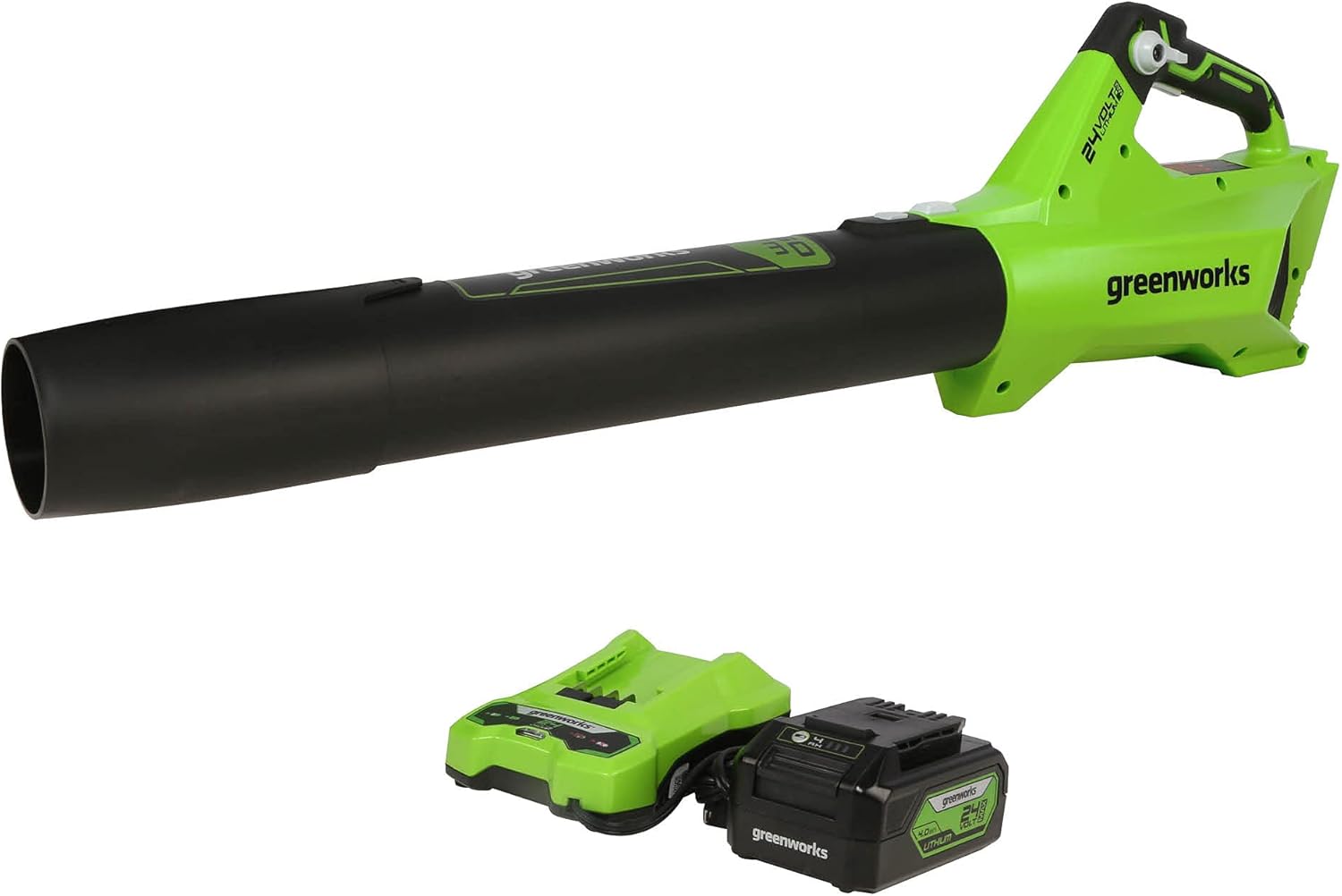
Image: The Greenworks 24V Brushless Axial Leaf Blower, showing the main unit, detachable blower tube, 24V 4.0Ah battery, and charger, ready for assembly.
Operating Instructions
Powering On/Off
- To turn on the blower, press and hold the variable speed trigger.
- To turn off the blower, release the variable speed trigger.
Variable Speed and Turbo Function
- The blower features a variable speed trigger. Squeeze the trigger gently for lower airflow and press it fully for maximum airflow.
- For an extra burst of power, press the Turbo button located on the handle. This is ideal for moving heavier debris.
- The cruise control lever allows you to set a desired airflow speed without continuously holding the trigger.

Image: Close-up of the blower's handle, showing the variable speed trigger and the turbo button for enhanced power.
Effective Blowing Techniques
- Hold the blower firmly with both hands, directing the nozzle towards the debris.
- Sweep from side to side, moving debris into piles.
- For stubborn or wet debris, use the turbo function and a concentrated nozzle approach.

Image: A person demonstrating the use of the Greenworks 24V Blower to clear leaves from a patio area.
Video: A demonstration of the Greenworks 24V Brushless Axial Leaf Blower in action, showcasing its power and effectiveness in clearing leaves from a backyard. This video highlights both regular and turbo modes.
Maintenance
Regular maintenance ensures optimal performance and extends the life of your Greenworks leaf blower.
- Cleaning: After each use, wipe down the exterior of the blower with a clean, damp cloth. Remove any debris from the air intake vents to prevent overheating. Do not use harsh chemicals or abrasive cleaners.
- Battery Care: Store the battery in a cool, dry place away from direct sunlight and extreme temperatures. Do not store the battery in a discharged state for extended periods.
- Storage: When not in use, store the blower in a dry, secure location, out of reach of children. Detach the battery for long-term storage.
Troubleshooting
| Problem | Possible Cause | Solution |
|---|---|---|
| Blower does not start | Battery not installed correctly or discharged. | Ensure battery is fully seated. Charge battery fully. |
| Reduced airflow | Air intake vents blocked or blower tube loose. | Clear debris from vents. Re-attach blower tube securely. |
| Blower stops during operation | Battery overheated or discharged. | Allow battery to cool down. Recharge battery. |
Specifications
- Model: BL24L410
- Voltage: 24 Volts
- Air Flow Capacity: 450 CFM (Cubic Feet Per Minute)
- Speed: 110 MPH (Miles per Hour)
- Motor Type: Brushless
- Item Weight: 8.83 pounds (4.01 Kilograms)
- Product Dimensions: 17.88"L x 7.33"W x 10.55"H
- Battery: 4.0Ah Lithium-Ion (included)
- UPC: 841821067694
Warranty and Support
Greenworks offers a comprehensive warranty for its products. For specific warranty details, registration, or technical support, please refer to the official Greenworks website or contact their customer service directly.
You can also find additional resources, including a PDF version of the user guide, on the product's Amazon page or the Greenworks support portal.