
Introduction
This manual provides detailed instructions for the Hricane 61-Key Electronic Keyboard Piano, Model H663. Please read this manual thoroughly before using the product to ensure proper operation and to maximize your musical experience. This electronic piano is designed for beginners and offers a rich array of sounds and rhythms.
Package Contents
Upon opening the package, please verify that all the following items are included:
- Hricane 61-Key Electronic Keyboard Piano (Model H663)
- Microphone
- Music Stand
- USB Cable
- Keyboard Stickers (for key labeling)
- Audio Cable
- Instruction Manual (Japanese)

Image: The Hricane 61-Key Electronic Keyboard Piano H663 in pink, shown with its included accessories: a microphone, music stand, USB cable, audio cable, and key stickers.
Setup
Power Supply
The Hricane H663 electronic keyboard can be powered in two ways:
- USB Power: Use the included USB cable to connect the keyboard to a compatible USB power adapter (not included) or a USB port.
- Battery Power: Insert 4 x 1.5V AA batteries (sold separately) into the battery compartment located on the underside of the keyboard. Ensure correct polarity. Do not use rechargeable batteries for this method.
Note: USB power and battery power cannot be used simultaneously. Using both may damage the product.

Image: The underside of the Hricane H663 keyboard, illustrating the DC 5V power input and the battery compartment for 4 AA batteries.
Connecting Peripherals
The keyboard features various ports for external devices:
- MIC Input: Connect the included microphone for vocal accompaniment.
- AUDIO IN: Connect a mobile phone, tablet, or other audio device to play along with external music.
- OUT (Headphone/Speaker): Connect headphones for private practice or external speakers for amplified sound.

Image: A close-up of the Hricane H663 keyboard's rear panel, showing the DC 5V power input, OUT (headphone/speaker), AUDIO IN (for smartphone/tablet), and MIC input ports.
Video: A demonstration of connecting a microphone and other audio devices to the Hricane electronic keyboard, highlighting its versatile connectivity options.
Operating Instructions
Basic Functions
- Power On/Off: Press the red "Power" button to turn the keyboard on or off.
- Volume Control: Adjust the master volume using the dedicated volume buttons.
- Tempo Adjustment: Modify the tempo of rhythms and demo songs using the tempo control buttons.
- LCD Display: The LCD screen displays current settings such as tone, rhythm, and tempo.

Image: A detailed view of the Hricane H663 electronic keyboard's control panel, showing the LCD display, power button, and various function buttons for tone, rhythm, and tempo.
Sound and Rhythm Selection
- Tones (200 types): Select from 200 different instrument tones, including Grand Piano, Bright Grand Piano, Electric Grand Piano, Organ, Guitar, and more. Use the number pad or dedicated tone selection buttons to browse.
- Rhythms (200 types): Choose from 200 rhythms such as Samba, Disco, Tango, Pop, and Country. Use the number pad or rhythm selection buttons.
- Demo Songs (60 songs): Play along with 60 pre-recorded demo songs.

Image: A close-up of the Hricane H663 keyboard's control panel, highlighting the sections for selecting 200 types of tones and 200 types of rhythms, along with the demo song list.
Advanced Features
- Recording and Playback: Use the record function to capture your performances and the playback function to listen to them.
- Transpose Function: Adjust the pitch of the keyboard.
- Sync Function: Synchronize the rhythm with your playing.
- Sustain: Add a sustain effect to notes.
- Keyboard Percussion: Access various percussion sounds directly from the keys.
- Keyboard Split: Divide the keyboard into two sections, each with a different tone.
- Keyboard Lamp: The keys light up to guide learning.
- Chord Function: Engage the chord function for automatic chord accompaniment.
- Programming Function: Create custom rhythm patterns.
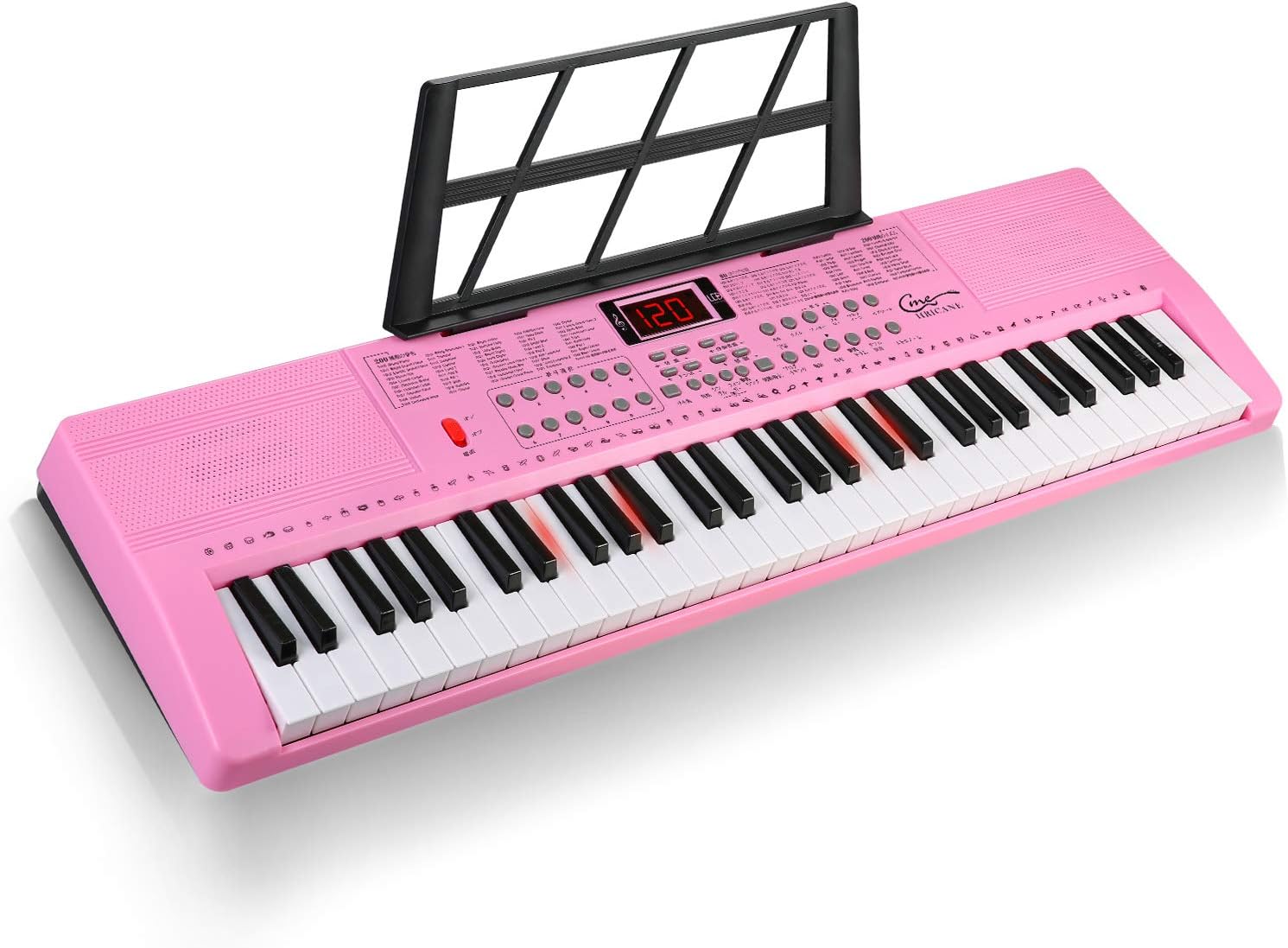
Image: The Hricane H663 electronic keyboard with some keys illuminated, demonstrating the learning guide feature. This helps beginners identify notes and practice songs.
Maintenance
- Cleaning: Use a soft, dry cloth to clean the keyboard surface. Do not use abrasive cleaners or solvents.
- Storage: Store the keyboard in a cool, dry place away from direct sunlight and extreme temperatures.
- Battery Care: Remove batteries if the keyboard will not be used for an extended period to prevent leakage.
- Handling: Avoid dropping the keyboard or subjecting it to strong impacts.
Troubleshooting
| Problem | Possible Cause | Solution |
|---|---|---|
| No power | Incorrect power connection, dead batteries. | Ensure USB cable is properly connected or replace batteries. Do not use both power sources simultaneously. |
| No sound | Volume too low, headphones connected, external speaker not connected properly. | Increase volume. Disconnect headphones if using internal speakers. Check external speaker connection. |
| Keys not responding | Temporary software glitch. | Turn the keyboard off and then on again. |
Specifications
| Feature | Detail |
|---|---|
| Model Name | H663 |
| Brand | Hricane |
| Number of Keys | 61 |
| Dimensions (L x W x H) | 80 cm x 26.5 cm x 7.6 cm |
| Weight | Approximately 3 kg |
| Tones | 200 types |
| Rhythms | 200 types |
| Demo Songs | 60 songs |
| Power Source | USB (DC 5V) or 4 x 1.5V AA batteries |
| Connectivity | USB, Microphone Input, Audio Input, Headphone/Speaker Output |
| Special Features | LCD Display, Light-up Keys, Recording, Playback, Transpose, Sync, Sustain, Keyboard Percussion, Keyboard Split, Chord Function, Programming Function, Tempo Control |
| Target Age | Children (Beginner skill level) |
Warranty and Support
The Hricane 61-Key Electronic Keyboard Piano comes with a one-year warranty. If you encounter any product defects or incorrect deliveries, please contact customer support for returns or new product exchanges. We are committed to providing friendly customer service.
For support, please refer to the contact information provided with your purchase or visit the official Hricane store on Amazon: Hricane Amazon Store.