
Introduction
The LHKNL Headlamp Flashlight is a versatile and ultra-light illumination tool designed for various outdoor and indoor activities. Featuring advanced LED technology, a powerful rechargeable battery, and intuitive controls including a motion sensor, this headlamp provides bright and reliable lighting. Its comfortable and adjustable design ensures a secure fit for all users, making it an essential companion for camping, hiking, running, fishing, and general household tasks.
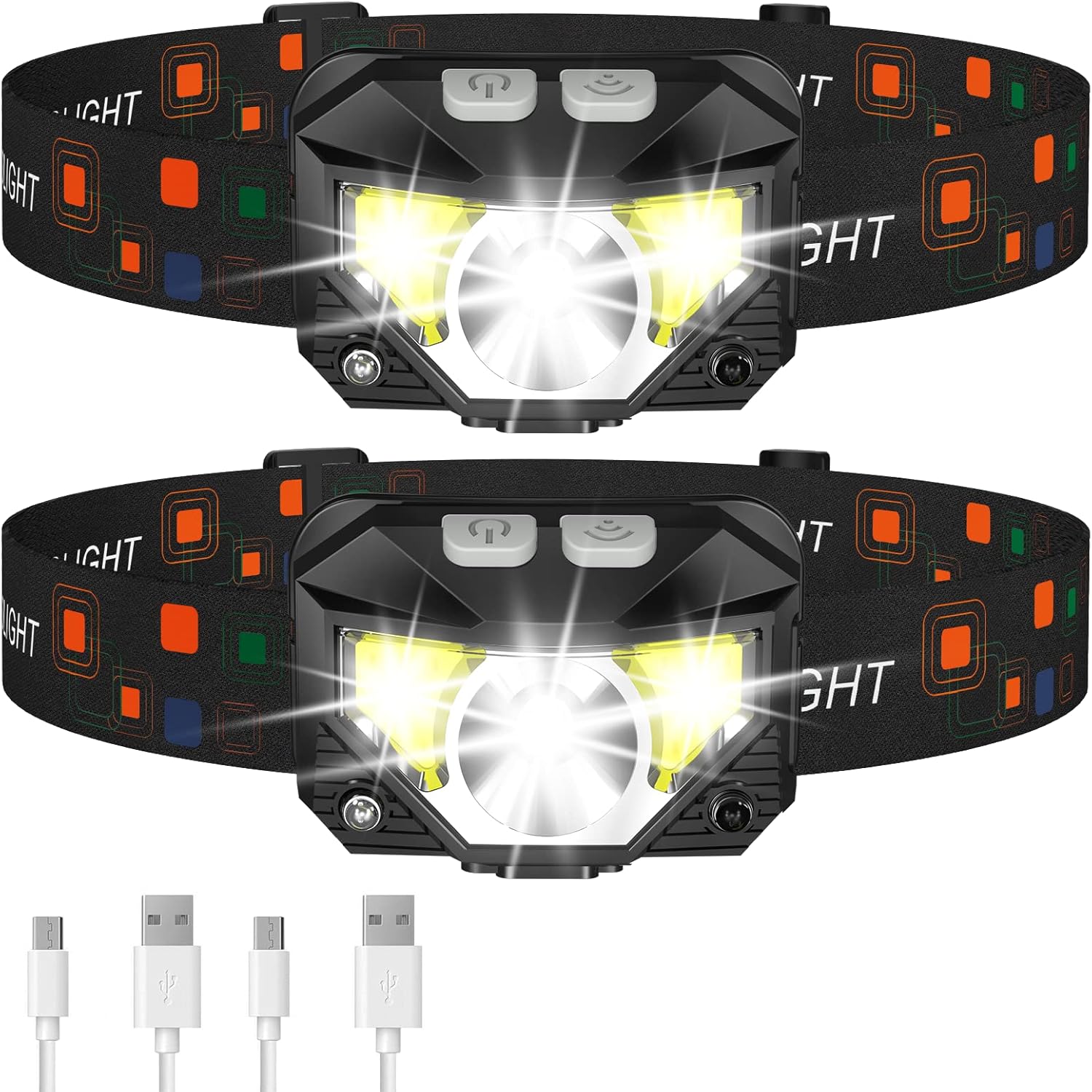
Image: Two LHKNL Headlamp Flashlights, showcasing their compact design and included USB charging cables.
Product Overview
Key Features
- Long Press Function and Motion Sensor: Easily turn off the light from any mode by holding the key button for 3 seconds. The motion sensor allows for hands-free operation by waving your hand, ideal for situations where your hands are dirty.
- Super Bright and Rechargeable: Equipped with class-leading LED chips for 2X brighter high lumens. Features a powerful 1500mAh built-in rechargeable battery, providing 4-10 hours of light on a full charge. Battery indicator helps monitor usage.
- Ultra-light and Adjustable: Weighing only 1.87 oz, this headlamp is comfortable for extended wear. The lamp head pivots 60° for adjustable light direction, and the elastic headband is easily adjustable to fit various head sizes.
- Waterproof and 8 Modes: IPX4 waterproof rating ensures resistance to rain and water splashes. Offers 8 lighting modes including main strong/weak beam, side strong/weak beam, red beam, SOS red strobe, and motion sensor modes for main and side beams.
What's in the Box
- 2 × Headlamp
- 2 × Head Band
- 2 × USB Cable
- 2 × User Manual
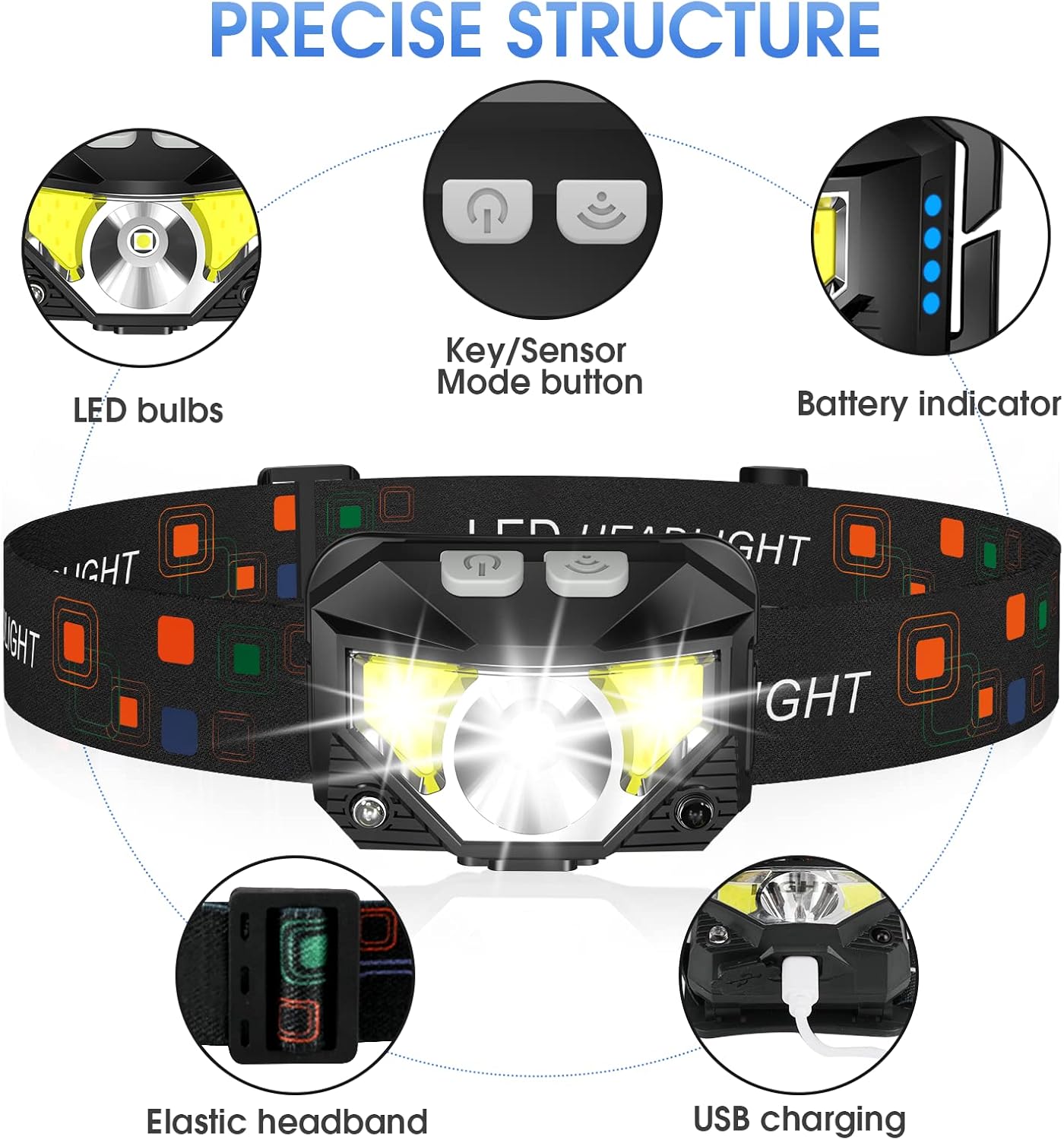
Image: Detailed diagram illustrating the components of the LHKNL Headlamp, including LED bulbs, control buttons, battery indicator, elastic headband, and USB charging port.
Setup
Charging the Headlamp
Before first use, it is recommended to fully charge the headlamp to ensure optimal performance. The headlamp features a built-in rechargeable battery and can be charged using the provided USB cable.
- Locate the USB charging port on the side of the headlamp.
- Connect the small end of the USB cable to the headlamp's charging port.
- Connect the other end of the USB cable to a standard USB power source (e.g., wall adapter, computer USB port, power bank).
- The battery indicator lights will illuminate to show the charging progress. Once all indicator lights are solid, the headlamp is fully charged.

Image: The headlamp connected to a USB cable, illustrating the charging process and battery indicator.
Adjusting the Headband
The elastic headband is designed for comfort and adjustability to fit various head sizes, including adults and children. To adjust:
- Place the headlamp on your head.
- Use the adjustable buckle on the headband to tighten or loosen it until it feels secure and comfortable.
- The lamp head can be rotated up to 60° to direct the light beam precisely where needed. Gently tilt the lamp head to adjust its angle.

Image: Illustration of the headlamp's 60° rotatable head and its ultra-lightweight design, comparing it to the weight of an egg.
Operating Instructions
The headlamp features two control buttons: a Key Mode button and a Motion Sensor button.
Power On/Off
- To turn the headlamp ON, press either the Key Mode button or the Motion Sensor button.
- To turn the headlamp OFF directly from any mode, press and hold the Key Mode button for 3 seconds. This eliminates the need to cycle through all modes to turn off the light.

Image: Close-up of the headlamp's power button, indicating the long-press function to turn off the device.
Key Mode Operation
Press the Key Mode button repeatedly to cycle through the following 6 lighting modes:
- Main Strong Beam
- Main Weak Beam
- Side Strong Beam
- Side Weak Beam
- Red Beam
- SOS Red Strobe
After the SOS Red Strobe, the next press will turn off the power. Remember, you can also long-press the Key Mode button for 3 seconds to turn off the light directly at any point.
Motion Sensor Mode
The motion sensor mode allows for convenient hands-free control. Press the Motion Sensor button to activate this mode. Once activated, you can turn the light ON or OFF by simply waving your hand in front of the headlamp's sensor.
In motion sensor mode, you can switch between two lighting options:
- Main Strong Beam
- Side Strong Beam

Image: A hand waving near the headlamp, demonstrating the motion sensor feature for hands-free control.
Overview of Lighting Modes
| Mode | Description | Control |
|---|---|---|
| Main Strong Beam | Highest brightness for maximum visibility. | Key Mode Button (1st click), Motion Sensor Mode (1st click) |
| Main Weak Beam | Lower brightness for general use and battery saving. | Key Mode Button (2nd click) |
| Side Strong Beam | Bright side lights for wider area illumination. | Key Mode Button (3rd click), Motion Sensor Mode (2nd click) |
| Side Weak Beam | Dimmer side lights for close-up tasks. | Key Mode Button (4th click) |
| Red Beam | Preserves night vision, ideal for stargazing or discreet use. | Key Mode Button (5th click) |
| SOS Red Strobe | Flashing red light for emergency signaling. | Key Mode Button (6th click) |

Image: Visual representation of the headlamp's 8 distinct lighting modes, illustrating their appearance and function.
Official Product Video
Video: Official LHKNL Headlamp demonstration video, showcasing its features and various lighting modes in action.
Maintenance
Cleaning
To maintain the headlamp's performance and appearance:
- Wipe the headlamp body with a soft, damp cloth.
- Do not use abrasive cleaners or solvents, as they may damage the surface.
- Ensure the charging port cover is securely closed to prevent dust and water ingress.
Water Resistance
The LHKNL Headlamp has an IPX4 waterproof rating, meaning it is resistant to splashing water from any direction. This makes it suitable for use in rain or snow. However, it is not designed for submersion. Avoid soaking the headlamp in water for prolonged periods to prevent damage and shorten its lifespan.

Image: The headlamp enduring water splashes, demonstrating its IPX4 water resistance.
Storage
When not in use for extended periods, store the headlamp in a cool, dry place away from direct sunlight and extreme temperatures. It is advisable to charge the battery periodically (e.g., every 3-6 months) to maintain battery health.
Troubleshooting
Light Flickers or Turns Off Automatically
If you experience the light flickering or turning off unexpectedly, please check the following:
- Battery Level: The battery may be low. Recharge the headlamp fully using the provided USB cable.
- Motion Sensor Mode: If the motion sensor mode is active, unintended movements might be turning the light off. Try turning off the motion sensor mode and operating the headlamp using only the Key Mode button.
- Overheating: While rare, prolonged use on the highest setting in a confined space might cause temporary dimming or shutdown. Allow the headlamp to cool down.
If the issue persists after checking these points, please contact customer support.
Specifications
| Feature | Detail |
|---|---|
| Brand | LHKNL |
| Model Number | TG-T069 |
| Color | Black |
| Power Source | Battery Powered |
| Light Source Type | LED |
| Material | ABS |
| Product Dimensions | 1.5"D x 2.35"W x 1.75"H |
| Item Weight | 1.87 ounces (53 Grams) |
| Battery Cell Composition | Lithium Ion |
| Number of Batteries | 1 Lithium Ion batteries required (included) |
| Water Resistance Level | IPX4 Water Resistant |
| Brightness | 2X Brighter Lumen |
| Runtime | Up to 10 hours |
| Light Path Distance | Up to 300 Feet |
| Special Features | White and Red Light, 60° Pivotable Head, Comfortable and Adjustable Headband, Adjustable Light Modes, Rechargeable, Motion Sensor |
| Recommended Uses | Running, Jogging, Camping, Fishing, Hiking, Backpacking, Hunting, Cycling, Walking, Climbing, Repairing, Power Outages, Emergency, General Purpose, Survival, Car, Home, Outdoors, Indoors |
Customer Support
LHKNL is committed to providing high-quality products and excellent customer service. If you have any concerns, questions, or encounter any problems with your headlamp, please do not hesitate to contact us. We are dedicated to offering professional assistance to resolve all your issues.
For support, please refer to the contact information provided with your purchase or visit the official LHKNL store page on Amazon.

Image: A person wearing the headlamp while performing household work, highlighting its practical applications.
