
BRONDI 10277030
BRONDI Amico Smartphone User Manual
Model: 10277030
Introduction
This manual provides essential instructions for setting up, operating, and maintaining your BRONDI Amico Smartphone. Designed for ease of use, this GSM Dual SIM phone features large keys, a clear menu, high volume, and an SOS function, making it ideal for users seeking a straightforward mobile experience.
The BRONDI Amico Smartphone runs on Android OS, offering access to pre-installed applications like WhatsApp and Skype. It includes a 5-inch HD LCD touchscreen, a 5MP camera, and a convenient charging base.
Package Contents
Please check the box for the following items:
- BRONDI Amico Mobile Phone
- Rechargeable Battery
- Charger
- Charging Base
- Earphones with Microphone
- Neck Strap

Image: BRONDI Amico Smartphone with its complete set of accessories, including the phone, battery, charger, charging base, earphones, and neck strap, laid out on a white surface.
Setup
1. Inserting the SIM Card and Battery
- Carefully remove the back cover of the phone.
- Insert your Mini SIM card(s) into the designated slot(s). This phone supports Dual SIM functionality.
- Insert the rechargeable battery into its compartment, ensuring the contacts align correctly.
- Replace the back cover until it clicks securely into place.
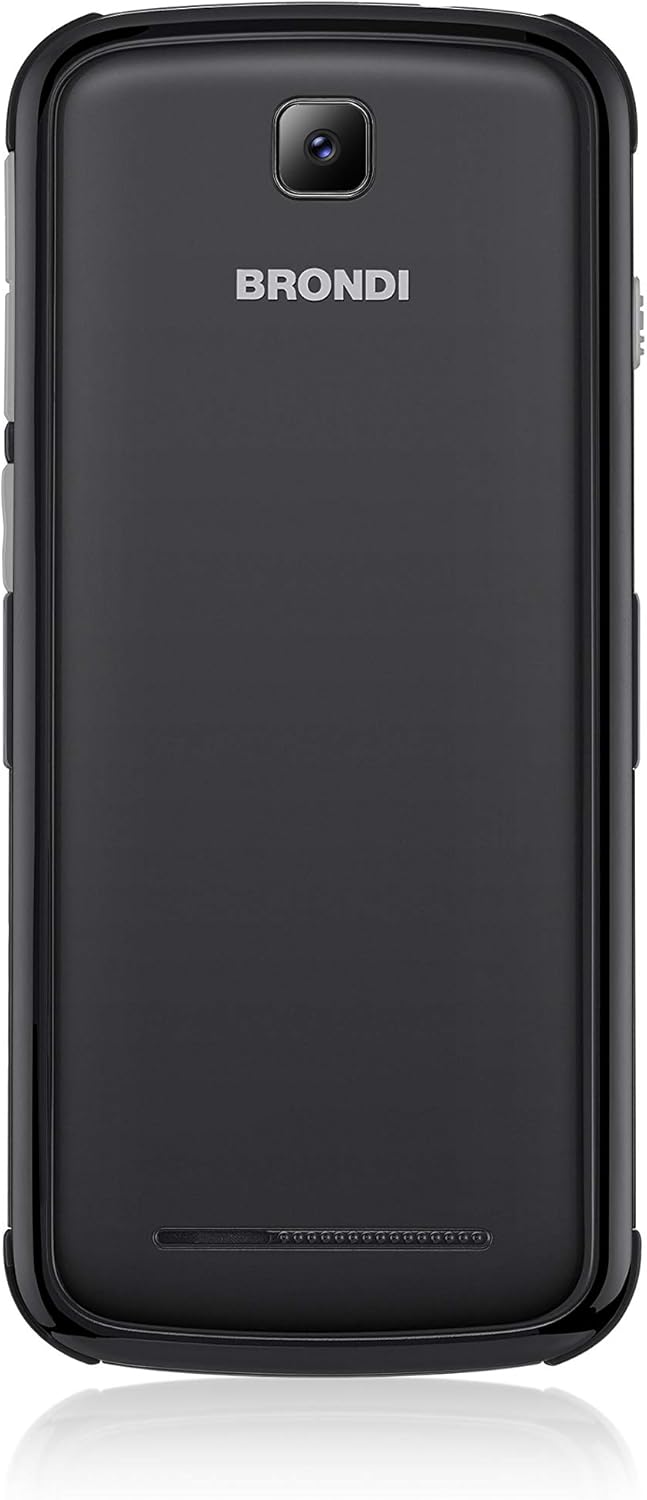
Image: Rear view of the BRONDI Amico Smartphone, displaying the camera lens at the top and the BRONDI brand logo in the center. This view is relevant for locating the battery and SIM card compartment.
2. Charging the Phone
Before first use, fully charge the phone battery. You can use either the included charging base or the direct charger.
- Using the Charging Base: Connect the charger to the charging base, then place the phone into the base. Ensure the phone is seated correctly and the charging indicator appears on the screen.
- Direct Charging: Connect the charger cable directly to the Micro USB port on the phone.
A full charge typically takes a few hours. The phone has a standby time of up to 200 hours and a talk time of 210 minutes.
Operating Instructions
Power On/Off
Press and hold the Power button (usually on the side) until the screen lights up or turns off.
Basic Navigation
The BRONDI Amico Smartphone features a 5-inch HD LCD touchscreen with large characters and clear menu icons for easy navigation. Tap icons to open applications or select options.

Image: Front view of the BRONDI Amico Smartphone screen, showing large, user-friendly icons for pre-installed applications such as Skype, Camera with Flash, WhatsApp, and Gallery. The BRONDI logo and an SOS button are visible below the screen.
Making Calls
- Tap the "Phone" icon on the home screen.
- Enter the phone number using the large on-screen keypad.
- Tap the "Call" button to initiate the call.
- To answer an incoming call, swipe the green phone icon. To reject, swipe the red phone icon.
Sending Messages
- Tap the "Messages" icon.
- Tap the "New Message" icon.
- Enter the recipient's number or select from contacts.
- Type your message and tap "Send".
SOS Function
The phone is equipped with a dedicated SOS button for emergencies. When pressed, it can automatically dial pre-set emergency contacts and send an emergency SMS with your location (if GPS is enabled and available).
- Setting up SOS contacts: Navigate to the SOS settings in the phone's menu to add emergency numbers.
- Activating SOS: Press and hold the SOS button for a few seconds.
Remote Control Function
The BRONDI Amico Smartphone includes a remote control function, allowing family members to manage certain settings or functions remotely. Refer to the dedicated section in the phone's settings for activation and usage details.
Using Pre-installed Applications
The phone comes with essential applications like WhatsApp and Skype pre-installed. Connect to a Wi-Fi network or use 3G data to utilize these communication apps.
- WhatsApp: For instant messaging and calls over the internet.
- Skype: For video and voice calls over the internet.
- Camera: Use the 5MP camera to take photos and videos.
Maintenance
Cleaning
Wipe the phone with a soft, dry cloth. Do not use liquid cleaners or aerosols, as they may damage the device. The phone is rated as waterproof, but avoid submerging it or exposing it to strong jets of water.
Battery Care
- Avoid extreme temperatures, which can reduce battery life.
- Charge the battery regularly, but avoid leaving it fully discharged for extended periods.
- Use only the original BRONDI charger and charging base.
Storage
If storing the phone for an extended period, charge the battery to about 50% and store it in a cool, dry place.
Troubleshooting
Phone does not turn on
- Ensure the battery is correctly inserted and charged.
- Connect the phone to the charger and wait a few minutes before attempting to power on again.
Cannot make or receive calls
- Check if the SIM card is properly inserted and activated.
- Ensure you have network coverage.
- Verify that the phone is not in Airplane Mode.
Screen is unresponsive
- Restart the phone.
- Ensure the screen is clean and dry.
Battery drains quickly
- Reduce screen brightness.
- Close unused applications running in the background.
- Disable Wi-Fi, Bluetooth, or GPS when not in use.
Specifications
| Brand | BRONDI |
| Model Name | Amico Smartphone |
| Model Number | 10277030 |
| Operating System | Android 5.1 |
| CPU Speed | 1.3 GHz Quad Core |
| Memory Storage Capacity | 4 GB |
| Screen Size | 5 Inches |
| Display Resolution | 1280 x 720 HD LCD |
| Cellular Technology | 3G |
| Connectivity Technology | Wi-Fi 802.11 b/g/n; Bluetooth 4.0 |
| SIM Card Slots | Dual SIM (Mini SIM) |
| Rear Camera Resolution | 5 Megapixels |
| Front Camera Resolution | 5 Megapixels |
| Battery Capacity | 2000 mAh (Lithium metal) |
| Talk Time | 210 Minutes |
| Standby Time | 200 Hours |
| Weight | 150 Grams |
| Dimensions | 15.1 x 6.9 x 1.1 cm |
| Water Resistance Level | Waterproof |
| Special Features | Remote Control, SOS Button, Large Keys, High Volume, Charging Base |
Warranty Information
BRONDI products are manufactured to high-quality standards. This product is covered by a limited warranty from the date of purchase. Please refer to the warranty card included in your product packaging for specific terms and conditions, including warranty period and coverage details. Keep your proof of purchase for warranty claims.
All BRONDI models are CE marked, indicating compliance with European health, safety, and environmental protection standards.
Support
For technical assistance, troubleshooting beyond this manual, or service inquiries, please contact BRONDI customer support. Contact details can typically be found on the BRONDI official website or in the documentation provided with your product.
When contacting support, please have your product model number (10277030) and proof of purchase ready.