
1. Introduction
Thank you for choosing the AMASE AUDIO Android 14 Universal Car Stereo. This manual provides essential information for the proper installation, operation, and maintenance of your new 10.1" Electric Rotated Touchscreen car stereo, designed for 7-inch DIN car slots. Please read this manual thoroughly before use to ensure optimal performance and safety.
2. Safety Information
- Professional Installation Recommended: Due to the complexity of car electrical systems, professional installation is highly recommended to prevent damage to the unit or your vehicle.
- Driving Safety: Do not operate the unit's advanced features or watch videos that may distract you while driving. Always prioritize road safety.
- Power Supply: Ensure the unit is connected to a 12V DC power supply with negative grounding.
- Avoid Moisture: Do not expose the unit to rain or moisture to prevent fire or electric shock.
- Temperature: Avoid extreme temperatures. The operating temperature range is typically -20°C to +70°C.
- Cleaning: Use a soft, dry cloth for cleaning. Avoid abrasive cleaners or solvents.
3. Package Contents
The package includes all necessary parts for installation and operation:
- AMASE AUDIO Android 14 Universal Car Stereo (7-inch DIN)
- Power Cable
- Audio Adapter Cable (x2)
- Audio Video Adapter Cable
- Backup Camera Video Input Cable
- CarPlay & Android Auto USB Adapter Cable (x2)
- SD Card Cable
- GPS Antenna
- External Microphone
- 4G WiFi Antenna
- Fixed Bracket (x2)
- Screws (x8)
- 15A Fuse

Image: Detailed view of all components included in the AMASE AUDIO car stereo package, laid out neatly on a white surface.
4. Product Overview
4.1 Key Features
- Operating System: Android 14.0 with Hexa-Core processor, 4GB RAM, and 64GB ROM.
- Display: 10.1" Electric Rotated Touchscreen, auto-adjustable up to 90 degrees.
- Audio: Built-in DSP (Digital Sound Processor) for enhanced sound quality.
- Connectivity: 2.4GHz WiFi, Bluetooth 5.4, 4G cellular network support (with SIM card insert).
- Navigation: Built-in Google Maps for GPS navigation.
- Smartphone Integration: Supports Apple CarPlay and Android Auto (wireless).
- Multimedia: 1080p movie playback, split-screen functionality.
- Additional Features: Multicolor LED buttons, built-in apps for OBDII & rear camera (devices not included).
4.2 Physical Description and Dimensions
The unit features a sleek design with a 10.1-inch touchscreen that can rotate to optimize viewing angles. The main unit is designed for a 7-inch DIN car slot.

Image: Front view of the AMASE AUDIO car stereo, highlighting the 10.1-inch touchscreen.
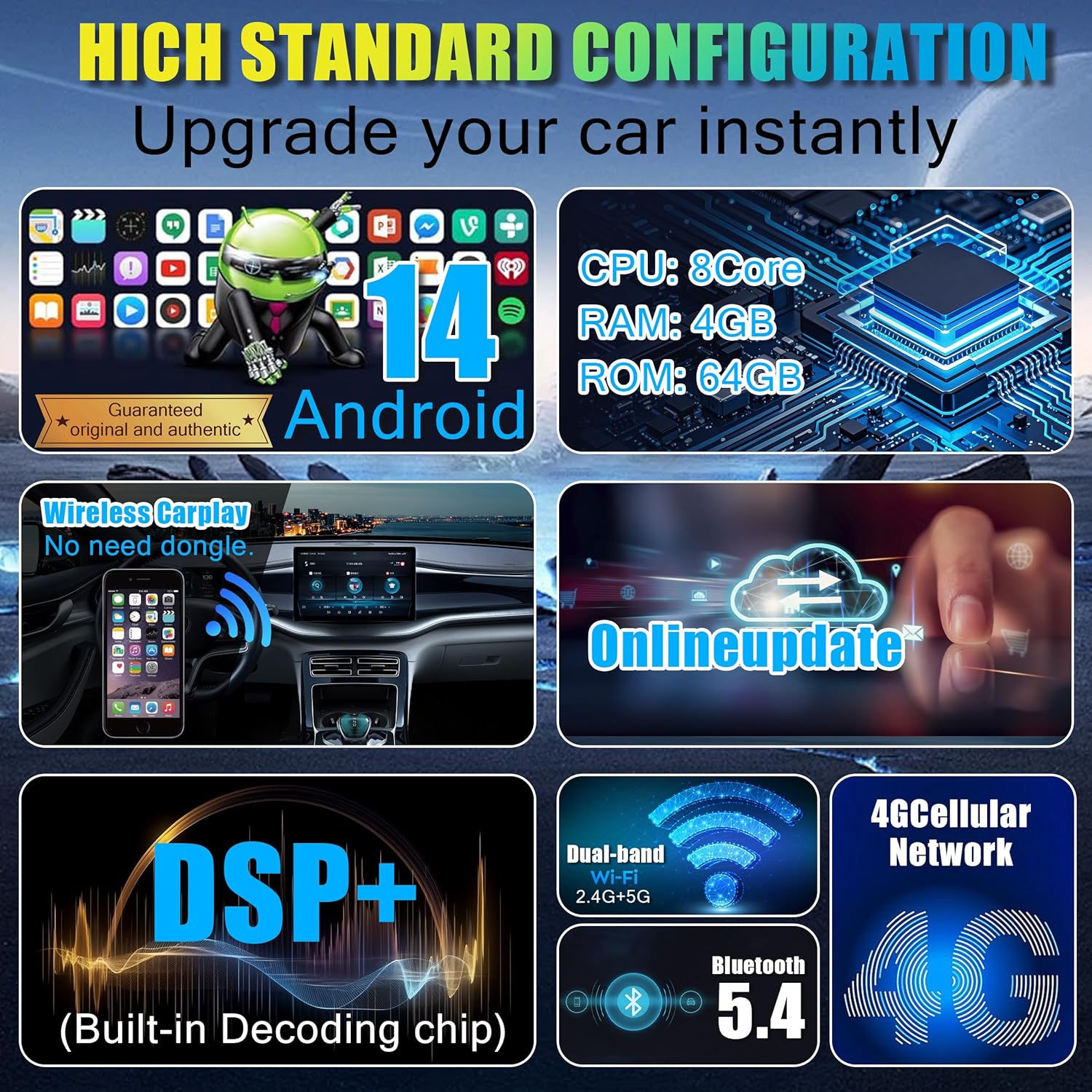
Image: Rear view of the AMASE AUDIO car stereo, illustrating the layout of ports and connectors for wiring.

Image: Comprehensive wiring diagram for the AMASE AUDIO car stereo, labeling each connection point for proper installation.
5. Setup & Installation
5.1 Installation Remarks
This head unit is designed for universal fit in 7-inch DIN car slots. Please note the following:
- This unit does not support factory steering wheel controls of new car models that use a CANbus design. The package does not include a CANbus part.
- Ensure all wiring is correctly connected according to the provided diagram to prevent electrical issues.
- Securely mount the unit using the provided fixed brackets and screws.
5.2 Wiring Diagram
Refer to the detailed wiring diagram below for proper connection of all components, including power, audio, video inputs, and antennas.

Image: Detailed wiring diagram for the AMASE AUDIO car stereo, illustrating connections for various components.
6. Operating Instructions
6.1 Initial Power-On and User Interface
Upon initial power-on, the unit will boot into the Android 14 operating system. The user interface is designed for responsiveness and ease of use. You can customize the background color and choose from three available themes.
Video: This video demonstrates the responsive user interface, electric screen rotation, and various applications available on the AMASE AUDIO car stereo. It shows the unit booting up, navigating through apps, and adjusting settings like background color and themes.
6.2 Electric Rotated Touchscreen
The 10.1-inch touchscreen can be automatically rotated up to 90 degrees for optimal viewing. The UI interface will sync and adjust accordingly.

Image: The car stereo screen automatically rotating to a vertical orientation, with the user interface adapting to the new display mode.
6.3 Bluetooth Connection
Connect your smartphone via Bluetooth 5.4 for wireless music playback, hands-free calling, and access to your phone's contacts. The unit supports general Bluetooth music streaming and enhanced DSP sound effects.
Video: This video demonstrates the Bluetooth music quality and the DSP sound effect adjustments on the AMASE AUDIO car stereo. It shows switching between songs and applying different equalizer presets.
6.4 Audio Settings (DSP)
The built-in DSP allows for precise audio adjustments, including 7 preset EQ modes (Classic, Pop, Rock, Jazz, etc.) and custom settings. You can also adjust special effects like loudness, phase, and bass/subwoofer levels.
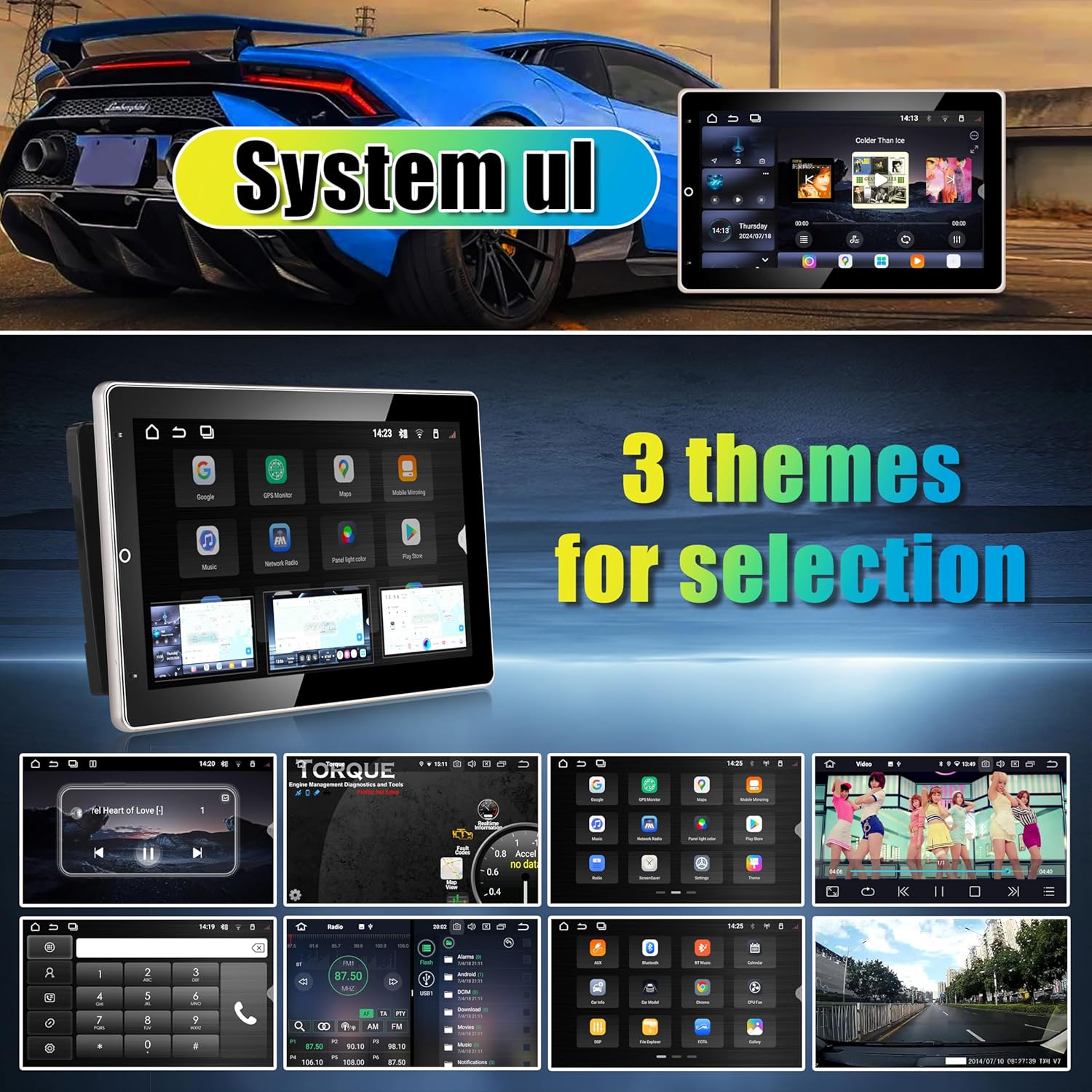
Image: The DSP (Digital Sound Processor) interface on the car stereo, showing detailed equalizer settings and sound effect adjustments for optimal audio customization.
6.5 Connectivity (WiFi & 4G)
The unit supports 2.4GHz WiFi and can connect to the internet via a SIM card (4G cellular network) or by tethering to your smartphone's hotspot. This allows for online navigation, app downloads, and streaming.

Image: The car stereo displaying its WiFi hotspot sharing feature, connected to a smartphone for internet access.
6.6 Google Maps / GPS Navigation
Utilize the built-in Google Maps for reliable GPS navigation. The unit supports online navigation downloads, ensuring you always have access to up-to-date maps and traffic information.
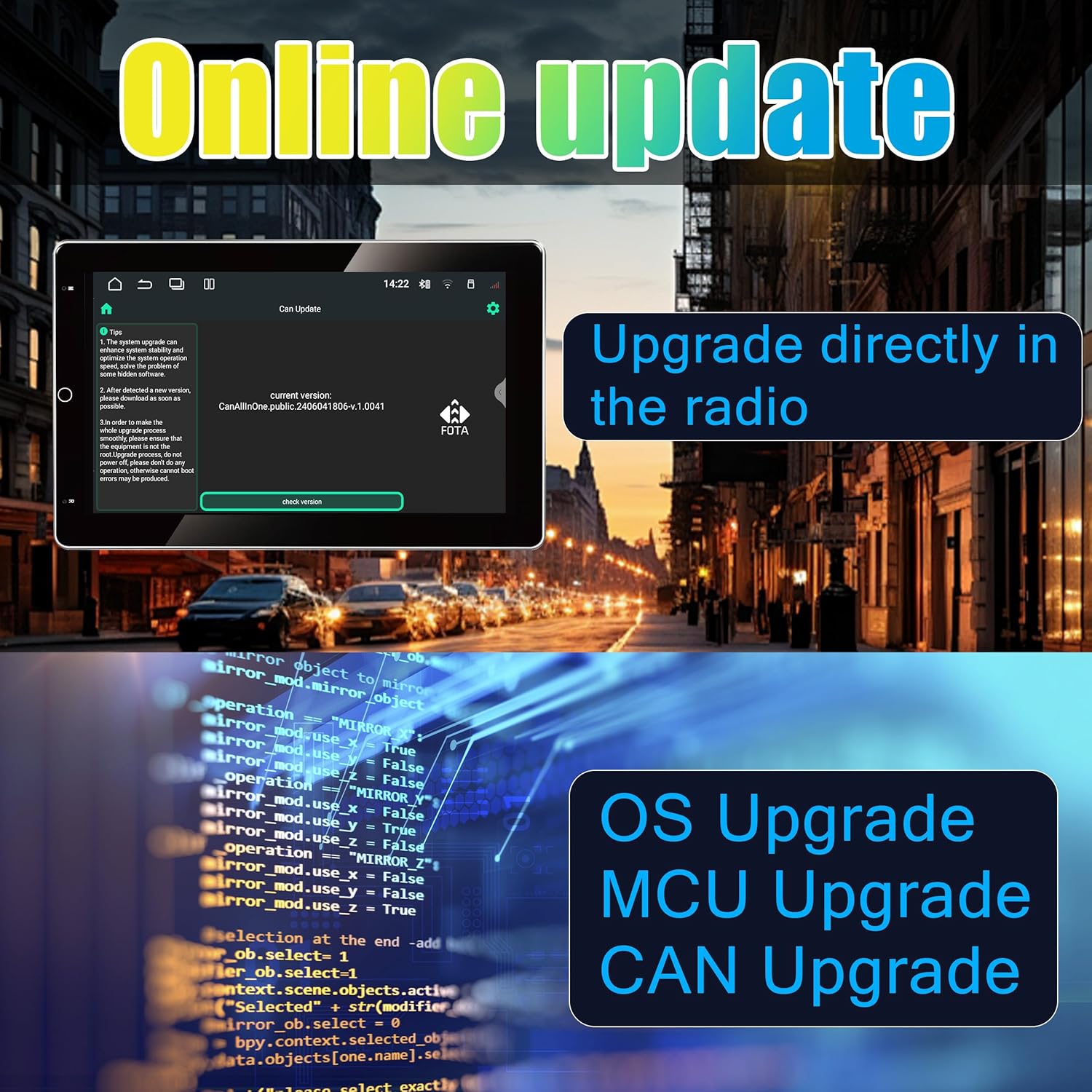
Image: The car stereo screen showing Google Maps in navigation mode, providing directions and route information.
6.7 Apple CarPlay / Android Auto
Seamlessly integrate your smartphone with wireless Apple CarPlay and Android Auto. Access your phone's apps, navigation, music, and messages directly from the car stereo's display.

Image: The car stereo screen showcasing both Apple CarPlay and Android Auto interfaces, demonstrating seamless smartphone integration.
6.8 Mirrorlink Function
The Mirrorlink function allows you to mirror your smartphone's screen directly onto the car stereo display. This feature is compatible with both Android and iPhone devices.
Video: This video demonstrates the Mirrorlink function for both Android and iPhone devices, showing how to connect and mirror the smartphone screen onto the car stereo display.
6.9 Online Updates
Keep your car stereo up-to-date with online updates for the OS, MCU, and CAN. This ensures optimal performance and access to the latest features.

Image: The online update screen on the car stereo, showing options for OS, MCU, and CAN upgrades to keep the system current.
6.10 Rear Camera Input
The unit supports rear camera input, providing a full-screen view, reverse image, and parking assist lines for safer maneuvering. (Rear camera device not included).

Image: The car stereo screen showing a rear camera feed with parking assist lines, aiding in safe reversing and parking.
6.11 OBDII & TPMS Support
The unit includes built-in apps to support OBDII (On-Board Diagnostics II) and TPMS (Tire Pressure Monitoring System) devices. Monitor your vehicle's performance and tire pressure directly from the stereo. (OBDII and TPMS devices not included).

Image: The car stereo screen showing an interface for TPMS (Tire Pressure Monitoring System) and OBDII (On-Board Diagnostics II) data, allowing users to monitor vehicle health.
7. Maintenance
- Screen Cleaning: Use a soft, lint-free cloth to gently wipe the touchscreen. For stubborn smudges, slightly dampen the cloth with water or a screen-safe cleaner.
- Software Updates: Regularly check for and install online system updates to ensure optimal performance, security, and access to new features.
- Avoid Liquid Contact: Keep liquids away from the unit to prevent damage.
- Ventilation: Ensure the unit's ventilation openings are not blocked to prevent overheating.
8. Troubleshooting
| Problem | Possible Cause | Solution |
|---|---|---|
| Unit does not power on. | Incorrect wiring; Blown fuse; Insufficient power supply. | Check power cable connections. Inspect and replace the 15A fuse if necessary. Ensure stable 12V DC power. |
| No sound output. | Speaker wires disconnected; Volume too low; Mute function active; Incorrect audio settings. | Verify speaker connections. Increase volume. Check if mute is active. Adjust DSP settings. |
| Bluetooth not connecting. | Bluetooth off on unit or phone; Device not in pairing mode; Interference. | Ensure Bluetooth is enabled on both devices. Put devices in pairing mode. Try restarting both devices. |
| GPS signal weak or inaccurate. | GPS antenna not properly installed or obstructed. | Ensure GPS antenna is mounted in a clear location with an unobstructed view of the sky. |
| Screen unresponsive or frozen. | Software glitch; Overheating. | Perform a soft reset (refer to system settings). If issue persists, check for system updates. |
9. Specifications
| Feature | Detail |
|---|---|
| Brand | AMASE AUDIO |
| Model Number | 7inch Din |
| Operating System | Android 14 |
| Processor | Hexa-Core |
| Memory (RAM) | 4GB |
| Storage (ROM) | 64GB |
| Screen Size | 10.1 inches |
| Special Feature | 90° Electric Rotated Touchscreen, DSP, Online Navigation, Wireless CarPlay/Android Auto |
| Connectivity Technology | Bluetooth, USB, Wi-Fi, 4G (SIM card insert) |
| Bluetooth Version | 5.4 |
| Audio Output Mode | Stereo |
| Video Encoding | H.264, H.265/HEVC |
| Item Weight | 2.81 Kilograms |
10. Warranty & Support
Warranty: This product comes with a one-year warranty. Defective parts will be replaced free of charge, excluding the screen (human-damaged items are not included).
For technical support or warranty claims, please contact AMASE AUDIO customer service through the retailer where the product was purchased.