
1. Introduction
Thank you for choosing the CHWARES FG260RB Smart Body Fat Scale. This digital scale is designed to provide accurate body composition analysis, helping you track 13 essential body metrics. Featuring high-precision sensors, a durable tempered glass platform, and USB rechargeability, this scale offers a convenient way to monitor your health and fitness progress. This manual will guide you through the setup, operation, and maintenance of your new smart scale.
2. Important Safety Information
Please read all safety instructions before using the device. Failure to follow these instructions may result in injury or damage to the device.
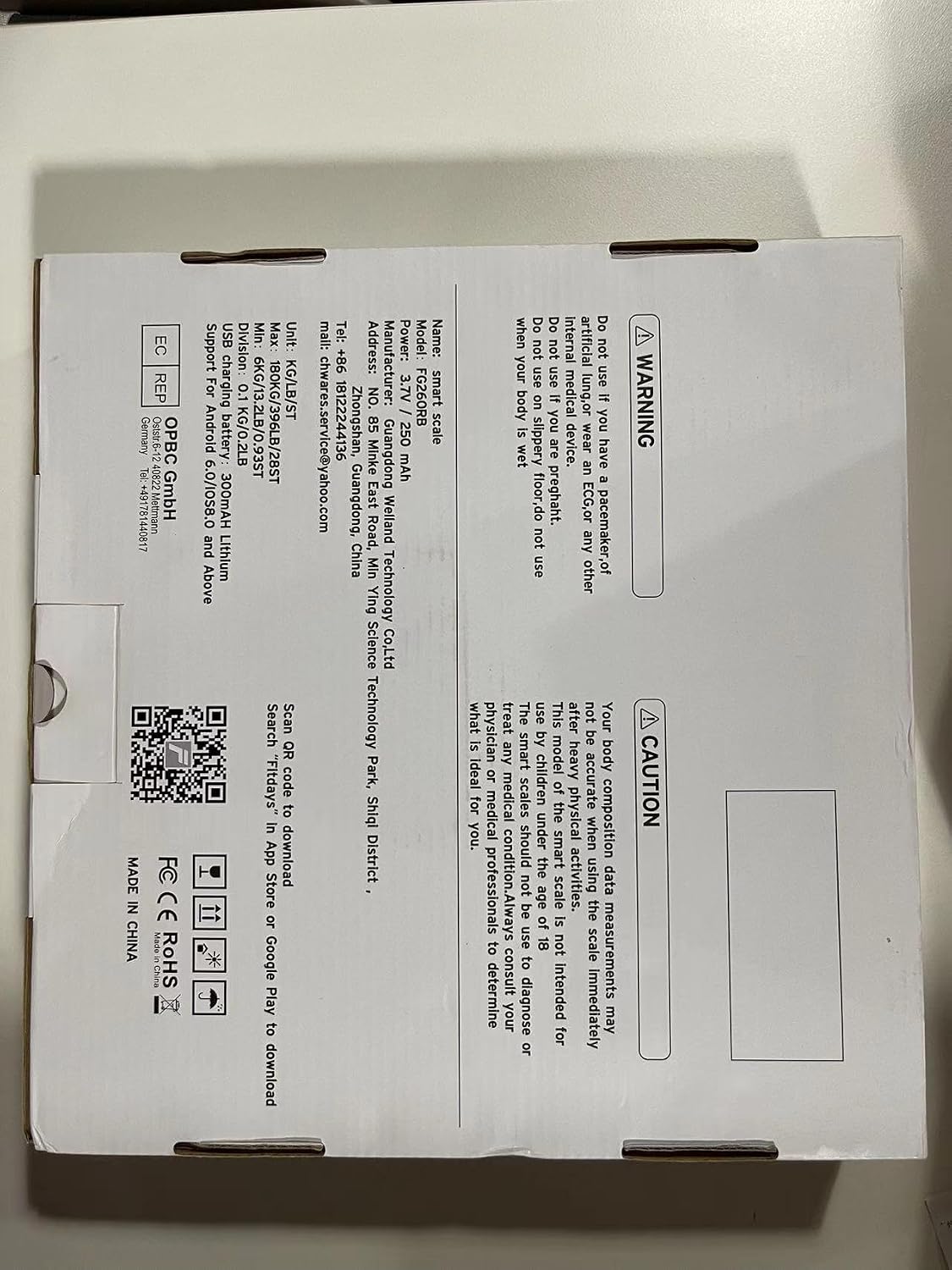
- WARNING: Do not use this scale if you have a pacemaker or any other internal medical device.
- CAUTION: Body composition data measurements may be inaccurate if you are wearing an ECG or any other internal medical device.
- This smart scale is not intended for use by children under the age of 18.
- Do not use this scale to diagnose or treat any medical condition. Always consult your physician or medical professional to determine what is suitable for you.
- Keep the scale dry. Do not immerse in water.
- Place the scale on a hard, flat surface for accurate readings. Avoid carpets or soft surfaces.
- Do not jump on the scale.
3. Package Contents
Please check the package for the following items:
- CHWARES FG260RB Smart Body Fat Scale
- USB Charging Cable
- User Manual (this document)

4. Product Overview
The CHWARES FG260RB Smart Body Fat Scale is equipped with advanced technology to provide comprehensive body data. Key features include:
- High Precision Weighing: 4 high-precision sensors and 4 sensitive electrodes ensure accurate measurements with 0.2lbs/0.1kg increments and a 400lbs/180kg capacity.
- Durable Design: Features a 6mm thick tempered glass plate for safety and comfort.
- Full Biometric Analysis: Measures 13 important body metrics including body weight, BMI, body fat, body water, muscle mass, bone mass, and more.
- Rechargeable Battery: Built-in rechargeable battery eliminates the need for disposable batteries, offering approximately three months of use on a full charge.
- LCD Display: Clear digital display for easy weight readings.
- Smart App Integration: Syncs with the FITDAYS app via Bluetooth for detailed data tracking and analysis.


5. Setup
5.1 Initial Charging
Before first use, ensure the scale is fully charged. Connect the provided USB charging cable to the scale's charging port and to a standard USB power adapter (not included) or a computer USB port.

5.2 Download the FITDAYS App
The CHWARES Smart Body Fat Scale works with the FITDAYS app to provide detailed body composition analysis. Download the app from your device's app store:
- For iOS devices: Search 'FITDAYS' in the Apple App Store.
- For Android devices: Search 'FITDAYS' in the Google Play Store.
- Alternatively, you can visit the official FITDAYS website: http://www.fitfeel.cn/fitdays/

5.3 App Setup and Bluetooth Pairing
- Open the FITDAYS app and create your user profile. Enter accurate personal information (gender, age, height) as this is crucial for precise body composition calculations.
- Ensure Bluetooth is enabled on your smartphone.
- Step onto the scale barefoot. The scale will automatically turn on and display your weight.
- The app will automatically detect and connect to the scale via Bluetooth. Once connected, your weight and other body composition data will sync to the app.
6. Operating Instructions
6.1 Taking a Measurement
- Place the scale on a hard, flat surface.
- Ensure your feet are clean and dry.
- Step onto the scale barefoot, placing your feet on the four metal electrodes. Stand still until the weight reading stabilizes on the LCD display.
- If the app is open and connected via Bluetooth, your data will automatically sync.

6.2 Using the FITDAYS App
The FITDAYS app provides a comprehensive overview of your body data and progress.
- Dashboard: View your current weight and other key metrics.
- Charts: Track changes in your body data over days, weeks, months, and years with detailed graphs. This is ideal for monitoring progress towards fitness goals.
- User Management: The scale supports unlimited user profiles (up to 24 users) within the app, making it suitable for families. Each user can track their data independently.
- Data Sync: Easily sync your data with other popular fitness apps like Apple Health, Google Fit, Fitbit, and Samsung Health.


7. Understanding Your Body Data
The CHWARES FG260RB scale measures 13 key body composition metrics:
| Metric | Description |
|---|---|
| Weight | Your total body mass. |
| BMI (Body Mass Index) | A measure of body fat based on height and weight. |
| Body Fat Rate | The percentage of fat in your body. |
| Muscle Mass | The total weight of muscle in your body. |
| Subcutaneous Fat | Fat stored directly under the skin. |
| Visceral Fat | Fat stored around internal organs. |
| Body Water | The total amount of fluid in your body. |
| Skeletal Muscle | Muscle attached to bones, responsible for movement. |
| Fat-free Body Weight | Your total body weight minus body fat. |
| Bone Mass | The total weight of bone in your body. |
| Protein | The amount of protein in your body. |
| BMR (Basal Metabolic Rate) | The number of calories your body needs to perform basic, life-sustaining functions. |
| Body Age | An estimation of your body's biological age based on your metrics. |
8. Maintenance
8.1 Cleaning
To clean the scale, wipe the surface with a damp cloth and a mild detergent. Do not use abrasive cleaners or immerse the scale in water.
8.2 Storage
Store the scale in a cool, dry place. Avoid extreme temperatures and direct sunlight. Do not place heavy objects on the scale when not in use.
9. Troubleshooting
If you encounter issues with your CHWARES Smart Body Fat Scale, refer to the following common problems and solutions:
- Scale does not turn on: Ensure the scale is charged. Connect it to a USB power source using the provided cable.
- "Lo" displayed: Indicates low battery. Recharge the scale.
- "Err" displayed: Indicates an error during measurement. Step off the scale, wait a few seconds, and then step back on. Ensure you are standing still and your feet are properly placed on the electrodes.
- Inaccurate readings: Ensure the scale is on a hard, flat surface. Avoid carpets. Make sure your feet are clean and dry. Check your profile information in the FITDAYS app for accuracy (gender, age, height).
- No data sync to app: Ensure Bluetooth is enabled on your smartphone and the FITDAYS app is open. Make sure the scale is charged and within Bluetooth range. Try restarting both the scale (by stepping off and on) and the app.
- Body composition data not showing: Ensure you are stepping on the scale barefoot with your feet making good contact with all four electrodes. Body composition analysis requires bioelectrical impedance, which needs skin contact.
10. Specifications
| Feature | Detail |
|---|---|
| Model Number | FG260RB |
| Dimensions | 26 x 26 x 2.3 cm (10.2 x 10.2 x 0.9 inches) |
| Weight Limit | 180 kg (400 lbs) |
| Read-out Accuracy | 0.1 kg (0.2 lbs) |
| Material | Tempered Glass |
| Display Type | LCD with Backlit Display |
| Power Source | USB Rechargeable (3.7V / 250 mAh Lithium Battery) |
| Connectivity | Bluetooth |
| App Compatibility | FITDAYS (iOS 8.0+ / Android 6.0+) |
| Special Features | 13 Body Data Metrics, Auto On/Off, Low Battery Indicator |
11. Warranty and Support
For warranty information or technical support, please refer to the documentation included with your purchase or contact CHWARES customer service directly. Contact details can typically be found on the product packaging or the official CHWARES website.
