
1. Introduction
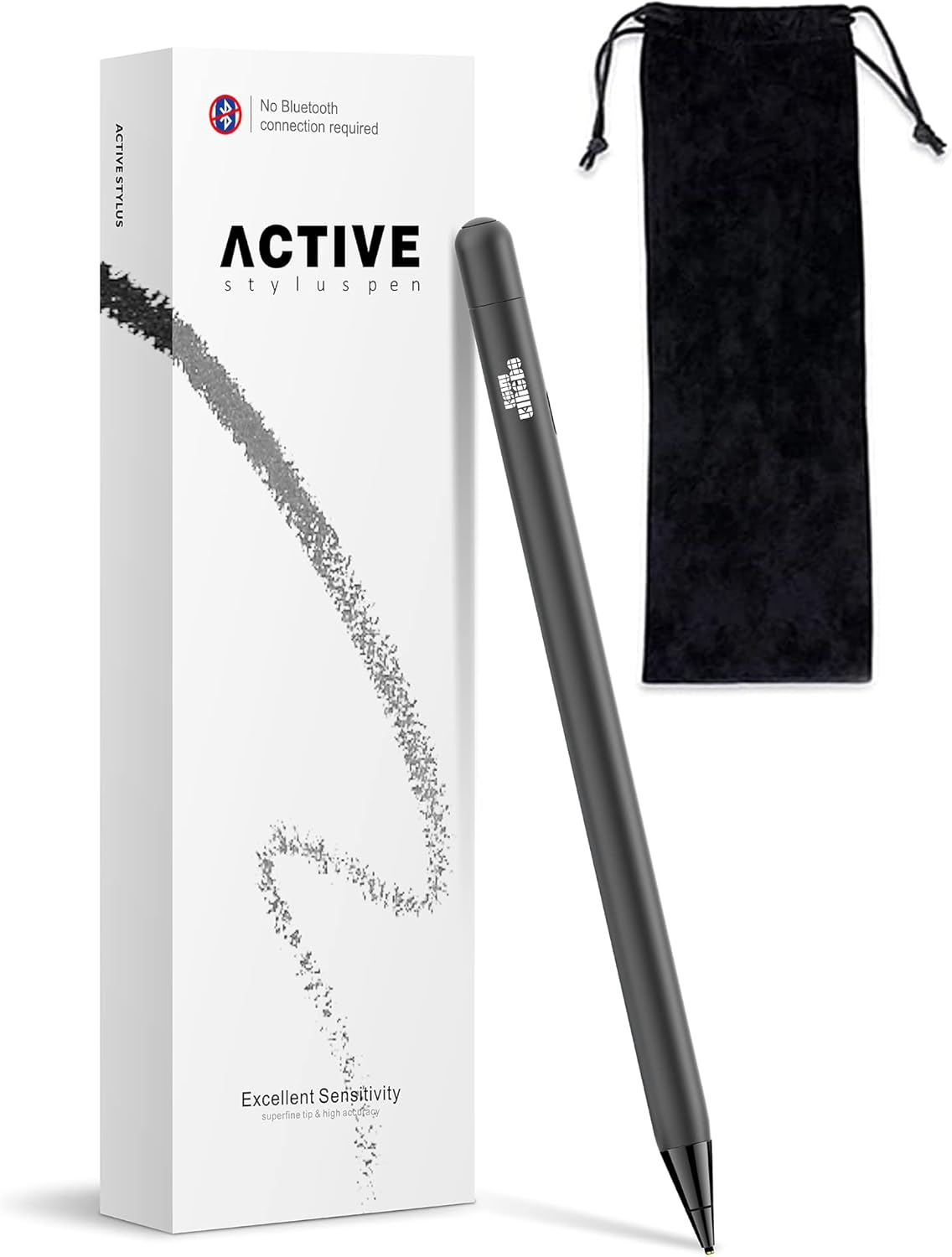
This manual provides comprehensive instructions for the KSW KINGDO Rechargeable 1.4mm Fine Tip Stylus Pen. This stylus is designed to enhance your interaction with various Apple iOS devices, offering precise control for tasks such as drawing, writing, and general navigation.
2. What's in the Box
- 1x KSW KINGDO Stylus Pen
- 1x USB-C Charging Cable
- 1x Pencil Carrying Bag
- 1x User Manual
3. Compatibility
The KSW KINGDO Stylus Pen is designed for broad compatibility with Apple iOS devices. No Bluetooth pairing is required for operation.
Compatible Models:
- iPad Pro: 12.9-inch (5th, 4th, 3rd Gen), 11-inch (3rd, 2nd, 1st Gen), 10.5-inch, 9.7-inch
- iPad Air: 4th, 3rd, 2nd, 1st Gen
- iPad mini: 6th, 5th, 4th, 3rd, 2nd, 1st Gen
- iPad: 9th, 8th, 7th, 6th, 5th, 4th, 3rd, 2nd, 1st Gen
- iPhone: 16/16 Pro/16 Pro Max/16 Plus, 15/15 Pro/15 Pro Max/15 Plus, 14/14 Pro/14 Pro Max/14 Plus, 13, 12 Pro Max/12 Pro/12 mini/12, 11 Pro Max/11 Pro/11, XS Max/XS/XR/X, SE-2, 8 Plus/8, 7 Plus/7, SE, 6s/6s Plus, 6 Plus/6, 5s/5c/5, 4s/4
Important Notes:
- All compatible iPad iOS systems must be updated to iOS 12.2 or above.
- If your iPad was previously paired with an Apple Pencil, please unpair it before using the KSW KINGDO Stylus Pen.
- The stylus is not recommended for Android phones.
- If your iPhone 13 Pro Max has a protective film, this stylus may not be compatible.


4. Setup
The KSW KINGDO Stylus Pen is designed for immediate use without complex setup procedures.
Getting Started:
- Ensure the stylus is charged (refer to Section 6: Charging).
- Press the power button on the stylus to turn it on.
- No drivers or Bluetooth pairing are required. The stylus is ready to use with your compatible Apple iOS device.
5. Operating Instructions
The KSW KINGDO Stylus Pen offers precise control for various digital tasks.
Usage:
- The 1.4mm fine tip provides accurate control for detailed work.
- Use the stylus for note-taking, sketching, drawing, and interacting with games or other applications.
- The stylus is designed for a smooth and responsive experience on touchscreens.


6. Charging
The KSW KINGDO Stylus Pen features fast charging and extended battery life.
Charging Instructions:
- Connect the included USB-C cable to the stylus and a compatible power source.
- A full charge takes less than 1 hour.
- The stylus can be used for over 10 hours on a single charge.
- It features a 30-minute auto-sleep function when not in use to conserve battery.
- The standby time is approximately 120 days.

7. Maintenance
To ensure optimal performance and longevity of your KSW KINGDO Stylus Pen, follow these maintenance guidelines:
- Keep the stylus tip clean and free from dust or debris. Use a soft, dry cloth for cleaning.
- Store the stylus in its provided carrying bag when not in use to protect the tip and body from damage.
- Avoid dropping the stylus or subjecting it to strong impacts.
- Do not expose the stylus to extreme temperatures or moisture.
8. Troubleshooting
If you encounter issues with your KSW KINGDO Stylus Pen, refer to the following common solutions:
Stylus is skipping or not registering lines correctly:
- Ensure the stylus tip is securely fastened. If the grey part at the tip is loose, gently screw it back down tightly.
- Verify that your device's screen is clean and free of smudges or debris that might interfere with touch input.
- Confirm that your device's iOS is updated to version 12.2 or above.
- If using an iPad previously paired with an Apple Pencil, ensure the Apple Pencil is unpaired from your device's Bluetooth settings.
Stylus does not turn on or hold a charge:
- Ensure the stylus is fully charged using the provided USB-C cable.
- Check the charging cable and adapter for any damage. Try a different USB-C cable or power source if available.
Inconsistent writing or drawing performance:
- While the stylus offers precision, very small or rapid strokes might occasionally be missed by some applications. Adjusting writing speed or size may improve recognition.
- Some screen protectors may affect stylus performance. If you experience significant issues, try testing the stylus without a screen protector.
9. Specifications
| Feature | Detail |
|---|---|
| Model Number | B08CV7CJ98 |
| Package Dimensions | 7.83 x 2.2 x 0.71 inches |
| Item Weight | 1.76 ounces |
| Battery Type | Rechargeable (via USB-C) |
| Charging Time | Less than 1 hour |
| Working Time | Over 10 hours |
| Standby Time | 120 Days |
| Material | Aluminum |
| Color | Black |
| Manufacturer | KSW KINGDO |
| First Available Date | August 4, 2020 |
10. Warranty & Support
KSW KINGDO stands behind the quality of its products.
Warranty Information:
- 30-Day Money Back Guarantee: If you are not satisfied with your purchase, you may return it within 30 days for a full refund.
- 12-Month Replacement Warranty: The product is covered by a 12-month replacement warranty for manufacturing defects.
For further assistance or support, please refer to the contact information provided in your product packaging or visit the official KSW KINGDO website.