
UGREEN 80887
UGREEN USB SD Card Reader Instruction Manual
Model: 80887
1. Introduction
Thank you for choosing the UGREEN USB SD Card Reader. This device is designed to provide fast and reliable data transfer between your memory cards and computer. Its compact and durable design makes it an ideal accessory for photographers, videographers, and anyone needing quick access to their digital media.
2. Product Overview
The UGREEN USB SD Card Reader (Model 80887) features a robust aluminum shell and a braided nylon cable for enhanced durability and heat dissipation. It includes dedicated slots for SD and Micro SD (TF) cards, allowing for simultaneous reading and writing.

Image: The UGREEN USB SD Card Reader with an SD card and a Micro SD card partially inserted, showcasing its dual slot design and braided cable.
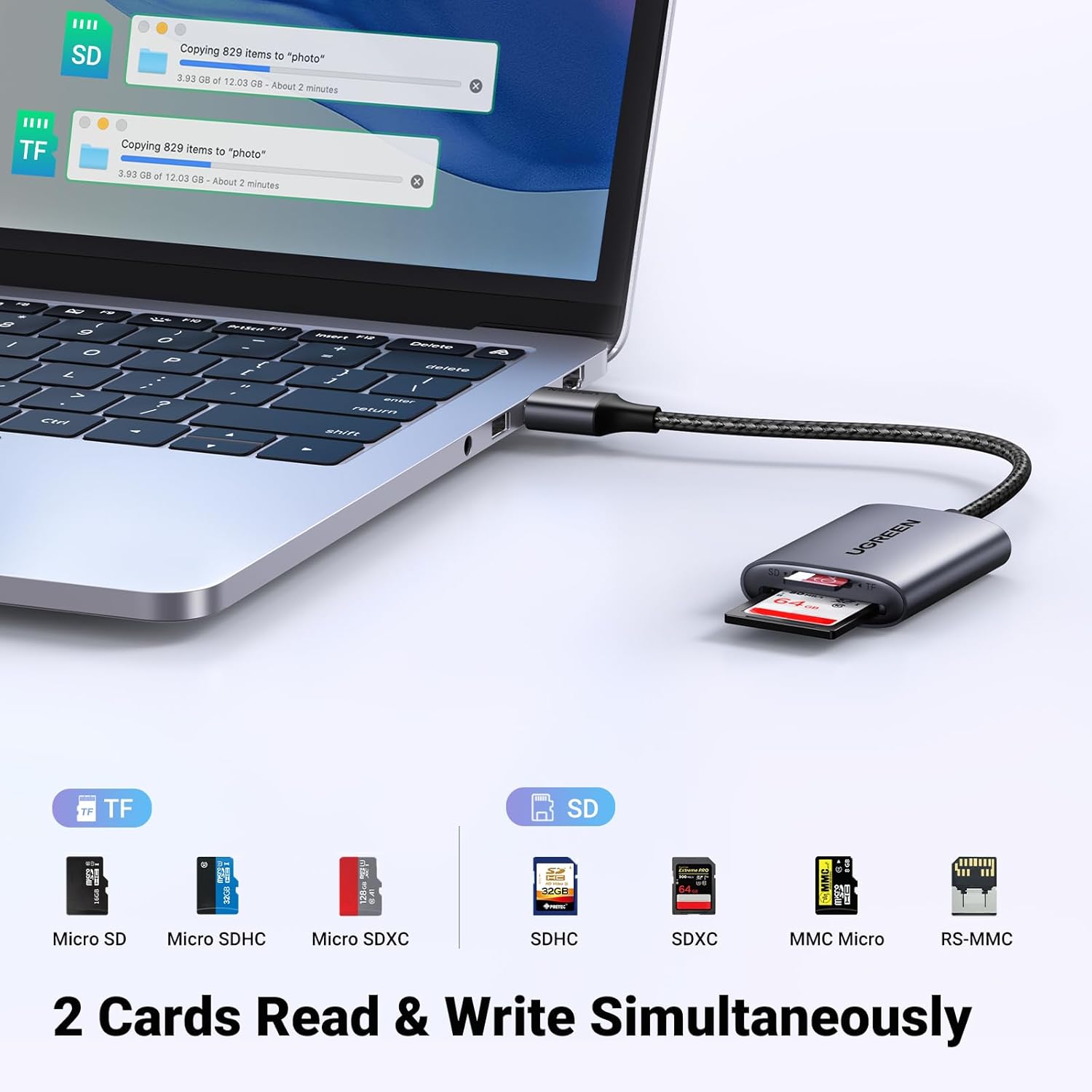
Image: The card reader connected to a laptop, illustrating its ability to read and write to both SD and TF (Micro SD) cards simultaneously. Various card types like Micro SD, SDHC, SDXC, MMC Micro, and RS-MMC are shown as compatible.

Image: The card reader surrounded by logos of various operating systems (Windows, Mac OS, Linux, Chrome OS), indicating its plug-and-play compatibility across different platforms.

Image: A visual comparison demonstrating how the UGREEN card reader's 5.9-inch cable prevents it from blocking adjacent USB ports on a laptop, unlike a direct plug-in reader.
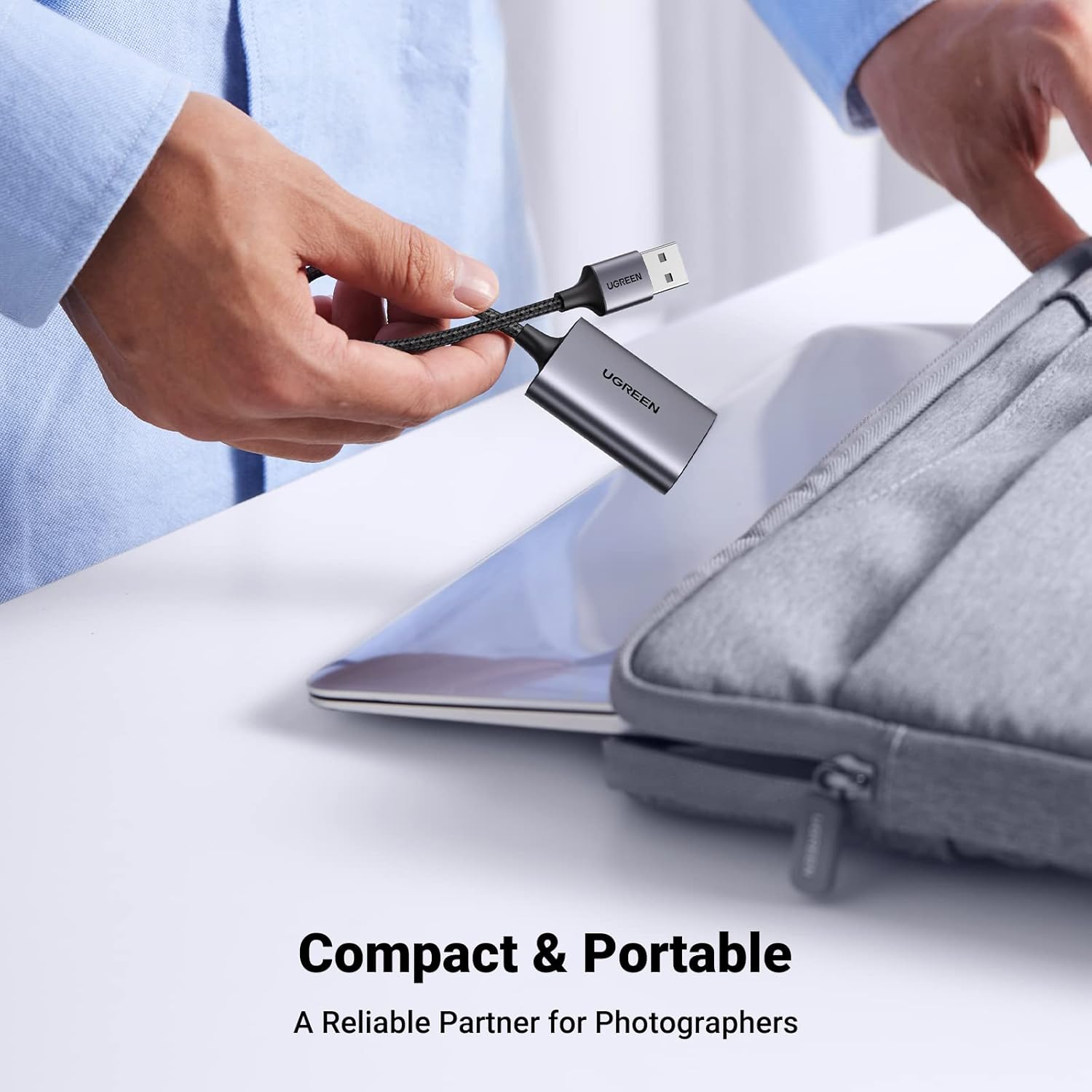
Image: A hand demonstrating the compact size of the UGREEN card reader by placing it into a laptop sleeve, emphasizing its portability for travel.

Image: A diagram highlighting the special design features of the card reader, including its braided nylon cable for flexibility and durability, and its aluminum shell for better heat dissipation.
3. Key Features
- Faster USB 3.0 Transmission: Supports up to 5Gbps data transfer rate, 10x faster than USB 2.0, and backwards compatible with USB 2.0/1.1. Equipped with a GL3224 smart chip for secure and stable data transmission.
- Simultaneous Reading & Writing: Capable of reading and writing SD/microSD cards concurrently. Compatible with SD, SDHC, SDXC, Micro SD, Micro SDHC, and Micro SDXC cards up to 2TB storage capacity.
- Easy to Use: Plug and play functionality, requiring no drivers for Windows 11/10/8/7/XP/Vista, macOS, Chrome OS, Linux, and other operating systems. Works seamlessly with computers, laptops, and PCs featuring a USB-A port.
- Premium Aluminum Materials: Features a durable aluminum-alloy case and a nylon braided cable, offering superior heat dissipation and extended lifespan.
- Conveniently Portable: Ultra-slim and compact design for easy portability, making it an ideal travel companion for use with cameras, digital cameras, trail cameras, dashcams, and drones.
4. Setup
Setting up your UGREEN USB SD Card Reader is straightforward due to its plug-and-play design.
- Locate an available USB-A port on your computer, laptop, or PC.
- Insert the USB-A connector of the UGREEN card reader into the USB port.
- Your operating system will automatically detect the device. No additional drivers are required.
Video: This video demonstrates the ease of use of the UGREEN USB SD Card Reader, showing how to insert a Micro SD card into a camera, then remove it and insert it into the UGREEN reader, which is then plugged into a laptop for quick data transfer. It highlights the plug-and-play functionality and the compact design.
5. Operating Instructions
The UGREEN USB SD Card Reader allows for efficient data management from your memory cards.
- Insert Memory Card: Gently insert your SD card into the SD slot or your Micro SD (TF) card into the TF slot. Ensure the card is inserted correctly with the contacts facing down. The reader supports simultaneous use of both slots.
- Access Data: Once inserted and connected to your computer, the memory card will appear as a removable drive. You can then access, copy, move, or delete files as you would with any other storage device.
- Data Transfer: Drag and drop files between your computer and the card reader. The USB 3.0 interface ensures high-speed data transfer for large files, such as high-resolution photos and videos.
- Eject Safely: Before disconnecting the card reader or removing the memory card, always safely eject the device from your operating system to prevent data corruption.

Image: The UGREEN card reader connected to a laptop, visually representing its 5Gbps data transfer speed via USB 3.0, significantly faster than USB 2.0's 480 Mbps.

Image: The card reader facilitating data transfer from a camera to a laptop, highlighting its built-in GL3224 smart chip which ensures safe and stable data transmission for various media types.
6. Maintenance
To ensure the longevity and optimal performance of your UGREEN USB SD Card Reader, follow these simple maintenance guidelines:
- Keep the device clean and free from dust and debris. Use a soft, dry cloth for cleaning.
- Avoid exposing the reader to extreme temperatures, humidity, or direct sunlight.
- Do not bend or twist the cable excessively, as this can damage the internal wires.
- Store the reader in a safe place when not in use to prevent physical damage.
7. Troubleshooting
If you encounter issues with your UGREEN USB SD Card Reader, try the following troubleshooting steps:
- Device Not Recognized:
- Ensure the card reader is firmly plugged into a working USB port.
- Try a different USB port on your computer.
- Restart your computer.
- Check if the memory card is inserted correctly and fully into the reader.
- Test the memory card in another device to ensure it is not faulty.
- Slow Transfer Speeds:
- Ensure you are connected to a USB 3.0 port (often blue-colored inside). If connected to a USB 2.0 port, speeds will be limited to USB 2.0 specifications.
- Verify that your memory card supports high-speed data transfer (e.g., UHS-I).
- Close other applications that might be using system resources or performing background data transfers.
- Cannot Read/Write Card:
- Ensure the memory card is not write-protected (check for a small lock switch on SD cards).
- Try formatting the card (Note: This will erase all data on the card. Back up important files first).
- Ensure your operating system is up to date.
8. Specifications
| Attribute | Detail |
|---|---|
| Brand | UGREEN |
| Series | Micro SD Card Adapter |
| Model Number | 80887 |
| Hardware Platform | PC, Mac |
| Operating System Compatibility | Linux, Chrome OS, Mac OS X 10.2 Jaguar and later, Windows |
| Item Weight | 1.41 ounces |
| Product Dimensions (LxWxH) | 1.77 x 1.34 x 0.43 inches |
| Color | Grey |
| Voltage | 5 Volts |
| Media Type Supported | microSDXC, microSD, SDHC, SDXC, SD Card |
| Connectivity Technology | USB 3.0 |
| Special Feature | Plug & Play, Compact |
| Manufacturer | UGREEN GROUP LIMITED |
| First Available Date | November 12, 2020 |
9. Warranty and Support
UGREEN products come with a standard warranty. For detailed warranty information, technical support, or customer service inquiries, please visit the official UGREEN website or contact their customer support team directly. Please retain your purchase receipt for warranty claims.
For more information, visit the UGREEN Store on Amazon.