
Samsung WW90T534DAE/S3
Samsung AI Control Ecodoser Washing Machine User Manual
Model: WW90T534DAE/S3 | Brand: Samsung
1. Introduction
This manual provides essential information for the safe and efficient operation, installation, and maintenance of your Samsung AI Control Ecodoser Washing Machine. Please read this manual thoroughly before using the appliance and keep it for future reference.

Figure 1.1: Front view of the Samsung AI Control Ecodoser Washing Machine, showcasing its sleek design and large front-loading door.
2. Safety Information
Always follow basic safety precautions when using electrical appliances to reduce the risk of fire, electric shock, or injury. Ensure the appliance is properly grounded. Do not allow children to play on or in the appliance. Disconnect the power supply before performing any maintenance or cleaning.
Electrical Safety: Ensure the power cord is not damaged and is connected to a properly grounded outlet. Do not use extension cords.
Water Connection: Connect the water supply hoses securely to prevent leaks. Check for leaks after installation.
Child Safety: Keep packaging materials out of reach of children. Supervise children near the appliance.
3. Setup and Installation
Before installation, ensure the washing machine is placed on a firm, level surface. Adjust the leveling feet to prevent vibration and noise during operation. Allow adequate space around the appliance for ventilation and connections.
- Unpacking: Remove all packaging materials, including the transport bolts at the rear of the machine.
- Placement: Position the washing machine in a well-ventilated area, away from direct sunlight or heat sources.
- Water Supply: Connect the hot and cold water inlet hoses to the corresponding taps.
- Drain Hose: Securely attach the drain hose to a standpipe or laundry tub.
- Power Connection: Plug the power cord into a grounded electrical outlet.

Figure 3.1: Side view illustrating the washing machine's dimensions (850mm H x 600mm W x 550mm D) and highlighting key features like AI Control, Ecodoser, and Hygienic Steam.
4. Operating Instructions
Your Samsung washing machine is equipped with advanced features designed for optimal laundry care and convenience.
4.1. AI Control
The AI Control system learns your washing habits and suggests the most frequently used cycles. It offers up to 23 customizable programs for an intuitive and personalized washing experience.

Figure 4.1.1: The AI Control panel displaying various program options such as Outdoor, Wool, Hygienic Steam, Shirts, Bedding, Rinse, and Sportswear, indicating its intelligent program selection.
4.2. Ecodoser (Auto Dispenser)
The integrated Ecodoser system automatically calculates and dispenses the precise amount of detergent and softener required for each load, based on sensors that detect water level, load weight, and detergent concentration. This system can last for up to one month on a single fill, minimizing waste.

Figure 4.2.1: A detailed view of the Ecodoser drawer, showing separate compartments for auto detergent and auto softener, designed for convenient and precise dispensing.
4.3. Eco Wash (EcoBubble™ Technology)
Eco Wash ensures exceptional cleaning performance even in cold water. Detergent is transformed into bubbles that rapidly penetrate fabrics, effectively removing dirt while protecting materials and saving energy.

Figure 4.3.1: An illustration demonstrating how Eco Wash technology allows for effective cold washing, leading to significant energy savings of up to 70% compared to traditional hot washes.
4.4. Steam Wash (Hygienic Steam)
The Hygienic Steam cycle releases a powerful jet of steam from the bottom of the drum, effectively removing stubborn dirt and eliminating 99.9% of bacteria and allergens from your laundry, ensuring a clean and sanitized wash.

Figure 4.4.1: Visual representation of the Hygienic Steam function, showing how it targets and removes dirt, 99.9% of bacteria, and allergens from fabrics, ensuring a thorough and sanitary clean.
4.5. Diamond Drum
The unique 'soft curl' design of the Diamond Drum washes clothes effectively while treating them with care. Its smooth, diamond-shaped ridges are gentle on even the most delicate fabrics.
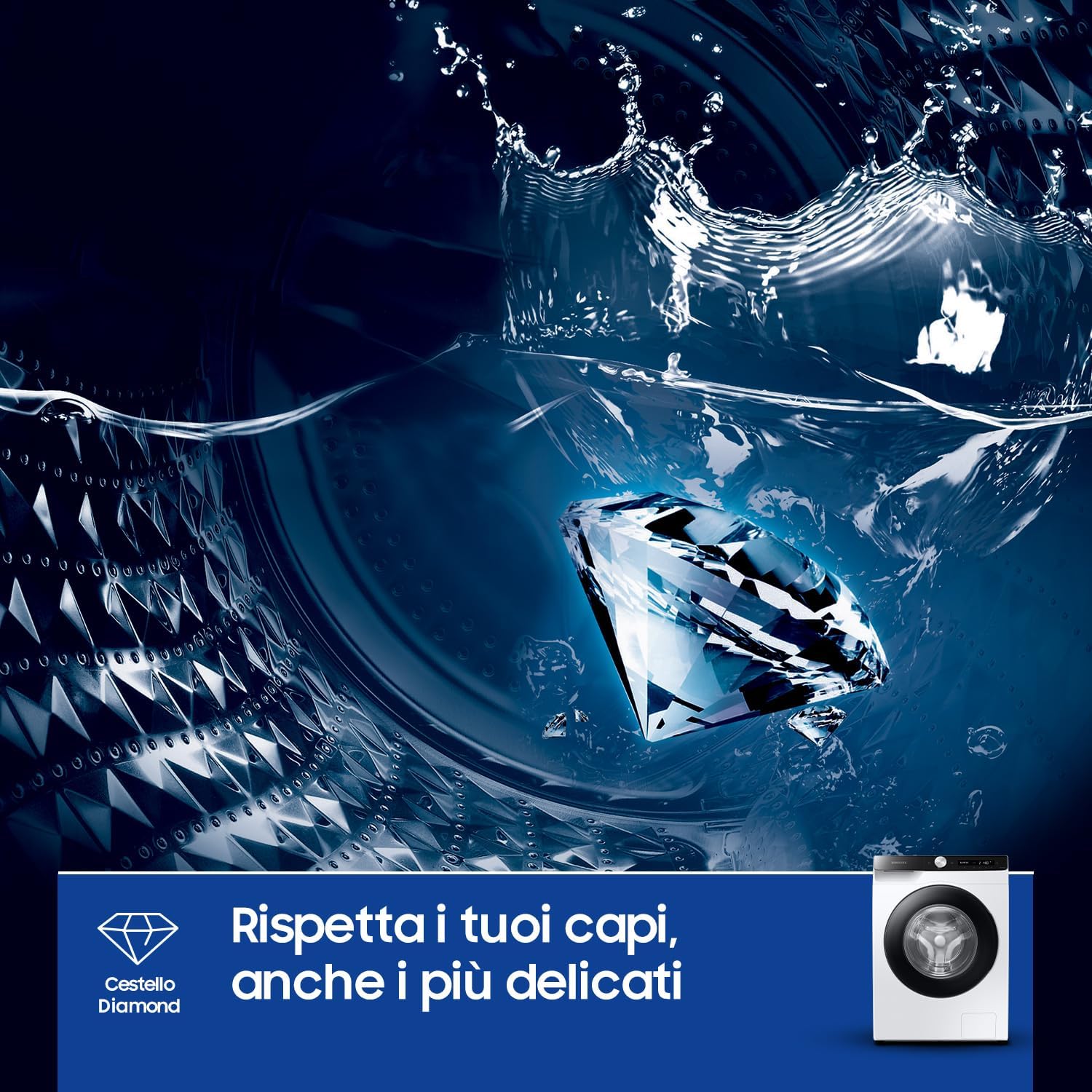
Figure 4.5.1: The Diamond Drum interior, designed with smooth, diamond-shaped ridges to protect delicate garments during washing, ensuring gentle yet effective cleaning.
4.6. Basic Operation Steps
- Load Laundry: Open the door and place laundry loosely into the drum. Do not overload.
- Add Detergent/Softener: For manual dispensing, add detergent and softener to the appropriate compartments in the drawer. For Ecodoser, ensure the reservoirs are filled.
- Select Program: Turn the program selector dial or use the AI Control to choose the desired wash cycle.
- Adjust Options: Select additional options such as temperature, spin speed, or pre-wash if needed.
- Start Cycle: Press the Start/Pause button to begin the wash cycle.
5. Maintenance
Regular maintenance ensures the longevity and optimal performance of your washing machine.
- Cleaning the Detergent Drawer: Periodically remove and clean the detergent drawer to prevent residue buildup.
- Drum Cleaning: Use the 'Drum Clean' cycle (if available) or a suitable washing machine cleaner to maintain drum hygiene.
- Filter Cleaning: Clean the debris filter located at the bottom front of the machine regularly to prevent blockages.
- Exterior Cleaning: Wipe the exterior with a soft, damp cloth. Do not use abrasive cleaners.
- Door Seal: Wipe the door seal after each wash to prevent mold and mildew buildup.
6. Troubleshooting
If you encounter issues with your washing machine, refer to the following common problems and solutions before contacting service.
| Problem | Possible Cause | Solution |
|---|---|---|
| Machine does not start | No power; Door not closed properly; Program not selected. | Check power supply; Close door firmly; Select a wash program. |
| Water leakage | Loose hose connections; Clogged drain hose. | Tighten hose connections; Clear drain hose. |
| Excessive vibration/noise | Uneven surface; Transport bolts not removed; Overloaded drum. | Adjust leveling feet; Remove transport bolts; Reduce laundry load. |
| Detergent residue | Too much detergent; Low water pressure; Clogged dispenser. | Reduce detergent amount; Check water supply; Clean detergent drawer. |
For error codes displayed on the control panel, consult the specific error code section in the full user manual or contact Samsung customer support.
7. Specifications
Detailed technical specifications for the Samsung WW90T534DAE/S3 Washing Machine.
| Specification | Value |
|---|---|
| Brand | Samsung |
| Model Number | WW90T534DAE/S3 |
| Load Capacity | 9 kg |
| Maximum Spin Speed | 1400 RPM |
| Dimensions (W x H x D) | 60 cm x 85 cm x 55 cm |
| Item Weight | 50 kg |
| Control Type | Button / AI Control |
| Access Position | Front Load |
| Color | Black, Silver, White, Clear |
| Energy Efficiency Class | A |
| Available on Amazon.it from | July 9, 2020 |

Figure 7.1: The EU Energy Label for the Samsung WW90T534DAE, indicating its Class A energy efficiency, 9.0 kg capacity, 3:48 cycle duration, 50L water consumption, and 72dB noise level.
For more detailed energy information, please refer to the EPREL database.
8. Warranty and Support
Your Samsung washing machine comes with a minimum warranty period of 24 months from the date of purchase, as offered by the supplier. This warranty covers manufacturing defects under normal use.
For warranty claims, technical support, or service requests, please contact Samsung customer service or your authorized dealer. Keep your proof of purchase for warranty validation.
For information regarding returns or specific marketplace purchase policies, please refer to the retailer's return policy or help pages.
Ask a question about this manual
Ask about setup, troubleshooting, compatibility, parts, safety, or missing instructions. Manuals+ will review the question and use this page’s manual context to help answer it.