
Sutinna 94273c39-7025-48d8-9e8f-80d4fb49e1ec
Sutinna Digital Camcorder User Manual
Model: 94273c39-7025-48d8-9e8f-80d4fb49e1ec
Introduction
Thank you for purchasing the Sutinna Digital Camcorder. This compact and easy-to-use camcorder is designed for capturing your precious moments in video and photo formats. Its small size and durable design make it ideal for various activities, including cycling, mountain climbing, and running. This manual provides detailed instructions on how to set up, operate, and maintain your new device.
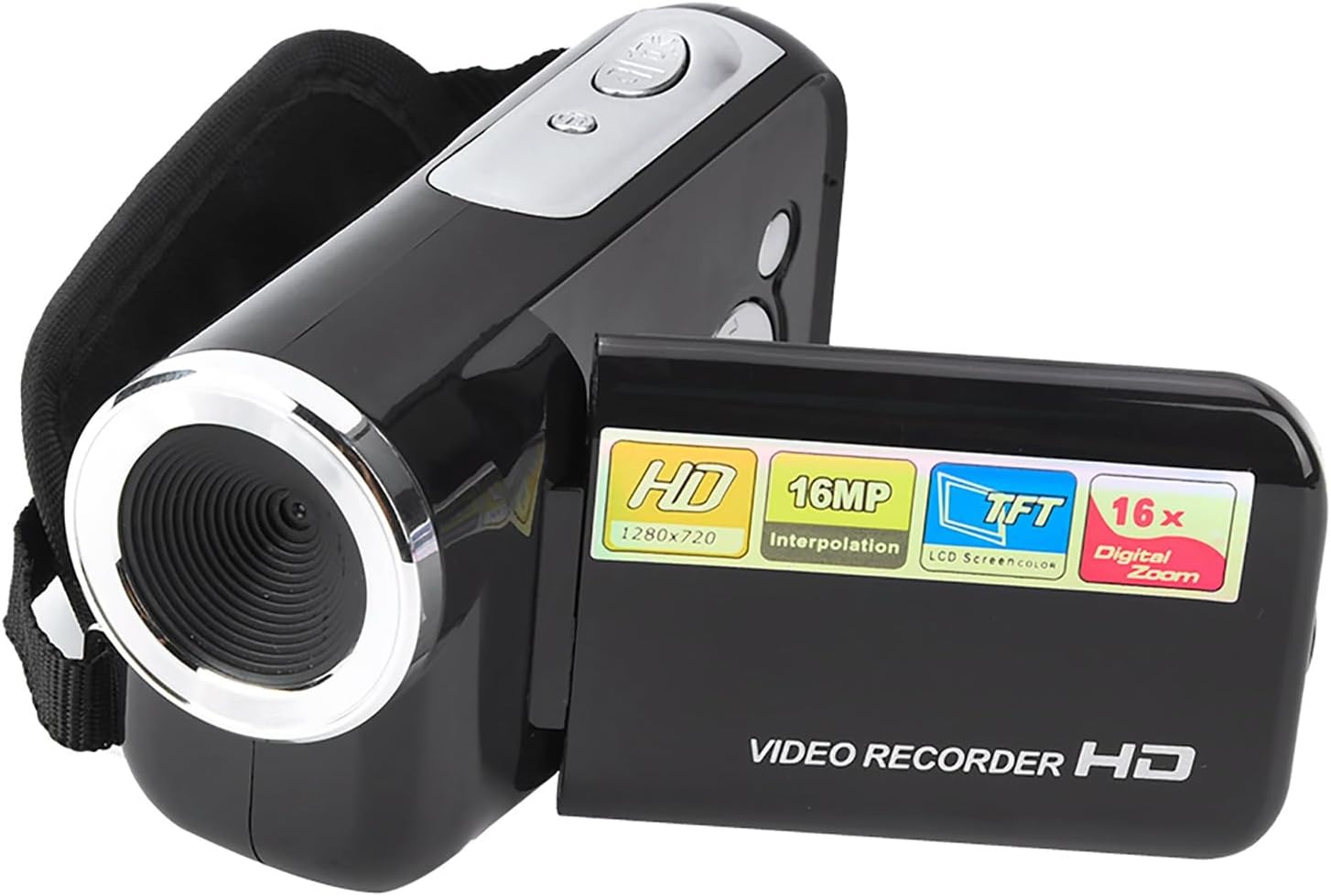
Image: The Sutinna Digital Camcorder, showcasing its compact design and black finish. The lens is prominent on the left, and the side panel with controls is visible.
Product Overview
The Sutinna Digital Camcorder features a 2-inch TFT LCD screen, supporting both photography and video recording. It is designed for ease of use and portability.
Key Features:
- 2-inch TFT LCD Display: For easy viewing and operation.
- Photography and Video Recording: Capture memories in both formats.
- Compact and Portable: Small size, suitable for various outdoor activities.
- Durable Design: Can withstand minor impacts.
- Replay and Delete Functions: Manage your media directly on the device.

Image: A child holding the camcorder, illustrating its small size and ease of handling. Icons below highlight features like HD lens, 500 million pixels (interpolated 16MP), HD picture quality, and night shooting.
Package Contents:
- 1 x Sutinna Digital Camcorder
- 1 x User Manual (This document)
- 1 x Micro USB Cable
Note: 3 x AAA batteries and a memory card (Micro SD, up to 32GB) are required and not included in the package.
Setup
1. Battery Installation:
- Locate the battery compartment on the bottom or side of the camcorder.
- Open the battery compartment cover.
- Insert 3 AAA batteries, ensuring correct polarity (+/-).
- Close the battery compartment cover securely.
2. Memory Card Insertion:
The camcorder requires a Micro SD card (not included) to store photos and videos. It supports cards up to 32GB.
- Locate the Micro SD card slot, typically near the battery compartment or on the side.
- Gently insert the Micro SD card into the slot with the gold contacts facing down (or as indicated by a diagram near the slot) until it clicks into place.
- To remove the card, gently push it in until it clicks, and it will spring out.

Image: The rear view of the camcorder, highlighting the various ports and slots, including the Micro SD card slot and USB port.
Operating Instructions
Power On/Off:
- To power on, open the LCD screen or press the Power button (if available).
- To power off, close the LCD screen or press and hold the Power button.
Recording Video:
- Ensure the camcorder is in video recording mode. This is usually indicated by an icon on the screen.
- Press the Record button (often marked with a red dot or "REC") to start recording.
- Press the Record button again to stop recording.
Taking Photos:
- Switch the camcorder to photo mode.
- Frame your shot using the LCD screen.
- Press the Shutter button (often marked with a camera icon) to take a photo.

Image: The camcorder's 2-inch TFT LCD screen displaying a live view, demonstrating its ease of operation for capturing moments.
Playback and Deletion:
- Enter Playback mode using the mode button.
- Use the navigation buttons to browse through your recorded videos and photos.
- To delete a file, select it and press the Delete button (often marked with a trash can icon). Confirm deletion when prompted.
Connecting to a Computer:
Use the provided Micro USB cable to connect the camcorder to your computer to transfer files.
- Connect the small end of the Micro USB cable to the camcorder's USB port.
- Connect the standard USB end to an available USB port on your computer.
- The camcorder should appear as a removable disk drive on your computer, allowing you to access and transfer files.

Image: The camcorder alongside its Micro USB cable, illustrating the connection method for data transfer.
Maintenance
- Cleaning: Use a soft, dry cloth to clean the camcorder body. For the lens and screen, use a specialized lens cleaning cloth and solution. Avoid abrasive cleaners.
- Storage: When not in use for extended periods, remove the batteries to prevent leakage. Store the camcorder in a cool, dry place away from direct sunlight and extreme temperatures.
- Battery Care: Replace AAA batteries when the low battery indicator appears. Do not mix old and new batteries, or different types of batteries.
- Memory Card: Format the memory card periodically to maintain optimal performance. Back up important files before formatting.
Troubleshooting
| Problem | Possible Cause | Solution |
|---|---|---|
| Camcorder does not power on. | Batteries are dead or incorrectly inserted. | Replace batteries with new ones, ensuring correct polarity. |
| Cannot record video/take photos. | Memory card is full, not inserted, or corrupted. | Insert a memory card, delete old files, or format the card (after backing up data). |
| Screen frozen or unresponsive. | Temporary software glitch. | Remove and reinsert batteries to reset the device. |
| Poor image/video quality. | Lens is dirty; low light conditions; incorrect resolution settings. | Clean the lens; ensure adequate lighting; check resolution settings in the menu. |
| Computer does not recognize camcorder. | USB cable issue; driver issue; camcorder not in correct mode. | Try a different USB port/cable; ensure camcorder is powered on and in mass storage mode; restart computer. |
Specifications
| Screen | 2-inch TFT LCD Sceen |
| File Format | Video: AVI, Photo: JPEG |
| Actual Pixels | 300,000 |
| Video Resolution | 1080*720, 640*480, 320*240 |
| Photo Size (Interpolated) | 16M (4640*3480), 9M (3456*2592), 5M (2592*1944), 2048*1536, 640*480 |
| Memory Card Support | Micro SD, Maximum 32GB (Not Included) |
| Interface | USB2.0 |
| Battery Type | 3 x AAA Battery (Not Included) |
| Dimensions (Approx.) | 10 x 5.5 x 3.5 cm / 3.9 x 2.2 x 1.4 inches |
| Weight (Approx.) | 124g / 4.2 ounces |
| Photo Sensor Technology | CMOS |
| Maximum Aperture | 1.4 f |
| Color | Black |
| Manufacturer | Sutinna |
| Country of Origin | China |
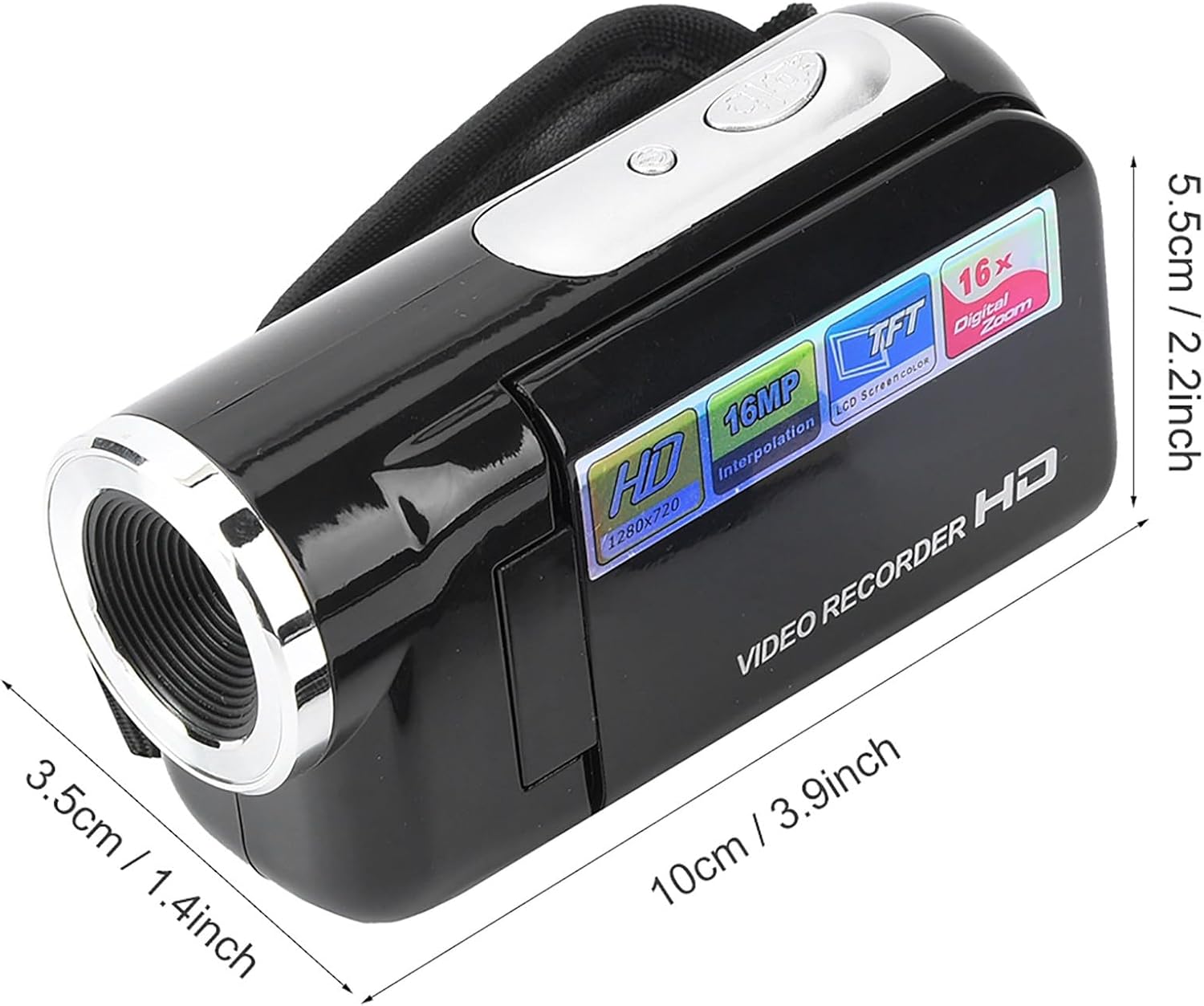
Image: Diagram illustrating the approximate dimensions of the camcorder: 10cm (3.9 inches) length, 5.5cm (2.2 inches) height, and 3.5cm (1.4 inches) width.
Warranty and Support
For any questions, technical support, or warranty inquiries regarding your Sutinna Digital Camcorder, please contact the retailer or manufacturer directly. Refer to your purchase documentation for specific warranty terms and contact information.
You may also visit the official Sutinna website for further assistance and product updates. Keep your purchase receipt as proof of purchase for warranty claims.
Ask a question about this manual
Ask about setup, troubleshooting, compatibility, parts, safety, or missing instructions. Manuals+ will review the question and use this page’s manual context to help answer it.