1. Introduction
Thank you for choosing the Retekess TR106 Mini Portable FM AM Radio. This manual provides detailed instructions for the proper setup, operation, and maintenance of your device. Please read this manual thoroughly before use to ensure optimal performance and longevity of your radio.
2. Product Features
- Portable Design: Lightweight and compact with a lanyard for easy carrying.
- Dual Band Reception: Supports both FM (87-108 MHz) and AM (520-1710 KHz) frequencies.
- Station Presets: Stores up to 60 stations (30 FM / 30 AM) with customizable order.
- Sleep Timer: Allows automatic shutdown after a set period (0-90 minutes).
- Timing Boot: Enables scheduled power-on at a specific time.
- Key Lock Function: Prevents accidental button presses.
- Power Source: Operates on 2 AAA batteries.
- Audio Output: Features a built-in speaker and a 3.5mm headphone jack for private listening.
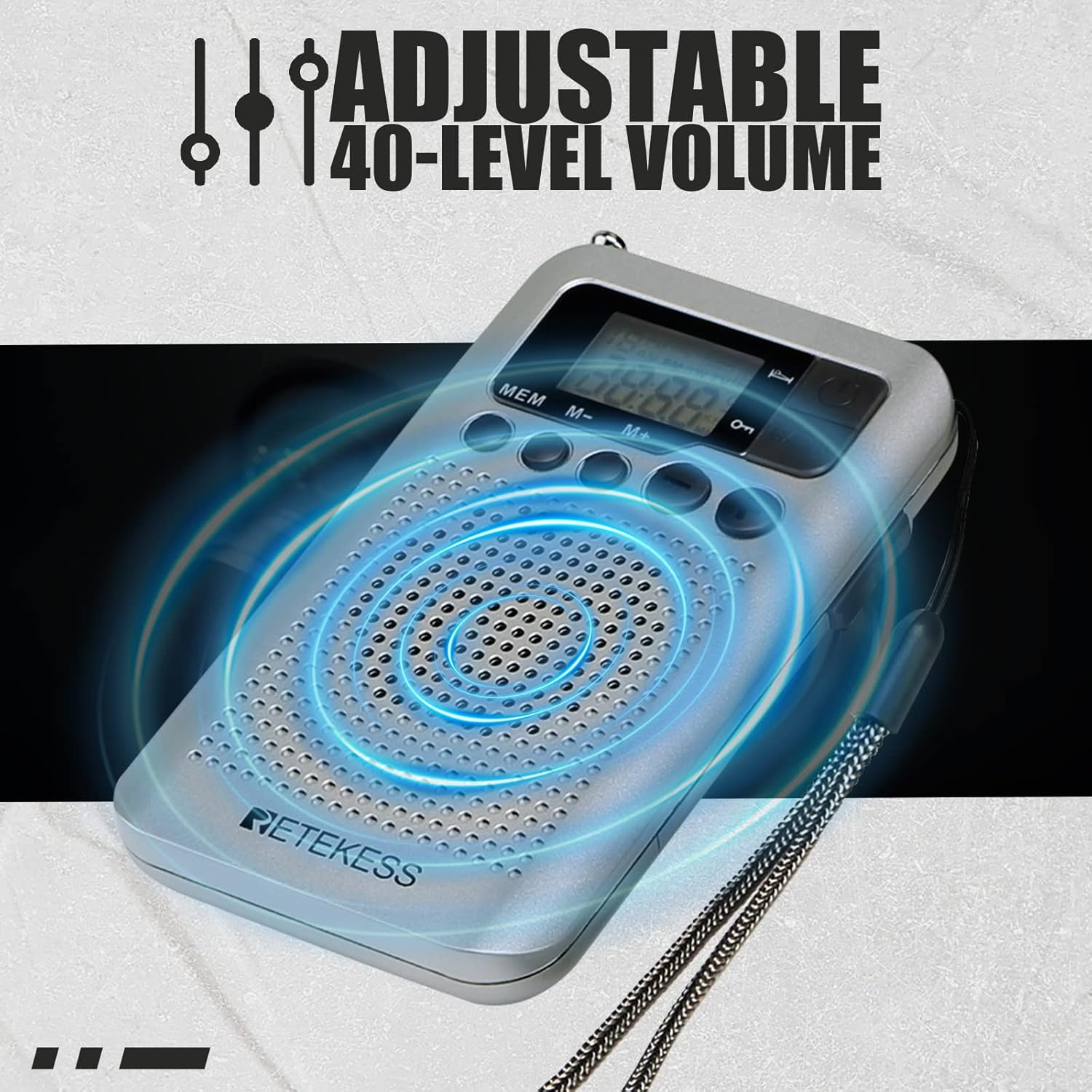
- Volume Control: Offers 40 levels of adjustable volume.
- LCD Display: Clear screen for frequency, time, and function indicators.
3. Package Contents
Please check the package for the following items:
- 1 x Retekess TR106 FM AM Radio
- 1 x User Manual
- 1 x Lanyard

Description: This image displays the Retekess TR106 radio, its user manual, and a black lanyard, neatly arranged on a light background, indicating all items included in the product package.
4. Product Overview
Familiarize yourself with the radio's components and controls.

Description: This image shows the front of the Retekess TR106 radio, highlighting its LCD display, speaker grille, and control buttons. The extendable antenna is visible at the top right, and a lanyard is attached to the side.

Description: A detailed view of the Retekess TR106's LCD screen, illustrating indicators for AM/FM band selection, sleep timer, and timing boot functions, along with the frequency display.
Controls and Ports:
- Power Button (ⓘ): Press to turn the radio on or off.
- Band Button: Switches between FM and AM bands.
- MEM Button: Accesses memory functions for saving and recalling stations.
- M- / M+ Buttons: Navigates through stored stations or adjusts settings.
- Volume - / + Buttons: Adjusts the listening volume.
- Tuning Dial (Side): Fine-tunes frequencies manually.
- Headphone Jack (3.5mm): For connecting headphones.
- Antenna: Extendable telescopic antenna for FM reception.
- Lock Switch (Side): Engages or disengages the key lock function.
5. Setup
5.1 Battery Installation
The Retekess TR106 radio requires 2 AAA batteries for operation.
- Locate the battery compartment cover on the back of the radio.
- Slide the cover open in the direction indicated by the arrow.
- Insert two AAA batteries, ensuring correct polarity (+ and -) as marked inside the compartment.
- Close the battery compartment cover securely.

Description: This image shows the back of the Retekess TR106 radio with the battery compartment open, illustrating where to insert the two AAA batteries. Icons of AAA batteries are also displayed.
6. Operating Instructions
6.1 Power On/Off
- To turn on the radio, press the Power button (ⓘ).
- To turn off the radio, press the Power button (ⓘ) again.
6.2 Band Selection (FM/AM)
- After powering on, press the BAND button to switch between FM and AM frequency bands. The selected band will be displayed on the LCD screen.

Description: This image illustrates the Retekess TR106 radio with its FM frequency range (87-108 MHz) and AM frequency range (520-1710 KHz) clearly marked. It also shows icons representing manual station search and manual storage of preset stations.
6.3 Tuning Stations
- Manual Tuning: Use the Tuning Dial on the side of the radio to manually scan for stations.
- Automatic Scan: Press and hold the MEM button for a few seconds to initiate an automatic scan. The radio will scan and store available stations.
6.4 Saving and Recalling Presets
- To Save a Station: Tune to your desired station. Press the MEM button once. The preset number will flash. Use the M- / M+ buttons to select a memory slot, then press MEM again to confirm.
- To Recall a Station: Press the M- / M+ buttons to cycle through your saved preset stations.
6.5 Volume Control
- Press the Volume - button to decrease the volume.
- Press the Volume + button to increase the volume. The radio offers 40 levels of volume adjustment.

Description: This image shows the Retekess TR106 radio with blue concentric circles emanating from its speaker, visually representing sound. Text indicates 'Adjustable 40-Level Volume'.
6.6 Sleep Timer Function
The sleep timer allows the radio to automatically turn off after a set duration.
- While the radio is on, press and hold the Power button (ⓘ) to enter sleep timer setting mode.
- Use the Volume - / + buttons to adjust the sleep timer duration from 0 to 90 minutes.
- Press the Power button (ⓘ) again to confirm the setting. The sleep timer icon will appear on the display.

Description: This image features the Retekess TR106 radio with its display showing a clock. Icons for 'Timing boot time setting' and 'Sleep shutdown' are depicted, illustrating the radio's timer capabilities.
6.7 Timing Boot Function
The timing boot function allows you to set a specific time for the radio to automatically turn on.
- With the radio off, press and hold the MEM button to enter timing boot setting mode.
- Use the Volume - / + buttons to set the desired power-on time.
- Press the MEM button again to confirm. The timing boot icon will appear on the display.
6.8 Key Lock Function
To prevent accidental button presses, use the key lock function.
- Locate the Lock Switch on the side of the radio.
- Slide the switch to the 'Lock' position to disable all buttons. A lock icon will appear on the display.
- Slide the switch back to the 'Unlock' position to enable the buttons again.
7. Maintenance
- Cleaning: Use a soft, dry cloth to clean the radio's surface. Do not use liquid cleaners or abrasive materials.
- Storage: When not in use for extended periods, remove the batteries to prevent leakage and store the radio in a cool, dry place.
- Battery Care: Replace batteries when the low battery indicator appears or when audio quality degrades. Do not mix old and new batteries or different types of batteries.
- Water Exposure: This radio is not waterproof. Avoid exposure to water or high humidity.
8. Troubleshooting
If you encounter any issues with your Retekess TR106 radio, please refer to the table below for common problems and solutions.
| Problem | Possible Cause | Solution |
|---|---|---|
| Radio does not turn on. | Batteries are dead or incorrectly inserted. | Replace batteries or check polarity. |
| Poor reception/static. | Weak signal, antenna not extended, interference. | Extend the antenna fully. Move to an open area. Rotate the radio for better signal. |
| No sound from speaker. | Volume too low, headphones connected. | Increase volume. Disconnect headphones if not desired. |
| Buttons are unresponsive. | Key lock function is engaged. | Slide the Lock Switch to the 'Unlock' position. |
| Sleep timer/Timing boot not working. | Settings not confirmed or incorrect. | Re-enter settings and ensure confirmation. Check battery level. |
9. Specifications
| Feature | Detail |
|---|---|
| Brand | Retekess |
| Model Number | TR106 |
| Color | Silver |
| Connectivity Technology | Auxiliary |
| Special Features | Sleep shutdown, power-on, clock functions, small, lightweight, portable, one-key lock, speaker output, headphone listening, 60 channel storage (30 FM, 30 AM) |
| Battery Composition | Alkaline |
| Rechargeable Battery | No |
| Power Source | Battery Powered (2 AAA batteries required) |
| Radio Bands Supported | AM/FM |
| Tuning Technology | AM/FM |
| Product Dimensions (L x W x H) | 102.2mm x 60mm x 15.2mm (4.0in x 2.3in x 0.5in) |
| Manufacturer | Retekess |
| Country of Origin | China |
Description: This image provides a visual representation of the Retekess TR106 radio's dimensions, indicating its height (102.2mm / 4.0in), width (60mm / 2.3in), and thickness (15.2mm / 0.5in).
10. Warranty and Support
Retekess offers a 1-year warranty for the TR106 radio and a 30-day no-reason return policy from the date of purchase.
Beyond the warranty period, we continue to offer maintenance services. Buyers will be responsible for any corresponding costs incurred for such services.
For any support inquiries, warranty claims, or technical assistance, please contact us directly through the Amazon platform. We aim to respond to all inquiries within 12 hours.