1. Introduction
This manual provides detailed instructions for the use and care of your Blaupunkt BTW Pro+ Bluetooth Truly Wireless Earbuds. Please read this manual thoroughly before using the product to ensure optimal performance and longevity.
Video: Blaupunkt BTW Pro+ Product Overview. This video provides a general introduction to the Blaupunkt range of true wireless earbuds, including the BTW Pro+ model, highlighting its design and key features.
2. What's in the Box
- 1 Pair of Earbuds (Blaupunkt BTW Pro+)
- 1 Charging Case
- 1 USB Charging Cable
- 3 Pairs of Ear Gels (XS, S, and L)
- 1 User Manual
- Sports Ear Hooks (additional accessory)
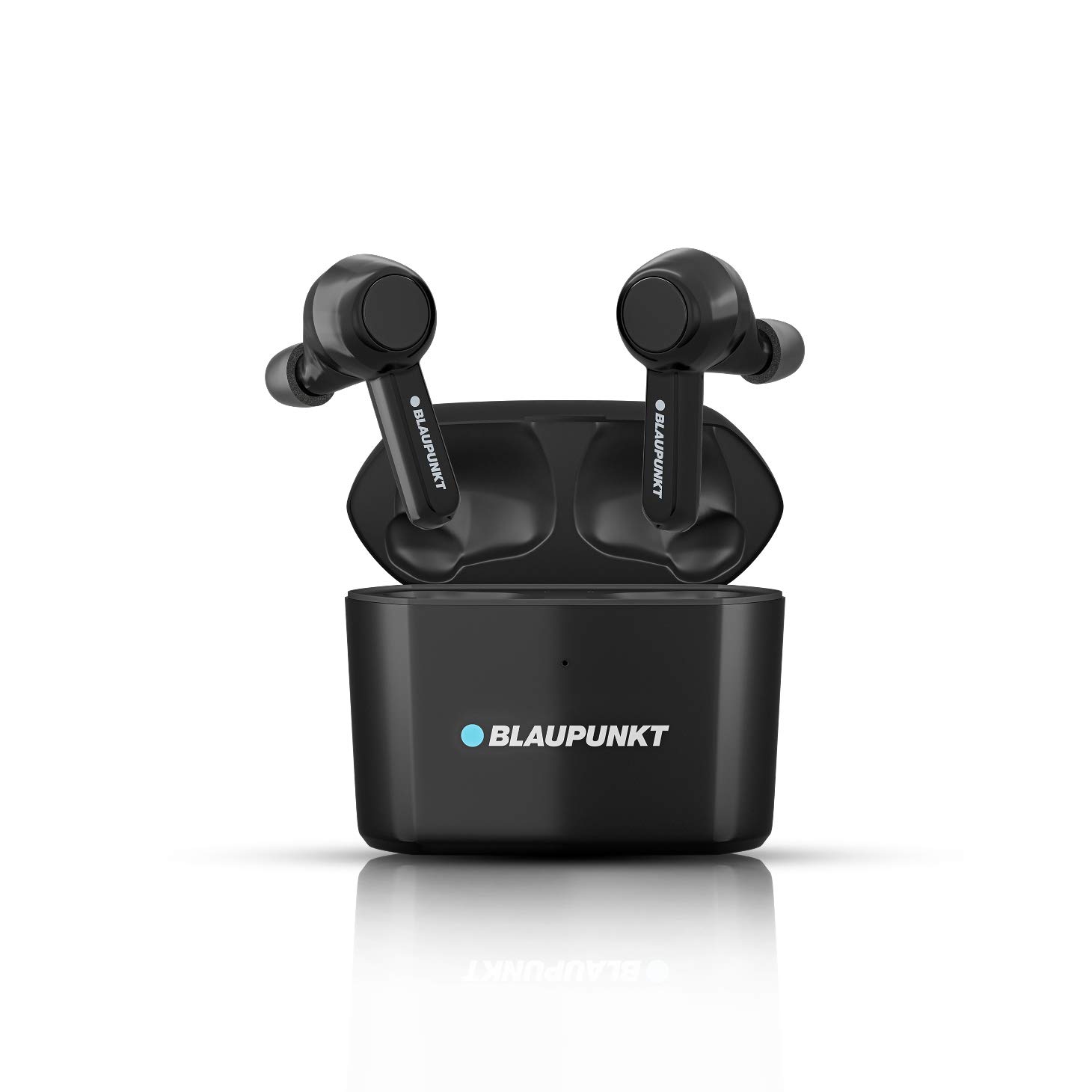
Image: The Blaupunkt BTW Pro+ earbuds shown with their charging case.
3. Key Features
- Dual Microphone: Equipped with two microphones for ultra-clear conversations, one for clear sound and the other for blocking external noise.
- Qualcomm aptX Technology: Designed for high-resolution audio, supporting 16-bit music quality to capture the smallest details.
- Long Standby Time: The charging case has a 790mAh battery, and each earbud has a 70mAh battery, providing extended usage.
- Sweat Proof and Water Proof (IPX7): Protects against heavy splashing and rain, allowing use in various conditions.
- Unique Ultrasoft Memory Foam Ear Tips: Comes with super soft and ultra-comfortable memory foam ear gels for extended wear without discomfort.
- Sports Ear Hook: An additional accessory to convert the earbuds into sports earphones for a secure fit during physical activity.
- Voice Assistant Support: Connects with Google Assistant or Siri for hands-free control.
- Touch Controls: Intuitive touch controls for managing music, calls, and voice assistant.
- 9.2mm Dynamic Speaker: Large dynamic speaker unit combined with a PET film diaphragm for enhanced sound performance.

Image: An internal view highlighting the 9.2mm dynamic speaker for enhanced sound.

Image: Diagram illustrating the dual-mic technology with ENC filter for clear conversations.

Image: Icon indicating IPX7 water resistance.
4. Setup
4.1 First Time Pairing
- Remove both earbuds from the charging case.
- Wait a few seconds for the left and right earbuds to pair with each other.
- Once a red and white blinking light is visible on either earbud, they are ready to pair with your device.
- Turn on Bluetooth on your smartphone or device.
- Select "Blaupunkt Pro+ (R)" from the list of available devices.
- Confirm the pairing request on your phone by clicking "Pair" to enable the role switch function.
- The earbuds support auto-pairing. They will automatically connect to the last paired device when removed from the case and disconnect when placed back into the case.
Video: Demonstrates the first-time pairing process for the Blaupunkt BTW Pro+ earbuds, including taking them out of the case, waiting for pairing, and connecting via Bluetooth on a smartphone.
4.2 Wearing the Earbuds
- Hold the earbud from the top.
- Place the earbud into your ear.
- Rotate the earbud approximately 45 degrees or to a slightly vertical position for a comfortable fit.
- Gently push the earbud so it fits perfectly into your ear canal.

Image: A four-step visual guide demonstrating the correct way to insert and fit the earbuds into the ear.
The unique ultrasoft memory foam ear tips are designed to create a custom, comfortable fit for your ear canal, reducing irritation and fatigue during long wear. They will adjust to the shape of your ear canal and return to their original size when removed.
Video: Explains the benefits of memory foam ear tips for comfort and fit, demonstrating their flexibility.

Image: Shows the memory foam ear gels and the optional sports ear hook for a secure fit.
5. Operating Instructions
5.1 Music Controls
- Play/Pause: Single touch on either earbud.
- Previous Track: Click and hold the left earbud touch button for 2 seconds.
- Next Track: Click and hold the right earbud touch button for 2 seconds.
- Decrease Volume: Single touch on the left earbud.
- Increase Volume: Single touch on the right earbud.

Image: A visual representation of the touch control functions for music playback, calls, and voice assistant.
5.2 Call Controls
- Pick Up Call: Single touch on either earbud.
- Hang Up Call: Double touch on either earbud.
- Reject Call: Touch and hold for 2 seconds on either earbud.
5.3 Voice Assistant
- Activate Voice Assistant (Siri/Google Assistant): Triple click on the right earbud.
5.4 Mono Mode
The earbuds can be used in both mono and stereo modes. To use in mono mode, simply take out only one earbud from the charging case. You can then take calls and listen to music using a single earbud.
Video: Demonstrates music controls (previous/next track, volume up/down), voice assistant activation, call controls (pick up, hang up, reject), and how to use the earbuds in mono mode.
6. Maintenance
6.1 Charging
- Place the earbuds back into their charging case to charge them.
- Connect the charging case to a power source using the provided USB charging cable.
- The charging case also supports wireless charging (wireless charger sold separately).
- Ensure the charging contacts on the earbuds and inside the case are clean and dry for efficient charging.

Image: Illustrates the wireless charging capability of the Blaupunkt BTW Pro+ charging case.
6.2 Cleaning
- Regularly clean the earbuds and charging case with a soft, dry, lint-free cloth.
- Remove ear tips and clean them separately with mild soap and water if necessary, ensuring they are completely dry before reattaching.
- Avoid using abrasive cleaners or solvents.
6.3 Water Resistance
The earbuds are IPX7 rated, meaning they are protected against the effects of temporary immersion in water (up to 1 meter for 30 minutes). They are sweat-proof and can withstand heavy splashing and rain. However, they are not designed for swimming or prolonged submersion.

Image: Earbuds submerged in a glass of water, visually representing their IPX7 water resistance.
7. Troubleshooting
- Earbuds not pairing with each other: Ensure both earbuds are fully charged and removed from the case simultaneously. If issues persist, try resetting them (refer to the full user manual for specific reset instructions).
- Earbuds not connecting to device:
- Ensure Bluetooth is enabled on your device.
- Check if the earbuds are already connected to another device.
- Forget the device from your phone's Bluetooth settings and try pairing again.
- Ensure the earbuds are charged.
- Low volume or poor sound quality:
- Adjust the volume on both your device and the earbuds.
- Ensure the ear tips are properly fitted and creating a good seal in your ear canal. Try different sized ear tips.
- Clean the ear tips and speaker mesh to remove any debris.
- Charging issues:
- Ensure the charging cable is securely connected to both the case and the power source.
- Check if the charging contacts on the earbuds and case are clean.
- If using wireless charging, ensure the case is correctly placed on a compatible wireless charger.
8. Specifications
| Feature | Detail |
|---|---|
| Model Name | BTW Pro+ True Wireless Earbud |
| Connectivity Technology | Bluetooth |
| Wireless Communication Technology | Truly Wireless |
| Earbud Battery Capacity | 70mAh (each) |
| Charging Case Battery Capacity | 790mAh |
| Water Resistance Level | IPX7 (Waterproof) |
| Control Method | Touch Control |
| Audio Driver Type | Dynamic Driver (9.2mm) |
| Microphone Format | Built-In (Dual Microphone) |
| Special Features | Noise Cancellation, Qualcomm aptX |
| Item Weight | 58 g |
| Product Dimensions | 6.3 x 3.3 x 4.8 cm |
9. Warranty and Support
This product comes with a standard brand warranty. For specific warranty details, duration, and terms, please refer to the warranty card included in your product packaging or visit the official Blaupunkt website.
For any support, queries, or service requests, please contact Blaupunkt customer service. Contact information can typically be found in the included user manual or on the brand's official website.
For further information regarding EMI options or return/replacement policies, please refer to the product detail page on the retailer's website where you purchased the item.


