
Introduction
Welcome to the user manual for your Philips Serie 5400 Superautomatic Coffee Machine. This guide provides essential information for setting up, operating, maintaining, and troubleshooting your appliance to ensure optimal performance and enjoyment of a wide variety of coffee beverages.

Image: The Philips Serie 5400 coffee machine preparing a Latte Macchiato, showcasing its sleek design and the LatteGo milk system.
The Philips Serie 5400 is designed to deliver a premium coffee experience with convenience. Featuring the innovative LatteGo milk system, an intuitive display, and the ability to prepare 12 different coffee varieties, it caters to diverse preferences. You can also personalize your drinks and save settings for up to 4 users.
Setup and First Use
Follow these steps to prepare your coffee machine for its first use:
- Unpacking: Carefully remove all packaging materials and ensure all components are present.
- Water Tank: Fill the water tank with fresh tap water up to the MAX indication. Ensure the AquaClean filter is correctly installed as per the filter instructions.
- Bean Hopper: Open the bean hopper lid and fill it with fresh coffee beans. Do not overfill.
- Power On: Plug the appliance into a grounded wall socket and press the power button. The machine will perform an automatic rinse cycle.
- LatteGo System: Assemble the LatteGo milk system by attaching the milk container to the frame. Ensure it clicks into place.
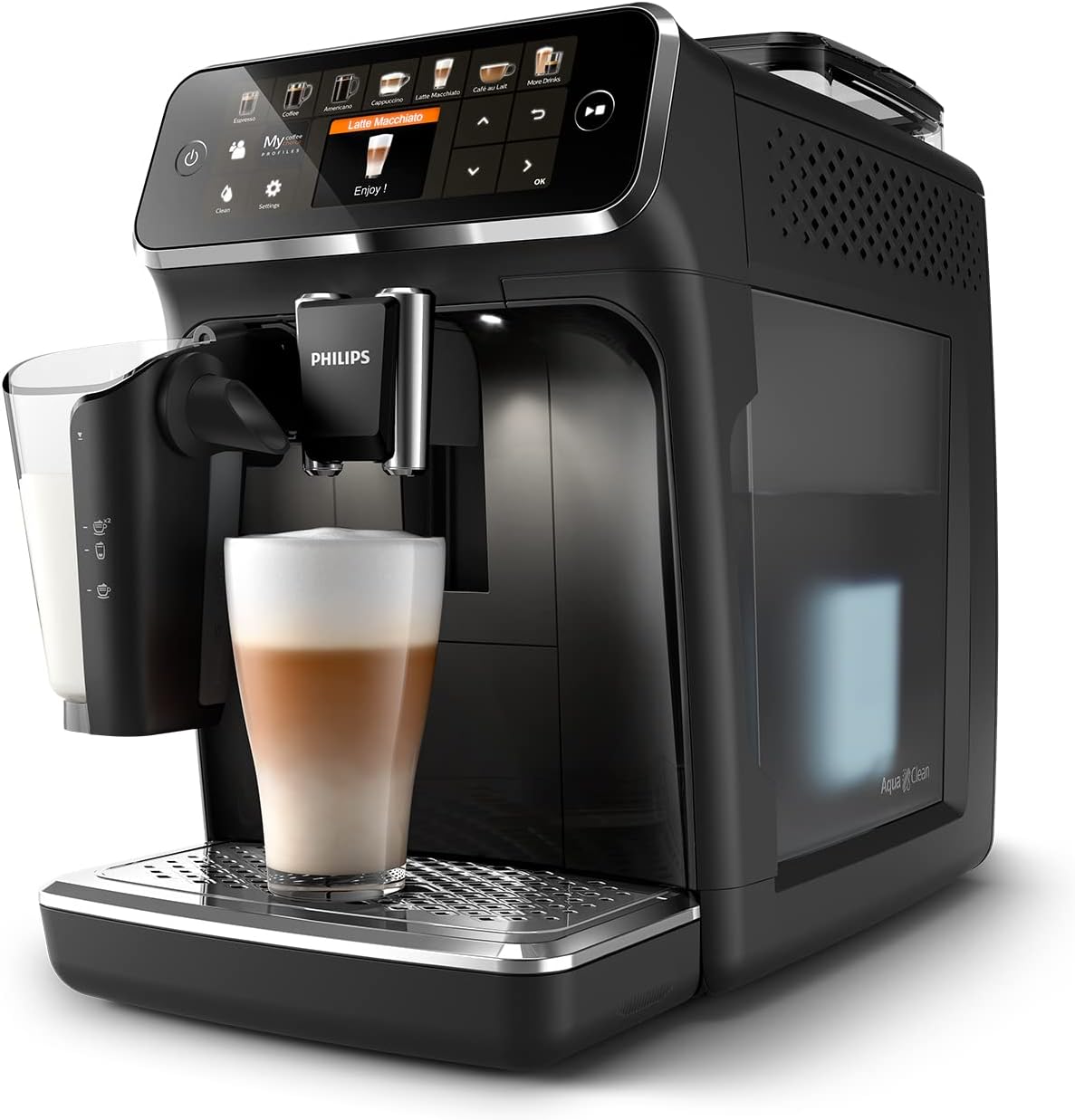
Image: An angled view of the Philips Serie 5400 coffee machine, highlighting the transparent water tank on the side.

Image: A close-up of the AquaClean water filter correctly positioned within the water tank, essential for water quality and descaling prevention.
Operating Instructions
Your Philips Serie 5400 offers a wide range of coffee beverages and customization options.
Selecting and Customizing Drinks
- Intuitive Display: Use the intuitive TFT display and touch controls to navigate through the 12 available coffee varieties.
- Drink Selection: Choose from Espresso, Coffee, Americano, Cappuccino, Latte Macchiato, Café au Lait, Flat White, Café Crema, Ristretto, Espresso Lungo, and more.
- Personalization: After selecting a drink, you can adjust settings such as coffee intensity, volume, and milk foam quantity using the on-screen sliders.
- ExtraShot Function: For an extra boost of flavor and intensity, select the ExtraShot option.
- User Profiles: The machine supports up to 4 user profiles. Configure and save your preferred drink settings for quick access.
- Pre-ground Coffee: If using pre-ground coffee, add one scoop to the pre-ground coffee compartment before selecting your drink.

Image: A detailed view of the coffee machine's intuitive display, illustrating the touch controls for customizing coffee intensity, volume, and milk foam.

Image: The machine's display interface, demonstrating how users can personalize their coffee with various settings.
Using the LatteGo Milk System
The LatteGo system provides smooth, dense milk foam for your milk-based beverages.
- Filling: Fill the LatteGo milk container with fresh milk.
- Attachment: Attach the LatteGo system to the machine.
- Preparation: Select a milk-based drink (e.g., Cappuccino, Latte Macchiato). The machine will automatically froth and dispense the milk.

Image: The LatteGo milk system in action, creating smooth and silky milk foam directly into a glass for a perfect coffee creation.
Maintenance and Cleaning
Regular cleaning and maintenance ensure the longevity and optimal performance of your Philips Serie 5400 coffee machine.
Daily Cleaning
- LatteGo System: The LatteGo system is designed for quick cleaning. Rinse it under running water for 10 seconds after each use. It is also dishwasher safe.
- Drip Tray and Coffee Grounds Container: Empty and rinse the drip tray and coffee grounds container daily.

Image: The LatteGo milk container shown with its storage lid, allowing for easy removal and refrigeration of leftover milk.
Weekly Cleaning
- Brew Group: The brew group is removable for easy cleaning. Rinse it thoroughly under lukewarm running water once a week. Allow it to air dry before reinserting.
AquaClean Filter and Descaling
- AquaClean Filter: The AquaClean filter reduces limescale buildup, allowing you to prepare up to 5000 cups without descaling if the filter is replaced regularly as indicated by the machine.
- Descaling: If you do not use the AquaClean filter or if the machine indicates, perform a descaling cycle using a Philips descaling solution. Follow the on-screen instructions carefully.
Ceramic Grinder
The durable ceramic grinder is designed for long-lasting performance, capable of grinding beans for at least 20,000 cups. No specific user maintenance is required for the grinder itself beyond ensuring the bean hopper is clean and free of foreign objects.

Image: A close-up view of the robust ceramic grinder, illustrating its precision and durability for consistent coffee bean grinding.
Troubleshooting
This section addresses common issues you might encounter with your Philips Serie 5400 coffee machine.
| Problem | Possible Cause | Solution |
|---|---|---|
| No coffee is dispensed. | Water tank empty, brew group clogged, or coffee beans empty. | Refill water tank, clean brew group, or refill bean hopper. |
| Coffee is too weak. | Grind setting too coarse, insufficient coffee dose, or low intensity setting. | Adjust grind setting finer, increase coffee dose, or select higher intensity. |
| Milk is not frothing properly. | LatteGo system dirty, milk type unsuitable, or milk too warm. | Clean LatteGo system thoroughly, use cold fresh milk (dairy or plant-based suitable for frothing). |
| Machine displays 'Empty Grounds Container' even after emptying. | Sensor issue or container not fully reinserted. | Ensure the container is pushed in completely. If the issue persists, contact support. |
| Water leaks from the machine. | Water tank not correctly seated or internal component issue. | Check water tank position. If leaking continues, contact customer support. |
For more detailed troubleshooting or issues not listed here, please refer to the full product manual available on the Philips support website or contact Philips customer service.
Specifications
Key technical specifications for the Philips Serie 5400 Superautomatic Coffee Machine (EP5441/50):
- Model Number: EP5441/50
- Brand: Philips
- Color: Black
- Dimensions (W x D x H): Approximately 30.2 x 47.5 x 49.71 cm (11.9 x 18.7 x 19.6 inches)
- Weight: 8 kg (17.6 lbs)
- Voltage: 230V
- Special Features: Water filter (AquaClean), Automatic shut-off
- Coffee Type: Espresso machine
- Included Components: Measuring scoop, AquaClean filter, LatteGo storage lid, Water hardness test strip
- Coffee Varieties: 12 (e.g., Espresso, Cappuccino, Latte Macchiato)
- Milk System: LatteGo
- Grinder Type: Ceramic grinder
Warranty and Support
Your Philips Serie 5400 Superautomatic Coffee Machine comes with a manufacturer's warranty. Please refer to the warranty card included in your product packaging for specific terms and conditions, including warranty duration and coverage details.
For technical support, service, or to purchase accessories and spare parts, please visit the official Philips website or contact their customer service department. You can find contact information and frequently asked questions on the Philips support page:


