MYPIN Portable HiFi Headphone Amplifier User Manual
Model: TYPE-GJ-1
Introduction
Welcome to the user manual for your MYPIN Portable HiFi Headphone Amplifier. This device is engineered to significantly enhance your audio experience, delivering clear, powerful, and high-fidelity sound for a wide range of headphones and audio sources. Please read this manual thoroughly to ensure proper use and optimal performance of your amplifier.

Image: The MYPIN Portable HiFi Headphone Amplifier, a compact black device designed for audio enhancement.
Important Safety Information
To prevent damage to the device or personal injury, please observe the following safety precautions:
- Avoid exposing the device to water, rain, or excessive moisture.
- Do not attempt to disassemble, modify, or repair the amplifier yourself. Refer all servicing to qualified personnel.
- Keep the device away from high temperatures, direct sunlight, and open flames.
- Use only the provided USB charging cable. Using unauthorized cables may damage the device.
- It is not recommended to use the amplifier while it is charging, as current disturbance may introduce noise into the audio output.
Package Contents
Before proceeding, please verify that all items listed below are present in your product package:
- MYPIN HiFi Headphone Amplifier
- USB Charging Cable
- 3.5mm Audio Cable
- User Manual (this document)

Image: The MYPIN HiFi Headphone Amplifier shown with its accompanying USB charging cable and 3.5mm audio cable, as included in the product package.
Product Overview
Familiarize yourself with the various components and controls of your MYPIN Headphone Amplifier:

Image: A detailed diagram illustrating the interface of the MYPIN Headphone Amplifier. It labels the Headset Jack, Sound Source Connection, Power Indicator, ON/OFF Switch/Volume Control, Gain Switch (H/L), Charging Indicator, and Micro USB Port.
- Headset Jack: 3.5mm output for connecting your headphones.
- Sound Source Connection: 3.5mm input for connecting your audio device.
- Power Indicator: LED light indicating power status.
- ON/OFF Switch / Volume Control: Rotary knob to power on/off and adjust volume.
- Gain Switch (H/L): Toggles between High and Low gain settings.
- Charging Indicator: LED light indicating charging status.
- Micro USB Port: For charging the amplifier's internal battery.
Setup Guide
Follow these steps to set up your MYPIN Headphone Amplifier for first use:
- Charge the Device: Before initial use, fully charge the amplifier. Connect the provided USB charging cable to the Micro USB port on the amplifier and plug the other end into a USB power source (e.g., computer USB port, USB wall adapter). The charging indicator light will illuminate during charging and turn off or change color when fully charged.
- Connect Audio Source: Use the included 3.5mm audio cable to connect your audio source (such as an MP3 player, smartphone, tablet, or computer) to the Sound Source Connection input jack on the amplifier.
- Connect Headphones: Plug your headphones into the Headset Jack output on the amplifier.

Image: This diagram illustrates the broad compatibility of the MYPIN Headphone Amplifier, showing connections from various audio sources like smartphones, MP3/MP4 players, laptops, and DVD players, outputting to headphones or external speakers.
Operating Instructions
Power On/Off and Volume Control
To power on the amplifier and adjust the volume, rotate the ON/OFF Switch / Volume Control knob clockwise. Continue rotating clockwise to increase the volume. To decrease the volume and power off the device, rotate the knob counter-clockwise until it clicks off.
Gain Switch
The amplifier features a two-stage gain switch (H/L) designed to optimize audio output for headphones with varying impedance levels. This ensures optimal performance and sound quality.
- H (High Gain): Select this setting for high-impedance headphones (typically 150-300Ω) or when a stronger output signal is required to drive less sensitive headphones.
- L (Low Gain): Select this setting for low-impedance headphones (typically 16-100Ω) or when a lower output signal is sufficient, helping to prevent distortion and conserve battery life.
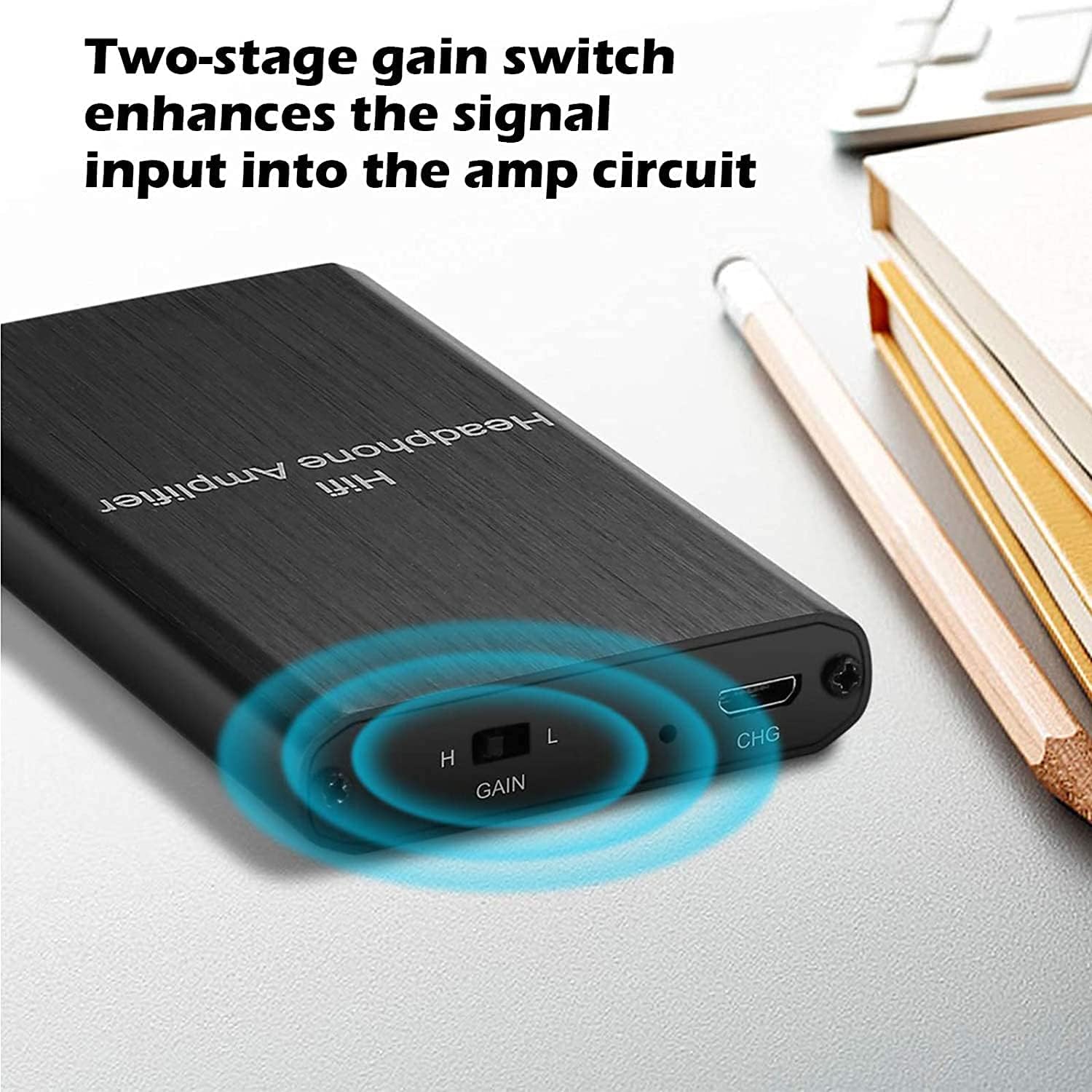
Image: A close-up view of the MYPIN Headphone Amplifier, highlighting the two-stage gain switch labeled 'H' (High) and 'L' (Low) for adjusting audio output.
Battery Life
The MYPIN Headphone Amplifier is equipped with a built-in 2000mAh lithium battery, providing approximately 12-15 hours of continuous audio playback on a full charge. Battery life may vary depending on volume level and headphone impedance.

Image: A graphic illustrating the 2000mAh rechargeable battery capacity of the amplifier, emphasizing its long working hours.
Maintenance
Proper care and maintenance will extend the life of your amplifier:
- Clean the device with a soft, dry cloth. Do not use liquid cleaners, solvents, or abrasive materials.
- Store the amplifier in a cool, dry place away from direct sunlight and extreme temperatures when not in use.
- Avoid dropping the device or subjecting it to strong impacts, which can damage internal components.
Troubleshooting
If you encounter any issues with your MYPIN Headphone Amplifier, please refer to the following common problems and solutions:
| Problem | Solution |
|---|---|
| No sound output. | Ensure all audio cables are securely connected. Verify the amplifier is powered on and has sufficient battery charge. Adjust the volume knob. |
| Distorted sound. | Check the gain switch setting; try 'L' (Low Gain) for lower impedance headphones. Reduce the volume level on both the amplifier and your audio source. Ensure the audio source is not overdriving the amplifier's input. |
| Device not charging. | Ensure the USB charging cable is properly connected to both the amplifier and the power source. Try a different USB port or a different USB wall adapter. |
| Noise or interference during charging. | It is not recommended to use the device while charging, as current disturbance may lead to noise. For optimal audio quality, disconnect the charger during use. |
Specifications
Key technical specifications for the MYPIN Portable HiFi Headphone Amplifier:
| Feature | Detail |
|---|---|
| Brand | MYPIN |
| Model | TYPE-GJ-1 |
| Impedance Support | 16-300Ω |
| Audio Input/Output | 3.5mm AUX |
| Signal-to-Noise Ratio | > 100dB |
| THD + N | 0.0003% |
| Battery Capacity | 2000mAh Lithium-polymer |
| Estimated Battery Life | 12-15 hours |
| Control Type | Volume Control, Two-stage Gain Switch |
| Connectivity Technology | Wired |
| Item Weight | 150 Grams |
| Material | Plastic or Aluminum |
| Frequency Range | 20 Hz - 20,000 Hz |
| Compatible Devices | MP3, MP4, Mobile Phones, Computers, CD Players, Personal Media Players (Note: Not compatible with iPhones without 3.5mm audio output) |
Warranty and Support
For information regarding product warranty, technical support, or service inquiries, please refer to the documentation provided with your purchase or contact your retailer. You may also visit the official MYPIN website for further assistance.
Please retain your proof of purchase for any warranty claims.