
Introduction
The Govee H6152 Under Cabinet Motion Sensor LED Light Strip provides convenient and efficient lighting for various indoor spaces. Featuring motion sensing capabilities, adjustable brightness, and a memory function, these warm white LED strips enhance visibility and ambiance in areas such as kitchens, closets, bedrooms, and bookshelves. This manual provides detailed instructions for installation, operation, and maintenance to ensure optimal performance of your light strip.
What's in the Box
Carefully unpack the box and ensure all components are present:
- LED Strip Lights (6 pieces)
- Motion Sensor Control Box
- Power Adapter
- Mounting Clips
- Alcohol Prep Pad
- User Manual
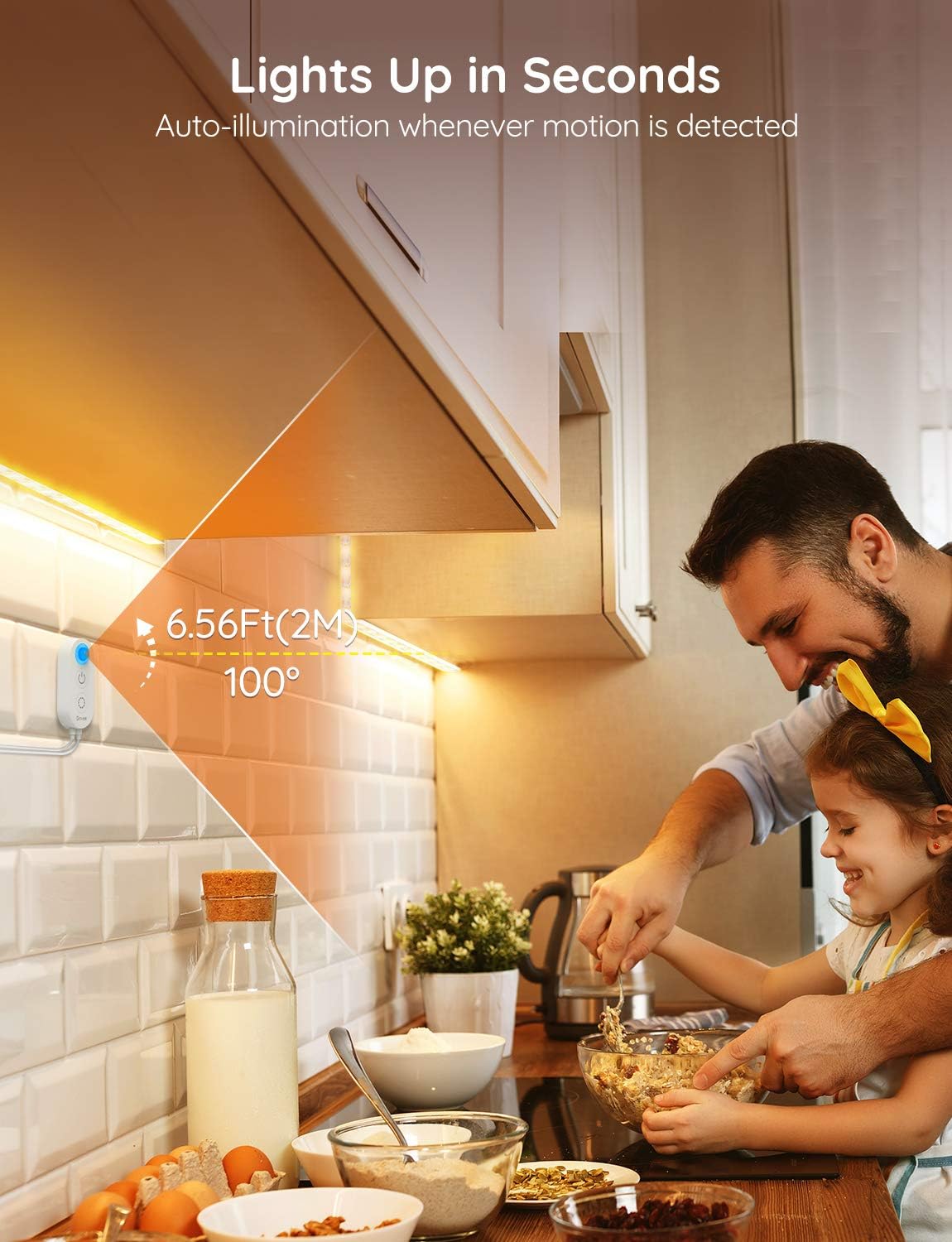
Image: All components included in the Govee H6152 package.
Video: Official Govee video demonstrating the unboxing and initial setup of the motion sensor LED strip lights.
Setup and Installation
Follow these steps for proper installation of your Govee LED light strip:
- Prepare the Surface: Clean the desired installation surface thoroughly with the provided alcohol prep pad. Ensure the surface is dry and free of dust or grease for optimal adhesive performance.
- Measure and Unroll: Determine the length of the LED strip needed for your application. Carefully unroll a suitable length of the strip from its reel.
- Apply the Strip: Peel off the protective backing from the adhesive side of the LED strip. Carefully press the strip onto the cleaned surface, ensuring firm contact along its entire length. The flexible connecting wires allow for easy bending around corners.
- Secure with Clips: For added security, especially around corners or in high-traffic areas, use the provided mounting clips. Attach the clips at regular intervals or wherever extra support is needed.
- Connect Power: Plug the motion sensor control box into the LED strip and then connect the power adapter to the control box. Finally, plug the power adapter into a suitable power outlet.

Image: Cleaning the cabinet surface with an alcohol pad.

Image: Peeling off the adhesive backing from the LED strip.

Image: Applying the LED strip to the underside of a cabinet.

Image: Securing the LED strip with mounting clips.
Operating Instructions
The Govee H6152 offers versatile operating modes:
- Motion Sensing Mode: Press the power button on the control box. The indicator light will turn blue, signifying that motion sensing mode is active. In this mode, the lights will automatically turn on when motion is detected within a 6.56ft (2m) range and turn off after 15 seconds of no motion.
- Adjusting Brightness: While the lights are on, use the brightness adjustment buttons on the control box to cycle through 6 optional brightness levels.
- Constant Light Mode: To keep the lights on continuously, long-press the power button on the control box until the indicator light turns off. The lights will remain on until manually turned off or switched back to motion sensing mode.

Image: Motion sensor activating the lights as a person approaches.

Image: Adjusting brightness levels using the control box.
Features
- Motion Sensing: The integrated motion sensor detects movement within a 6.56ft (2m) range, automatically illuminating the area. Lights turn off after 15 seconds of inactivity, conserving energy.
- Adjustable Brightness: Choose from 6 distinct brightness levels to suit your preference and environment, providing optimal lighting for any task or mood.
- Memory Function: The light strip remembers your last brightness setting, ensuring consistent lighting each time it is activated.
- Soft Warm Lighting: Emits a 3000K warm white light with a Color Rendering Index (CRI) over 80, creating a comfortable and visually pleasant atmosphere.
- Flexible and Easy Installation: Designed with flexible connecting wires, the LED strips can be easily bent and installed around corners. The strong adhesive backing and included clips ensure a secure and lasting setup.
- Energy-Efficient & Safe: Operates at a low 5V, making it safe for use around children and pets. ETL certified for quality and safety.
Maintenance
To ensure the longevity and optimal performance of your Govee LED light strip, follow these maintenance guidelines:
- Cleaning: Gently wipe the LED strips and control box with a dry, soft cloth to remove dust. Avoid using harsh chemicals or abrasive cleaners.
- Do Not Cut: The LED light strips are designed for specific lengths and cannot be cut. Attempting to cut the strips may damage the product and void the warranty.
- Storage: If storing the light strip, ensure it is clean and dry. Store in a cool, dry place away from direct sunlight and extreme temperatures.
Troubleshooting
If you encounter any issues with your Govee LED light strip, refer to the following common solutions:
- Lights Not Turning On:
- Ensure the power adapter is securely plugged into both the control box and a working power outlet.
- Check if the power button on the control box is pressed and the indicator light is on (blue for motion sensing, off for constant light).
- Verify that the LED strip is properly connected to the control box.
- Motion Sensor Not Responding:
- Ensure the control box is in motion sensing mode (blue indicator light).
- Check for any obstructions blocking the motion sensor.
- Confirm that the motion is within the 6.56ft (2m) detection range.
- Avoid installing the sensor near heat sources or in areas with significant air movement, which can cause false triggers.
- Lights Flickering:
- Ensure all connections are secure.
- Try plugging the power adapter into a different outlet.
- If the issue persists, contact customer support.
Specifications
| Feature | Specification |
|---|---|
| Brand | Govee |
| Model Number | H6152 |
| Color | White |
| Indoor/Outdoor Usage | Indoor |
| Special Feature | Motion Sensor, Dimmable, Memory Function, Automatic |
| Light Source Type | LED |
| Power Source | AC |
| Light Color | Warm White |
| Color Temperature | 3000 Kelvin |
| Controller Type | Motion Sensor & Control Box |
| Number of Light Sources | 6 |
| Voltage | 5 Volts |
| Wattage | 5 watts |
| Item Length | 9.8 Feet |
| Item Weight | 0.19 Kilograms (6.7 ounces) |
Warranty and Support
Govee products come with a standard warranty. For detailed warranty information, product support, or to report any issues, please visit the official Govee website or contact their customer service. Keep your purchase receipt for warranty claims.
Govee Official Website: Visit the Govee Store on Amazon