
Product Overview
The Olahomo 10W Qi Fast Wireless Charging Pad (Model MKTBA) provides efficient and convenient wireless charging for a variety of Qi-enabled devices. This package includes two charging pads and two USB Type C cables, offering versatile charging solutions for your home or office.
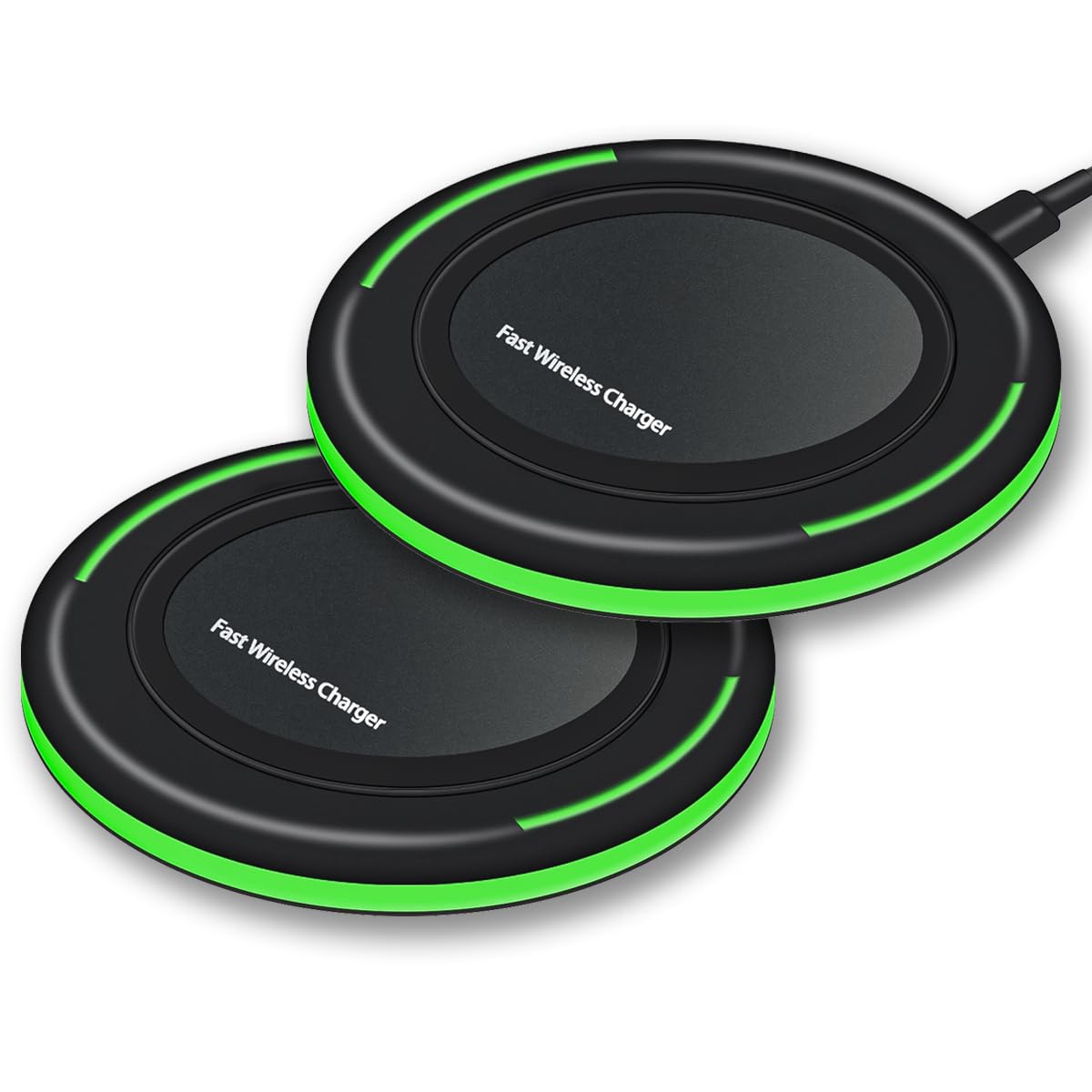
Image: Olahomo 10W Qi Fast Wireless Charging Pad, a sleek black circular pad with a USB-C port.
What's in the Box
- 2 x Olahomo 10W Fast Qi Wireless Charging Pads
- 2 x 3 ft USB Type C Cables
- 2 x User Manuals
Note: An AC adapter is not included and must be purchased separately. For optimal fast charging, a QC2.0/QC3.0 adapter is recommended.

Image: A visual representation of the package contents, showing two wireless charging pads and two USB Type C cables.
Setup Instructions
- Connect the Charging Pad: Insert one end of the provided USB Type C cable into the charging port of the Olahomo Wireless Charging Pad.
- Connect to Power: Plug the other end of the USB Type C cable into a compatible AC adapter (not included). For fast charging, use a QC2.0/QC3.0 adapter.
- Placement: Place the charging pad on a flat, stable surface.
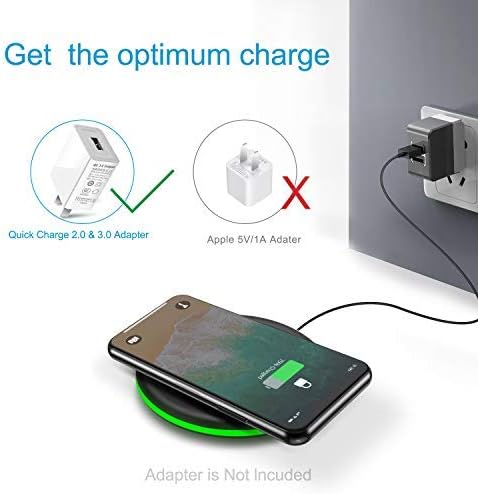
Image: Illustration showing the correct connection of the wireless charging pad to a Quick Charge 2.0 & 3.0 adapter (indicated by a green checkmark) and an incorrect connection to an Apple 5V/1A adapter (indicated by a red X).
Operating Instructions
The Olahomo Wireless Charging Pad supports three charging modes:
- 7.5W Mode: Compatible with iPhone 12, 12 Pro, 12 Pro Max, 12 mini, 11, 11 Pro, 11 Pro Max, XS Max, XS, XR, X, 8, 8 Plus, and the latest iOS System.
- 10W Fast Charging Mode: For Samsung Galaxy Note10, Note10 Plus, Note9, Note8, Note5, S10, S10+, S10E, S10 Plus, S9, S9 Plus, S8, S8 Plus, S7, S7 Edge, S6, S6 Edge, S6 Edge Plus.
- 5W Standard Mode: Supports any Qi-enabled devices and AirPods Pro.
How to Charge Your Device:
- Ensure the charging pad is connected to a power source.
- Place your Qi-enabled device (smartphone, AirPods, etc.) centrally on the charging pad.
- The charging pad will intelligently identify your device and initiate the appropriate charging method.
- A subtle indicator light will confirm that charging is in progress. This light is designed to be sleep-friendly and not disturbing.

Image: Diagram illustrating the universal compatibility of the charging pad, showing different charging modes (10W for Samsung, 7.5W for iPhone, 5W for other Qi devices) and compatible phone models.
Case Compatibility:
The charging pad supports phone cases up to 0.2 inches (5 mm) thick. However, magnetic or metal attachments, grips, stands, and credit cards on the back of your phone case may interfere with charging. For the best experience, remove such items or your phone case if it exceeds the thickness limit.

Image: Illustration showing a phone with a case less than 5mm thick being charged. It also highlights items that can interfere with charging, such as grips, credit cards, magnets, and metal cases.
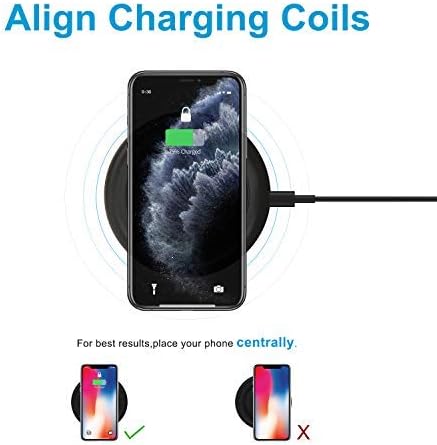
Image: Diagram showing a phone placed centrally on the charging pad for optimal charging, with an incorrect off-center placement marked with an X.
Safety Features
The Olahomo Wireless Charging Pad is equipped with multiple safety protections to ensure safe and reliable charging:
- Automatic balance temperature control
- Input current/voltage protection
- Short circuit protection
- Radiation shielding
- Foreign object detection
- Cell phone battery safety
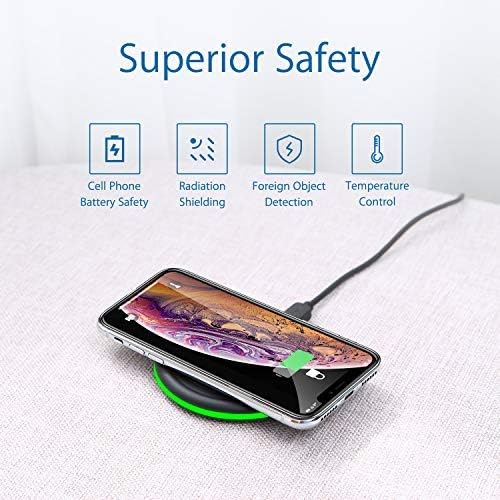
Image: Icons representing various safety features: Cell Phone Battery Safety, Radiation Shielding, Foreign Object Detection, and Temperature Control.
Maintenance
To ensure the longevity and optimal performance of your Olahomo Wireless Charging Pad:
- Keep the charging pad clean and free from dust and debris. Use a soft, dry cloth for cleaning.
- Avoid exposing the device to extreme temperatures, direct sunlight, or moisture.
- Do not disassemble or attempt to repair the device yourself.
- Store in a cool, dry place when not in use.
Troubleshooting
If you encounter issues with your Olahomo Wireless Charging Pad, please refer to the following common solutions:
| Problem | Possible Solution |
|---|---|
| Device not charging or charging slowly. |
|
| Indicator light is not on. |
|
| Device or charger feels warm during charging. |
|
Specifications
| Feature | Detail |
|---|---|
| Brand | Olahomo |
| Model Number | MKTBA |
| Wattage | 10 watts (Max) |
| Amperage | 2 Amps |
| Connectivity Technology | Wireless, USB Type C |
| Compatible Devices | Cellular Phones, Qi-enabled devices, AirPods Pro |
| Special Features | Fast Charging, Wireless Charging, Multi-Protection, Sleep-Friendly Design |
| Item Weight | 5.6 ounces |
| Package Dimensions | 5.83 x 4.33 x 1.57 inches |
| Number of Items | 2 (Charging Pads) |
Warranty and Support
Olahomo offers a 12-month refund/replacement service for this product. If you encounter any defects, damage, or incorrect delivery, please contact our customer service team. We provide 24-hour online service to assist you with any inquiries or issues.
For support, please refer to the contact information provided in your product packaging or visit the official Olahomo website.