Introduction
Thank you for choosing the SOUIDMY G-310W Digital Piano. This instrument is designed to provide an authentic piano playing experience with advanced features suitable for both beginners and professional musicians. This manual will guide you through the setup, operation, and maintenance of your new digital piano, ensuring you get the most out of its capabilities.

Figure 1: SOUIDMY G-310W Digital Piano Overview
This image displays the complete SOUIDMY G-310W digital piano, showcasing its sleek black design, 88 weighted keys, and the included music rest. The piano features integrated speakers on either side of the keyboard.
Setup
1. Unpacking and Contents Verification
Carefully remove all components from the packaging. Verify that all items listed below are present. If any items are missing or damaged, please contact SOUIDMY customer support.
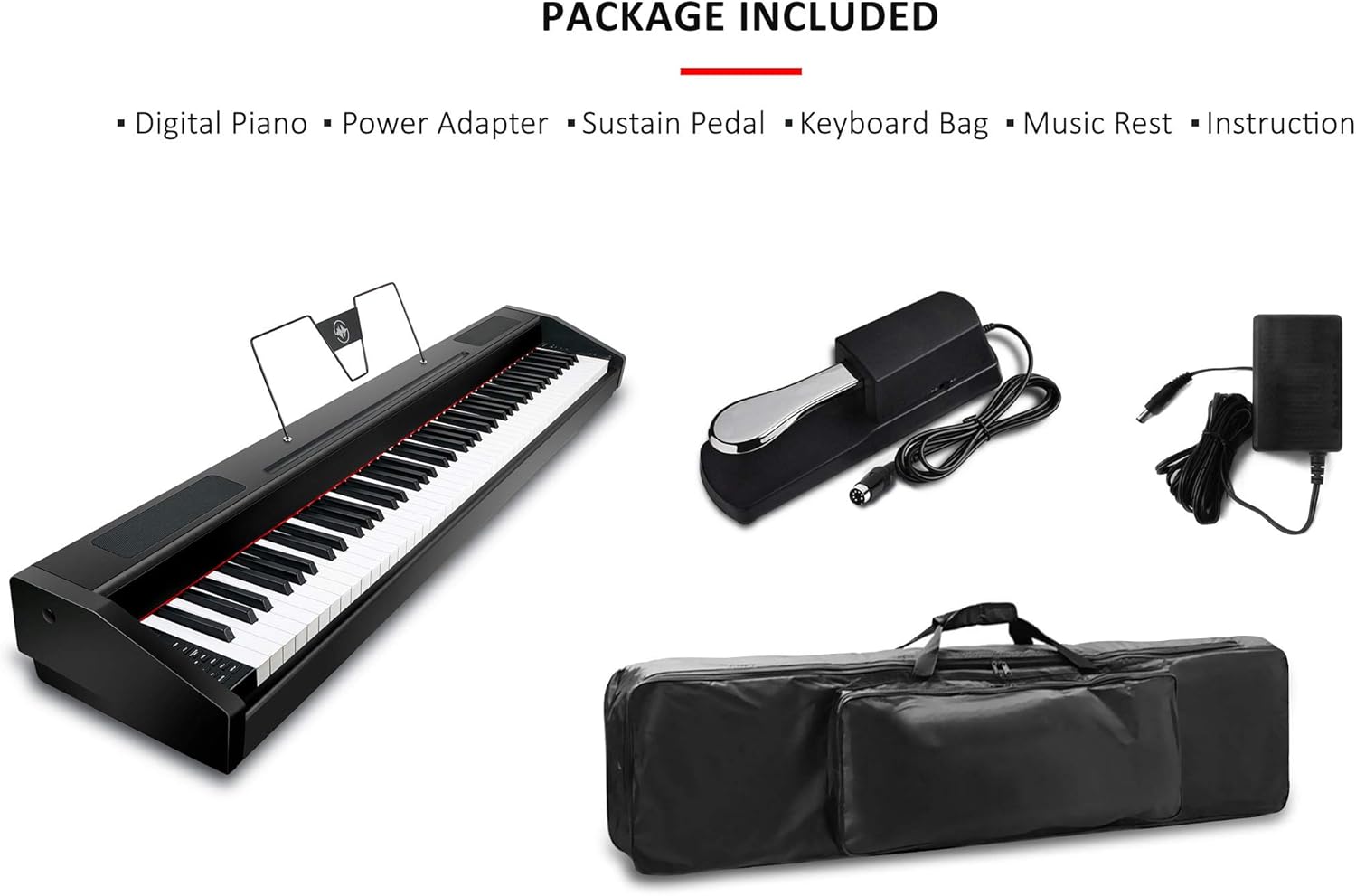
Figure 2: Package Contents
This image illustrates the items included in the SOUIDMY G-310W package: the digital piano unit, a power adapter, a sustain pedal, a keyboard bag for portability, a detachable music rest, and the instruction manual.
- Digital Piano (G-310W)
- Power Adapter
- Sustain Pedal
- Keyboard Bag
- Music Rest
- Instruction Manual (this document)
2. Placement
Place the digital piano on a stable, flat surface. Ensure there is adequate space around the instrument for ventilation and comfortable playing. Avoid placing it in direct sunlight, near heat sources, or in areas with extreme temperature fluctuations or high humidity.
3. Power Connection
- Ensure the digital piano's power switch is in the OFF position.
- Connect the DC output plug of the power adapter to the "POWER" input jack on the rear panel of the digital piano.
- Plug the power adapter into a standard AC electrical outlet.
4. Connecting Accessories
- Sustain Pedal: Connect the sustain pedal cable to the "PEDAL" jack on the rear panel.
- Headphones: For private practice, connect standard 3.5mm stereo headphones to either of the two headphone jacks located on the front left side of the piano.
- Music Rest: Insert the music rest into the designated slots on the top panel of the piano.

Figure 3: Digital Interfaces and Control Panel
This image highlights the various digital interfaces available on the SOUIDMY G-310W, including USB-MIDI, MIDI IN/OUT, AUDIO IN/OUT, and the power input. It also shows a close-up of the LCD screen and the control buttons for navigating features.
Operating Instructions
1. Power On/Off and Volume Control
- Power On: Press the "POWER" button located on the control panel. The LCD screen will illuminate.
- Power Off: Press the "POWER" button again to turn off the instrument.
- Volume: Use the dedicated volume knob or buttons to adjust the overall output level of the speakers or headphones.
2. Authentic Acoustic Piano Touch
The G-310W features a full-size weighted graded hammer-action keyboard with matte black key tops. This design provides a realistic piano feel, with a heavier touch in the lower register and a lighter touch in the higher register, mimicking an acoustic grand piano. The 4-level touch sensitivity allows for expressive playing.

Figure 4: Authentic Acoustic Piano Touch
This image highlights the key features of the SOUIDMY G-310W's keyboard: touch sensitivity, which allows for dynamic expression based on how hard keys are pressed, and graded hammer action, where keys in the lower register have a heavier feel than those in the higher register, replicating an acoustic piano.
3. Pure Grand Piano Tone and Polyphony
The Souidwave sound engine utilizes dynamic stereo sampling technology to capture the sound of a Steinway Model D Grand Piano. Combined with premium audio processing, this delivers a rich and natural concert grand sound. The 128-note polyphony ensures that notes do not cut off prematurely, even when playing complex passages with sustain. String resonance is also reproduced for added realism.
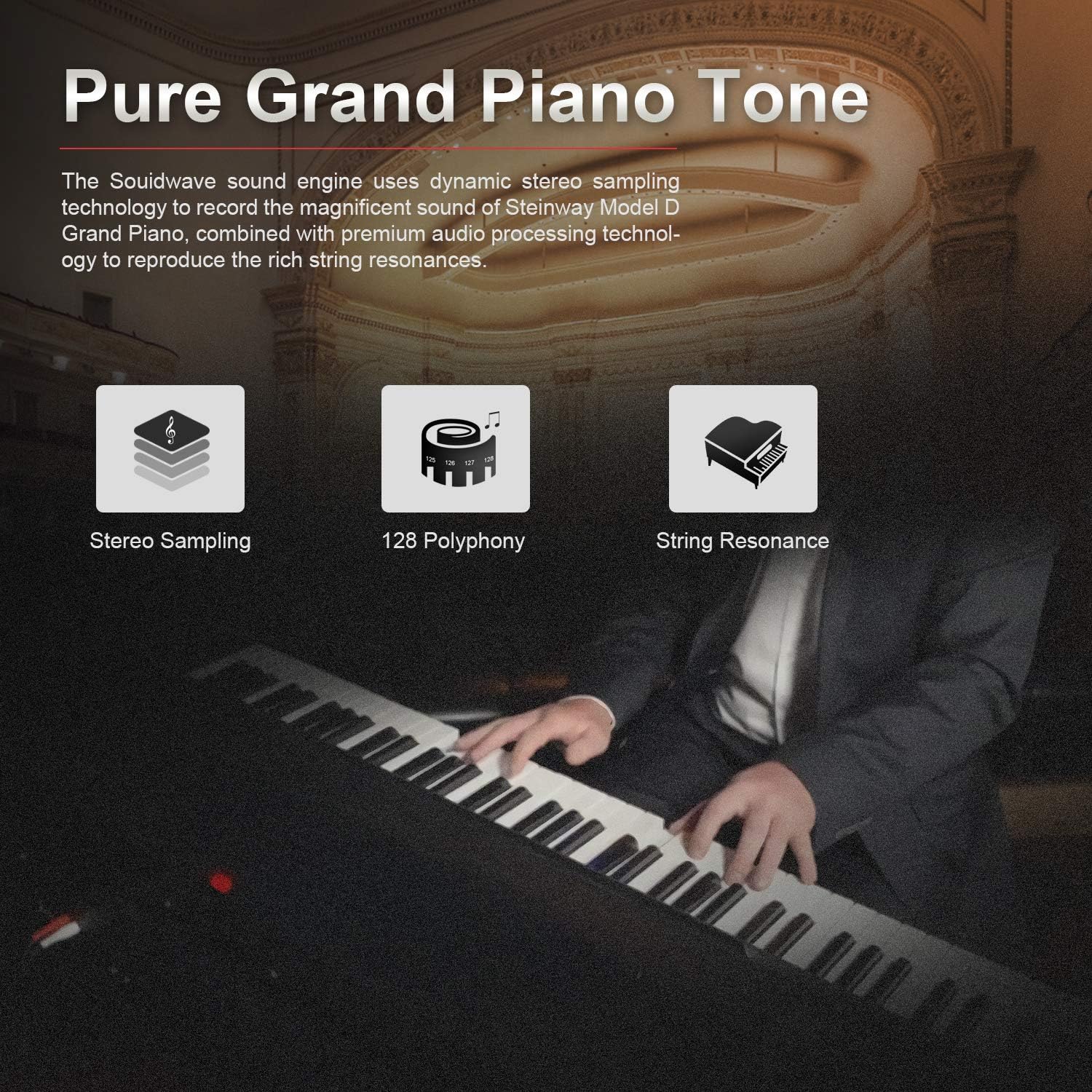
Figure 5: Pure Grand Piano Tone Features
This image details the sound generation capabilities of the SOUIDMY G-310W, including Stereo Sampling for realistic sound capture, 128-note Polyphony allowing for many notes to sound simultaneously, and String Resonance, which simulates the sympathetic vibrations of unplayed strings on an acoustic piano.
4. Stereo Speakers and Audio Connectivity
The G-310W is equipped with two powerful 20W stereo speakers, providing clear and robust sound for practice or performance. In addition to the two front headphone jacks, the piano features standard-sized AUDIO IN/OUT jacks for connecting external audio devices or sound systems.

Figure 6: Audio Output Features
This image illustrates the audio output capabilities of the SOUIDMY G-310W, highlighting its powerful 20W stereo speakers for rich sound projection and the convenience of two front-facing headphone jacks for simultaneous private listening or teaching.
5. Rich Features and Modes
The G-310W offers 128 advanced tones, 100 rhythms, and 60 demo songs. Navigate these features using the LCD screen and control buttons. Various modes enhance your playing and learning experience:
- Dual Voice Mode: Play two different tones simultaneously.
- Split Mode: Divide the keyboard into two sections, each with a different tone.
- Smart Chord: Automatically generate chords.
- Sync: Synchronize rhythm playback.
- Metronome: Practice with a steady beat.
- Reverb/Chorus: Add spatial and modulation effects to the sound.
- Fill In: Add rhythmic variations during rhythm playback.
- Record/Playback: Record your performances and play them back.
- Equalizer: Customize sound settings.

Figure 7: Control Panel Features
This image provides a detailed view of the SOUIDMY G-310W's control panel, illustrating how various functions like tone selection, memory recall, and environmental settings (Reverb, Chorus, Dual Voice, Split, Percussion) can be accessed through combinations of the "COMB" button and specific keys.
6. Bluetooth MIDI and USB-MIDI Connectivity
The G-310W supports both Bluetooth MIDI and USB-MIDI connectivity, allowing you to connect to various music applications on your computer or mobile device for recording, learning, and advanced control. The MIDI IN/OUT connectors provide traditional MIDI interfacing.
Note: While the product supports Bluetooth connectivity, its primary function is Bluetooth MIDI for data transfer, not audio streaming. For audio input, use the dedicated AUDIO IN jack.
Maintenance
1. Cleaning
- Use a soft, dry cloth to wipe the surface of the piano.
- For stubborn dirt, slightly dampen the cloth with water and a mild, non-abrasive cleaner, then wipe dry immediately.
- Do not use abrasive cleaners, waxes, or solvents, as these can damage the finish.
- Avoid spraying liquids directly onto the instrument.
2. Storage
- When not in use for extended periods, disconnect the power adapter.
- Store the piano in a cool, dry place, away from direct sunlight and extreme temperatures.
- If transporting, use the provided keyboard bag for protection.
3. General Care
- Avoid placing heavy objects on the keyboard.
- Do not expose the instrument to excessive force or impact.
- Keep liquids away from the piano to prevent damage to internal electronics.
Troubleshooting
| Problem | Possible Cause | Solution |
|---|---|---|
| No sound from speakers/headphones. |
|
|
| Sustain pedal not working. |
|
|
| Bluetooth MIDI connection issues. |
|
|
Specifications
| Feature | Description |
|---|---|
| Model Name | G-310W (also referred to as SEP-8802 in some documentation) |
| Number of Keys | 88 Full-size Weighted Graded Hammer Action Keys |
| Touch Sensitivity | 4-level |
| Polyphony | 128-note |
| Tones | 128 Advanced Tones (including Steinway Model D Grand Piano sample) |
| Rhythms | 100 Rhythms |
| Demo Songs | 60 Demo Songs |
| Speakers | 2 x 20W Stereo Speakers |
| Connectivity | Bluetooth MIDI, USB-MIDI, MIDI IN/OUT, AUDIO IN/OUT, 2 x 3.5mm Headphone Jacks |
| Display | LCD Screen |
| Power Source | Electric (AC Adapter) |
| Item Weight | 40.8 pounds (approx. 18.5 kg) |
| Dimensions (Package) | 55.5 x 14.4 x 9.8 inches (approx. 141 x 36.6 x 24.9 cm) |
| Material | Laminated Wood |
Warranty and Support
Warranty Information
SOUIDMY products are manufactured to high quality standards. This product is covered by a limited warranty against defects in materials and workmanship from the date of purchase. Please retain your proof of purchase for warranty claims. Specific warranty terms and duration may vary by region. For detailed warranty information, please refer to the warranty card included with your product or visit the official SOUIDMY website.
Customer Support
If you encounter any issues or have questions regarding your SOUIDMY G-310W Digital Piano that are not covered in this manual, please contact SOUIDMY customer support. Our team is available to assist you with technical support, troubleshooting, and parts replacement.
For the most up-to-date contact information, please visit the official SOUIDMY website or refer to the contact details provided on your product packaging or warranty card.
Online Resources: Visit the SOUIDMY Store on Amazon